Jbrenier
-
Posts
8 -
Joined
-
Last visited
About Jbrenier

Jbrenier's Achievements




-
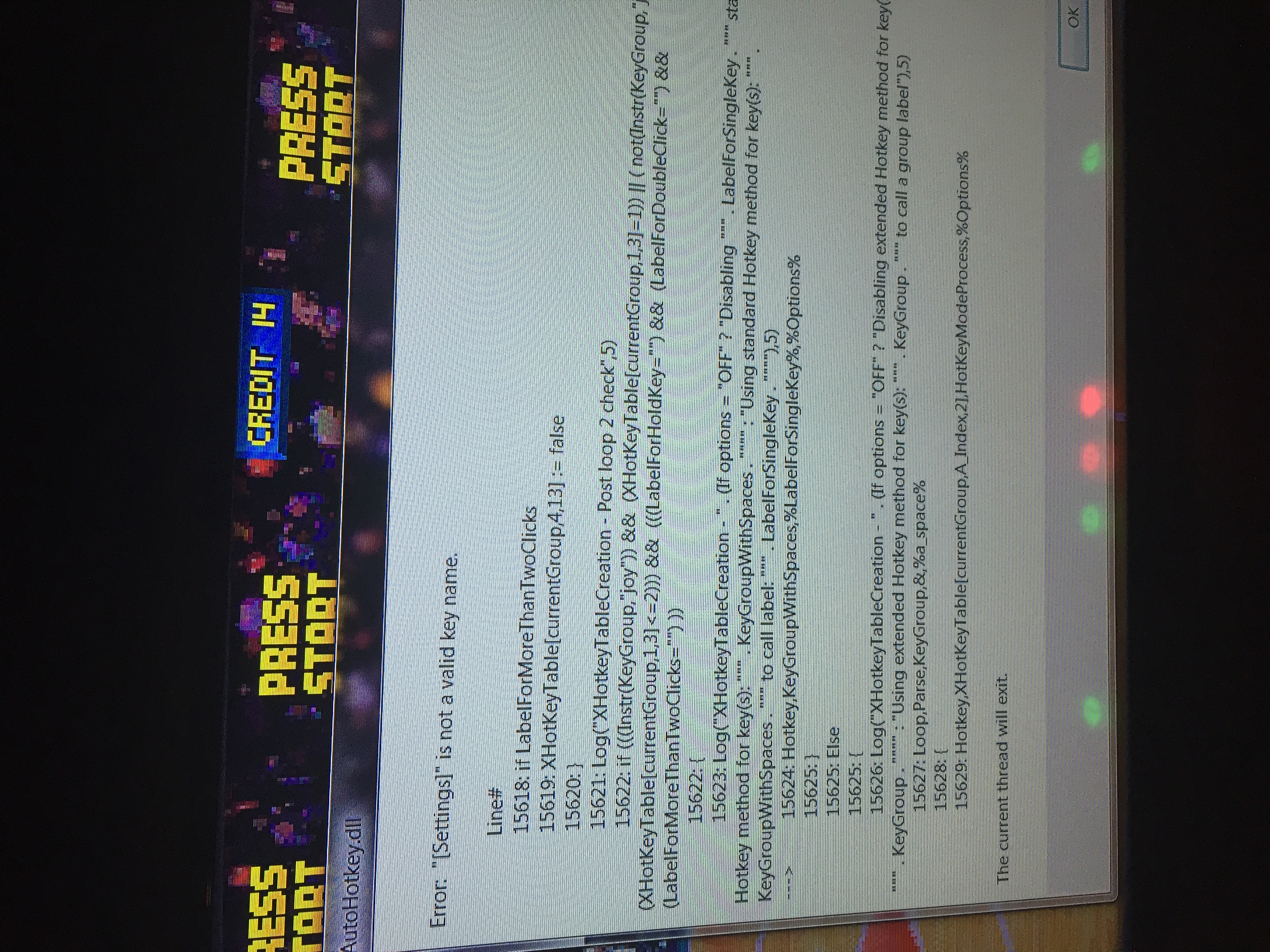
I just posted it to your Facebook account. Wouldn’t let me upload here due to size limit exceeded. It was working perfectly at one time. I need to update hyperspin and rocketlauncher. Maybe tomorrow I’ll follow your install videos and update both and see if that fixes these issues. I’m also having an issue with rocketlauncher not closing when I exit a game. I’m having to shutdown rocketlauncher with task manager. Also get the autohotkey.dll error when I start a game. That’s the error you see in the video when the game is selected. RocketLauncher.DLL.log

-
Yes hyperspin is C:/hyperspin. What apps? I just want the .ini to let me use the Ultimarc 360 joysticks in hyperspin. I want mame to use its own configured control settings while playing a game.
-
I recently switched to Ultimarc 360 joysticks. I couldn’t navigate in hyperspin, so I found the start up script ini. I am able to navigate hyperspin now, but when I start a game I can’t add coins until I click on the 2nd mame screen. I am having a problem using the start up script. I can get the script to allow me to use my Ultimarc 360 joysticks to navigate hyperspin...But when I select to start a game the actual game window is not the main window, so it will not let me add coins to start the game. I have to use my mouse to hover over the taskbar to select the 2nd window in MAME and then I can add coins and start the game. Can you help me figure out whats wrong. I've been racking my brain over this for 2 days.
-
Here's my Start Up Script.ini MydknyteStyrm do you see anything wrong with the .ini? HyperSpin Startup Script.ini
-
Ok, I’ll post it Wednesday evening. I work offshore and won’t be home until then.
-
NO none of those other programs. No did not happen until I swapped my joysticks to U360’s and used the hyper spin startup script. Yes only when I use the startup script it happens.
-
Rocketlauncher, avast antivirus (which i’ve Been meaning to remove) I’m not at my computer now so I can’t think of anything else. But the computer is dedicated to my cab and built for my cab. So other than windows processes there shouldn’t be anything else. And thanks for the reply.
-
I am having a problem using the start up script. I can get the script to allow me to use my Ultimarc 360 joysticks to navigate hyperspin...But when I select to start a game the actual game window is not the main window, so it will not let me add coins to start the game. I have to use my mouse to hover over the taskbar to select the 2nd window in MAME and then I can add coins and start the game. Can you help me figure out whats wrong. I've been racking my brain over this for 2 days.