
CydXero
-
Posts
63 -
Joined
-
Last visited
Content Type
Forums
Events
Downloads
Store
Everything posted by CydXero
-
I haven't seen any logos, so I got impatient. Created a few music videos.. intros or what not. Original music too. Hope you like them,
-
- 2
-

-

-

My Hyperspin 2
CydXero replied to CydXero's topic in Build & Track: Project Blog Group's My Hyperspin Journey
"%rom.path%" Mental note for Switch -
My Hyperspin 2
CydXero replied to CydXero's topic in Build & Track: Project Blog Group's My Hyperspin Journey
Notes on file locations: C:\Users\<user>\HyperHQ C:\Users\<user>\.HyperHQ C:\Users\<user>\.HyperSpin C:\Users\<user>\AppData\Roaming\HyperSpin C:\Users\<user>\AppData\Roaming\HyperHQ C:\Users\<user>\AppData\Local\hyperhq-updater -
My Hyperspin 2
CydXero replied to CydXero's topic in Build & Track: Project Blog Group's My Hyperspin Journey
Well. I've exhausted all I can do for now. Waiting for the next update. -
My Hyperspin 2
CydXero replied to CydXero's topic in Build & Track: Project Blog Group's My Hyperspin Journey
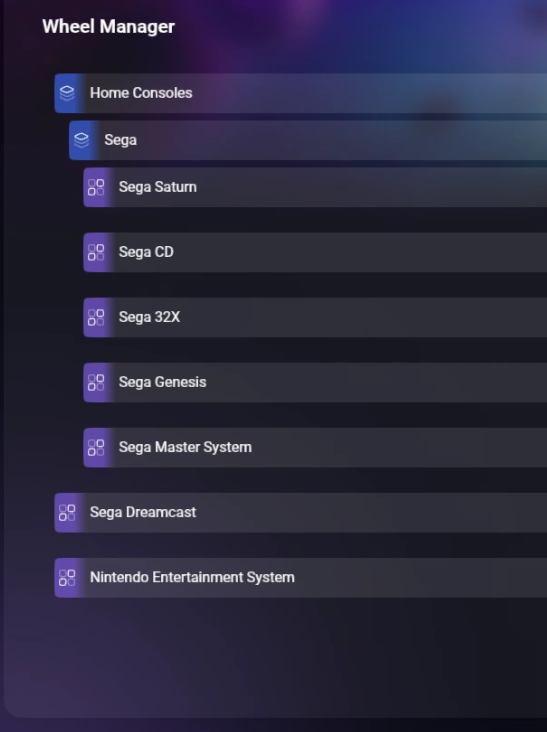
Flattened the wheel until collections is updated. Created a blank collection call Exit to make it easier to back out. -
Working on system collections
CydXero replied to CydXero's topic in Media Creators's What are you working on and share?
pausing some projects until the HT is updated. -
Atari 2600 Theme by: Unknown Preview Description Atari 2600 Details Type: System Theme System: Atari 2600 Created: Jan 17, 2025 Download View on HyperTheme
-
My Hyperspin 2
CydXero replied to CydXero's topic in Build & Track: Project Blog Group's My Hyperspin Journey
what fun.. after restarting and updating.. HQ looks fine.. HS won't move forward or back.. and layers in the art aren't working.. gonna see if I can redownload the themese. -
Yes for now.. I have requested in the Developlment tracker and mass deletion option. Side note, even if you delete the rom file (or rename it) it'll still show here. If you rename it, it may add another instance. You still have to manually delete the old file. For MAME (should be turned off) don't update it. It could add the remaining roms to it. They're working on that now.
-
My Hyperspin 2
CydXero replied to CydXero's topic in Build & Track: Project Blog Group's My Hyperspin Journey
New notes: You can run a second instance of the same emulator, but you'd have to run it as an other. You can change the core, by altering the command line -L "%emulator.folder%\cores\genesis_plus_gx_libretro.dll" "%rom.path%" -f Future request -
My Hyperspin 2
CydXero replied to CydXero's topic in Build & Track: Project Blog Group's My Hyperspin Journey
So started from scratch slowly adding each system and wheel. so far so good.. no multiples. *mental note.. patience
-
there was a file called hyperspin.. I deleted that file within those folders, but left the rest intact
-
My Hyperspin 2
CydXero replied to CydXero's topic in Build & Track: Project Blog Group's My Hyperspin Journey
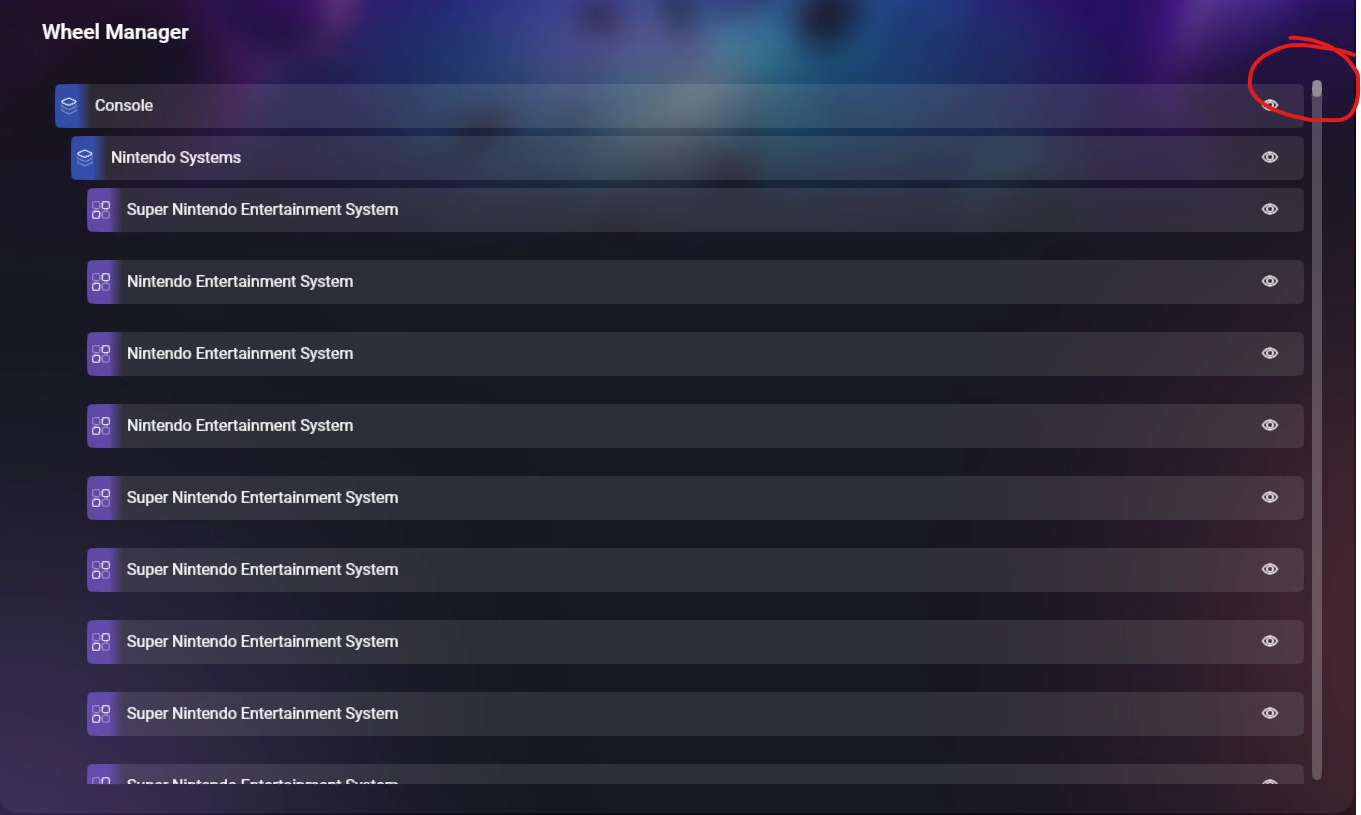
DOH!!! So being impatient, I was installing the systems and creating the collection while the metadata and media were downloading all at the same time. It caused a massive glitch on duplicating wheels. I'm not 100% sure that's what did it, but I'm going to start fresh and be patient to see if that issue can be duplicated
-
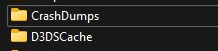
also these to files appear to store more data.
-
Maybe not a big one affecting it working, but that appears to be where the update file gets stored at. Great find!
-
My Hyperspin 2
CydXero replied to CydXero's topic in Build & Track: Project Blog Group's My Hyperspin Journey
Random notes So found the damned hidden file that was the culprit! Removed cache files manually and reinstalled. Seems to work faster now. dIscovered to manually use my own art, the file name must match the rom file name. Also deleting a rom file doesn't remove it from the list. in fact refreshing the media cache doesn't affect it as well. Right clicking on the icon and exit and restarting the program sometimes fixes small issues. Automatic emulator installs only appear for now only are on initial installation. Requested the feature. Uninstaller only seems to work on HQ, all others must be manually removed from the hidden directories. Requested the feature. If you update HS don't forget to update the plugins. having issues where my HQ will open in my marquee. Attempting to figure out how to add the custom clear logos for collections. Where to put them and what to call the png. -
100% get it, that's why I'm invested into it. I'm trying to catch these early and quickly to report it.
-
I don't disagree at all.. I had to do a fresh install. It seems the only time I can trigger the autoinstall of the emulators is on the initial setup. Afterwards, it's all manual.
-
-
So I found these file locations. To do a fresh install, all of these have to be removed. The uninstall seems to only remove the primary HyperHQ. Mine was located under C:\Users\<System Name> There's 2 files .HyperHQ and .HyperSpin also C:\Users\<System Name>\AppData\Roaming There's 2 files HyperHQ and Hyperspin Default Hyperspin location C:\ProgramData\HyperSpin lastly C:\Program Files\Hyperspin If you find anymore, let me know.
-
Just to start. Imported for the last 3-4 days. I'm avoiding using Rocketlauncher to use this natively to draw out any bugs. Random thoughts. adding the xbox controller was wonky, but fixed through a few updates. Can't seem to add media, assuming that's because it's beta and coming soon. I did find that I can alter the collections theme. HT was iffy at first. It only seemed to react to my keyboard functions. Didn't see any instructions, but I think was able to figure it out. Made a Sega Collection Template and found out audio and one of the layers didn't work in HS. (reported and being addressed) ... more to come.
-
I was brainstorming a creative way to incorporate a HOTAS setup into my cabinet. Initially, I thought of designing a detachable platform. (I should have taken pictures throughout creation) IT was ok, but tedious on removing it, hooking it etc. While browsing through Google, I was surprised to find that no one had really come up with a solution. I started thinking about adding some kind of swing-back arm, and monitor arms immediately came to mind. The problem was that most of them didn’t offer a full 90-degree upward movement—until I came across this. Thinking to myself, I can mod this just for a single platform. There was a single platform holding it up. Ordered 2. Worked ok, but I didn't like the extra wood in between. Figured, I'd just connect the sticks just to the metal platform. and this was the end result. I can even float them above. More to come..
-
- 1
-
-
Very aware of your work and I'm an avid user of it. Glad to see you aboard
-
Didn't want to record this as a bug. When I change the view type to "list" it works, but it goes back to "artwork view" If I navigate away. Not sure if that's by design or is it supposed to stay defaulted to that last view. Is this normal?
-
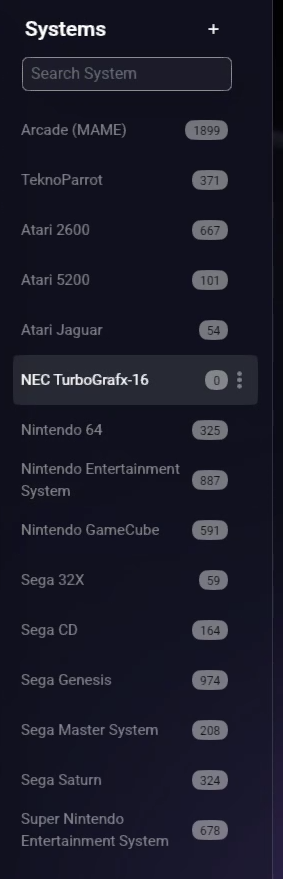
Odd, in mine they were all there. I only have these actually installed.