


doohan
-
Posts
117 -
Joined
-
Last visited
-
Days Won
1
About doohan

- Birthday 09/21/1976
doohan's Achievements






-
You're a King man! That's it! Thanks a lot! I will try it on 2,3 other systems as well! Thanks for all your help!
-
Hello, Thanks to your advices, I'm nearly on. This script works perfectly, except, it won't end Autohotkey (always present in my taskbar) ------------------------------------------------------------------------------ Gui +AlwaysOnTop -Caption +ToolWindow Gui, color, 0 Gui Show, x0 y0 h%A_ScreenHeight% w%A_ScreenWidth%, Run E:\Nintendo\N64\Emulateur\Simple64 Super Mario\simple64-gui.exe "E:\Nintendo\N64\Jeux\Super Mario 64 (E) (M3) [!].z64 Sleep, 3000 Gui, Destroy Process, waitClose, %executable% Esc:: Send !{F4} return ---------------------------------------------------------------------------- Just to force Autohotkey to close...
-
Hello, I have updated Demul from 0582 to 07-280418 (better emulation) I have a script that works for Demul 0582 but not for the 0.7 version: --------------------------------------------------------------------------------------------------------------------- Run, E:\Sega\Atomiswave\Emulateur\demul0582\demul.exe -run=atomiswave -rom=demofist Esc:: Process, Close, demul.exe ExitAPP return --------------------------------------------------------------------------------------------------------------------- I thought just changing the path E:\Sega\Atomiswave\Emulateur\demul0582 to E:\Sega\Atomiswave\Emulateur\demul-0-7-280418 would start Demul 0.7 instead but it doesn't work... If I stop the script at Run, E:\Sega\Atomiswave\Emulateur\demul-0-7-280418\demul.exe, Demul is launching, so I think there is something wrong with the path for launching the game... Does someone have an idea? Thanks by advance,
-
Hello, What a script! Unfortunately, the GUI is not hding the launching of the emulator, it appears too late. No matter, thanks for all the support! It seems to happen in some emulators so I'll try to compile all of them and open an new content with one quote... Thanks for all your help
-
Hello, It works but...blackscreen is coming too late. It doesn't hide the launching of the emulator... A little bit like no GUI to hide it: -------------------------------------------------------------- Runwait E:\Nintendo\N64\Emulateur\Simple64 Super Mario\simple64-gui.exe "E:\Nintendo\N64\Jeux\Super Mario 64 (E) (M3) [!].z64 Process, waitClose, %executable% ExitApp Esc:: Send, !{F4} return ----------------------------------------------------------- Best regards,
-
Hello, You can find almost everything on Emumovies or Laucnhbox. Regards,
-
You're a chief buddy. It woks fine! May I ask you something else as you seem to know well the ahk files? For the N64, i use this command that works perfectly fine for Project64, but not with Simple64 ------------------------------------------------------------------------------------------------------------------------------------------- Gui +AlwaysOnTop -Caption +ToolWindow Gui, color, 0 Gui Show, x0 y0 h%A_ScreenHeight% w%A_ScreenWidth%, Runwait E:\Nintendo\N64\Emulateur\Simple64 Super Mario\simple64-gui.exe "E:\Nintendo\N64\Jeux\Super Mario 64 (E) (M3) [!].z64 Sleep, 2000 Gui, Destroy Process, waitClose, %executable% ExitApp Esc:: Send, !{F4} return -------------------------------------------------------------------------------------------------------------------------------------------- Gui Blackscreen stay above the emulator so I don't see anything (except a blackscreen). I can hear the game running in the emulator and escape get out of the script. If i change "Runwait" with "Run", everything is launching fine (Gui blackscreen is destroyed) but this time, Esc doesn't get out of the script... I have to manually press alt+F4 to get out of the script... Any idea? Thanks a lot,
-
Hello, I'm trying to set up a *.ahk to start a game for the Sega Model 2: ------------------------------------------------------------------------------------------- Runwait E:\Sega\Model 2\Emulateur\M2emulator_1.1a\EMULATOR.exe "E:\Sega\Model 2\Emulateur\M2emulator_1.1a\Roms\doa.zip Process, waitClose, %executable% ExitApp Esc:: Send, !{F4} return ------------------------------------------------------------------------------------------ Emulator is launching but not the game. Has someone an idea how to solve it? Thanks a lot,
-
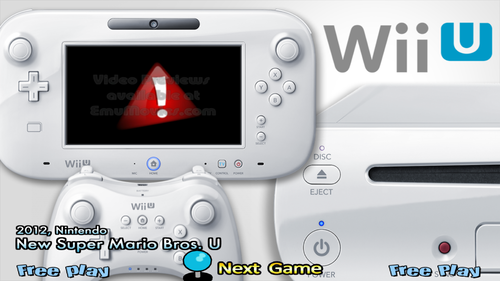
Version 1.0.0
50 downloads
Default.zip -
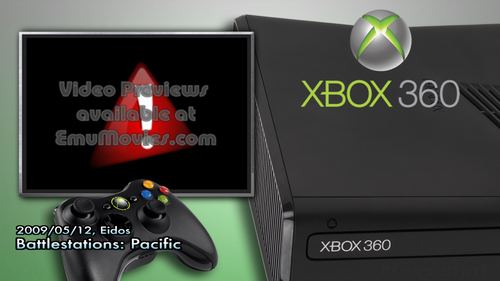
Version 1.0.0
73 downloads
Default.zip -

Version 1.0.0
71 downloads
Default.zip -
gnw_mbaway (Nintendo Game & Watch)(MAME)(16:9)
doohan commented on hoscarconh's file in Game Themes (16:9)
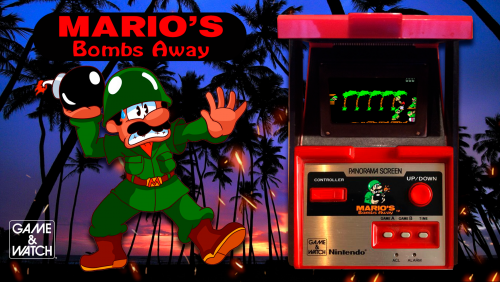 Great theme man!
 -
Nintendo Game & Watch(Game Theme)(MAME)(16:9)(3 of 3)
doohan commented on hoscarconh's file in Game Themes (16:9)
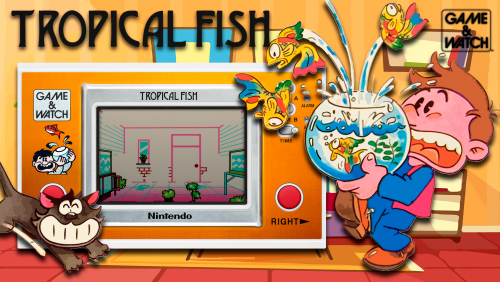 Absolutely amazing themes!
 -
.thumb.png.881673ddb422ee0cac3526c76bac9856.png) Super job and quality pal!
Super job and quality pal! -
mame F1 Grand Prix Star 2 - f1gpstr2-Fizen(20171208) (MAME 4:3)
doohan commented on Fizen's file in Game Themes (4:3)
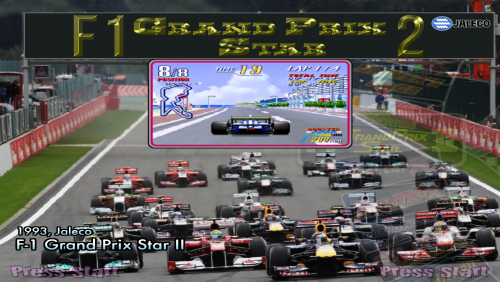 Hello, This the kind of theme that I'd like todo in16:9. This is the original PSD file linked. Qulaity is much better. 007 - Nightfire (France).psd007 - Nightfire (France).psd This is the png that I got resized from the PSD for the Artwork 3 (3D box) 007 - Nightfire (France).psd007 - I see that there are more and more swf files for artworks. I've heard that quality is better than a png file. What is a simple way with Adobe Illustrator to convert png artwroks in swf artowrks to save quality of those artworks? Thanks and regards,

