
MEmu := "AAE"
MEmuV := "vAlpha87u2 (12/13/08)"
MURL := ["http://pages.suddenlink.net/aae/"]
MAuthor := ["djvj"]
MVersion := "2.0.7"
MCRC := "581D521B"
iCRC := "78B83C3"
MID := "635038268873928953"
MSystem := ["AAE"]
;----------------------------------------------------------------------------
; Notes:
; To apply the updates, first extract the aae092808.zip to its own folder. Then extract aaeu1.zip (10/26/08 build) on top of it overwriting existing files. Do this again for aaeu2.zip (12/13/08 build)
; 12/13/08 release crashes on launch if you have joysticks plugged in or virtual joystick drivers like VJoy installed. If you cannot change this, use AAE from 10/26/08.
; Open your aae.log if it crashes and if it's filled with joystick control info, you need to unplug one joystick at a time until it stops happening.
; Even just having your 360 controller receiver in can crash the exe. Nothing you can do except use another emu or always know to unplug your controllers.
; In the aae.ini, If mame_rom_path has a # before it, remove it.
; You can start the emu and press TAB to set some options.
; If you want to change your exit key within AAE, launch the emu manually (w/o a game) and hit Tab. Then goto Keyboard Config -> Quit (at bottom).
;----------------------------------------------------------------------------
StartModule()
BezelGUI()
FadeInStart()
primaryExe := new Emulator(emuPath . "\" . executable) ; instantiate emulator executable object
emuPrimaryWindow := new Window(new WindowTitle(,"AllegroWindow")) ; instantiate primary emulator window object
emuRestoreWindow := new Window(new WindowTitle(,"#32770"),"Crap")
Fullscreen := moduleIni.Read("settings", "Fullscreen","true",,1) ; true (fake full screen), false (Windowed mode) and Fullscreen (normal fullscreen. Do not work with Pause.)
bezelMode := moduleIni.Read(romName . "|Settings", "BezelMode","Layout",,1) ; "Layout" or "FixResMode"
Artwork_Crop := moduleIni.Read(romName . "|Settings", "Artwork_Crop", "1",,1)
Use_Artwork := moduleIni.Read(romName . "|Settings", "Use_Artwork", "1",,1)
Use_Overlays := moduleIni.Read(romName . "|Settings", "Use_Overlays", "1",,1)
Exit_Mode := moduleIni.Read("Settings", "Exit_Mode", "WinClose",,1)
aaeINI := new IniFile(emuPath . "\aae.ini")
aaeINI.CheckFile()
; Enabling Bezel components
aaeINI.Write(Use_Artwork, "main", "artwork")
aaeINI.Write(Use_Overlays, "main", "overlay")
aaeINI.Write(Artwork_Crop, "main", "artcrop")
If (bezelEnabled = "true")
If (bezelMode = "FixResMode") ; RocketLauncher Bezels
{ BezelStart()
aaeWidth := Round(bezelScreenWidth)
aaeHeight := Round(bezelScreenHeight)
aaeINI.Write(aaeWidth, "main", "screenw")
aaeINI.Write(aaeHeight, "main", "screenh")
aaeINI.Write(0, %aaeINI%, "main", "bezel")
} Else ; AAE Built-In Bezels
aaeINI.Write(1, %aaeINI%, "main", "bezel")
Else ; No Bezels
aaeINI.Write(0, "main", "bezel")
; Creating fake fullscreen mode if fullscreen is true because Pause is not compatible with AAE fullscreen mode.
currentFullScreen := aaeINI.Read("main","windowed")
If (currentFullScreen = 0) && (Fullscreen != "Fullscreen") { ; Windowed mode
aaeINI.Write(1, "main", "windowed")
aaeINI.Write(A_ScreenWidth, "main", "screenw")
aaeINI.Write(A_ScreenHeight, "main", "screenh")
} Else If (currentFullScreen = 1) and (Fullscreen = "Fullscreen") ; Real fullscreen mode
aaeINI.Write(0, "main", "windowed")
If (Fullscreen = "true") { ; Fake fullscreen mode
aaeINI.Write(A_ScreenWidth, "main", "screenw")
aaeINI.Write(A_ScreenHeight, "main", "screenh")
}
hideEmuObj := Object(emuRestoreWindow,0,emuPrimaryWindow,1)
7z(romPath, romName, romExtension, sevenZExtractPath)
aaeINI.Write(romPath, "main", "mame_rom_path") ; Update AAE's rom path so it's always correct and also works with 7z
HideAppStart(hideEmuObj,hideEmu)
primaryExe.Run(" " . romName)
emuPrimaryWindow.Wait()
emuPrimaryWindow.WaitActive()
If (Fullscreen = "true"){
TimerUtils.Sleep(200)
emuPrimaryWindow.RemoveTitleBar()
}
BezelDraw()
HideAppEnd(hideEmuObj,hideEmu)
FadeInExit()
primaryExe.Process("WaitClose")
7zCleanUp()
BezelExit()
FadeOutExit()
ExitModule()
RestoreEmu:
timeout := A_TickCount
Loop {
errLvl := emuRestoreWindow.Close()
If (!errLvl || timeout < A_TickCount - 3000)
Break
TimerUtils.Sleep(50)
}
Return
CloseProcess:
FadeOutStart()
If (Exit_Mode = "ProcessClose")
primaryExe.Process("Close")
Else
emuPrimaryWindow.Close()
Return

 game wheels for AAE
 39 Wheel Game AAE
 This is a 16:9 custom AAE main menu wheel. To install this file simple place it in your :/HyperSpin/Media/Main Menu/Images/Wheel/ folder and overwrite or backup the existing file, if any. Enjoy!
 This is a 16:9 version of the default AAE main menu wheel. To install this file simple place it in your :/HyperSpin/Media/Main Menu/Images/Wheel/ folder and overwrite or backup the existing file, if any. Enjoy!
 This is a 16:9 widescreen version of the Widow-plated AAE wheels. To install, simply extract the file to your :\HyperSpin\Media\AAE\Images\Wheel\ folder and overwrite or backup the existing files. Enjoy!
 This is a 16:9 widescreen version of ninja2bceen's wonderful AAE pointer. To install, simply download the file to your :\HyperSpin\Media\AAE\Images\Other\ folder and overwrite or backup the existing file. Enjoy!
 This is a 16:9 version of the AAE letter pack intended for widescreen displays. Simply extract this file into your :/HyperSpin\Media\AAE\Images\Letters\ folder and overwrite or backup the existing files. Enjoy!
 AAEE alt pointer
 Multi Color - AAE - Main Menu Wheel
 Tristeele Alt - AAE - Main Menu Wheel
 Tristeele - AAE - Main Menu Wheel
 Default - AAE - Letter Pack
 Default - AAE - Pointer
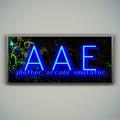 Framed (16:10) - AAE - Main Menu Wheel
 Red - AAE - Main Menu Wheel
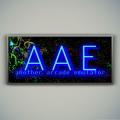 Framed (16:9ST) - AAE - Main Menu Wheels
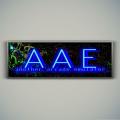 Framed (4:3) AAE - Main Menu Wheel
 KoolJeep - AAE - Main Menu Wheel
 Coming Soon - AAE - Main Menu Wheel
 Default - AAE - Main Menu Wheel
 Carbon - AAE - Main Menu Wheel
 Green - AAE - Game Wheel Pack
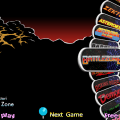 Widow Eliptical - AAE - Game Wheel Pack
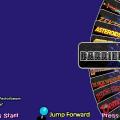 Widow - AAE - Game Wheel Pack