sonkun
-
Posts
134 -
Joined
-
Last visited
-
Days Won
2
Content Type
Forums
Events
Downloads
Store
Everything posted by sonkun
-
Yeah this was a mistake on my part. I've only used HyperSpin strictly on the Shield TV never touched it on pc so I completely forgot about Rocket Launcher. I don't think there's anyway to do it on Android where let's say one game on a wheel will load up with a RetroArch Megadrive core and a different game on that same wheel will load up using a snes RetroArch core or a completely different stand alone emulator.
-
Nice, so many new additions. The only thing I wish could be possible is to be able to play collection wheels with games on multi systems like snes, megadrive, nes like the Castlevania wheel collection. I think you said in a previous post you won't be touching on that tho I think. Also in this latest build I notice if I press the home button on the Shield and then reopen HyperSpin I can no longer move up or down any wheels. I can enter and exit the wheel but can't move unless I force close the app and reopen it. This didn't happen on the previous build.
-
Yeah that emu is quirky in itself, even configuring the buttons is a hassle but that's something I'll deal with when I have time. For me it also launches directly into the game as well it just shows me the home screen for about 3 seconds before the game actually starts, it's all good. I'm not sure what bugs are there but imo I say iron out as many bugs as you can before putting an official release out. No need to rush anything I rather have the best version of this app that can be produced.
-
Yeah permission were enabled, not sure what happened but it's working now, games launch from the wheel. Well when I open a game it first opens the app itself, brings me to the game list home screen and then auto launches the game right after. To get back to the wheel I have to exit the game then exit the emu itself to get back to the wheel. Other than that everything is working, the way these updates are coming HyperSpin Android seems to be making the best comeback as the best frontend again imo.
-
Yeah I just tried tweaking the initial using what you suggested and games won't launch. I'm guessing something needs to go in that parameters line maybe or something else in the exe path perhaps.

-
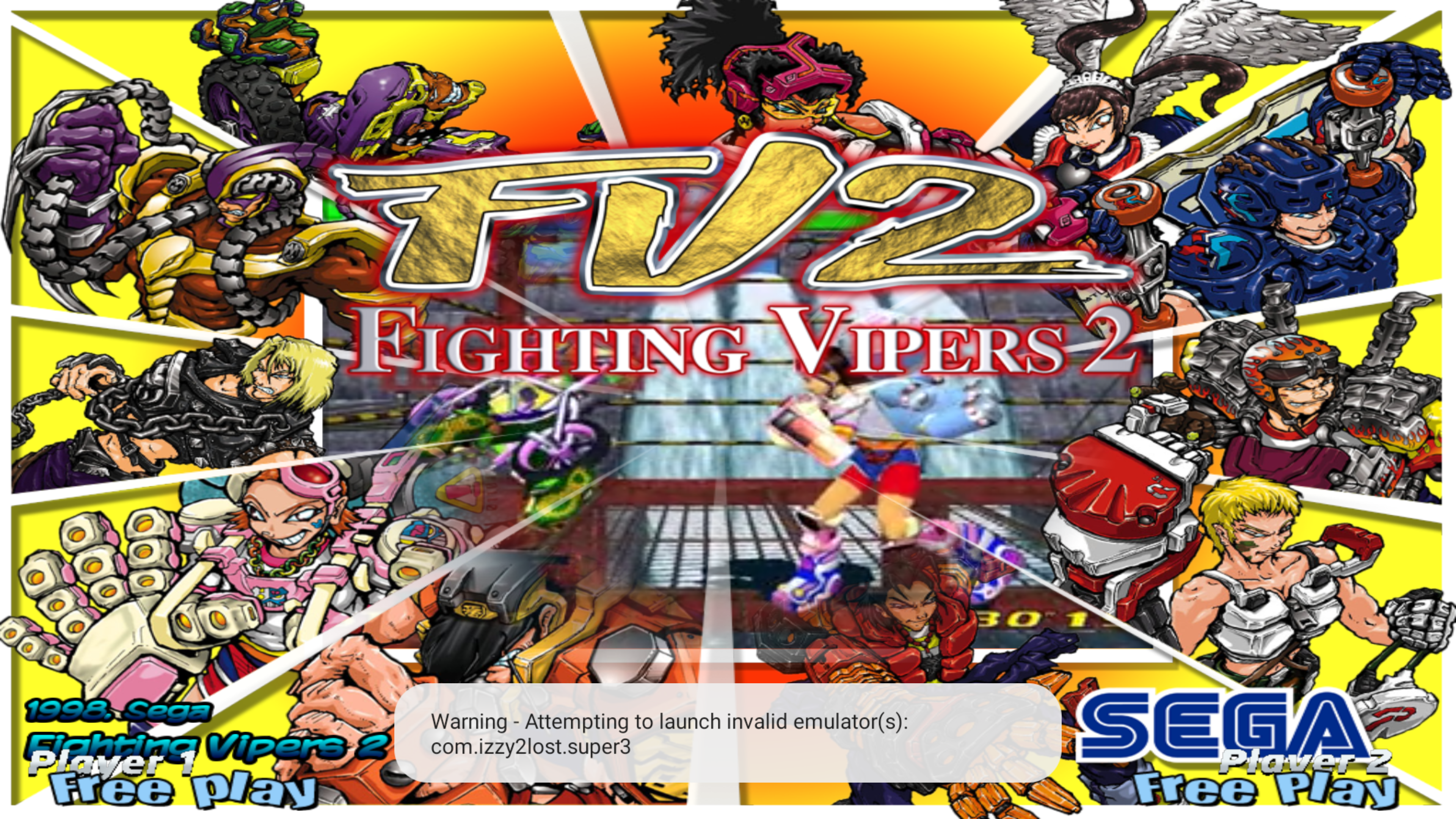
First thing I tested was PS2 using Nethersx2 and it loads games off of the wheel now so that system is now good to go again. Other than that everything seems to be working good. Has settings for the Super3 (Sega Model 3) been added in by chance? I've yet to add that wheel into my setup but plan on it soon.
-
I didn't even know about this trick, simply doing that fixed Dolphin for me instantly, games now work thank you for this. I also decided to switch over to the RetroArch core version of Dolphin, that core now works with the "fastmem" setting on without crashing. The only one left now is PS2, I tried using that trick above to auto generate settings on both "Aether" and "Nether" selection choices but they both give me a error message when launching from the wheel. I guess I'll also try to get that new Sega Model 3 emu "Super3" set up at some point as well. I also didn't know these newer model Shields no longer come with 500gb internal storage it's reverted back to just 16gb so that caught me off guard even though all my roms are all on external anyway.
-
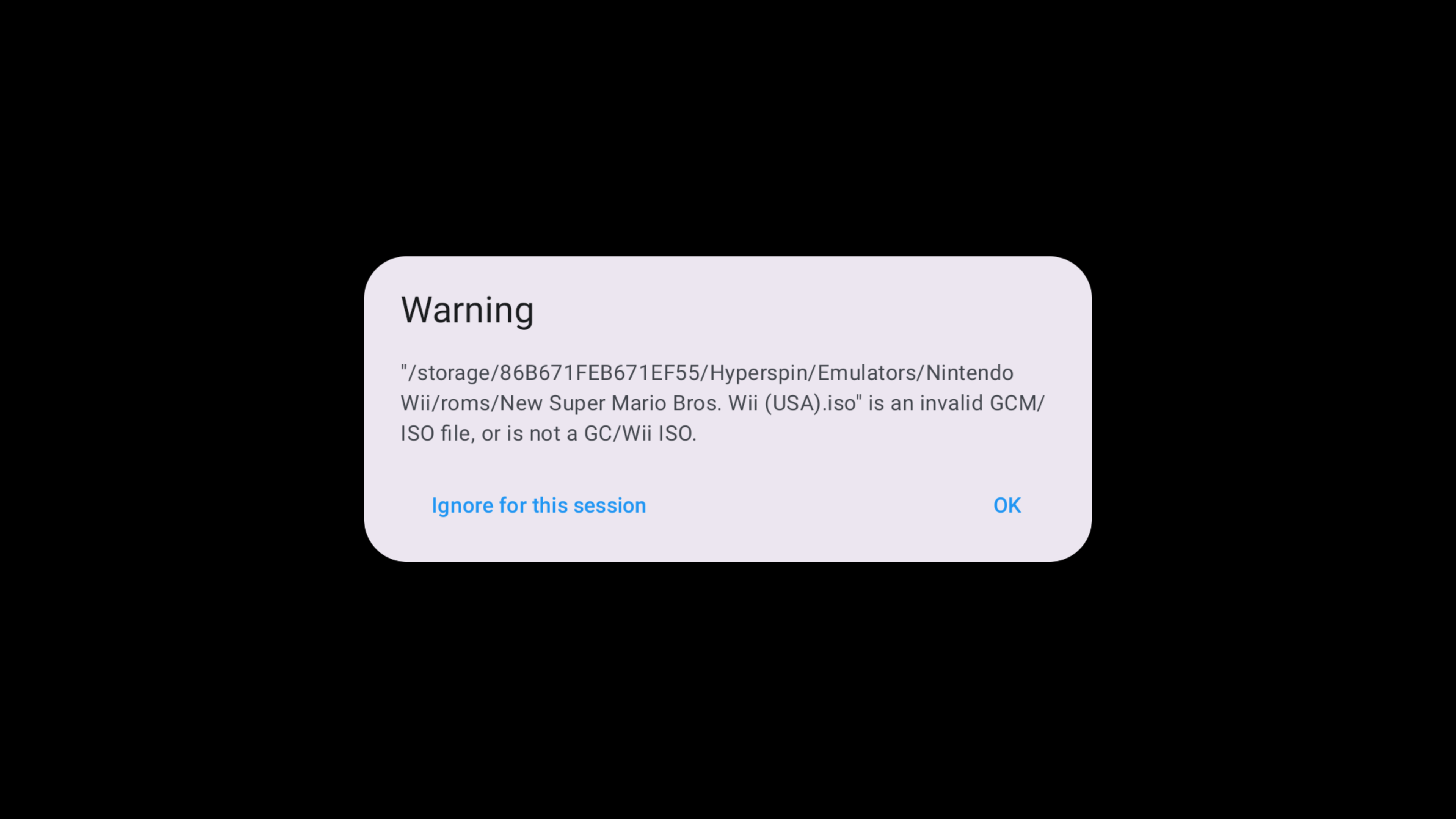
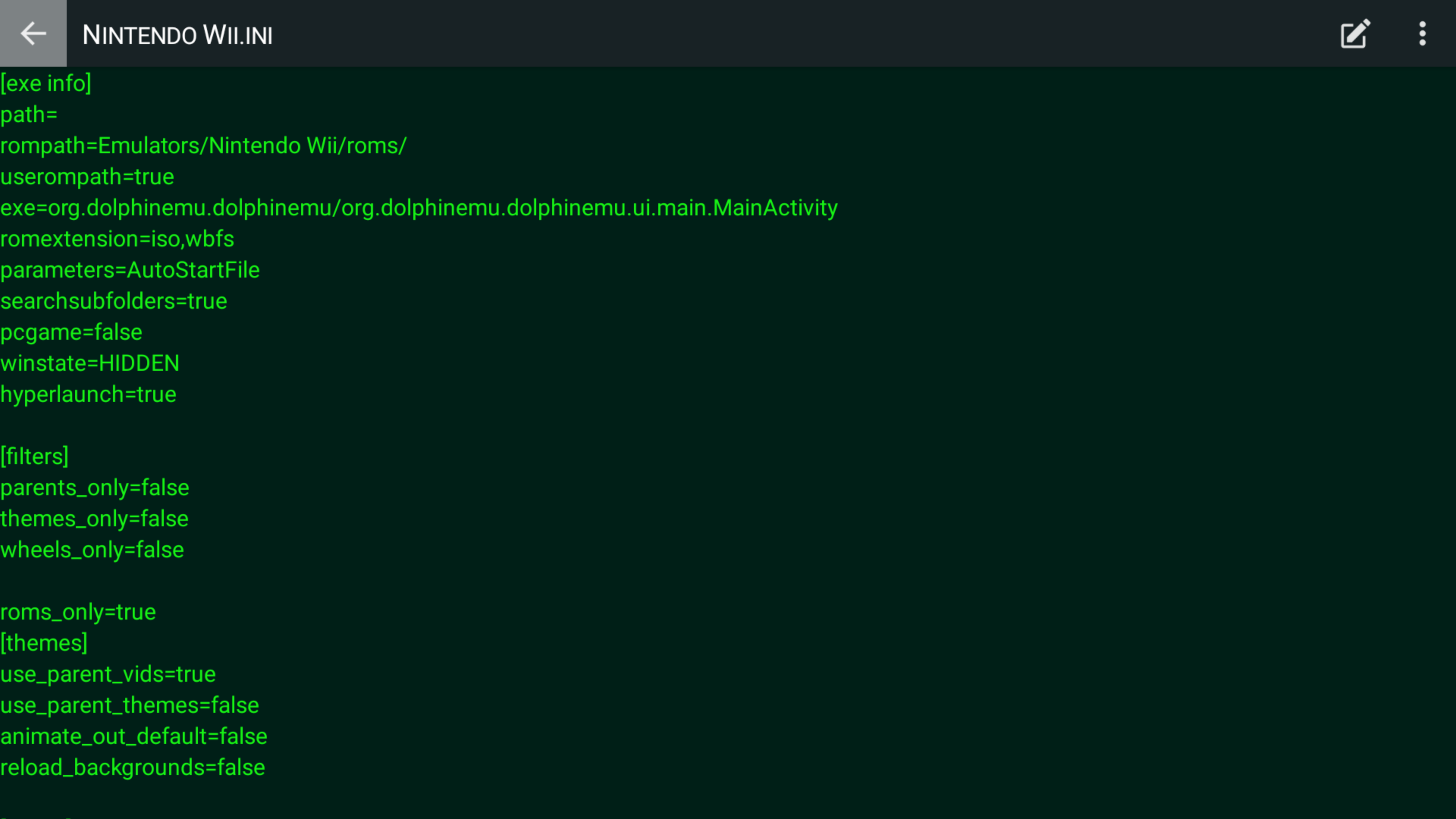
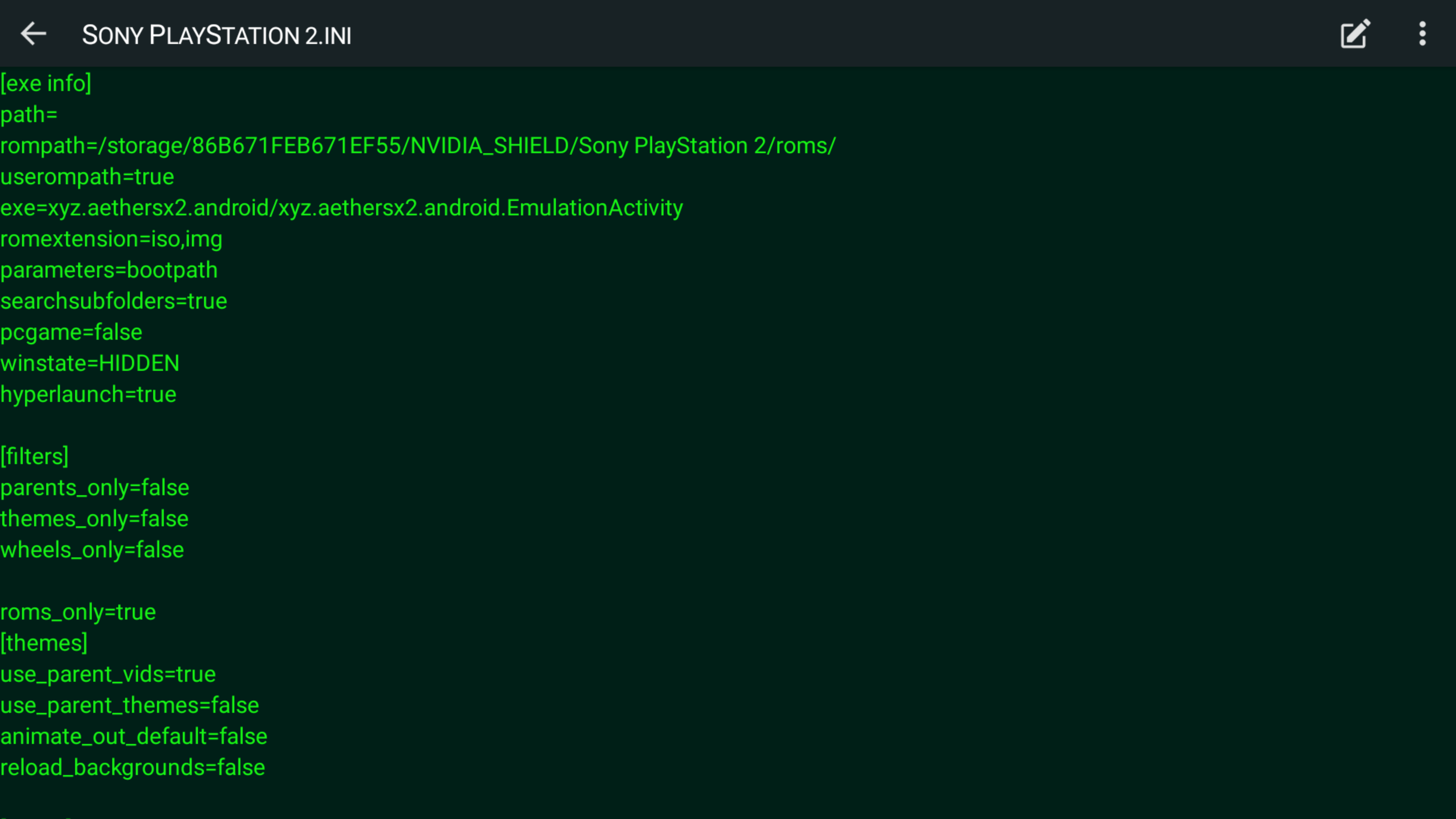
So I finally got around to trying out the new beta5 HyperSpin and everything looks and works good. The only two emulators I'm now having trouble with that worked previously is Dolphin and now Nethersx2. Before Nethersx2 I was previously using Aethersx2 before the dev abandoned it, for the most part the same HyperSpin settings from Aethersx2 also launches Nethersx2 through HyperSpin, except now games don't auto start like they use to, it just brings me to the bios screen now. In Aethersx2 the fix was to add "bootPath" to the parameters line then games would start, those parameters no longer work with Nether so I'm unsure what goes there now. With Dolphin I'll either get taken to the main home screen, get a error message or the emulator would just crash. I've posted settings I've previously used.
-
I'll try this out when my new Shield arrives Saturday. Personally I'm glad you decided to continue updating it, it's still the best front end to use in my opinion. I tried damn near every other front end available on Android and none of them look as good or compare to HyperSpin, I also don't like how most of them auto grab box art etc automatically. That's cool for people who want something easy and more "plug & play" but a lot of the times that auto fetching makes a lot of mistakes, rather place everything where it needs to go myself.
-
I think I used someone else's template when I did those wheels, don't think I even accounted if it was 4:3 or not since I just wanted to put something, anything together to have a collection of all the Genesis Sonic Hacks I could find in one place since there was literally no HyperSpin wheel on the market like that. Those hacks are really fun to play I even went back as far as 2006 to find hacks lol. And yeah I'm still around, I've been spending my time mostly in the RetroArch scene these days on their Libretro forum, I got a custom crt-shader/filter pack over there that seems to have spread worldwide and is used by a lot of retro gamers. I need to go back over there and update it and make it look better but I never have time these days but that's a whole different story. My Shield of over 10 years literally died just the other day right after I grabbed that new beta, I mean the hd just stopped spinning and makes a beeping noise with the green led light still on but I don't get any picture. It finally ran its course, already put in a order for a new Shield that'll be arriving this week. Guess that's a sign, new HyperSpin update belongs on a new Shield, can't wait to try it out.
-
Yeah that was my first attempt at ever putting together a wheel on my own so it may not look as good as your typical wheel, I forgot how I even put it all together honestly its been a while. I also replaced the link with a new one, noticed it was dead if you want to try it out for yourself and do your own thing with it. All media files etc are included. I was also working on a PC-98 wheel back in 2019 trying to include every game made for it starting numerically and then from A-Z. So far I made it up to the letter M as far as making videos, wheels etc, I believe I totalled over 1000 something different entries but then just kind of fell off of it and haven't touched it since. Was amazed I was even able to find box art for most of the wheels I was creating. Not sure if I'll ever get back to continuing it.
-
Wow I'm delightedly surprised to see this thread here, this app is the main reason I still haven't updated my Shield and have stayed on version 8.2.3 all these years, maybe I can finally update it now and help run some tests. Yo thatman84 it's been awhile. Also for everyone still using their Shield I personally put together a custom "Sonic Hacks" wheel, haven't updated it since last year to add all of lasts year's hacks but there's enough there to keep you playing for days. Grab the link in the video description: https://youtu.be/Q3uoHHoMdNM
-
It seems this place pretty much became a ghost town since those wretched Android 9 upgrades and updates that turned everything upside down but I'll try to help the best I can since I still use HyperSpin on my Shield although I'm still on Shield version 8.2.3. Are you on Android version 9? If so have you installed the "beta 2" version apk of HyperSpin?
-
Hyperspin no longer works with the last Nvidia Shield Update
sonkun replied to fred33's topic in HyperSpin Android
Yes a new test apk was uploaded in this thread I believe on page 5 or something. Go back a few pages and you'll find it -
Hyperspin no longer works with the last Nvidia Shield Update
sonkun replied to fred33's topic in HyperSpin Android
Nice I'm glad you got it sorted out. Yeah so that's the folder you'll dump all your bios in. You say you plan to add in turbografx etc, that core also needs a bios file that'll need to be put in the same folder you put that saturn bios, along with any other bios you'll need for future cores you plan to add that need a bios. As a bonus here's a wheel you and everyone else can add to their Hyperspin set up It's a Sonic Hack wheel I put together not to long ago, every game on that wheel can be played using the Genesis Plus GX core. Games from Game Gear, Master System, Genesis and Sega CD are all included in that wheel. That should add some more fun to your set up. -
Hyperspin no longer works with the last Nvidia Shield Update
sonkun replied to fred33's topic in HyperSpin Android
Yaba Sanshiro definitely works on Retroarch as I've been doing a lot of Saturn gaming on it all this week even played a game a few minutes ago. Ok let's try a few things, first open RetroArch, go to Settings/Directory. The first thing you should see at the top is System/Bios. Whatever is displayed there is where RetroArch expects you to place all of your bios files so if your saturn_bios.bin file isn't in the folder that System/Bios line shows, that's the reason it shows up as missing when you load up the yaba sanshiro core so get that straightened out first to where it shows the bios file as present whenever you load the yaba sanshiro core, that'll also help with other cores that expects a bios file in the same location. Unless you've changed that location to a different folder of your choice, the default bios path should be: /storage/emulated/0/RetroArch/system So place the saturn bios file in your RetroArch/System folder if that is what you see. Take it a extra step by making sure the naming is correct, I use to have problems with my Hyperspin not loading a game because of case sensitive naming, example being that even though you might have the "saturn_bios.bin" It's possible that it could still show up as missing if it's spelled like "saturn_bios.BIN" so make sure all letters match letter for letter if it's all lower case. Next, delete that system opt file it's not needed. See what happens after doing those two things and get back to me. -
Hyperspin no longer works with the last Nvidia Shield Update
sonkun replied to fred33's topic in HyperSpin Android
Yes, whichever driver output you set it to will save across all cores after you exit and re enter RetroArch, I suggest setting it to vulkan for everything use gl for just mupen64plus gles3 and yaba sanshiro (Assuming you're playing on Shield TV. If you're playing on a newer phone then I suggest using the more accurate Beetle Saturn core and maybe try mupen using both the parallel plugins which those two cores should also be played using the vulkan driver instead of gl.). I'm not sure why you have system.opt files, I only have system.cfg files and game.opt files depending on if I tweak and save a specific game option in the core options. What are in your system.opt? To get to individual core settings you first have to start up any game in any core then head into the quick menu and go down to core options, but that's not how you would set a individual core to just use gl while the others use vulkan etc. To set a individual core to gl while your global setup is on vulkan load up any game, go to the quick menu/main menu/settings/drivers/set it to gl/settings/quick menu again/overrides/save core overrides. After saving I suggest going back to to quick menu and then hit close content to ensure that your settings have been saved properly then go down and hit quit retroarch. Saving a override is also how you create a system cfg in the config folder as well. Now when you load up that system again it will always play in gl driver mode even though your global driver is set to vulkan. For yaba sanshiro, does it not work only when you run a game from hyperspin or it also doesn't work through retroarch alone? If it's through hyperspin try using this: parameters=cores/yabasanshiro_libretro_android.so If that doesn't work let's confirm that it's finding your bios when you load the core so go into retroarch and load up the yaba sanshiro core then go down to information/core information then look at where it says Firmware, the only bios you need is that saturn_bios.bin file, if it says the word Present that means it sees your bios file, if it says Missing then that could be your reason for the crash. If it sees your bios file and it still crashes maybe you have a bad bios which I could help get you a better one through a pm only. Let me know how things go. -
Hyperspin no longer works with the last Nvidia Shield Update
sonkun replied to fred33's topic in HyperSpin Android
I see people here making the switch to RetroArch for this new version of HyperSpin, that's good as I feel RetroArch is one of the best all in one ways to play these retro games. I see people having trouble on RetroArch with the Sega Saturn and Nintendo 64 cores, I'll try to help out the best I can. Mind you I'm still on 8.2.3 on my Shield and will not update it to 9 until I know for sure HyperSpin works again at the least but first thing's first, for Sega Saturn and Nintendo 64 use the Yaba Sanshiro and Mupen64Plus-Next GLES3 cores, the Parallel N64 core use to be good but is now outdated so it's not recommended. For the other Sega Saturn cores Yabuse does work kind of but it's also really old and outdated and the best Saturn core Beetle Saturn is the most accurate but the Shield simply isn't beefy enough to handle it so it runs slow as hell ( I wish it worked). Next, those two cores (Yaba and Mupen) only work fast on the Shield in GL mode so make sure your driver in the settings options is set to "gl" and not vulkan, use vulkan for all other systems though. Next I'll point out that the Yaba Sanshiro core has not been updated in almost 2 years or more, it's still stuck on the old 3.4.2 version and the mod that runs that core refuses to update it for reasons he stated on the libretro forums you can find if you do a search there. For N64 after you load up a game I recommend you go into the core options, there you'll see a few settings, one named RDP Plugin and RSP Plugin. Leave RDP Plugin on the GlideN64 settings and leave RSP Plugin on the HLE setting. Most people would recommend changing both of those settings to Parallel which is suppose to give you better speed but for some reason on the Shield it does the exact opposite and slows games down so I don't use it and it has not been addressed yet. Anyway go into the GlideN64 settings and change all these settings I'm about to list below to give you a better and closer to accurate gaming experience: 4:3 Resolution - 320x240 Bilinear filtering mode - 3point Dithering - On MSAA level - 8 Copy auxiliary buffers to RDRAM - On Background Mode - Stripped Continuous texrect coords - Force Native res. 2D texrects - Optimized Less accurate blending mode - Off GPU shader depth write - On Anything not mentioned you can leave as is. For Yaba Sanshiro I recommend using chd files over the bin/cue format, for some reason when I used bin/cue I had problems with bgm tracks not looping properly and playing bgm from whole different parts of the game instead of the intended stage bgm, that all stopped when I switched over to the chd format. If both the Yaba and Mupen cores crash for you before even loading up try going into into your folder program and the RetroArch/Config and then go into both the Mupen or Yaba folder and then open up the cfg file and look and type in "video_driver = "gl" then save it, that way way even if your video driver setting is set to vulkan those two cores will always start in gl automatically for you. Also make sure you're using the latest version of RetroArch and not some old outdated version, a lot of problems happen because a user is using an old version of RetroArch. Dolphin stopped working on Android RetroArch for almost 3 years now as well so your only choice is the stand alone emulator for that. I'm sure some of you know PS2 now works on the Shield and I posted the parameters needed in the ps2 settings thread to get that up and running on here as well. Finally this one is a little off topic but for those now switching to RetroArch and would like to apply a filter/shader I made some nice looking shader presets you can use to get that old school crt look. I made a shader pack that only works with the vulkan driver and then I put together a gl shader preset you can also use specifically with the Yaba and Mupen cores in gl mode that you can check out here: https://forums.libretro.com/t/please-show-off-what-crt-shaders-can-do/19193/4855?u=sonkun and here: https://forums.libretro.com/t/a-new-little-shader-i-did-glsl/36028/114?u=sonkun Another benefit to switching over to RetroArch is you can use overlay bezels to fill in the black spaces on the side of the screen to get your games looking like this: https://ibb.co/C7Ry3x5 https://ibb.co/9TbRDB1 Any other questions and I'll try to help out the best I can. I can't wait until everything is sorted out and we all can use HyperSpin again new and improved again. -
35 downloads
Get the whole media pack in the Youtube video description. Here's a new wheel for you to add to your collection, over 250 Sonic hacks from the Genesis, Master System, Game Gear, Sega CD and 32X systems. Maybe I'll update it in the future to include the more modern 3d/pc hacks. I hope you all have fun with this collection.