sonkun
-
Posts
134 -
Joined
-
Last visited
-
Days Won
2
About sonkun

Recent Profile Visitors
2,330 profile views



sonkun's Achievements




-
Yeah this was a mistake on my part. I've only used HyperSpin strictly on the Shield TV never touched it on pc so I completely forgot about Rocket Launcher. I don't think there's anyway to do it on Android where let's say one game on a wheel will load up with a RetroArch Megadrive core and a different game on that same wheel will load up using a snes RetroArch core or a completely different stand alone emulator.
-
Nice, so many new additions. The only thing I wish could be possible is to be able to play collection wheels with games on multi systems like snes, megadrive, nes like the Castlevania wheel collection. I think you said in a previous post you won't be touching on that tho I think. Also in this latest build I notice if I press the home button on the Shield and then reopen HyperSpin I can no longer move up or down any wheels. I can enter and exit the wheel but can't move unless I force close the app and reopen it. This didn't happen on the previous build.
-
Yeah that emu is quirky in itself, even configuring the buttons is a hassle but that's something I'll deal with when I have time. For me it also launches directly into the game as well it just shows me the home screen for about 3 seconds before the game actually starts, it's all good. I'm not sure what bugs are there but imo I say iron out as many bugs as you can before putting an official release out. No need to rush anything I rather have the best version of this app that can be produced.
-
Yeah permission were enabled, not sure what happened but it's working now, games launch from the wheel. Well when I open a game it first opens the app itself, brings me to the game list home screen and then auto launches the game right after. To get back to the wheel I have to exit the game then exit the emu itself to get back to the wheel. Other than that everything is working, the way these updates are coming HyperSpin Android seems to be making the best comeback as the best frontend again imo.
-
Yeah I just tried tweaking the initial using what you suggested and games won't launch. I'm guessing something needs to go in that parameters line maybe or something else in the exe path perhaps.

-
First thing I tested was PS2 using Nethersx2 and it loads games off of the wheel now so that system is now good to go again. Other than that everything seems to be working good. Has settings for the Super3 (Sega Model 3) been added in by chance? I've yet to add that wheel into my setup but plan on it soon.
-
I didn't even know about this trick, simply doing that fixed Dolphin for me instantly, games now work thank you for this. I also decided to switch over to the RetroArch core version of Dolphin, that core now works with the "fastmem" setting on without crashing. The only one left now is PS2, I tried using that trick above to auto generate settings on both "Aether" and "Nether" selection choices but they both give me a error message when launching from the wheel. I guess I'll also try to get that new Sega Model 3 emu "Super3" set up at some point as well. I also didn't know these newer model Shields no longer come with 500gb internal storage it's reverted back to just 16gb so that caught me off guard even though all my roms are all on external anyway.
-
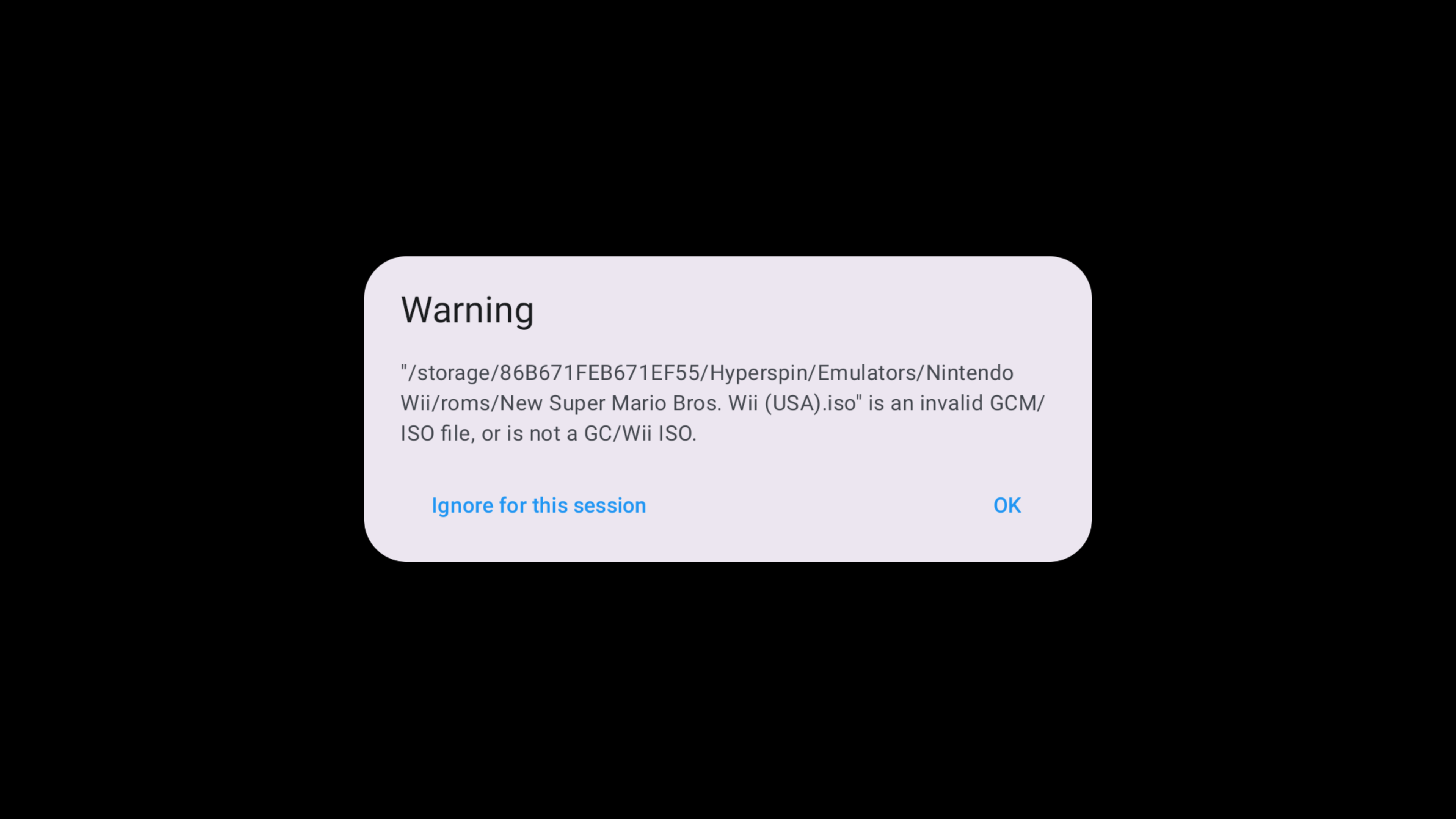
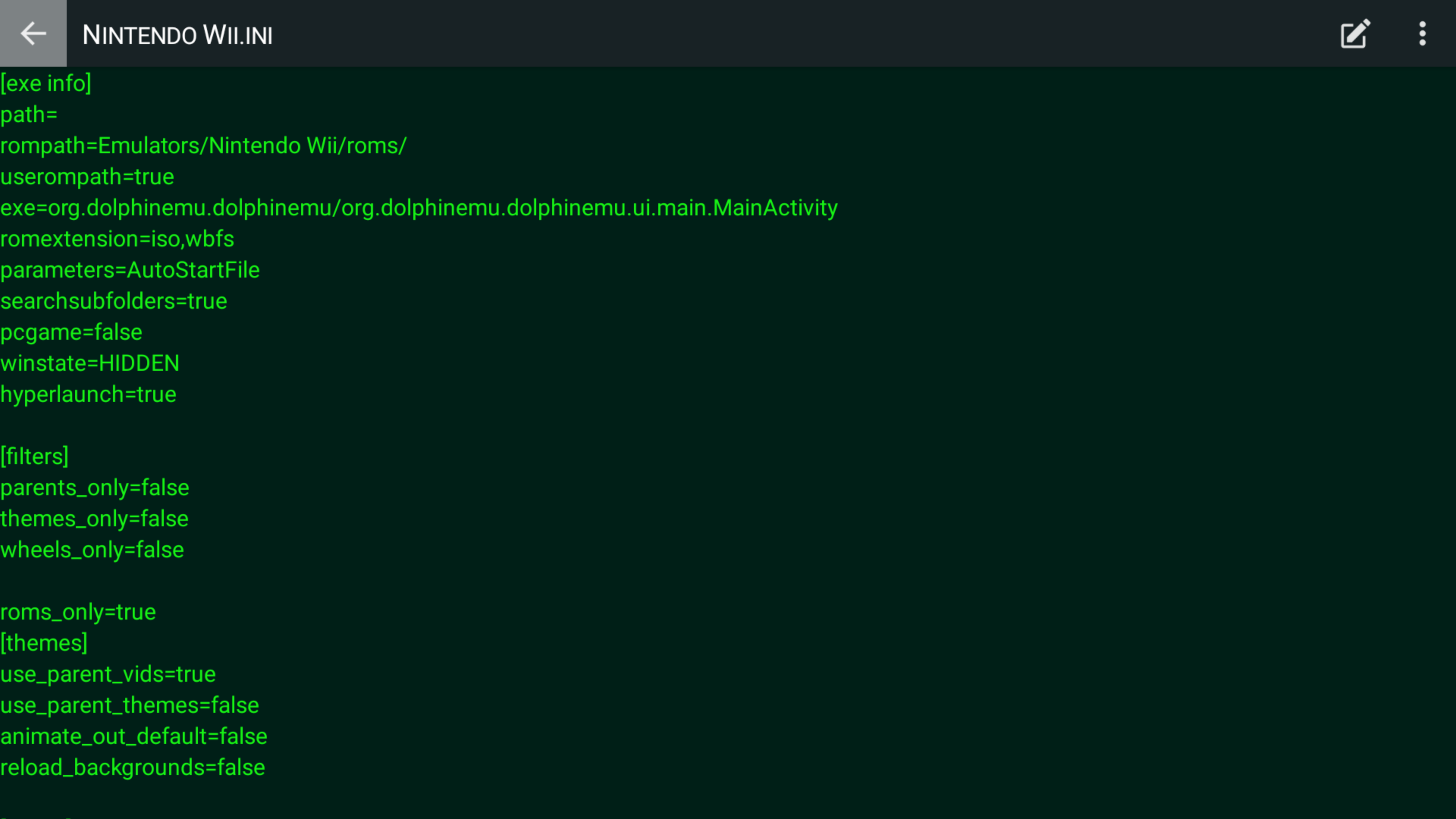
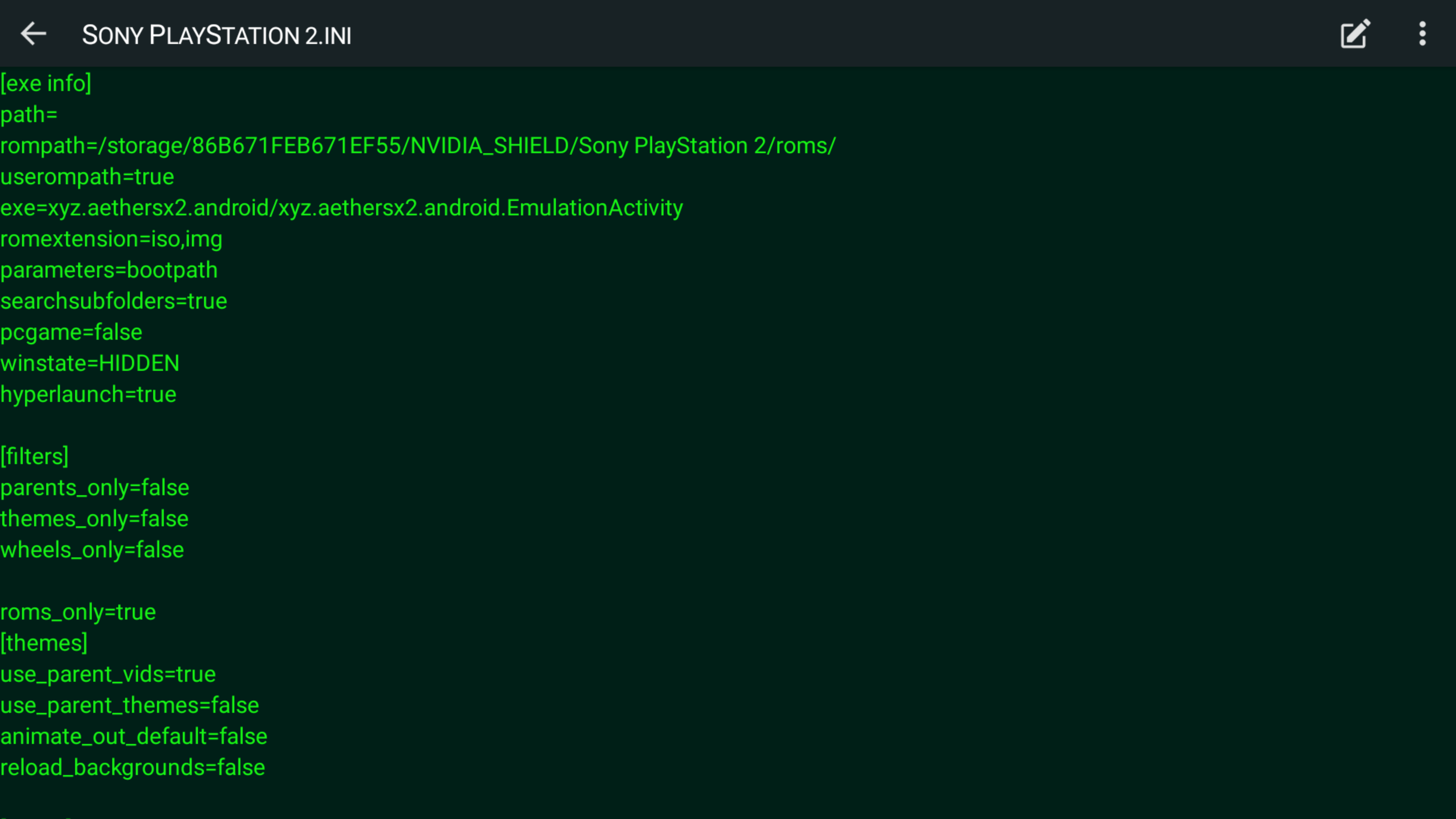
So I finally got around to trying out the new beta5 HyperSpin and everything looks and works good. The only two emulators I'm now having trouble with that worked previously is Dolphin and now Nethersx2. Before Nethersx2 I was previously using Aethersx2 before the dev abandoned it, for the most part the same HyperSpin settings from Aethersx2 also launches Nethersx2 through HyperSpin, except now games don't auto start like they use to, it just brings me to the bios screen now. In Aethersx2 the fix was to add "bootPath" to the parameters line then games would start, those parameters no longer work with Nether so I'm unsure what goes there now. With Dolphin I'll either get taken to the main home screen, get a error message or the emulator would just crash. I've posted settings I've previously used.
-
I'll try this out when my new Shield arrives Saturday. Personally I'm glad you decided to continue updating it, it's still the best front end to use in my opinion. I tried damn near every other front end available on Android and none of them look as good or compare to HyperSpin, I also don't like how most of them auto grab box art etc automatically. That's cool for people who want something easy and more "plug & play" but a lot of the times that auto fetching makes a lot of mistakes, rather place everything where it needs to go myself.
-
I think I used someone else's template when I did those wheels, don't think I even accounted if it was 4:3 or not since I just wanted to put something, anything together to have a collection of all the Genesis Sonic Hacks I could find in one place since there was literally no HyperSpin wheel on the market like that. Those hacks are really fun to play I even went back as far as 2006 to find hacks lol. And yeah I'm still around, I've been spending my time mostly in the RetroArch scene these days on their Libretro forum, I got a custom crt-shader/filter pack over there that seems to have spread worldwide and is used by a lot of retro gamers. I need to go back over there and update it and make it look better but I never have time these days but that's a whole different story. My Shield of over 10 years literally died just the other day right after I grabbed that new beta, I mean the hd just stopped spinning and makes a beeping noise with the green led light still on but I don't get any picture. It finally ran its course, already put in a order for a new Shield that'll be arriving this week. Guess that's a sign, new HyperSpin update belongs on a new Shield, can't wait to try it out.
-
Yeah that was my first attempt at ever putting together a wheel on my own so it may not look as good as your typical wheel, I forgot how I even put it all together honestly its been a while. I also replaced the link with a new one, noticed it was dead if you want to try it out for yourself and do your own thing with it. All media files etc are included. I was also working on a PC-98 wheel back in 2019 trying to include every game made for it starting numerically and then from A-Z. So far I made it up to the letter M as far as making videos, wheels etc, I believe I totalled over 1000 something different entries but then just kind of fell off of it and haven't touched it since. Was amazed I was even able to find box art for most of the wheels I was creating. Not sure if I'll ever get back to continuing it.
-
Wow I'm delightedly surprised to see this thread here, this app is the main reason I still haven't updated my Shield and have stayed on version 8.2.3 all these years, maybe I can finally update it now and help run some tests. Yo thatman84 it's been awhile. Also for everyone still using their Shield I personally put together a custom "Sonic Hacks" wheel, haven't updated it since last year to add all of lasts year's hacks but there's enough there to keep you playing for days. Grab the link in the video description: https://youtu.be/Q3uoHHoMdNM
-
It seems this place pretty much became a ghost town since those wretched Android 9 upgrades and updates that turned everything upside down but I'll try to help the best I can since I still use HyperSpin on my Shield although I'm still on Shield version 8.2.3. Are you on Android version 9? If so have you installed the "beta 2" version apk of HyperSpin?
-
Hyperspin no longer works with the last Nvidia Shield Update
sonkun replied to fred33's topic in HyperSpin Android
Yes a new test apk was uploaded in this thread I believe on page 5 or something. Go back a few pages and you'll find it -
Hyperspin no longer works with the last Nvidia Shield Update
sonkun replied to fred33's topic in HyperSpin Android
Nice I'm glad you got it sorted out. Yeah so that's the folder you'll dump all your bios in. You say you plan to add in turbografx etc, that core also needs a bios file that'll need to be put in the same folder you put that saturn bios, along with any other bios you'll need for future cores you plan to add that need a bios. As a bonus here's a wheel you and everyone else can add to their Hyperspin set up It's a Sonic Hack wheel I put together not to long ago, every game on that wheel can be played using the Genesis Plus GX core. Games from Game Gear, Master System, Genesis and Sega CD are all included in that wheel. That should add some more fun to your set up.