


Marcoqwerty
-
Posts
344 -
Joined
-
Last visited
-
Days Won
1
Content Type
Forums
Events
Downloads
Store
Everything posted by Marcoqwerty
-


Version 1.0.1
70 downloads
Ghosts 'n Goblins Resurrection 4:3 version Video not included-
- 3
-

-

-
- 4:3
- ghosts n goblins resurrection
- (and 3 more)
-

Version 1.0.0
74 downloads
Zaccaria Pinball 4:3 PC GAME THEME -

Version 1.0.0
63 downloads
CHASE HQ2 4:3 theme for the coin-op game -
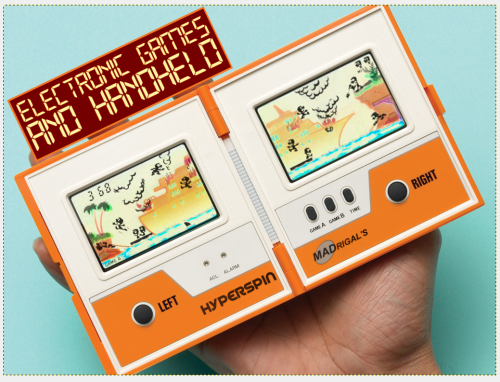
Electronic Games - Main Menu Theme (4:3)-Marcoqwerty(20171229)
Marcoqwerty commented on Marcoqwerty's file in Main Menu Themes
 I hope!
 -
Version 1.0.0
205 downloads
Electronic Games 4:3 MAIN MENU MADrigal's Tribute Obliviously the sprite are moving with background noise (mp3 inside)- 2 comments
-
- 5
-
-
-
- electronic handheld
- marcoqwerty
- (and 4 more)
-
Version 1.0.0
111 downloads
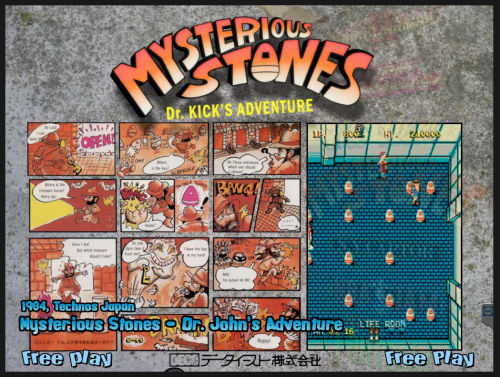
Mysterious stones 4:3 theme...with falling rocks-
- 6
-
-
-

-
- marcoqwerty
- theme
- (and 2 more)
-
Version 1.0.1
214 downloads
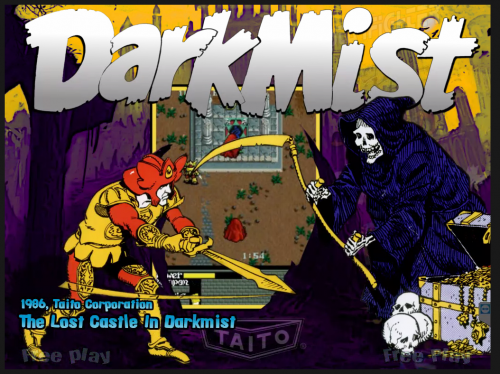
Darkmist MAME 4:3 theme Give me a like if you download it-
- 11
-
-
-
-
- 4:3
- marcoqwerty
- (and 2 more)
-

Version 1.0.0
90 downloads
Wheel Fade Theme for FightnRage pc game (4:3 Theme) For the video every 16:9 gameplay are allowed. -

Version 1.0.0
332 downloads
Theme, Wheel and Fade for Slap & Beans PC STEAM game Used this video for preview: ...to BUD! -

Version 1.0.0
107 downloads
Donkey Me theme by Marcoqwerty -
- 1 review
-
- 3
-
-
-
Version 1.1
172 downloads
Special Art 3 with Dynamic Time and Date....with dark13 support! Installation: - Simply put the file (ENG or ITA formatted) in desidered Theme folder...and rename SpecialA3.swf (best on MAIN MENU > C:\Hyperspin\Media\Main Menu\Images\Special\ ) - Copy the folder (don't rename it) to C:\Hyperspin\ (need exacly this path) (result C:\Hyperspin\Widget) - Changing location for weather widget To change location you need to copy folder into C:\HyperSpin It's MANDATORY as the .swf file will read WEATHEREXAMPLE.xml to retrieve the information for your city, if you have HyperSpin installed on another hard drive letter just create in c: HyperSpin folder. Once you've done that connect to https://weather.yahoo.com/ and search for the city you want to have weather for. Search for it even if Yahoo! get your city on the fly. Look at the URL once the page has loaded If you don't see the format below click on left link DETECT MY LOCATION Do you see the number 721943 ? I's the WOIED of the city you have searched and the .swf need that code to show a specific city's weather, in this case Italy, Rome now open C:\HyperSpin\Widget\WEATHER.xml , it's a really simple file <xml> <woied>721943</woied> <farcel>c</farcel> </xml> -
-
- 1 comment
- 1 review
-
- 2
-
-
-
- Saint Seiya Soldiers Soul
- pc games
- (and 1 more)
-
-
-
- 1 review
-
- 2
-
-
-
-
-
-
- 1 review
-
- 2
-