
/To run the games in your language:
_(Made in French)_
Pour l'émulateur pcsx2 certain jeux pour être en français doivent démarrer en "fullboot" (démarrage complet) par exemple god of war tandis que d'autre ISO de ma liste ne seront reconnu qu'en démarrage rapide.
1/ chercher dans le fichier .ahk
dans notre cas D:\Hyperspin\Modules\Sony Playstation 2/Sony Playstation 2.ahk
ouvrer le .ahk avec le bloc note ou clic droit modifier
;----------------------------------------------------------------------------
; Sony Playstation 2
; PCSX2 v0.9.8
; by layer0730 chillinwater
; 1.0
;
; Notes:
; remove all ";" below to enable blackscreen if needed
;----------------------------------------------------------------------------
;\\\optional blackscreen\\\
Gui +AlwaysOnTop -Caption +ToolWindow
Gui, color, 0
Gui Show, x0 y0 h%A_ScreenHeight% w%A_ScreenWidth%
Run, %executable% "%romPath%%romName%%romExtension%" --fullscreen, %emuPath%
Sleep, 1000
Gui Destroy ;kills optional blackscreen
Process, WaitClose, %executable%
ExitApp
CloseProcess:
sleep, 3000
Process, Close, hypersplash.exe
Process, Close, %executable%
return
2/ repérer les lignes de commandes de l'émulateur et rajouter la commande --fullboot pour que tous les jeux fassent un démarrage complet
Run, %executable% "%romPath%%romName%%romExtension%" --fullboot --fullscreen, %emuPath%
3/ mettre une exception
un peu comme excel avec une commade "si" ce qui donne :
;----------------------------------------------------------------------------
; Sony Playstation 2
; PCSX2 v0.9.8
; by layer0730 chillinwater
; 1.0
;
; Notes:
; remove all ";" below to enable blackscreen if needed
;----------------------------------------------------------------------------
;\\\optional blackscreen\\\
Gui +AlwaysOnTop -Caption +ToolWindow
Gui, color, 0
Gui Show, x0 y0 h%A_ScreenHeight% w%A_ScreenWidth%
If ( romName = "Tekken 5" or romName = "CAPCOM VS SNK 2" or romName = "FINAL_FANTASY_12"
or romName = "RAYMAN 3" or romName = "Rogue Galaxy" or romName = "Virtua Fighter 4 Evolution" ) {
Run, %executable% "%romPath%%romName%%romExtension%" --fullscreen, %emuPath%
} Else
Run, %executable% "%romPath%%romName%%romExtension%" --fullboot --fullscreen, %emuPath%
Sleep, 1000
Gui Destroy ;kills optional blackscreen
Process, WaitClose, %executable%
ExitApp
CloseProcess:
sleep, 3000
Process, Close, hypersplash.exe
Process, Close, %executable%
return
EDIT : je voulais revenir sur mon but premier, à savoir avoir 2 configurations pour les controles (pour les jeux 1 joueur utiliser le 2eme joystique comme étant le 2eme stick de la manette une)
1/dans pcsx2 configurer 2 plugins "PAD" avec bien sur 2 configuration différentes,
par exemple "LilyPad" pour une configuration 1 joueur (pour "FF12", "GOW",...) et "PadSSSPSX" pour une configuration 2 joueurs (pour "TEKKEN 5", "Virtua Fighter 4 Evolution")
2/ utiliser la commande --pad="chemin du plugin\nom du plugin"
ce qui donne :
Run, %executable% "%romPath%%romName%%romExtension%" --pad="D:\Hyperspin\Emulators\Sony Playstation 2\Plugins\LilyPad.dll"--fullscreen, %emuPath%ou
Run, %executable% "%romPath%%romName%%romExtension%" --pad="D:\Hyperspin\Emulators\Sony Playstation 2\Plugins\PadSSSPSX.dll"--fullscreen, %emuPath%
3/ rajouter une exception (commande "if") et faire un mixe avec les commandes précédentes
a noter que vous n’êtes pas obliger de préciser le plugin par défaut de votre pcsx2
;----------------------------------------------------------------------------
; Sony Playstation 2
; PCSX2 v0.9.8
; by layer0730 chillinwater
; 1.0
;
; Notes:
; remove all ";" below to enable blackscreen if needed
;----------------------------------------------------------------------------
;\\\optional blackscreen\\\
Gui +AlwaysOnTop -Caption +ToolWindow
Gui, color, 0
Gui Show, x0 y0 h%A_ScreenHeight% w%A_ScreenWidth%
If ( romName = "Tekken 5" or romName = "CAPCOM VS SNK 2" or romName = "Virtua Fighter 4 Evolution" ) {
Run, %executable% "%romPath%%romName%%romExtension%" --pad="D:\Hyperspin\Emulators\Sony Playstation 2\Plugins\PadSSSPSX.dll" --fullscreen, %emuPath%
} Else
If (romName = "FINAL_FANTASY_12" or romName = "RAYMAN 3" or romName = "Rogue Galaxy") {
Run, %executable% "%romPath%%romName%%romExtension%" --fullscreen, %emuPath%
} Else
Run, %executable% "%romPath%%romName%%romExtension%" --fullboot --fullscreen, %emuPath%
Sleep, 1000
Gui Destroy ;kills optional blackscreen
Process, WaitClose, %executable%
ExitApp
CloseProcess:
sleep, 3000
Process, Close, hypersplash.exe
Process, Close, %executable%
return
pcsx2-v1.7.0-dev-1-g8f3b908e3-windows-x86.zip
51.45 Mo
https://1fichier.com/?bw9em5mk55xriy2tgfaf
MEmu := "PCSX2"
MEmuV := "v1.7.0-dev-1"
MURL := ["http://pcsx2.net/"]
MAuthor := ["djvj"]
MVersion := ""
MCRC := ""
iCRC := ""
MID := ""
MSystem := ["Sony PlayStation 2"]
;----------------------------------------------------------------------------
; Notes:
; This module has many settings that can be controlled via RocketLauncherUI
; If you want to customize settings per game, add the game to the module's ini using RocketLauncherUI
; If you use Daemon Tools, make sure you have a SCSI virtual drive setup. Not a DT one.
; Tested Virtual Drive support with the cdvdGigaherz CDVD plugin. Make sure you set it to use your SCSI Virtual Drive letter.
; If the incorrect drive is used, the emu will boot to the bios screen and emu will hang in your running processes on exit and require it to be force closed
; Module will set the CdvdSource to Plugin or Iso depending on if you have Virtual Drive enabled or not.
; If you have any problems closing the emulator, make sure noGUI module setting in RocketLauncherUI is set to default or false.
; Most stable bios is Japan v01.00(17/01/2000)
;
; Per-game memory cards
; This module supports per-game memory cards to prevent them from ever becoming full
; To use this feature, set the PerGameMemoryCards to true in RocketLauncherUI
; You need to create a default blank memory card in the path you have defined in pcsx's ini found in section [Folders], key MemoryCards.
; Make sure one of the current memory cards are blank, then copy it in that folder and rename it to "default.ps2". The module will copy this file to a romName.ps2 for each game launched.
; The module will only insert memory cards into Slot 1. So save your games there.
;
; Linuz cdvd plugin stores its settings in the registry @ HKEY_CURRENT_USER\Software\PS2Eplugin\CDVD\CDVDiso
;
; v1.4.0 setup guide: https://www.youtube.com/watch?v=ovagz8UXFTU
;
; Run pcsx2 with the --help option to see current CLI parameters
; Known CLI options not currently supported by this module:
; --console forces the program log/console to be visible
; --portable enables portable mode operation (requires admin/root access)
; --elf=<str> executes an ELF image
; --forcewiz forces PCSX2 to start the First-time Wizard
;----------------------------------------------------------------------------
StartModule()
BezelGUI()
FadeInStart()
primaryExe := new Emulator(emuPath . "\" . executable) ; instantiate emulator executable object emuPrimaryWindow := new Window(new WindowTitle(,"wxWindowNR"),,,"PCSX2") ; instantiate primary emulator window object emuGUIWindow := new Window(new WindowTitle("PCSX2","wxWindowNR")) emuLoadingWindow := new Window(new WindowTitle("Speed","wxWindowNR"),,"PCSX2") emuBootingWindow := new Window(new WindowTitle("Booting","wxWindowNR")) Fullscreen := moduleIni.Read("Settings", "Fullscreen","true",,1) AspectRatio := moduleIni.Read(romName . "|Settings", "AspectRatio","16:9",,1) noGUI := moduleIni.Read("Settings", "noGUI","false",,1) ; disables display of the gui while running games perGameMemCards := moduleIni.Read("Settings", "PerGameMemoryCards","false",,1) hideConsole := moduleIni.Read("Settings", "HideConsole","true",,1) ; Hides console window from view if it shows up cfgPath := moduleIni.Read("Settings", "cfgpath", emuPath . "\Game Configs",,1) ; specifies the config folder; applies to pcsx2 + plugins autoCreateINIDir := moduleIni.Read("Settings", "AutoCreateINIDir","false",,1) ; Enables the module to auto-create of per game ini files and directories defaultINISPath := moduleIni.Read("Settings", "DefaultINISPath",,,1) ; Path to default INIS folder of PCSX2. fullboot := moduleIni.Read(romName . "|Settings", "fullboot","true",,1) ; disables the quick boot feature, forcing you to sit through the PS2 startup splash screens gs := moduleIni.Read(romName . "|Settings", "gs",,,1) ; override for the GS plugin pad := moduleIni.Read(romName . "|Settings", "pad",,,1) ; override for the PAD plugin spu2 := moduleIni.Read(romName . "|Settings", "spu2",,,1) ; override for the SPU2 plugin cdvd := moduleIni.Read(romName, "cdvd",,,1) ; override for the CDVD plugin usb := moduleIni.Read(romName . "|Settings", "usb",,,1) ; override for the USB plugin fw := moduleIni.Read(romName . "|Settings", "fw",,,1) ; override for the FW plugin dev9 := moduleIni.Read(romName . "|Settings", "dev9",,,1) ; override for the DEV9 plugin vdOveride := moduleIni.Read(romName, "VDOveride",,,1) nohacks := moduleIni.Read(romName, "nohacks","false",,1) ; disables all speedhacks gamefixes := moduleIni.Read(romName, "gamefixes",,,1) ; Enable specific gamefixes for this session. Use the specified comma or pipe-delimited list of gamefixes: VuAddSub,VuClipFlag,FpuCompare,FpuMul,FpuNeg,EETiming,SkipMpeg,OPHFlag,DMABusy,VIFFIFO,VI,FMVinSoftware ; GS plugin settings, primarily to fix upscaling issues in games. Game specific settings can be found here: http://www.neogaf.com/forum/showpost.php?p=27110555&postcount=2 userHacks_MSAA := If moduleIni.Read(romName, "MSAA",0,,1) ; Applies hardware anti-aliasing userHacks_SkipDraw := moduleIni.Read(romName, "Skipdraw",0,,1) ; Can remove ghost images userHacks_HalfPixelOffset := If moduleIni.Read(romName, "Half-pixel_Offset",0,,1) ; Fixes blur or halo effects userHacks_WildHack := If moduleIni.Read(romName, "Wild_Arms_Offset",0,,1) ; Fixes fonts in many games userHacks_unsafe_fbmask := If moduleIni.Read(romName, "Fast_Accurate_Blending",0,,1) ; Accelerates blending operations, speeds up Xenosaga userHacks_AlphaStencil := If moduleIni.Read(romName, "Alpha_Stencil",0,,1) ; May improve drawing shadows userHacks_align_sprite_X := If moduleIni.Read(romName, "Align_Sprite",0,,1) ; Fixes issues with vertical lines in Ace Combat, Tekken, Soul Calibur userHacks_AlphaHack := If moduleIni.Read(romName, "Alpha",0,,1) ; Improves drawing fog-like effects preload_frame_with_gs_data := If moduleIni.Read(romName, "Preload_Data_Frame",0,,1) ; Fixes black screen issues in Armored Core: Last Raven userHacks_round_sprite_offset := moduleIni.Read(romName, "Round_Sprite",0,,1) ; Fixes lines in sprites in Ar tonelico userHacks_SpriteHack := moduleIni.Read(romName, "Sprite",0,,1) ; Fixes inner lines in sprites in Mana Khemia, Ar tonelico, Tales of Destiny userHacks_TCOffset := moduleIni.Read(romName, "TC_Offset",0,,1) ; Fixes misaligned textures in Persona 3, Haunting Ground, Xenosaga ; Set the userHacks variable to 1 if any of the hacks are used. userHacks := If (userHacks_MSAA || userHacks_SkipDraw || userHacks_HalfPixelOffset || userHacks_WildHack || userHacks_unsafe_fbmask || userHacks_AlphaStencil || userHacks_align_sprite_X || userHacks_AlphaHack || preload_frame_with_gs_data || userHacks_round_sprite_offset || userHacks_SpriteHack || userHacks_TCOffset) ? 1 : "" cfgPath := new Folder(GetFullName(cfgPath)) If !cfgPath.Exist() cfgPath.CreateDir() ; create the cfg folder if it does not exist ; PCSX2_ui.ini = default ini that contains memory card info and general settings portableIni := new File(emuPath . "\portable.ini") If portableIni.Exist() { ; portable install RLLog.Info("Module - PCSX2 is operating in a portable mode") pcsx2IniFolder := emuPath . "\inis" pcsx2_GS_IniFile := CheckFile(emuPath . "\inis\GSdx.ini", "Could not find the default GSdx.ini file. Please manually run and configure PCSX2 first so this file is created with all your default settings.") } Else { ; default not portable install RLLog.Info("Module - PCSX2 is operating in a standard installation mode") pcsx2IniFolder := Registry.Read("HKCU", "Software\PCSX2", "SettingsFolder") } pcsx2Ini := new IniFile(pcsx2IniFolder . "\PCSX2_ui.ini") pcsx2Ini.CheckFile("Could not find the default PCSX2_ui.ini file. Please manually run and configure PCSX2 first so this file is created with all your default settings.") pcsx2GSdxIni := new IniFile(pcsx2IniFolder . "\GSdx.ini") pcsx2GSdxIni.CheckFile("Could not find the default GSdx.ini file. Please manually run and configure PCSX2 first so this file is created with all your default settings.") pcsx2IniFolder := new Folder(pcsx2IniFolder) ; Create INIs subfolder for the game if it does not exist and if AutoCreateINIDir is true perGameINIPath := new Folder(cfgPath.FileFullPath . "\" . romName) If (autoCreateINIDir = "true") { RLLog.Info("Module - PerGameIni - perGameINIPath = " . perGameINIPath.FileFullPath) If !perGameINIPath.Exist() { perGameINIPath.CreateDir() If (defaultINISPath != "") { defaultINISPath := new Folder(defaultINISPath) RLLog.Info("Module - PerGameIni - perGameINIPath does not exist. So we will create it at " . perGameINIPath.FileFullPath) RLLog.Info("Module - PerGameIni - Now copying the ini files from " . defaultINISPath.FileFullPath . " to " . perGameINIPath.FileFullPath) defaultINISPath.Copy(perGameINIPath.FileFullPath,0,"\*.ini") } Else { RLLog.Info("Module - PerGameIni - perGameINIPath does not exist. So we will create it at " . perGameINIPath.FileFullPath) RLLog.Info("Module - PerGameIni - Now copying the ini files from " . pcsx2IniFolder.FileFullPath . " to " . perGameINIPath.FileFullPath) pcsx2IniFolder.Copy(perGameINIPath.FileFullPath,0,"\*.ini") } } } BezelStart() Fullscreen := If Fullscreen = "true" ? noGUI := If noGUI = "true" ? " --nogui" : "" If (noGUI != "") RLLog.Warning("Module - noGUI is set to true, THIS MAY PREVENT PCSX2 FROM CLOSING PROPERLY. If you have any issues, set it to false or default in RocketLauncherUI.") fullboot := If fullboot = "true" ? nohacks := If nohacks = "true" ? " --nohacks" : "" gamefixes := If gamefixes ? " --gamefixes=" . gamefixes : "" gs := If gs ? " --gs=""" . GetFullName(gs) . """" : "" pad := If pad ? " --pad=""" . GetFullName(pad) . """" : "" spu2 := If spu2 ? " --spu2=""" . GetFullName(spu2) . """" : "" usb := If usb ? " --usb=""" . GetFullName(usb) . """" : "" fw := If fw ? " --fw=""" . GetFullName(fw) . """" : "" dev9 := If dev9 ? " --dev9=""" . GetFullName(dev9) . """" : "" ; cfgRomPath := new File(cfgPath . "\" . romName) cfgPathCLI := If perGameINIPath.Exist() ? " --cfgpath=""" . perGameINIPath.FileFullPath . """" : "" ; Specify what main ini PCSX2 should use pcsx2GameIni := new File(perGameINIPath.FileFullPath . "\PCSX2_ui.ini") If (cfgPathCLI && pcsx2GameIni.Exist()) { ;We can't set both cfgpath and cfg CLI switches, so if only PCSX2_ui.ini file exists we use cfg otherwise we use cfgpath ;--cfg specifies a custom configuration file to use instead of PCSX2.ini (does not affect plugins) filecount := 0 Loop % perGameINIPath.FileFullPath . "\*.ini" filecount++ If (filecount = 1) { ;Only PCSX2_ui.ini found pcsx2IniFile := pcsx2GameIni RLLog.Info("Module - Found a game-specific PCSX2_ui.ini in the cfgPath. Telling PCSX2 to use this one instead: " . pcsx2IniFile.FileFullPath) cfg := " --cfg=""" . pcsx2IniFile.FileFullPath . """" cfgPathCLI := "" } } RLLog.Info("Module - " . (If cfgPathCLI != "" ? "Setting PCSX2's config path to """ . perGameINIPath.FileFullPath . """" : "Using PCSX2's default configuration folder: """ . pcsx2IniFolder.FileFullPath . """")) ; Update the aspect ratio if the user selected one. If AspectRatio { pcsx2Ini.Write(AspectRatio, "GSWindow", "AspectRatio") ; Write the aspect ratio value to the pcsx2Ini. } ; Update the GS plugin settings if hacks were selected. If userHacks { RLLog.Info("Module - UserHacks are being used. Updating GSdx.ini") pcsx2GSdxIni.Write(userHacks, "Settings", "UserHacks") pcsx2GSdxIni.Write(userHacks_MSAA, "Settings", "UserHacks_MSAA") pcsx2GSdxIni.Write(userHacks_SkipDraw, "Settings", "UserHacks_SkipDraw") pcsx2GSdxIni.Write(userHacks_HalfPixelOffset, "Settings", "UserHacks_HalfPixelOffset") pcsx2GSdxIni.Write(userHacks_WildHack, "Settings", "UserHacks_WildHack") pcsx2GSdxIni.Write(userHacks_unsafe_fbmask, "Settings", "UserHacks_unsafe_fbmask") pcsx2GSdxIni.Write(userHacks_AlphaStencil, "Settings", "UserHacks_AlphaStencil") pcsx2GSdxIni.Write(userHacks_align_sprite_X, "Settings", "UserHacks_align_sprite_X") pcsx2GSdxIni.Write(userHacks_AlphaHack, "Settings", "UserHacks_AlphaHack") pcsx2GSdxIni.Write(preload_frame_with_gs_data, "Settings", "preload_frame_with_gs_data") pcsx2GSdxIni.Write(userHacks_round_sprite_offset, "Settings", "UserHacks_round_sprite_offset") pcsx2GSdxIni.Write(userHacks_SpriteHack, "Settings", "UserHacks_SpriteHack") pcsx2GSdxIni.Write(userHacks_TCOffset, "Settings", "UserHacks_TCOffset") } Else { ; Make sure hacks are disabled. pcsx2GSdxIni.Write(UserHacks, "Settings", "UserHacks") } ; Memory Cards If (perGameMemCards = "true") { currentMemCard1 := pcsx2Ini.Read("MemoryCards", "Slot1_Filename") memCardPath := pcsx2Ini.Read("Folders", "MemoryCards") ; folder where memory cards are stored memCardPathLeft := StringUtils.SubStr(memCardPath,1,3) ; get left 3 characters memCardPathIsAbsolute := If (StringUtils.RegExMatch(memCardPathLeft, "[a-zA-Z]:\\") && (StringUtils.StringLength(memCardPath) >= 3)) ; this is 1 only when path looks like this "C:\" memCardPath := If memCardPathIsAbsolute ? memCardPath : emuPath . "\" . memCardPath ; if only a folder name is defined for the memory card path, tack on the emuPath to find the memory cards, otherwise leave the full path as is defaultMemCard := new File(memCardPath . "\default.ps2") ; defining default blank memory card for slot 1 RLLog.Info("Module - Default memory card for Slot 1 should be: " . defaultMemCard.FileFullPath) romMemCard1 := new File(memCardPath . "\" . romName . ".ps2") ; defining name for rom's memory card for slot 1 RLLog.Info("Module - Rom memory card for Slot 1 should be: " . romMemCard1.FileFullPath) RLLog.Info("Module - Current memory card inserted in PCSX2's ini in Slot 1 is: " . currentMemCard1.FileFullPath) If (currentMemCard1 != romName . ".ps2") { ; if current memory card in slot 1 does not match this romName, switch to one that does if exist or load a default one If !romMemCard1.Exist() ; first check if romName.ps2 memory card exists If !defaultMemCard.Exist() RLLog.Error("Module - A default memory card for Slot 1 was not found in """ . memCardPath . """. Please create an empty memory card called ""default.ps2"" in this folder for per-game memory card support.") Else { defaultMemCard.Copy(romMemCard1.FileFullPath) ; create a new blank memory card for this game RLLog.Info("Module - Creating a new blank memory card for this game in Slot 1: " . romMemCard1.FileFullPath) } pcsx2Ini.Write(romName . ".ps2", "MemoryCards", "Slot1_Filename") ; update the ini to use this rom's card RLLog.Info("Module - Switched memory card in Slot 1 to: " . romMemCard1.FileFullPath) } } hideEmuObj := Object(emuBootingWindow,0,emuGUIWindow,0,emuPrimaryWindow,1) 7z(romPath, romName, romExtension, SevenZExtractPath) pcsx2Ini := LoadProperties(pcsx2IniFile.FileFullPath) ; load the config into memory dvdSource := ReadProperty(pcsx2Ini,"CdvdSource") ; read value If (vdEnabled != "true" && romExtension = ".cue") { RLLog.Warning("Module - Virtual Drive is disabled but you supplied a .cue as your rom which is not supported by PCSX2") pcsx2GameVcd := new File(romPath . "\" . romName . ".vcd") pcsx2GameBin := new File(romPath . "\" . romName . ".bin") pcsx2GameCue := new File(romPath . "\" . romName . ".cue") pcsx2GameIso := new File(romPath . "\" . romName . ".iso") If pcsx2GameBin.Exist() { romExtension := ".bin" RLLog.Warning("Module - Found a .bin file with the same name as your cue, using it instead. Please change the order of your rom extensions if you want bins to be found first.") } Else If pcsx2GameIso.Exist() { romExtension := ".iso" RLLog.Warning("Module - Found a .iso file with the same name as your cue, using it instead. Please change the order of your rom extensions if you want isos to be found first.") } } ; Mount the CD using a Virtual Drive If vdOveride ; this allows per-game Virtual Drive support because some games boot to black when Virtual Drive is enabled vdEnabled := vdOveride If (vdEnabled = "true" && StringUtils.Contains(romExtension,"\.mds|\.mdx|\.b5t|\.b6t|\.bwt|\.ccd|\.cue|\.isz|\.nrg|\.cdi|\.iso|\.ape|\.flac")) { ; if Virtual Drive is enabled and using an image type Virtual Drive can load If !cdvd { vdCDVDPlugin := moduleIni.Read("Settings", "VD_CDVD_Plugin",,,1) If vdCDVDPlugin cdvd := vdCDVDPlugin } cdvd := If cdvd ? " --cdvd=""" . GetFullName(cdvd) . """" : "" If (dvdSource != "Plugin") { RLLog.Info("Module - CdvdSource was not set to ""Plugin"", changing it so PCSX2 can read from Virtual Drive.") WriteProperty(pcsx2Ini,"CdvdSource","Plugin") ; write a new value to the pcsx2IniFile SaveProperties(pcsx2IniFile.FileFullPath,pcsx2Ini) ; save pcsx2IniFile to disk } pcsx2cdvdIni := new IniFile(pcsx2IniFolder . "\cdvdGigaherz.ini") dvdDrive := pcsx2cdvdIni.Read("Config", "Source") ; cdvd drive If StringUtils.InStr(dvdDrive,"@") { If (vdDriveLetter != "") pcsx2cdvdIni.Write(vdDriveLetter, "Config", "Source") Else ScriptError("You are using a Virtual Drive but have not selected the drive you want to use in PCSX2 CDVD Plugin settings. Select your drive first, either in RLUI Virtual Drive Third Party Settings or within the PCSX2's plugin settings, then try launching again.") } Else If (dvdDrive != vdDriveLetter) { RLLog.Warning("Module - PCSX2 is set to use drive """ . dvdDrive . """ but RocketLauncher is set to use """ . vdDriveLetter . """. Ignore this warning if this is expected.") } VirtualDrive("mount",romPath . "\" . romName . romExtension) HideAppStart(hideEmuObj,hideEmu) errLvl := primaryExe.Run(" --usecd" . noGUI . Fullscreen . fullboot . nohacks . gamefixes . cfg . cfgPathCLI . gs . pad . spu2 . cdvd . usb . fw . dev9, "UseErrorLevel") usedVD := 1 ; tell the rest of the script to use VD methods } Else If StringUtils.Contains(romExtension,"\.iso|\.mdf|\.nrg|\.bin|\.img|\.gz|\.cso|\.cso|\.vcd\.cue.dump") ; the only formats PCSX2 supports loading directly { If !cdvd { imageCDVDPlugin := moduleIni.Read("Settings", "Image_CDVD_Plugin",,,1) If imageCDVDPlugin cdvd := imageCDVDPlugin } cdvd := If cdvd ? " --cdvd=""" . GetFullName(cdvd) . """" : "" If (dvdSource != "Iso") { RLLog.Info("Module - CdvdSource was not set to ""Iso"", changing it so PCSX2 can launch this " . romExtension . " image directly") WriteProperty(pcsx2Ini,"CdvdSource","Iso") ; write a new value to the pcsx2IniFile SaveProperties(pcsx2IniFile.FileFullPath,pcsx2Ini) ; save pcsx2IniFile to disk } HideAppStart(hideEmuObj,hideEmu) errLvl := primaryExe.Run(" """ . romPath . "\" . romName . romExtension . """ " . noGUI . Fullscreen . fullboot . nohacks . gamefixes . cfg . cfgPathCLI . gs . pad . spu2 . cdvd . usb . fw . dev9, "UseErrorLevel") } Else If StringUtils.Contains(romExtension,"\.bz2") ; special case format that requires plugin mode and pcsx2 loads it directly { If !cdvd { linuzCDVDPlugin := moduleIni.Read("Settings", "Linuz_CDVD_Plugin",,,1) If linuzCDVDPlugin cdvd := linuzCDVDPlugin } cdvd := If cdvd ? " --cdvd=""" . GetFullName(cdvd) . """" : "" If (dvdSource != "plugin") { RLLog.Info("Module - CdvdSource was not set to ""Plugin"", changing it so PCSX2 can launch this " . romExtension . " image directly") WriteProperty(pcsx2Ini,"CdvdSource","Plugin") ; write a new value to the pcsx2IniFile SaveProperties(pcsx2IniFile.FileFullPath,pcsx2Ini) ; save pcsx2IniFile to disk } oldHex := Registry.Read("HKEY_CURRENT_USER", "Software\PS2Eplugin\CDVD\CDVDiso", "IsoFile") ; read last used bz2 image newHex := StringUtils.StringToHex(romPath . "\" . romName . romExtension) ; convert new bz2 image path to hex i := 512 - StringUtils.StringLength(newHex) ; get total amount of 0's to add to end of hex to make it 512 bytes Loop % i newHex := newHex . "0" ; add required bytes to end If (oldHex != newHex) { RLLog.Info("Module - Writing new bz2 path to registry") Registry.Write("REG_BINARY", "HKEY_CURRENT_USER", "Software\PS2Eplugin\CDVD\CDVDiso", "IsoFile", newHex) ; write new bz2 path to registry } HideAppStart(hideEmuObj,hideEmu) errLvl := primaryExe.Run(" """ . romPath . "\" . romName . romExtension . """ " . noGUI . Fullscreen . fullboot . nohacks . gamefixes . cfg . cfgPathCLI . gs . pad . spu2 . cdvd . usb . fw . dev9, "UseErrorLevel") } Else ScriptError("You are trying to run a rom type of """ . romExtension . """ but PCSX2 only supports loading iso|mdf|nrg|bin|img|gz directly. Please turn on Virtual Drive and/or 7z support or put ""cue"" last in your rom extensions for " . MEmu . " instead.") If errLvl ScriptError("Error launching emulator, closing script.") emuPrimaryWindow.Wait() emuPrimaryWindow.WaitActive() BezelDraw() ; If (hideConsole = "true") { ; should not be needed anymore ; TimerUtils.SetTimerF("HidePCSX2Console", 10) ; SetTimerF("HidePCSX2Console", 10) ; emuBootingWindow.Set("Transparent",0) ; ,"Booting ahk_class wxWindowNR",,"fps:","fps:") ; hiding the console window ; emuGUIWindow.Set("Transparent",0) ;,"PCSX2 ahk_class wxWindowNR",,"fps:","fps:") ; hiding the GUI window with the menubar ; } SetTitleMatchMode 2 ; Wrong window might be detected in the next loop if we only use the class name for WinGetTitle so we will add fps to it Loop { ; Looping until pcsx2 is done loading game Sleep, 200 loopWinTitle := emuLoadingWindow.GetTitle(0) ; Excluding the title of the GUI window so we can read the title of the game window instead StringUtils.RegExMatch(loopWinTitle,"(?<=\()(.*?)(?=\))",winText) ;,1,0) ; Only get value between parenthesis If (winText > 0) { ; If FPS shows any value, break out RLLog.Debug("Module - Game is now running, waiting for exit") Break } If A_Index > 150 ; After 30 seconds, error out ScriptError("There was an error detecting when PCSX2 finished loading your game. Please report this so the module can be fixed.") ; Old method here in case devs change something back ; StringSplit, winTextSplit, winTitle, |, %A_Space% ; If (winTextSplit10 != "") ; 10th position in the array is empty until game actually starts ; Break ; tipText:= ; Loop % winTextSplit0 ; tipText .= "`nposition " . A_Index . ": " . winTextSplit%A_Index% ; ToolTip, % "Loop: " . A_Index . "`ntitle: " . winTitle . "`ntext: " . winText . tipText,0,0 } HideAppEnd(hideEmuObj,hideEmu) FadeInExit() primaryExe.Process("WaitClose") If usedVD VirtualDrive("unmount") 7zCleanUp() BezelExit() FadeOutExit() ExitModule() MultiGame: ; msgbox % "selectedRom = " . selectedRom . "`nselected game = " . currentButton . "`nmgRomPath = " . mgRomPath . "`nmgRomExt = " . mgRomExt . "`nmgRomName = " . mgRomName ; Unmount the CD from Virtual Drive If usedVD VirtualDrive("unmount") Sleep, 500 ; Required to prevent your Virtual Drive from bugging ; Mount the CD using Virtual Drive If usedVD VirtualDrive("mount",selectedRom) Return ; HidePCSX2Console: ; hideConsoleTimer++ ; If emuBootingWindow.Exist() ; { RLLog.Info("Module - HidePCSX2Console - Console window found, hiding it out of view.") ; emuBootingWindow.Set("Transparent",0) ; ,"Booting ahk_class wxWindowNR",,"fps:","fps:") ; hiding the console window ; emuGUIWindow.Set("Transparent",0) ; ,"PCSX2 ahk_class wxWindowNR",,"fps:","fps:") ; hiding the GUI window with the menubar ; SetTimer("HidePCSX2Console", "Off") ; } Else If (hideConsoleTimer >= 200) ; SetTimer("HidePCSX2Console", "Off") ; Return ; HidePCSX2Console() { ; Static hideConsoleTimer ; hideConsoleTimer++ ; If emuBootingWindow.Exist() ; { RLLog.Info("Module - HidePCSX2Console - Console window found, hiding it out of view.") ; emuBootingWindow.Set("Transparent",0) ; ,"Booting ahk_class wxWindowNR",,"fps:","fps:") ; hiding the console window ; emuGUIWindow.Set("Transparent",0) ; ,"PCSX2 ahk_class wxWindowNR",,"fps:","fps:") ; hiding the GUI window with the menubar ; TimerUtils.SetTimerF("HidePCSX2Console", "Off") ; } Else If (hideConsoleTimer >= 200) ; TimerUtils.SetTimerF("HidePCSX2Console", "Off") ; } CloseProcess: FadeOutStart() If (fullscreen = "true") { ; emuPrimaryWindow.CreateControl("wxWindowNR1") ; instantiate new control for wxWindowNR1 ; emuPrimaryWindow.GetControl("wxWindowNR1").Send("Esc") ; Send ESC to the main window when fullscreen is true to close the emu emuPrimaryWindow.Close() } Else { emuGUIWindow.MenuSelectItem("System","Pause") emuGUIWindow.Close() } ExitApp Return
L'émulateur PCSX2 pour PS2 est sorti, la version qui s’avère être la dernière
"release en date" est V2.6.3 voici v1.7.0-dev-1 [custom] stable
DISPONIBLE sur le site officiel à l'adresse suivante :
https://pcsx2.net/download/releases/windows/category/40-windows.html
Les créateurs de l'émulateur PCSX2 pour les jeux PlayStation 2 ont sorti sa première version «stable».
Cela a été annoncé le 8 mai par le magazine PC Gamer.
La publication note que les développeurs n'ont publié aucune mise à jour significative de PCSX2 depuis 2016. Cependant, il s'est avéré que le projet n'a pas été abandonné par eux, ils ont juste dû faire d'autres travaux liés à des corrections mineures.
TRACKLISTING GAMES SONY PS2
Available at:
"iso converted to gz compressed format"
Def Jam Fight For NY (USA) [Language En, Fr]:
Warriors, The (USA) [Language En, Fr]:
Capcom Classics Collection Vol. 1
Capcom Classics Collection Vol. 2

 ...
...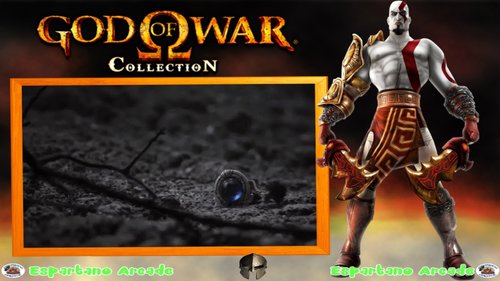 Coleccion de Medias de la famosa saga de Sony ,God of War de varias plataformas o sistemas
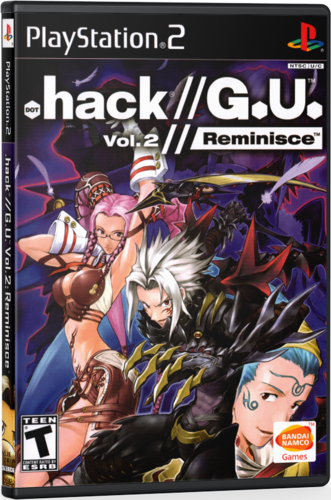 A lot of the front covers that these use are not mine they were on my hard drives that I downloaded ages ago, don't know who they belong to, I created the 3D Boxes and missing covers.
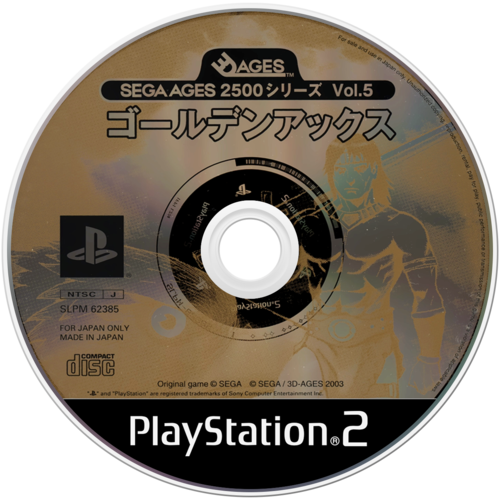 33 CD arts for my pack Sega Ages 2500 (PS2)
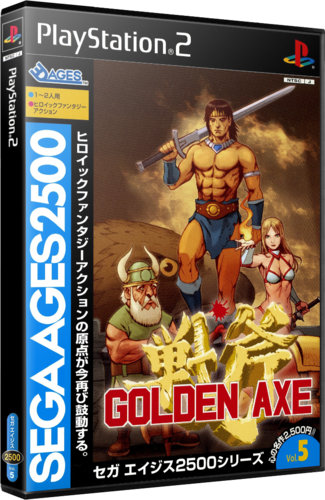 33 3DBox for my pack Sega Ages 2500 (PS2)
.thumb.png.d2aa7f0044f2eef11eeb886a30b033a0.png) Unofficial (not sure who makes things official) but this is a USA wheel pack that is better then whats available in the FTP or via the sync tool
Unofficial (not sure who makes things official) but this is a USA wheel pack that is better then whats available in the FTP or via the sync tool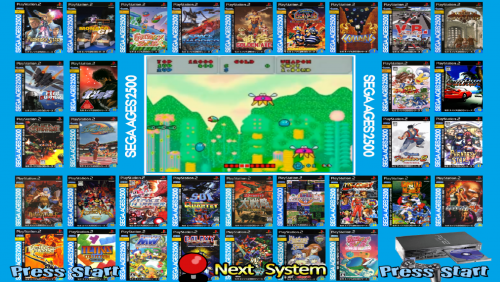 ...
... Letters for Sony Playstation 2.
.thumb.png.9ae3078bd580f1fcc03df2cb258e731f.png) 1860 Wheel Game Sony PlayStation 2
1860 Wheel Game Sony PlayStation 2 Note that
.thumb.png.a6a605d0eec3a4c7ea6d6652b9a16b57.png) Sony PlayStation 2 Disc Covers
Sony PlayStation 2 Disc Covers.thumb.png.19e0e2521566513a55640e506e580258.png) Sony PlayStation 2 3d Boxart - double box-
Sony PlayStation 2 3d Boxart - double box-.thumb.png.fe08c0e5a3dc685fe5f5a2304bed9fc0.png) um pequeno pack de Wheel de 11 jogos do PS2, espero que gostem
um pequeno pack de Wheel de 11 jogos do PS2, espero que gostem.thumb.png.57f75f56fcbf90604c087d34f7dbb6ee.png) Set of 2480 Sony PlayStation 2D boxes with reflections added and reformatted to be aspect-correct in 16:9 widescreen setups. The boxes themselves are sourced from other 2D box sets. This set matches HyperList as of December 2017, but does not include images for games marked as prototypes, unlicensed, or non-English games.
Set of 2480 Sony PlayStation 2D boxes with reflections added and reformatted to be aspect-correct in 16:9 widescreen setups. The boxes themselves are sourced from other 2D box sets. This set matches HyperList as of December 2017, but does not include images for games marked as prototypes, unlicensed, or non-English games..thumb.png.7feefd0d9d8c433048f76bf6320792e3.png) I didn't create any of these. Credits go to various Hyperspin Artists. I gathered them from the Ftp or someone linked a mega on the forums. This is not
I didn't create any of these. Credits go to various Hyperspin Artists. I gathered them from the Ftp or someone linked a mega on the forums. This is not Logo artwork provided by THK.
 - 4:3 PlayStation 2 main theme in version 2 (finish)
 i saw there was no pack of game wheels for ps2 so i thought i might share what i have keep your eyes peeled for other goodies
 ps2 pointer