fr0stbyt3
-
Posts
1,475 -
Joined
-
Last visited
-
Days Won
37
Content Type
Forums
Events
Downloads
Store
Everything posted by fr0stbyt3
-
ataxx Last Updated: Apr 17, 2026 Preview Description Converted Arcade (MAME) Theme Credits: - Yaron (Collaborator) - Johno (Artist) Details Type: Game Theme System: Arcade (MAME) Tags: Arcade (MAME),Ataxx,Game Theme Created: Apr 17, 2026 Last Updated: Apr 17, 2026 Download View on HyperTheme
-
- 1
-

-
asteroid Last Updated: Apr 17, 2026 Preview Description Converted Arcade (MAME) Theme Credits: - Yaron (Collaborator) - Johno (Artist) Details Type: Game Theme System: Arcade (MAME) Tags: Arcade (MAME),Asteroids,Game Theme Created: Apr 17, 2026 Last Updated: Apr 17, 2026 Download View on HyperTheme
-
astdelux Last Updated: Apr 17, 2026 Preview Description Converted Arcade (MAME) Theme Credits: - Yaron (Collaborator) - Johno (Artist) Details Type: Game Theme System: Arcade (MAME) Tags: Arcade (MAME),Asteroids Deluxe,Game Theme Created: Apr 17, 2026 Last Updated: Apr 17, 2026 Download View on HyperTheme
-
aof Last Updated: Apr 17, 2026 Preview Description Converted Arcade (MAME) Theme Credits: - Yaron (Collaborator) - Johno (Artist) Details Type: Game Theme System: Arcade (MAME) Tags: Arcade (MAME),Art of Fighting / Ryuuko no Ken,Game Theme Created: Apr 17, 2026 Last Updated: Apr 17, 2026 Download View on HyperTheme
-
aodk Last Updated: Apr 17, 2026 Preview Description Converted Arcade (MAME) Theme Credits: - Yaron (Collaborator) - Johno (Artist) Details Type: Game Theme System: Arcade (MAME) Tags: Arcade (MAME),Aggressors of Dark Kombat / Tsuukai GANGAN Koushinkyoku,Game Theme Created: Apr 17, 2026 Last Updated: Apr 17, 2026 Download View on HyperTheme
-
alpham2 Last Updated: Apr 17, 2026 Preview Description Converted Arcade (MAME) Theme Credits: - Yaron (Collaborator) - Johno (Artist) Details Type: Game Theme System: Arcade (MAME) Tags: Arcade (MAME),Alpha Mission II / ASO II - Last Guardian,Game Theme Created: Apr 17, 2026 Last Updated: Apr 17, 2026 Download View on HyperTheme
-
- 1
-
-
alien3 Last Updated: Apr 17, 2026 Preview Description Converted Arcade (MAME) Theme Credits: - Yaron (Collaborator) - Johno (Artist) Details Type: Game Theme System: Arcade (MAME) Tags: Arcade (MAME),Alien3: The Gun,Game Theme Created: Apr 17, 2026 Last Updated: Apr 17, 2026 Download View on HyperTheme
-
abcop Last Updated: Apr 17, 2026 Preview Description Converted Arcade (MAME) Theme Credits: - Yaron (Collaborator) - Johno (Artist) Details Type: Game Theme System: Arcade (MAME) Tags: Arcade (MAME),A.B. Cop,Game Theme Created: Apr 17, 2026 Last Updated: Apr 17, 2026 Download View on HyperTheme
-
88games Last Updated: Apr 17, 2026 Preview Description Converted Arcade (MAME) Theme Credits: - Yaron (Collaborator) - Johno (Artist) Details Type: Game Theme System: Arcade (MAME) Tags: Arcade (MAME),'88 Games,Game Theme Created: Apr 17, 2026 Last Updated: Apr 17, 2026 Download View on HyperTheme
-
720 Last Updated: Apr 17, 2026 Preview Description Converted Arcade (MAME) Theme Credits: - Yaron (Collaborator) - Johno (Artist) Details Type: Game Theme System: Arcade (MAME) Tags: Arcade (MAME),720 Degrees,Game Theme Created: Apr 17, 2026 Last Updated: Apr 17, 2026 Download View on HyperTheme
-
1944 Last Updated: Apr 17, 2026 Preview Description Converted Arcade (MAME) Theme Credits: - Yaron (Collaborator) - Johno (Artist) Details Type: Game Theme System: Arcade (MAME) Tags: Arcade (MAME),1944: The Loop Master,Game Theme Created: Apr 17, 2026 Last Updated: Apr 17, 2026 Download View on HyperTheme
-
1943 Last Updated: Apr 17, 2026 Preview Description Converted Arcade (MAME) Theme Credits: - Yaron (Collaborator) - Johno (Artist) Details Type: Game Theme System: Arcade (MAME) Tags: Arcade (MAME),1943: The Battle of Midway,Game Theme Created: Apr 17, 2026 Last Updated: Apr 17, 2026 Download View on HyperTheme
-
1942 Last Updated: Apr 17, 2026 Preview Description Converted Arcade (MAME) Theme Credits: - Yaron (Collaborator) - Johno (Artist) Details Type: Game Theme System: Arcade (MAME) Tags: Arcade (MAME),1942,Game Theme Created: Apr 17, 2026 Last Updated: Apr 17, 2026 Download View on HyperTheme
-
1941 Last Updated: Apr 17, 2026 Preview Description Converted Arcade (MAME) Theme Credits: - Yaron (Collaborator) - Johno (Artist) Details Type: Game Theme System: Arcade (MAME) Tags: Arcade (MAME),1941: Counter Attack,Game Theme Created: Apr 17, 2026 Last Updated: Apr 17, 2026 Download View on HyperTheme
-
005 Preview Description Converted Arcade (MAME) Theme Credits: - Yaron (Collaborator) - Johno (Artist) Details Type: Game Theme System: Arcade (MAME) Tags: Arcade (MAME),005,Game Theme Created: Apr 17, 2026 Download View on HyperTheme
-
- 2
-
-
3wonders Preview Description Converted Arcade (MAME) Theme Credits: - Yaron (Collaborator) - Johno (Artist) Details Type: Game Theme System: Arcade (MAME) Tags: Arcade (MAME),Three Wonders,Game Theme Created: Apr 16, 2026 Download View on HyperTheme
-
We have a new version of the integration coming soon. It should be able to pull videos just fine. In the meantime, you can always take a look at using overrides for now.
-
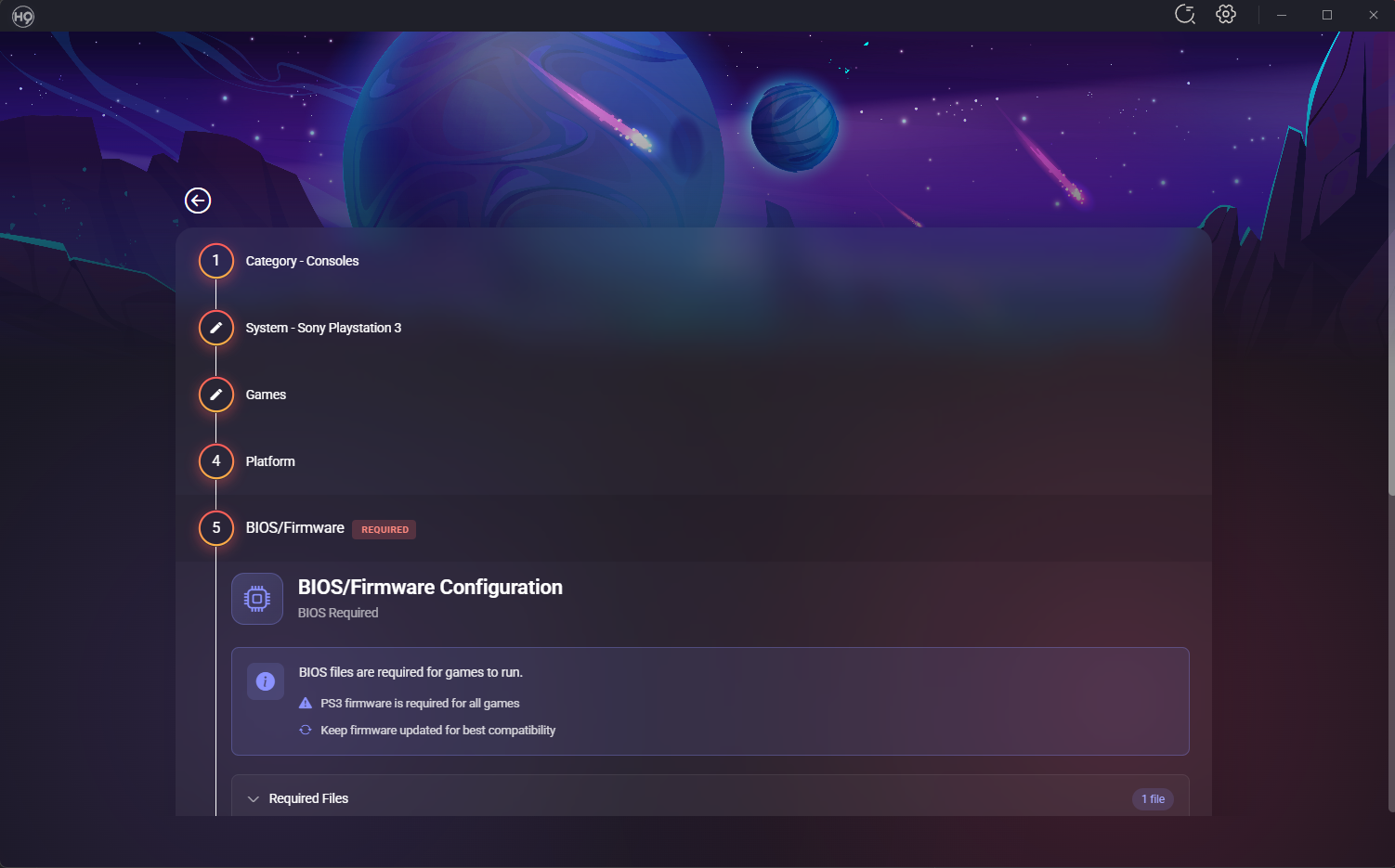
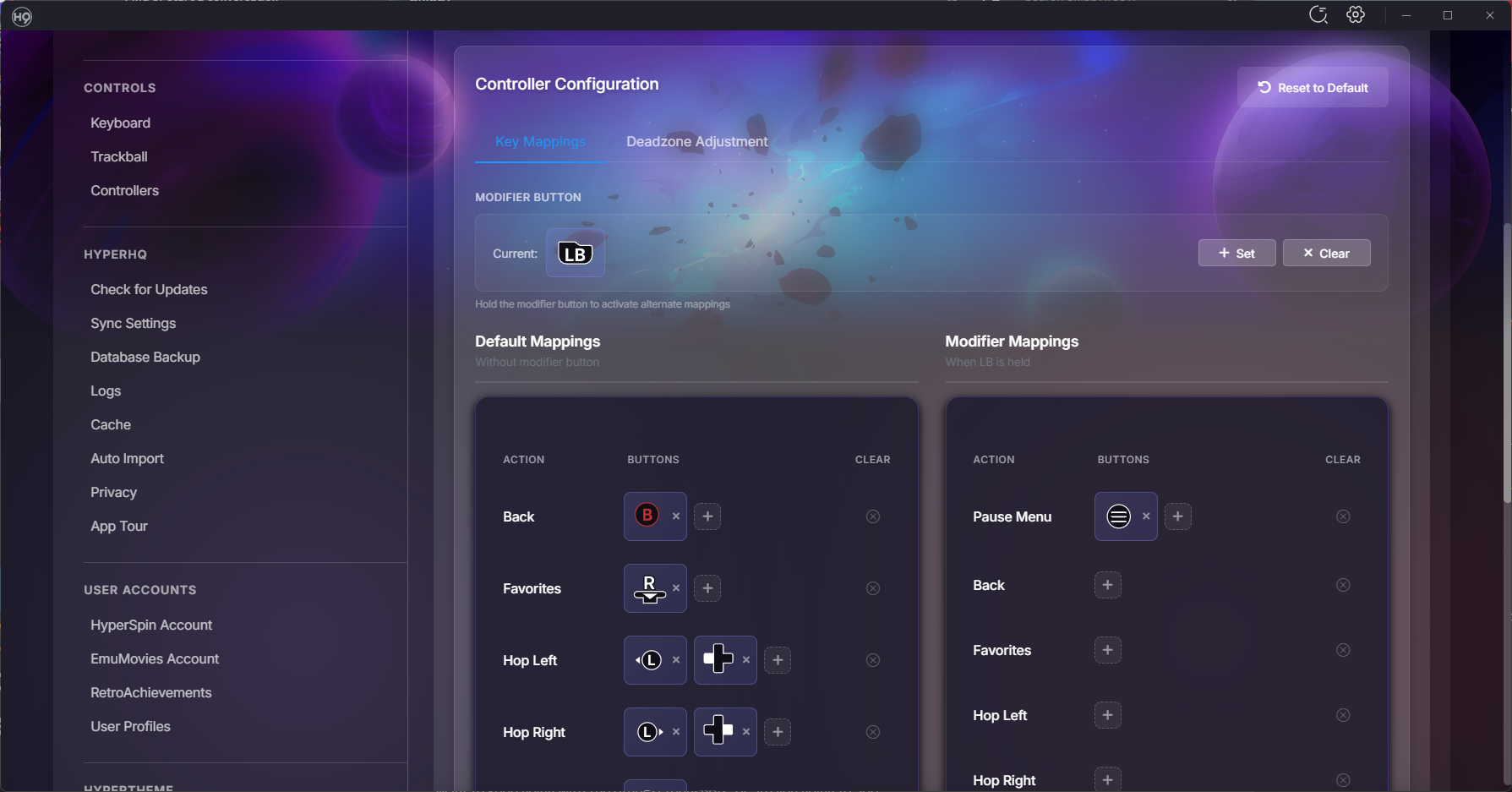
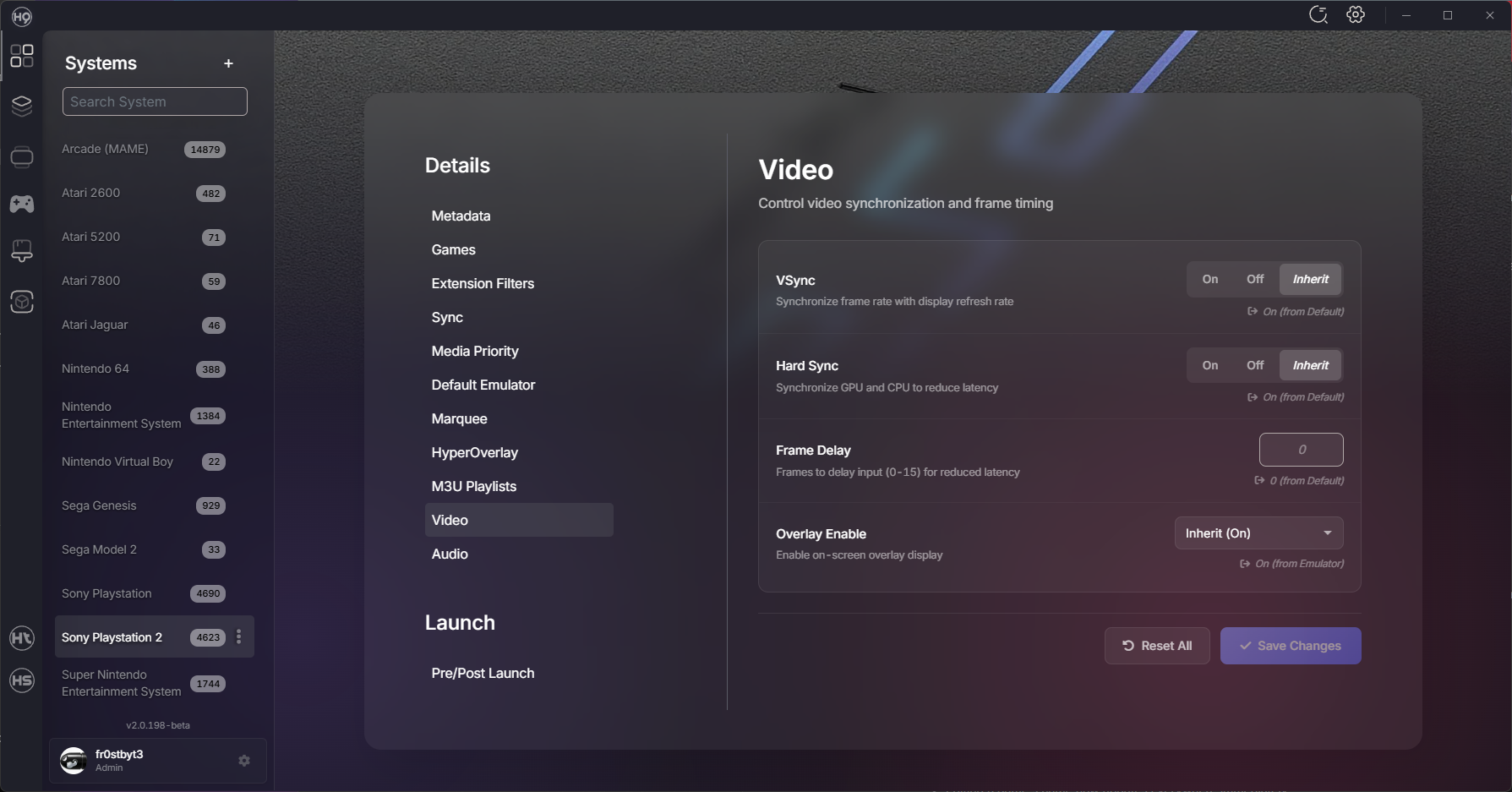
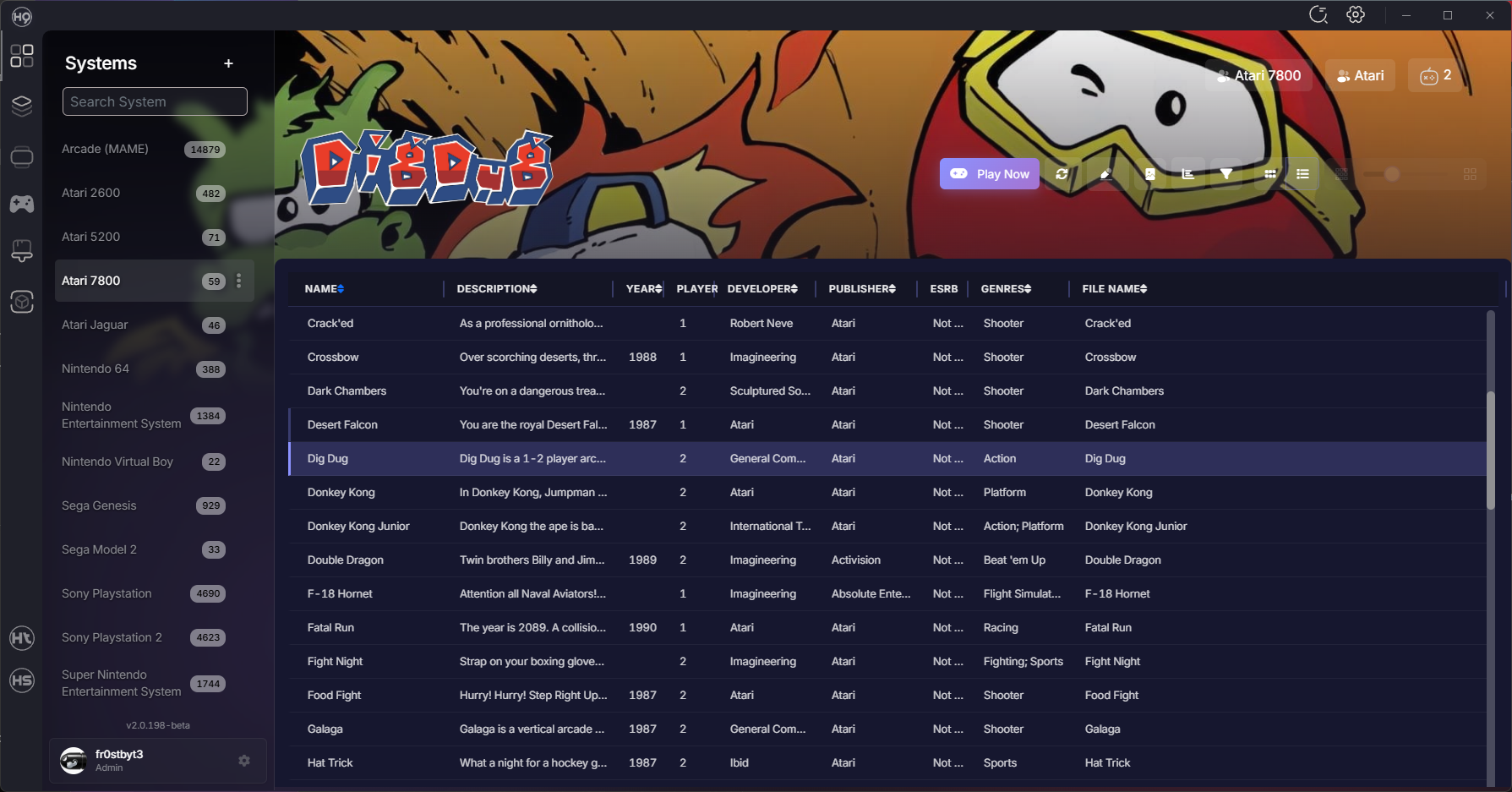
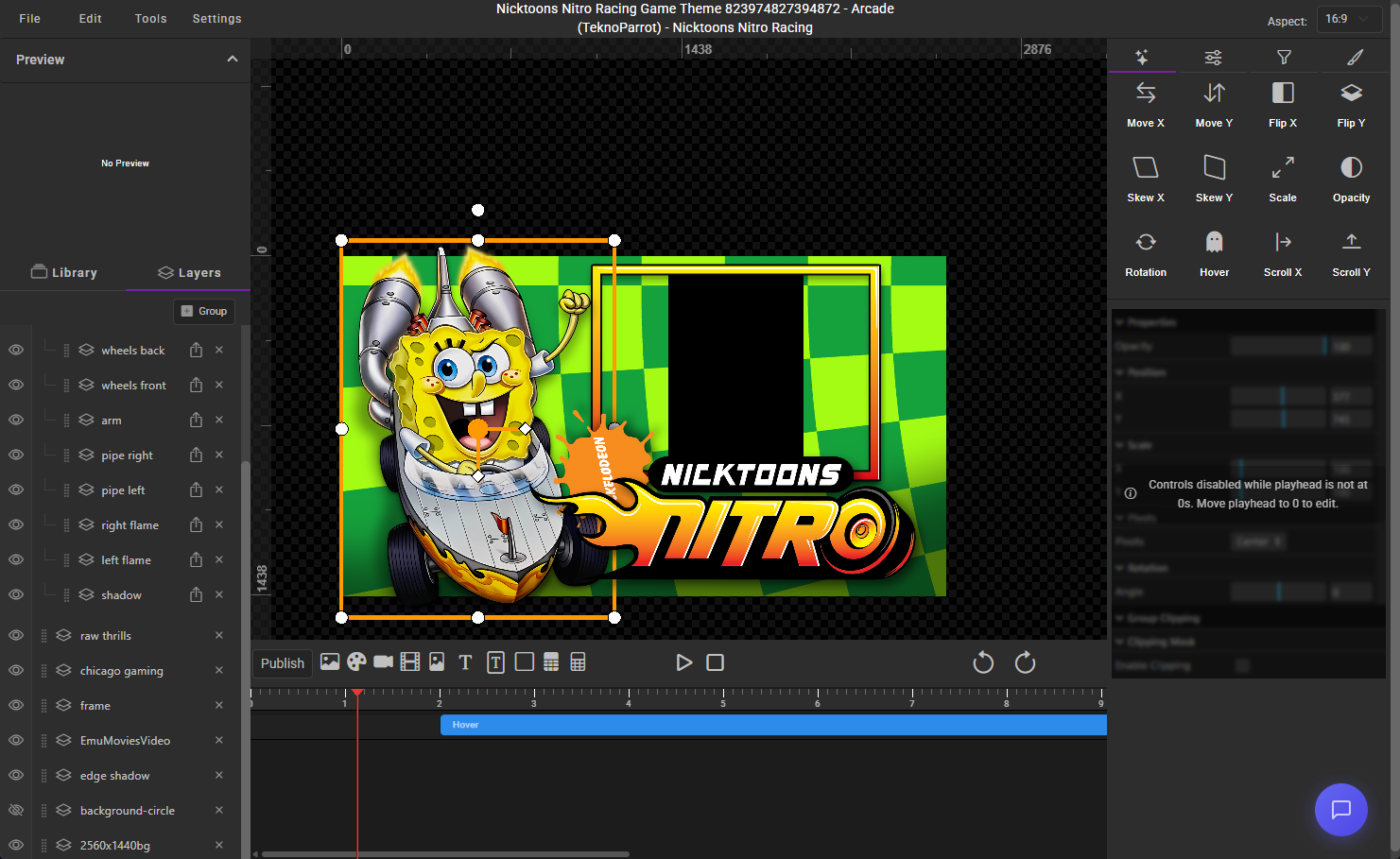
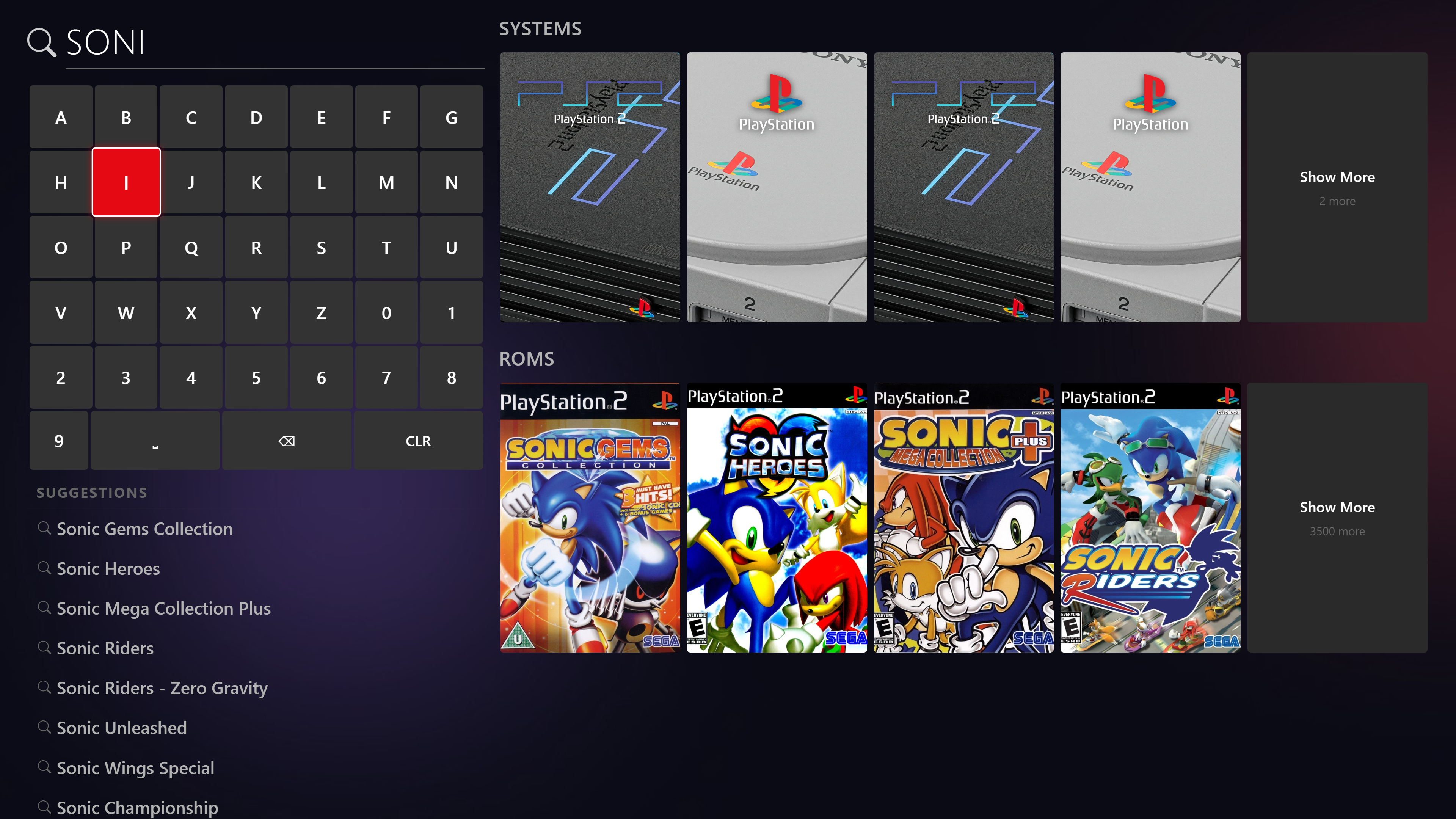
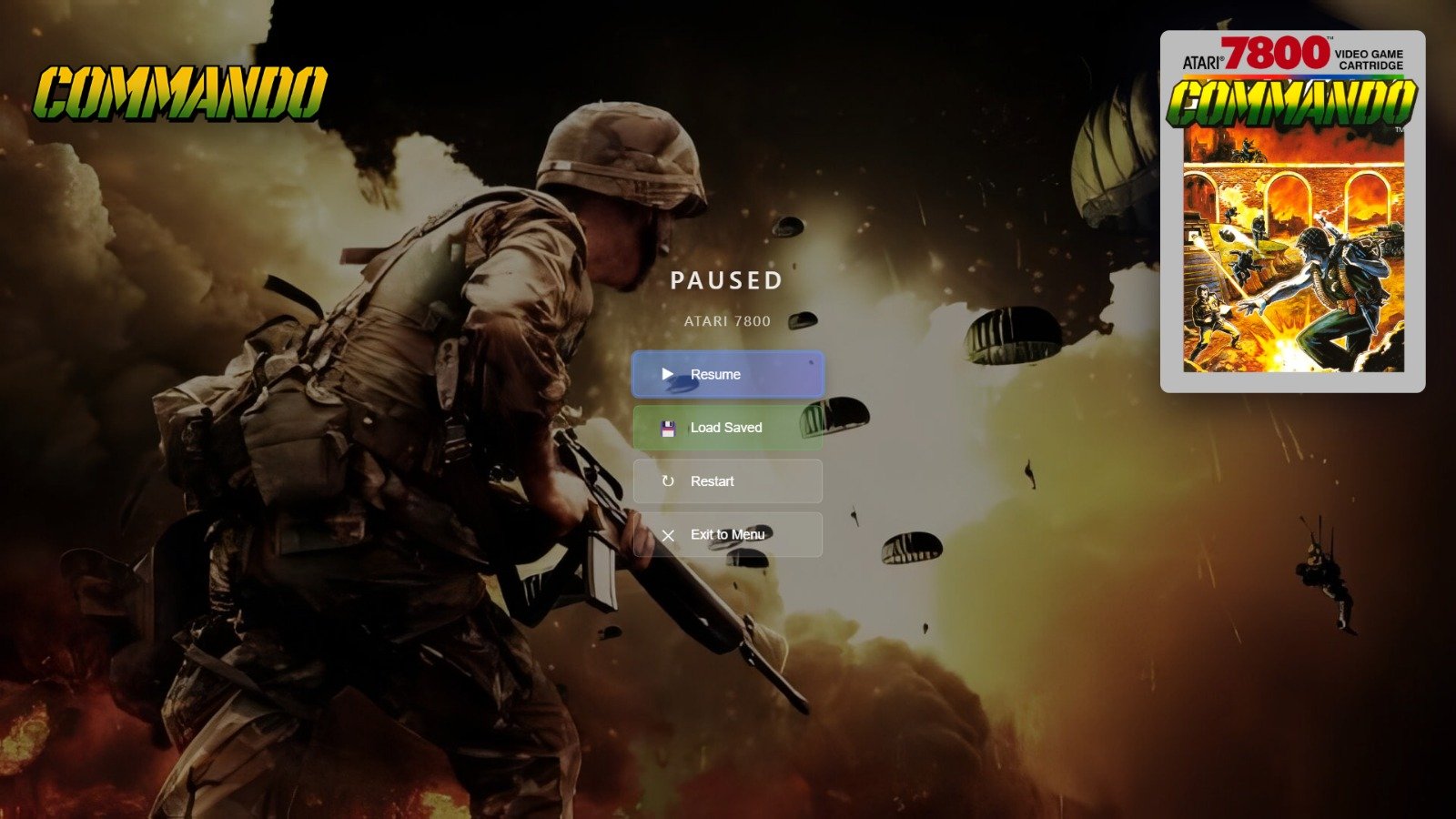
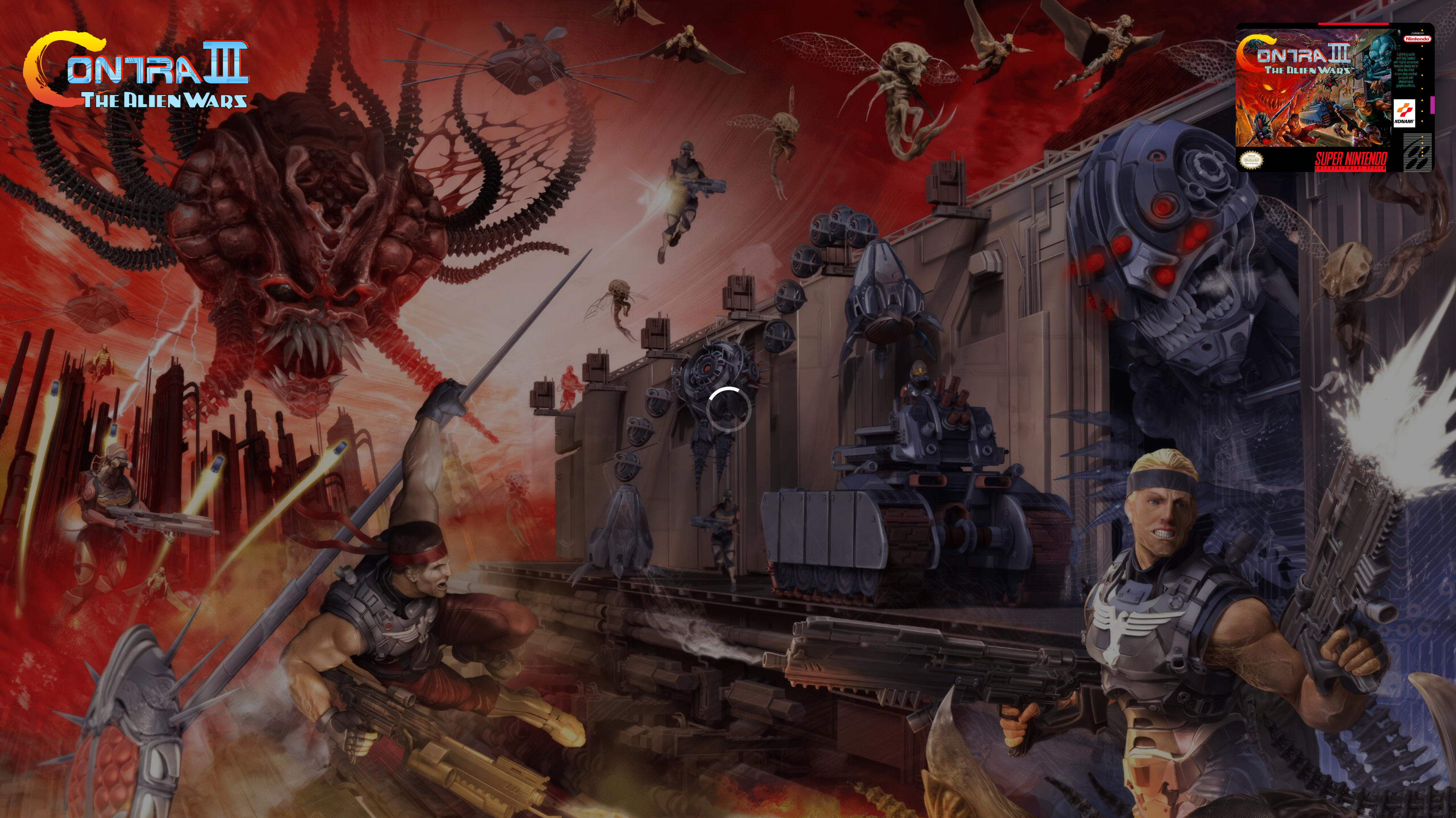
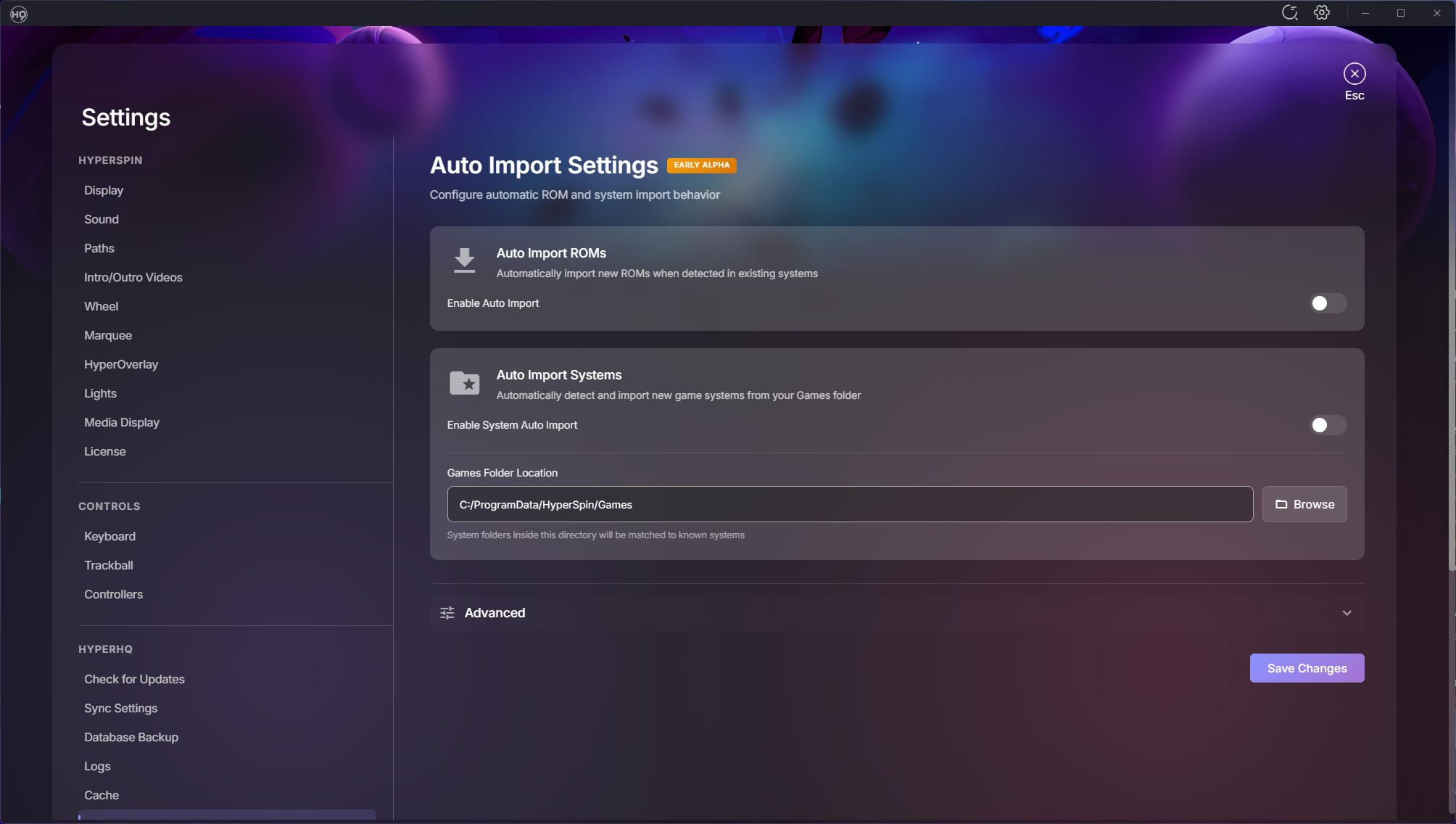
March Update: HyperOverlay, Performance Overhaul, and a Mountain of Polish Hey everyone! It's been about three weeks since our last update and the team has been busy — over 400 commits and 80+ closed issues across the board. This one's packed with brand new platform support, a smoother experience overall, and a ton of UI polish. Let's dive in! Introducing HyperOverlay We're excited to share HyperOverlay — a new plugin that adds loading screens and pause menus to your HyperSpin setup. If you've ever launched a game and stared at a black screen while the emulator loads, HyperOverlay fixes that. It displays a clean loading screen with game artwork while everything spins up in the background, so the transition from wheel to gameplay feels seamless. It also adds an in-game pause menu you can pull up with your controller. HyperOverlay is still a work in progress, so it's completely optional — you can enable or disable it anytime from the plugin settings. If you try it out, let us know how it works for you. What you get: Loading screens — displays game artwork and info while the emulator starts up, so no more staring at a black screen Pause menus — pull up an in-game pause menu with your controller to resume, restart, or exit Game end screens — see a stats summary when you exit a game Controller and keyboard support — navigate everything with your gamepad or keyboard Multi-monitor ready — works across multiple displays for cabinet setups Save state management — browse and load your save states right from the pause menu Performance The first time you start HyperSpin, it should be significantly faster to load. The second time you start it, it should be almost instant. We completely reworked how games are loaded and cached so your library is ready to go the moment you launch. Scrolling through large game lists is smoother too, especially if you've got thousands of games in a system. Wii U Support We've added full support for Wii U via Cemu. What this means for you: Add any of these systems through the Add System wizard just like any other platform HyperSpin automatically detects your installed games — no manual game lists needed Games launch directly from your library with the right settings BIOS and firmware checks are built into the setup flow so you know if something's missing before you try to play Real game titles are pulled automatically (no more cryptic folder names in your game list) Wii U support is further along and should be stable for most setups. New Features Spotlight Search Spotlight search is now in HyperSpin with full controller support. Find any game or system instantly without scrolling through wheels — just start typing or use your controller to pull it up. Zip File Progress When HyperSpin needs to extract a compressed game before launching, you now get a visual progress screen instead of wondering what's happening. Temp files are cleaned up properly afterward too. Advanced Controller Mapping We've added modifier key support for controllers. If you've got a cabinet with limited buttons, you can now hold one button as a modifier to unlock additional actions on every other button — effectively doubling (or tripling) what your controller can do. For example, hold the Player 1 button and press Start to exit a game, or hold it and press another button to open the menu. Works with keyboards too. Always on Top Marquee The marquee display can now sit above everything on screen, including the taskbar. Perfect for dedicated marquee monitors on arcade cabinets. RetroArch Bezels BezelProject packs now automatically apply a system-wide default bezel to all your games — and per-game bezels still override when available. This also prevents touch controller overlays from appearing on arcade cabinets. UI Polish We knocked out a big batch of visual improvements: Category highlight in Add Systems updated to HyperSpin purple Add Extensions button is now more visible Update screen shows your current version vs. what's available Cache settings descriptions rewritten to actually explain what each button does Autoimport settings got a tighter layout with cleaner toggles Archive extraction now uses toggle switches instead of checkboxes Plugin screen buttons cleaned up and streamlined Contact link in License Settings now opens in your browser instead of in-app Collections Right-click context menu on collection items — refresh, hide/show, and delete without navigating away Collections now update in real-time as you make changes Fixed the new collection creation flow Games & Media List view is back — toggle between grid and list views List view context menu fully working again Editing a game's name now updates everywhere immediately Media tab only shows media for systems you actually have installed Media download labels now include the system name so you know what you're looking at Platforms & Emulators BIOS status now rescans automatically when you visit the page or import files Systems list has a right-click context menu (Open, Edit, Hide/Show, Refresh Media) Platform Test button shows the correct system list now Advanced controller mapping support Plugin auto-updates now work for non-default plugins Theme Builder Import a PSD with layer groups and they now show up properly as expandable folders in the layers panel Scale controls now accept decimal values Remix for themes now supports the new groups feature Added list views for collections, media, and projects in your profile Fixes & Stability Thank You This was a huge push and the team really delivered. Massive thanks to everyone who's been testing, reporting bugs, and giving us feedback in the forums and Discord. Your input directly shapes what we work on. Keep the bug reports coming — and if you get a chance to try any of the new platform support, we'd love to hear how it works with your setup. — fr0stbyt3 & The HyperSpin Team

-
- 15
-
-

-

-
Wait until the upcoming release in the next few days.
-
Can you send me your log files? Was the Media folder deleted as well? You can find it C:\ProgramData\HyperSpin\Media is the default. If that folder is still there - it will persist the data. I'll make a change where it ignores systems that are not installed in the next version. But the data is still technically there.
-
Thanks for the detailed report - really helpful stuff. A few things off the top: - MAME issues should be sorted in the next release. We've had a few reports on those and addressed them along with some other small fixes we caught along the way. - HyperSpin itself is also getting a release next week that covers quite a few of the issues you mentioned. I'm curious to see if you still have issues after that. It may be something as simple as a single theme breaking and causing an issue. - Cached images are not being copied. The database files (what systems you have installed) are in appdata. Without logs to trace, this one is a little difficult. I think - somewhere along the way - something went wrong and you're still chasing it. Try the attachment. This is an internal tester tool we created to clear out this exact type of issue quite a long time ago. Please let me know if you still run into this issue. We appreciate you testing and sticking with it. We honestly do take these issues seriously and we're working on something almost every day here. Reports like this are vital to us polishing up the remaining issues before we open up the flood gates. I expect for the rest changes - we will have a public build for you within the week. Reset HS2.zip
-
I was thinking of mute as an option or you would so something fancy where the main machine controlled speakers on both sides and only when a game launch was triggered it would get independent sound. I could probably get you set up with enough code to where you could chatgpt your way through any changes you would need.
-
I have been summoned. So - This is an incredibly interesting use case. We CAN do this but it would take a few changes. We already have the API protocols for this. As long as the machines in question are on the same physical network - launching games together and syncing up attract mode is possible. The issue would be perfect sound sync across both systems. Load times, pc resources, and network latency could all cause it to be off just a little. This would also take some work to make sure the installs were exactly the same. But again, doable. That being said - we're in a major push for stability and getting ready to bring on more users in the coming months. Keep me up to date on your progress. Once we wrap up with this push, I'll see what I can do to help you along with a plugin. I'll likely open source it so that users can learn from it and possibly help you with it if i'm not always available.
-
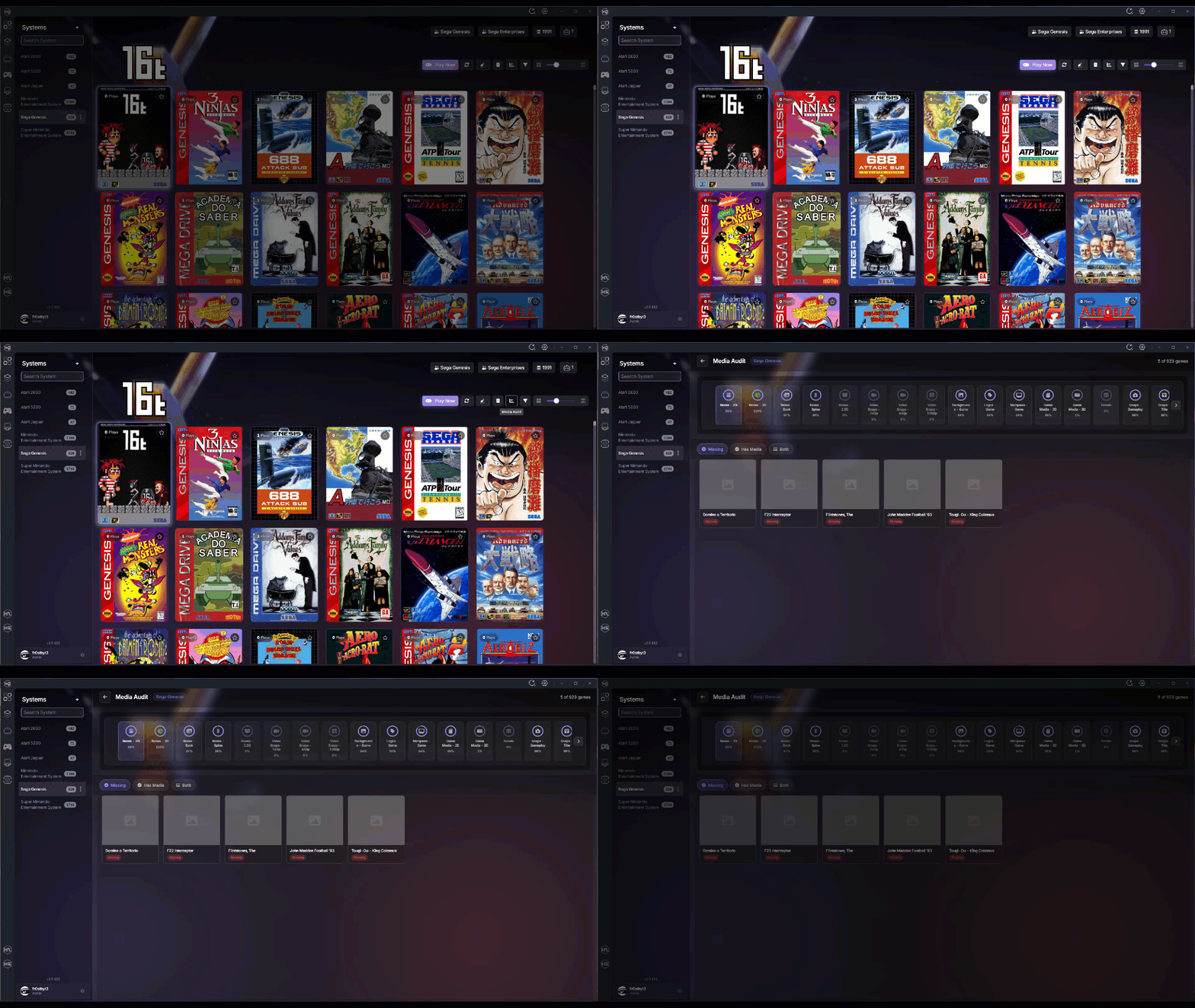
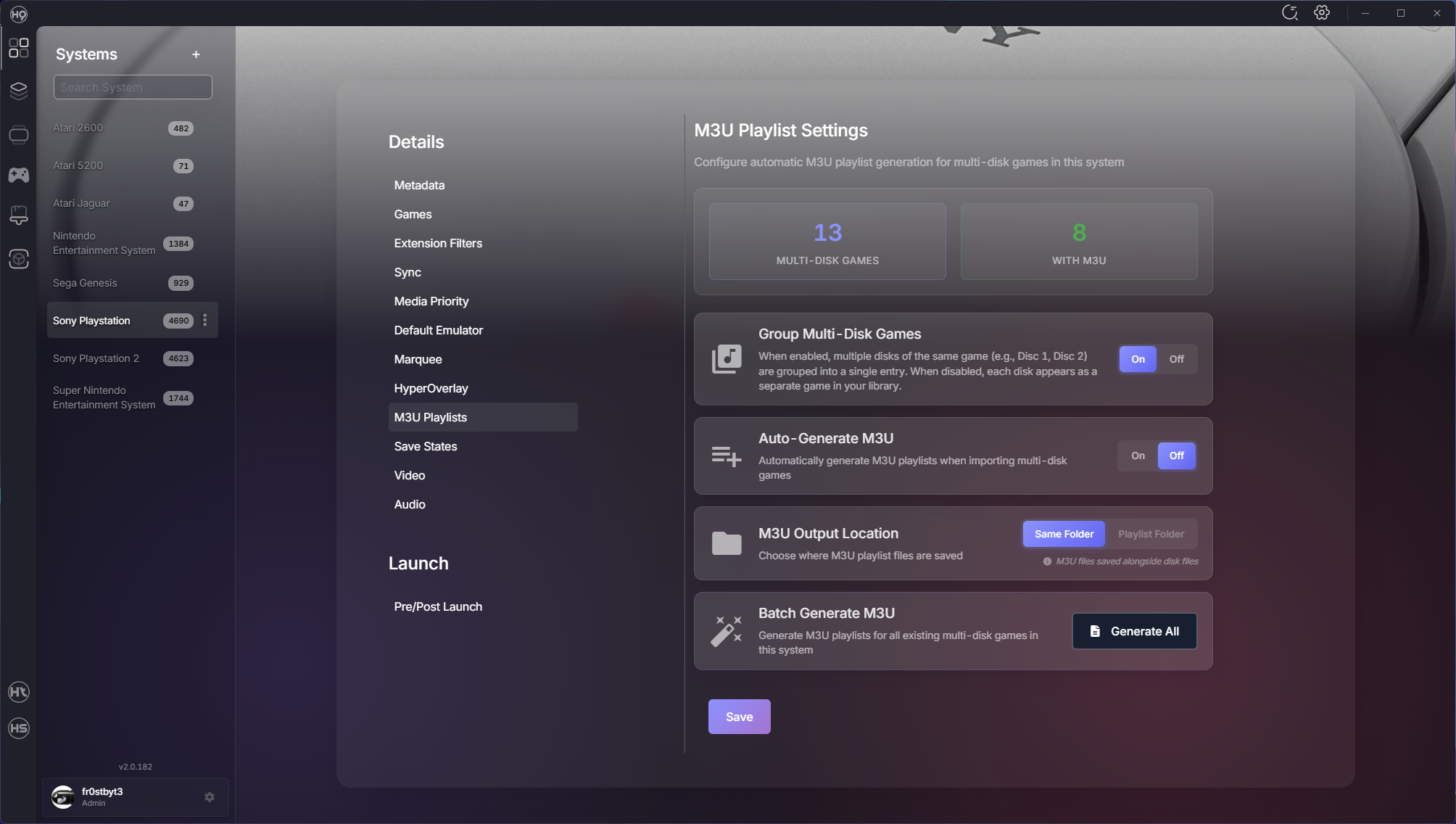
Hey everyone! We've been heads-down shipping improvements across the entire HyperSpin ecosystem over the past few weeks. This update spans 20 days with over 260 commits and 50+ merged PRs bringing major new features, performance enhancements, and quality-of-life improvements. Whether you're managing a massive collection or just getting started, there's something here for you. Let's dive in! Media Audit Screen Managing media for hundreds of systems just got easier. The new Media Audit Screen gives you complete visibility into what you have and what's missing. Features: Visual comparison of available vs. missing media Drag-and-drop upload for bulk media additions Real-time status tracking across all media types Organized by system for easy management No more guessing which games are missing artwork — it's all right there. System Import Overhaul We completely redesigned how you import systems with a queue-based approach that's faster and more reliable. Improvements: Progress tracking shows exactly what's happening Re-import skipped systems without starting over Automatic BIOS detection in emulator directories Better error handling and recovery The import flow now handles edge cases gracefully and keeps you informed every step of the way. Multi-Disk Game Support Games spanning multiple discs (like PS1 RPGs) now have first-class support with automatic playlist generation and management. New Capabilities: Automatic playlist creation for multi-disc games Multi-disk grouping settings Automatic ROM extraction before launch Switch between discs seamlessly without manual playlist editing Better Game Metadata HyperSpin can now pull game metadata from additional sources, giving you more complete and accurate game information. What This Means: Fuzzy search finds the right game even with typos Automatic metadata sync from trusted sources "Search For Match" added to game context menus Your game library stays up-to-date with accurate metadata from the community Performance Enhancements We've made significant improvements to how HyperSpin handles rendering and background operations. What's Faster: Sidebar system list loads instantly Boxart rendering redesigned with smart lazy loading Smooth scrolling even with thousands of games Background operations optimized to not block the UI Reduced memory usage for long-running sessions Everything feels snappier, especially when working with large collections. HyperTheme Updates ThemeBuilder continues to evolve with better tooling and compatibility. What's New: Improved layer management (no more accidental reordering) Drag-and-drop enhancements for easier theme building Better positioning controls Theme Player: Fixed layer management for complex themes Smoother hover animations Background system integration for system themes Fixes & Stability ROM counts now update reactively and stay synced across the UI RetroArch auto-setup registers platforms and downloads cores reliably BIOS detection improved MAME wizard no longer gets stuck at 10% Game artwork updates immediately after downloads Theme downloads reconnect properly if the connection drops Fuzzy search for system names handles typos Improved emulator availability checks Thank You A huge thank you to everyone who's been testing, reporting bugs, and sharing feedback. Your input has been invaluable in making these releases better. We've got more great things in the pipeline. Keep the feedback coming! — fr0stbyt3 & The HyperSpin Team
-
- 14
-
-
-
-
Log out in the lower left next to your username. It's being looked at now. Your session just expired.