MSX.rar https://drive.google.com/file/d/12--J6vpoFfNzzQ1hOAbJot3kJ76D7YPj/view
DHL's Archives - MSX - Books http://69.60.118.202/msx/msx-books.htm
https://www.generation-msx.nl/
https://www.vincenzoscarpa.it/emuwiki/pmwiki/pmwiki.php?n=Emulators.Win,Msx&lng=en&r=1&w=1280&h=720
MSX_MSX_Plus_TOSEC_2012_04_23_archive.torrent
https://alldebrid.com/f/UttG70LpQQrlg95sVOrqpo9_07fWL8VSpQ8zIN0Inns
https://alldebrid.com/f/zO58jHRHz1hB3fKWB_6tZlSn7YRychrlUbUrC5ecj0o
https://alldebrid.com/f/8TpGobPklRXiN3i2JpkedOEK4DrQFduJrQyuBeLEvU8
https://alldebrid.com/f/l1VCdYE_nObcJzETMGSki9PBzF2hZ14FQeRoDwJzJzw
https://alldebrid.com/f/GUcvfj6ymAvTVPoYEDH5nuo4I1V40Hh_luEyC8ZVEvc
MSX_MSX_Plus_TOSEC_2012_04_23.txt
MSX_MSX_Plus_TOSEC_2012_04_23.zip
MSX_MSX_Plus_TOSEC_2012_04_23_meta.xml
__ia_thumb.jpg
msx.jpg
https://store.steampowered.com/app/2010121/RetroArch__BlueMSX/?l=french
SSF with CHDv5 (Archive.org) Support
Instructions:
Place libchd.dll https://github.com/batteryshark/chdssf/blob/main/libchd.dll, and ssf_patch.dll https://github.com/batteryshark/chdssf/blob/main/ssf_patch.dll in the SSF emulator directory.
:
SSF_PreviewVer_R28: https://github.com/shimazzz/SEGASaturnEmulator-SSF/releases/download/PreviewVer/SSF_PreviewVer_R28.zip
Letters.zip
Under messui, go to the Options, Directories... tab, under Show directories; ROMs, add by clicking on Insert the folder containing your games and bios, the detection is carried out Put the m5.zip and the basic-i.zip from the ROMs subfolder m5 in the hash folder Once in game activate scroll lock (Fn and K) then press the TAB key, go to Input (this machine) and reassign the keys necessary for the smooth running of the game
1000 Tiny Claws (Europe)
20Q (Europe)
2D Adventures of Rotating Octopus Character, The (Europe)
3 2 1 - Supercrash! (Europe)
3D Twist & Match (Europe)
4x4 Jam (Europe)
5-in-1 Arcade Hits (Europe)
5-in-1 Solitaire (Europe)
Ace Armstrong vs. the Alien Scumbags! (Europe)
Actual Crimes - Jack the Ripper (Europe)
Aero Racer (Europe)
Age of Hammer Wars (Europe)
Age of Zombies (Europe)
Alien Havoc (Europe)
Alien Zombie Death (USA)
Alpha Mission (USA)
Ambassador Kane (Europe)
Ancient Game Treasures Mill (USA)
Angry Birds (USA)
Apache Overkill (Europe)
Aquattack! (Europe)
Arcade Air Hockey & Bowling (Europe)
Arcade Darts (Europe)
Arcade Essentials (Europe)
Arcade Essentials Evolution (Europe)
Arcade Pool (USA)
Archibald's Adventures (Europe)
Arctic Adventures - Polar's Puzzles (USA)
Athena (Europe)
BABEL - The King of the Blocks (Europe)
Basha Baloot (Europe)
Basha Card Game Collection (Europe)
Basha Tarneeb (Europe)
Basha Trix (Europe)
Bashi Blocks (Europe)
Battle Poker (USA)
Beach Buzzin' Chopper (Europe)
Beam 'em Up (Europe)
Bee Wars (Europe)
Bermuda Triangle (Europe)
Best of Solitaire (Europe)
Blast Off (Europe)
Blimp - The Flying Adventures (Europe)
Block Cascade Fusion (Europe)
Bloons (Europe)
Bloons TD (Europe)
Boom Beats (Europe)
BounceBack (Europe)
Bowling 3D (USA)
Brainpipe (Europe)
BreakQuest (Europe)
BreakQuest - Extra Evolution (Europe)
Brick Breaker (Europe)
Bubble Trubble (Europe)
Bunny Dodge (Europe)
Burnin' Rubber (USA)
Busy Sweets Factory (USA)
Canabalt (Europe)
Car Jack Streets (Europe)
Card Shark (Europe)
Carnivores - Dinosaur Hunter (Europe)
Carnivores - Ice Age (Europe)
Caterpillar (Europe)
Championship Manager 2010 Express (Europe)
Charge! Tank Squad (Europe)
Chopper I (USA)
Circles, Circles, Circles (Europe)
Coconut Dodge (Europe)
Cohort Chess (Europe)
Core Blaster (Europe)
Crime Spree (Europe)
Cubixx (USA)
Days of Thunder (USA)
D-Cube Planet (Europe)
Defenders of the Mystic Garden (Europe)
Deflector (Europe)
Denki Blocks! (Europe)
Digi-Tiles (USA)
Doodle Fit (Europe)
Doodle Pool (Europe)
Dr. Maybee and the Adventures of Scarygirl (Europe)
Dr. Mini Games (Europe)
Dracula - Undead Awakening (Europe)
Drums Challenge (Europe)
Duael Invaders (Europe)
Ducati Challenge (Europe)
Dynogems (USA)
Earthshield (USA)
Echoes (Europe)
Edge (Europe)
Enchanted Cavern (Europe)
Enigmo (Europe)
Epyx's Impossible Mission (Europe)
Express Raider (USA)
Family Games (Europe)
Farm Frenzy (Europe)
Farm Frenzy - Pizza Party (Europe)
Farm Frenzy 2 (Europe)
Farm Frenzy 3 (Europe)
Feisty Feet (Europe)
Fieldrunners (Europe)
Fighting Fantasy - Talisman of Death (Europe)
Fighting Fantasy - The Warlock of Firetop Mountain (Europe)
Finger Connection (Europe)
Fish Tank (Europe)
Flick Fishing (Europe)
Floating Cloud God Saves the Pilgrims (Europe)
Fly Fu (Europe)
Flying Hamster, The (Europe)
Forest Puzzle (Europe)
Fort Commander - King's Gambit (Europe)
Fort Commander II - Counterattack (Europe)
Fortix (Europe)
Free Shot Frenzy (Europe)
Freekscape - Escape From Hell (Europe)
Funky Punch (Europe)
Future Fight (Europe)
Galcon Labs (Europe)
Gamocracy One - Legend of Robot (Europe)
Gang Wars (Europe)
Gold Fever (Europe)
Gold Medalist (Europe)
Golf Mania (Europe)
GreenTechPlus (Europe)
Guerrilla War (Europe)
HAL 21 (Europe)
Hello Flowerz (Europe)
Heracles Chariot Racing (USA)
Hero of Sparta (Europe)
HISTORY - Egypt - Engineering an Empire (Europe)
HISTORY - Ice Road Truckers (USA)
Hive Sweeper (Europe)
Homerun Hitters (Europe)
Hotel Mogul (Europe)
Hungry Giraffe (Europe)
Hysteria Project (Europe)
Hysteria Project 2 (Europe)
I Kill Zombies (Europe)
I Must Run! (Europe)
Idiot Squad (Europe)
Ikari III - The Rescue (Europe)
Ikari Warriors (Europe)
Ikari Warriors II - Victory Road (USA)
Impossible Game, The (Europe)
Influence (USA)
International Snooker (Europe)
Jane's Hotel (Europe)
Jelly Pops (Europe)
JellyCar 2 (Europe)
Jetpack Joyride (Europe)
Jewel Keepers - Easter Island (Europe)
Kahoots (Europe)
Kaleidoscope - Interactive Synaesthesia Project (Europe)
Karimogi (Europe)
Karoshi (Europe)
Knight Fortix 2 (Europe)
L.A. Gridlock (Europe)
Labyrinth (Europe)
Left to Die in Zombhai (Europe)
Legend of Kunoichi (USA)
Let's Golf (USA)
Lock 'n' Chase (USA)
Love Cupid (Europe)
M.O.Z.O.X. Space Salvager (Europe)
Mad Blocker Alpha - Revenge of the Fluzzles (Europe)
Mahjong Artifacts (Europe)
Mahjong Artifacts - Chapter 2 (Europe)
Mahjong Solitaire (USA)
Manic Monkey Mayhem (Europe)
Marbians, The (Europe)
Marvin's Maze (Europe)
Me Monstar - Hear Me Roar! (Europe)
Mecho Wars (Europe)
MENA Speed (Europe)
Metara (Europe)
Mighty Flip Champs! DX (USA)
MiniSquadron (Europe)
Monochrome Racing (Europe)
Monopoly (Europe)
Monsters (Probably) Stole My Princess (Europe)
Mr. Hat and the Magic Cube (Europe)
Music Quiz (USA)
Mystery of the Crystal Portal, The (Europe)
Next Space, The (Europe)
Ninjamurai (Europe)
Nocturnal (Europe)
Nom Nation (Europe)
NormalTanks (Europe)
Nova (Europe)
Numba (Europe)
OMG-Z (Europe)
One Epic Game (Europe)
One Two Boat Racing (Europe)
Orbit (Europe)
Ozma Wars (Europe)
Pachisi (Europe)
Pac-Man Championship Edition (Europe)
Pallurikio (Europe)
Panda Craze (Europe)
Paper Wars - Cannon Fodder (Europe)
Phase Shift - Threats Beyond the Network (Asia)
Pile Up! Bakery (Europe)
Pinball Dreams (Europe)
Pinball Duel (Europe)
Pinball Fantasies (Europe)
Pipe Madness (Europe)
Pix'n Love Rush (Europe)
Piyotama (Europe)
Prehistoric Isle (Europe)
Prisoners of War (Europe)
Psycho Soldier (Europe)
Puzzle Scape (Europe)
Quiz Animania (USA)
Ramen Heaven (Europe)
Rasmus Klump and the Big Maze (Denmark)
Rasmus Klump in Pingonesien (Denmark)
Rasmus Klump is Saving the Chickens (Denmark)
Red Bull X-Fighters (Europe)
Reef Aquarium (Europe)
Retro Cave Flyer (Europe)
Revoltin' Youth (Europe)
Robin Hood - The Return of Richard (Europe)
Rocks N' Rockets (Europe)
Ronnie O'Sullivan's Snooker (Europe)
Route 66 (Europe)
Rumble Trucks (Europe)
Run Ghost Run (Europe)
SAR - Search and Rescue (Europe)
Sasuke Vs. Commander (Europe)
Shapo (Europe)
Sheep Defense (Europe)
Shift Extended (USA)
Shogi (USA)
Sky Force (Europe)
Smashbreak (USA)
Snake Warriors - Training (Europe)
Sneezies (Europe)
Snowy - The Bear's Adventures (Europe)
Solitaire (Europe)
Space Shooter for Two Bucks!, A (Europe)
Spaceball Revolution (USA)
Speedball 2 - Evolution (Europe)
Spot the Differences! (USA)
Stand O'Food (USA)
Star Hammer Tactics (Europe)
Stellar Attack (Europe)
Stick Man Rescue (Europe)
Street Smart (Europe)
Sudoku (Europe)
Super Fruitfall Deluxe (Europe)
Supermarket Mania (Europe)
Swap Zap (Europe)
Sweet Reversi (Europe)
Tehra - Dark Warrior (Europe)
Telegraph Crosswords (Europe)
Telegraph Sudoku & Kakuro (Europe)
Terminator, The (Europe)
Tetraminos (Europe)
Tetris (Europe)
This is Football Management (Europe)
Tiger Trouble (Europe)
Time Soldiers (Europe)
Tiny Hawk (Europe)
TNK III (Europe)
Tonzurakko (Europe)
Top Gun (USA)
Top Trumps - NBA All Stars (Europe)
Touch Racing Nitro (Europe)
Touchdown Fever (Europe)
Trailblazer (Europe)
Treasures of Montezuma, The (Europe)
Twin Blades (Europe)
Urbanix (Europe)
Vanguard (Europe)
Vanguard II (Europe)
Vector TD (Europe)
Velocity (Europe)
Vempire (Europe)
Vibes (Europe)
VT Tennis (Europe)
Wackylands Boss (Europe)
War of Sonria (Europe)
Where is my Heart (Europe)
Who's That Flying (Europe)
Widget's Odyssey (Europe)
Widget's Odyssey 2 (Europe)
Wizorb (Europe)
World Ping Pong Championship (Europe)
Yeti Sports Pengu Throw (Europe)
Young Thor (Europe)
Yummy Yummy Cooking Jam (Europe)
Zenonia (Europe)
Zombie Racers (Europe)
Zombie Tycoon (Europe)
MESS subfolder Hash subfolder supracan subfolder supracan.xml + ROMs
supracan.zip
A simple method is to use an automated batch, allowing the conversion of the said iso into a gz compressed file, all you have to do is place the image inside a folder with the same name, giving you a gain at the same time increased additional storage disk space available on your hard drive
fullboot := If fullboot = "true" ? " --fullboot" : ""
Letters.zip
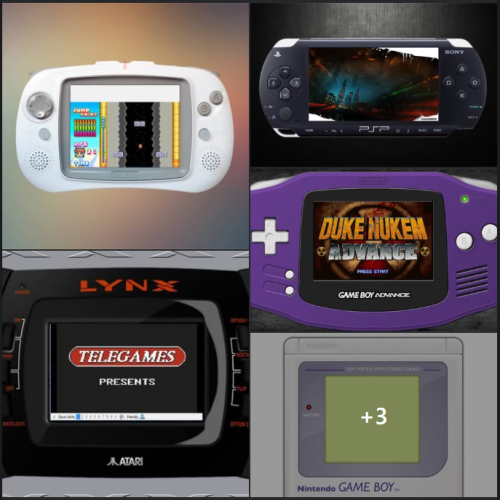
Full Bezels = Console ; Handhell |home computer - ARCADE
https://1fichier.com/?9xtpobjzwr1ncxyiyeed 1,41 Go
PASS : DStore
L'Atari 7800 est une console de jeux vidéo 8-bit de troisième génération, conçue et commercialisée par le constructeur américain Atari[]. La console est lancée en mai 1986 aux États-Unis, puis dans le courant de l'année au Japon. En Europe, l'Atari 7800 se vend au Royaume-Uni au prix de 69,95 £ dès septembre 1989[]. La France commercialise l'Atari 7800 dès décembre 1990 à 690 FRF. En février 1991, le prix de la console est revu à la baisse, passant de 690 FRF à 390 FRF. Le prix des cartouches varient entre 75 FRF et 190 FRF. La production est arrêtée en 1992.
Succédant à l'Atari 5200, l'Atari 7800 sort comme concurrente à la Nintendo Entertainment System (NES) et à la Sega Master System pendant l'ère des consoles de jeux vidéo de troisième génération. Toutefois, la console ne rivalisera jamais réellement avec ses concurrentes.
Fabricant
Atari
Type
Console de salon
Génération
Troisième
Date de sortie
mai 1986 .us
septembre 1989 .uk
décembre 1990 .fr
Fin de production
1992
Système d'exploitation
Inconnu
Processeur
MOS Technology 6502C
Média
Cartouche
L’Atari 2600, à l’origine appelée Atari VCS, est une console de jeux vidéo de deuxième génération produite par Atari entre 1977 et 1992.
Date de sortie
14 octobre 1977 .us
1978 .uk
1er septembre 1981 .fr
Octobre 1983 jpn
Fin de production
1er janvier 1992
Système d'exploitation
-
Processeur
MOS Technology 6507
Média
Cartouche
Contrôleurs
Joystick
Unités vendues
30 Millions
Jeu le plus vendu
Pac-Man (7 millions)
🤬
Le terme « doujin soft » (同人ソフト, dōjin sofuto ) désigne des logiciels créés par des amateurs japonais ou des groupes d'amateurs (appelés « cercles »), davantage par plaisir que par appât du gain. Ce terme inclut les jeux doujin numériques (同人ゲーム) , qui sont l'équivalent japonais des jeux vidéo indépendants ou des fangames (le terme « doujin game » englobe également les jeux de société et les jeux de cartes créés par des amateurs ). [
Les logiciels doujin sont considérés comme faisant partie du doujin katsudou , dont ils représentent 5 % de l' ensemble des œuvres doujin (données de 2015). Les logiciels doujin ont débuté sur micro-ordinateurs au Japon, puis se sont étendus à des plateformes telles que le MSX et le X68000 . Depuis les années 1990, ils sont cependant principalement développés pour Microsoft Windows .
La plupart des ventes de logiciels amateurs (doujin) ont lieu lors de conventions comme le Comiket , certaines étant exclusivement dédiées aux logiciels ou jeux amateurs, à l'instar de Freedom Game (qui n'autorise que les jeux distribués gratuitement) et de Digital Games Expo. On observe également une augmentation du nombre de sites internet spécialisés dans la vente de logiciels amateurs. Par ailleurs, ces dernières années, de plus en plus de jeux amateurs sont disponibles en téléchargement sur consoles et plateformes PC comme Steam, grâce à des éditeurs tels que Mediascape.
L'Atari 5200 est une console de jeux vidéo de deuxième génération produite par Atari sortie en 1982 aux États-Unis et au canada. Elle est créée dans le but de concurrencer les consoles ColecoVision et Intellivision qui, à cette époque, sont les plus puissantes et les moins chères du marché.
L'Atari 5200 n'est jamais sortie en France, car sa grande sœur, l'Atari 2600, sortie en 1977 aux États-Unis, n'est sortie en Europe qu'en septembre 1981, alors que la 5200 était déjà en phase de conception pour les États-Unis pour 1982. La faiblesse du temps de présence de la 2600 en France, avec près d'une génération de retard sur les États-Unis, ajouté au fait que la 5200 fut un échec commercial aux États-Unis (contrairement à la Atari 2600), n'a pas incité Atari à sortir sa 5200 en France, qui attend alors 1990 avec l'Atari 7800 pour revenir sur le Vieux Continent.
La console se veut innovante à l'époque, grâce à ses quatre ports manettes de série, et son tiroir de rangement pour ces dernières. Ces éléments ne seront toutefois pas suffisant et la console sera un échec commercial.
Fabricant
Atari
Type
Console de salon
Génération
Deuxième
Date de sortie
USA : 1982
Fin de production
1986
Système d'exploitation
-
Processeur
MOS Technology 6502C
Média
Cartouche
Unités vendues
1 million
Jeu le plus vendu
Mario Bros
...


 By GalaxieGames65
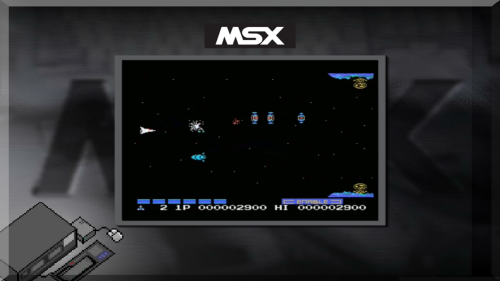 MSX.rar https://drive.google.com/file/d/12--J6vpoFfNzzQ1hOAbJot3kJ76D7YPj/view
 By GalaxieGames165
 By GalaxieGames721
 By GalaxieGames147
 SSF with CHDv5 (Archive.org) Support
.thumb.jpg.33aced2dbeac719e14eb069d43019e7e.jpg) By GalaxieGames301
By GalaxieGames301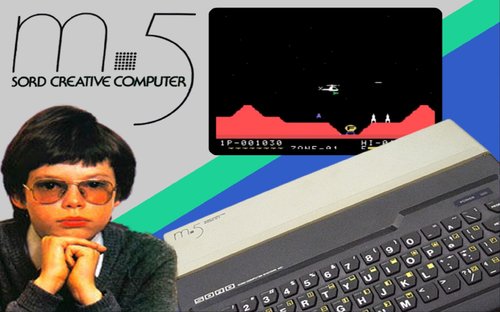 Under messui, go to the Options, Directories... tab, under Show directories; ROMs, add by clicking on Insert the folder containing your games and bios, the detection is carried out Put the m5.zip and the basic-i.zip from the ROMs subfolder m5 in the hash folder Once in game activate scroll lock (Fn and K) then press the TAB key, go to Input (this machine) and reassign the keys necessary for the smooth running of the game
 By GalaxieGames289
 By GalaxieGames5,123
 By GalaxieGames43 0
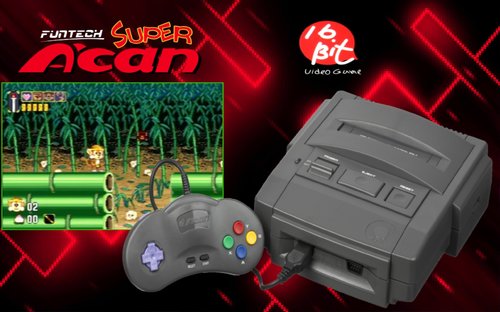 MESS subfolder Hash subfolder supracan subfolder supracan.xml + ROMs
 A simple method is to use an automated batch, allowing the conversion of the said iso into a gz compressed file, all you have to do is place the image inside a folder with the same name, giving you a gain at the same time increased additional storage disk space available on your hard drive
 By GalaxieGames889 0
 By GalaxieGames185 1
 By GalaxieGames146
 Full Bezels = Console ; Handhell |home computer - ARCADE
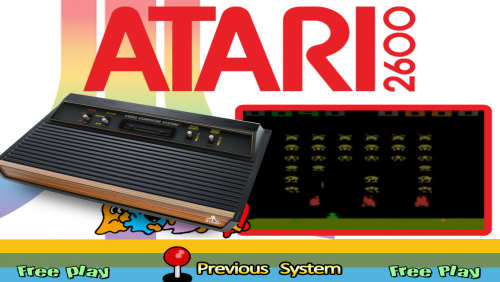 L’Atari 2600, à l’origine appelée Atari VCS, est une console de jeux vidéo de deuxième génération produite par Atari entre 1977 et 1992.
 🤬
🤬 ...
... By GalaxieGames173