gigapig
-
Posts
9,589 -
Joined
-
Last visited
-
Days Won
27
Content Type
Forums
Events
Downloads
Store
Everything posted by gigapig
-
I'm not sure about your boards, ghutch maybe knows if it works with those, but as albert said, there is very little to set. Here is my ini file, where I added the paths to HL & HS, set joystick to true, minimise windows and restore windows to true also. For some reason quicklaunch had been enabled, which cut off the intro vid, but I'm quite sure I never enabled it. [Required] HyperSpin_Folder_Path=O:\ HyperLaunch_Folder_Path=O:\HyperLaunch [General] Primary_Color_RRGGBB=363636 Secondary_Color_RRGGBB=ffffff [Controls] Joysticks_Enabled=True Joystick_Delay=225 Joystick_Deadzone=25 [startup] Minimize_Background_Windows_Enabled=true Window_Classes_To_Not_Minimize=Shell_TrayWnd,Button Process_Name_To_Close_1= Program_To_Run_Target_1= Program_To_Run_Working_Dir_1= Program_To_Run_MaxMinHide_1= [Exit] Restore_Windows_On_Exit=True Process_Name_To_Close_1= Program_To_Run_Target_1= Program_To_Run_Working_Dir_1= Program_To_Run_MaxMinHide_1= [Roulette] Roulette_Key=~1 Roulette_Min_MilliSeconds=3000 Roulette_Max_MilliSeconds=8000 [Volume_Menu] Volume_Menu_Key=~2 Volume_Bar_Offset_From_Bottom=44 [QuickLaunch] QuickLaunch_Key=~3 QuickLaunch_Enabled=false QuickLaunch_Left_Offset=5 QuickLaunch_Top_Offset=10 QuickLaunch_Bottom_Offset=10 Item_1_Path= Item_1_Parameters= Item_1_LogoPath= Item_1_Ignore_Process_Close=false
-
Thanks ghutch, your correct about Hyperspin being active, the activity does drop when not in focus. Anyway I found I have some serious issues with my PC Temps are at 70 degrees at idle and it's throttling back at load, so a bit of a strip down is required. Apologies if I've confused things mentioning the startup app was using lots of cpu cycles.
-
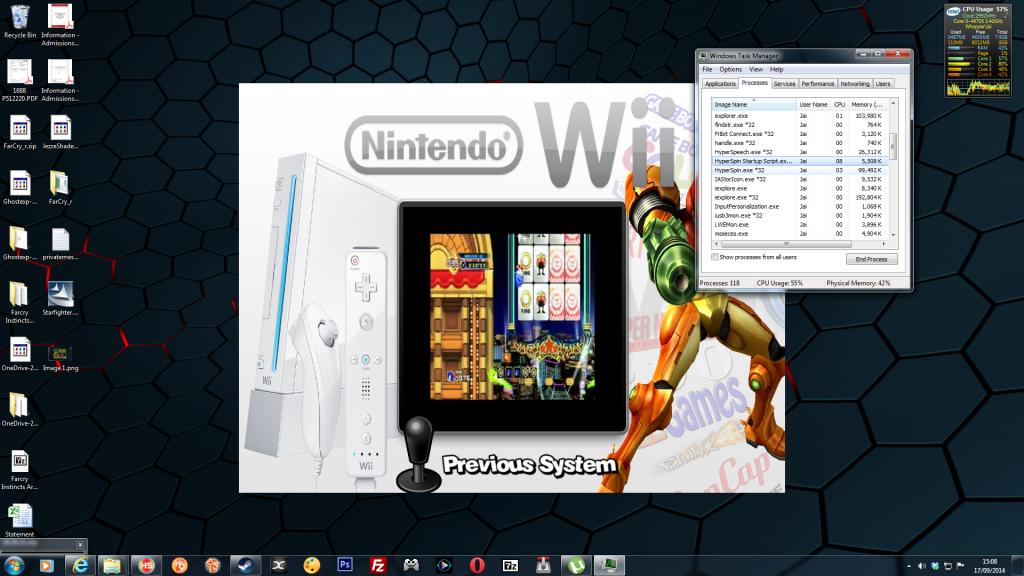
I had similar troubles, with the wheel going crazy, but worse was the CPU cycles startup is using, with or without the wiimote connected.

-
As the intro video has been mentioned, I remembered an issue I had recently (and this was probably on version 1.05) where switching off the intro video was causing me to have no control over Hyperspin. So i had to enabled it to get control back.
-
I've only had a quick go with 1.06 but already I love it. The thing that always annoyed me about exiting a game was background windows popping up in front of Hyperspin, hopefully that's a thing of the past. Now when I close it all, the explorer windows pop right back up it's the little things. Analogue controls work, I think roulette works by pressing "Y" on the 360 pad, it's all good. I also thought there might be more setup involved and was worried I hadn't done enough, but knew I could go back to 1.05. No, I must have changed 2 or 3 lines in the ini and that's all. Thank you Ghutch, well done.
-
That sounds very exciting, thank you.
-
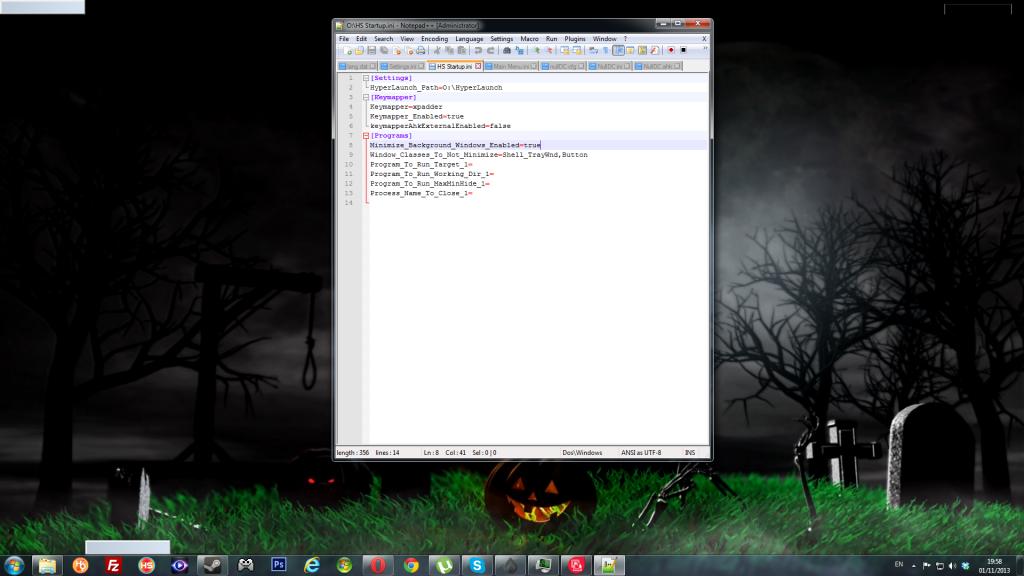
Hi ghutch Any idea what may cause this. This is my empty desktop after exiting HS, all that is left are those grey rectangles. Icons are gone and so is the cpu meter. I wanted to use your tool to minimise any windows I forget to minimise when I start HS, as occasionally when I exit a game, 1 or more of those windows may be over the top of HS. The only way I know to return things to normal is to reboot. Sometimes the show desktop button will bring icons back. Thanks for any input.