rondar
-
Posts
906 -
Joined
-
Last visited
-
Days Won
17
Content Type
Forums
Events
Downloads
Store
Development Tracking
HyperCL
Everything posted by rondar
-

rondar's HyperSpin 2 HD Game Themes - Arcade PC/Teknoparrot WIP
rondar replied to rondar's topic in HyperTheme
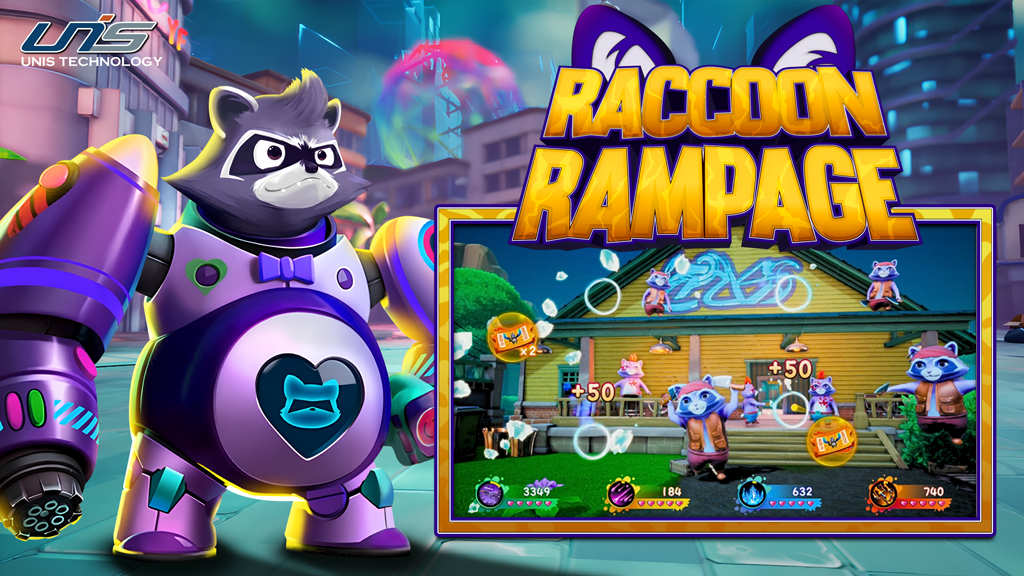
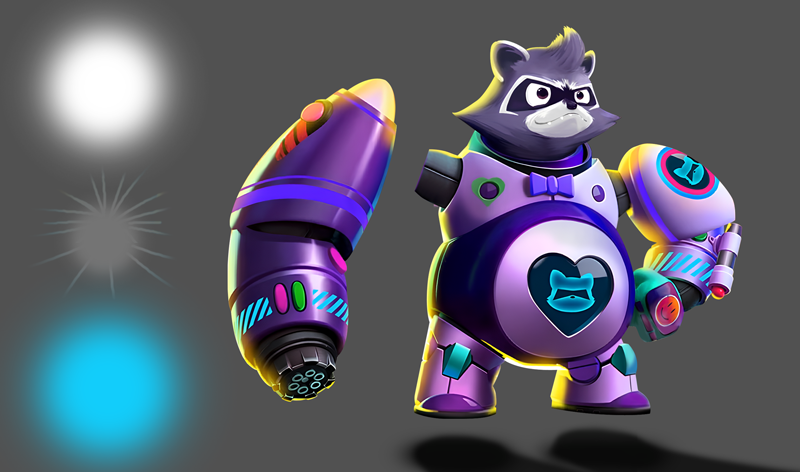
Raccoon Rampage Raccoon Rampage.mp4 (Sorry for the low quality video) For the animation, I separated the arm cannon from the body and extended the gray stub/joint so the cut would not be visible when the arm rotated. The ball of light is 3 layers. The separate shadow layer comes in from the bottom when the raccoon mech drops from the top.
-
Dark Escape 4D Game Theme Theme by: Unknown Preview Description Theme art and layout by baddeolv. Animation by rondar. Details Type: Game Theme System: Arcade (TeknoParrot) Tags: Arcade (TeknoParrot),Dark Escape 4D,Game Theme,namco,ArcadePC Created: Oct 05, 2025 Download View on HyperTheme Credits baddeolv (Artist) rondar (Animator)
-
I don't want to spread misinformation, so I can't say for certain what was or wasn't done for media. (I mistook your original question to mean that you had little to no media available before.) And yes, I think a hefty amount of code is being written but not a complete rewrite.
-
rondar's HyperSpin 2 HD Game Themes - Arcade PC/Teknoparrot WIP
rondar replied to rondar's topic in HyperTheme
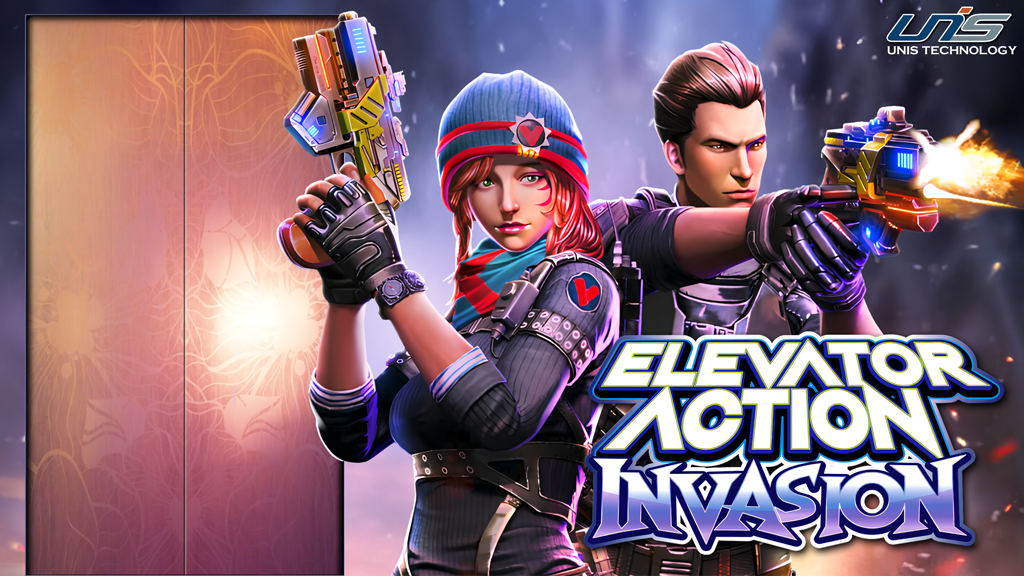
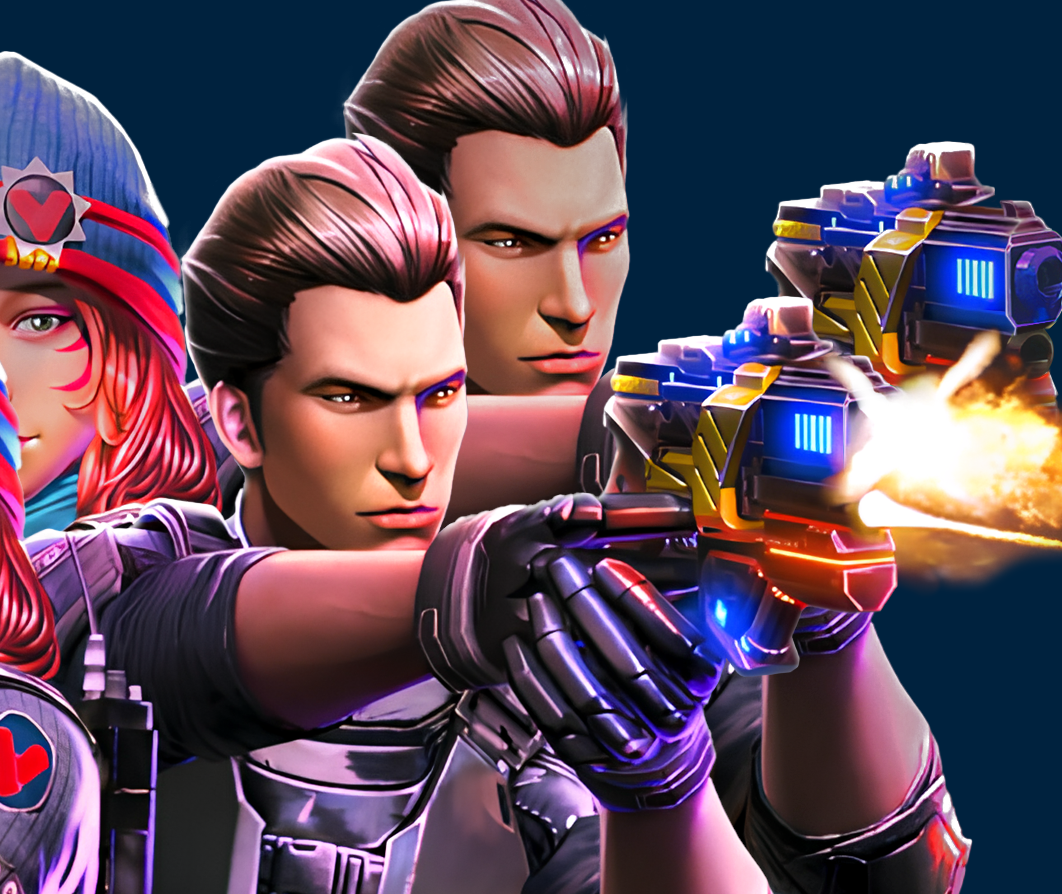
Elevator Action Invasion See it in action: Elevator Action Invasion REVISED.mp4 How to do it? The two main features of this theme are the muzzle blast/glow and the elevator door. For the blast/glow, I cut out the characters and then duplicated that layer. For the layer where the gun was not firing, I rebuilt the front of the gun using a reference image. I then changed the levels so that layer appeared a little darker. In HyperTheme (HT), I looped an opacity change for the blast layer (which is placed on top) so it looks like the characters are lit up when the gun fires. For the elevator doors, I just duplicated the background layer with a door cutout. This layer then fades in to hide the doors.
-
A large portion of the media was working, but not everything yet. Part of this was due to a "quick and dirty" media dump that was really only intended for initial testing. I only do artwork, primarily themes, so I can't really speak to anything else. (Regarding the timeframe, please keep in mind this is a small team working around FT jobs, family and general life stuff.)
-
rondar's HyperSpin 2 HD Game Themes - Arcade PC/Teknoparrot WIP
rondar replied to rondar's topic in HyperTheme
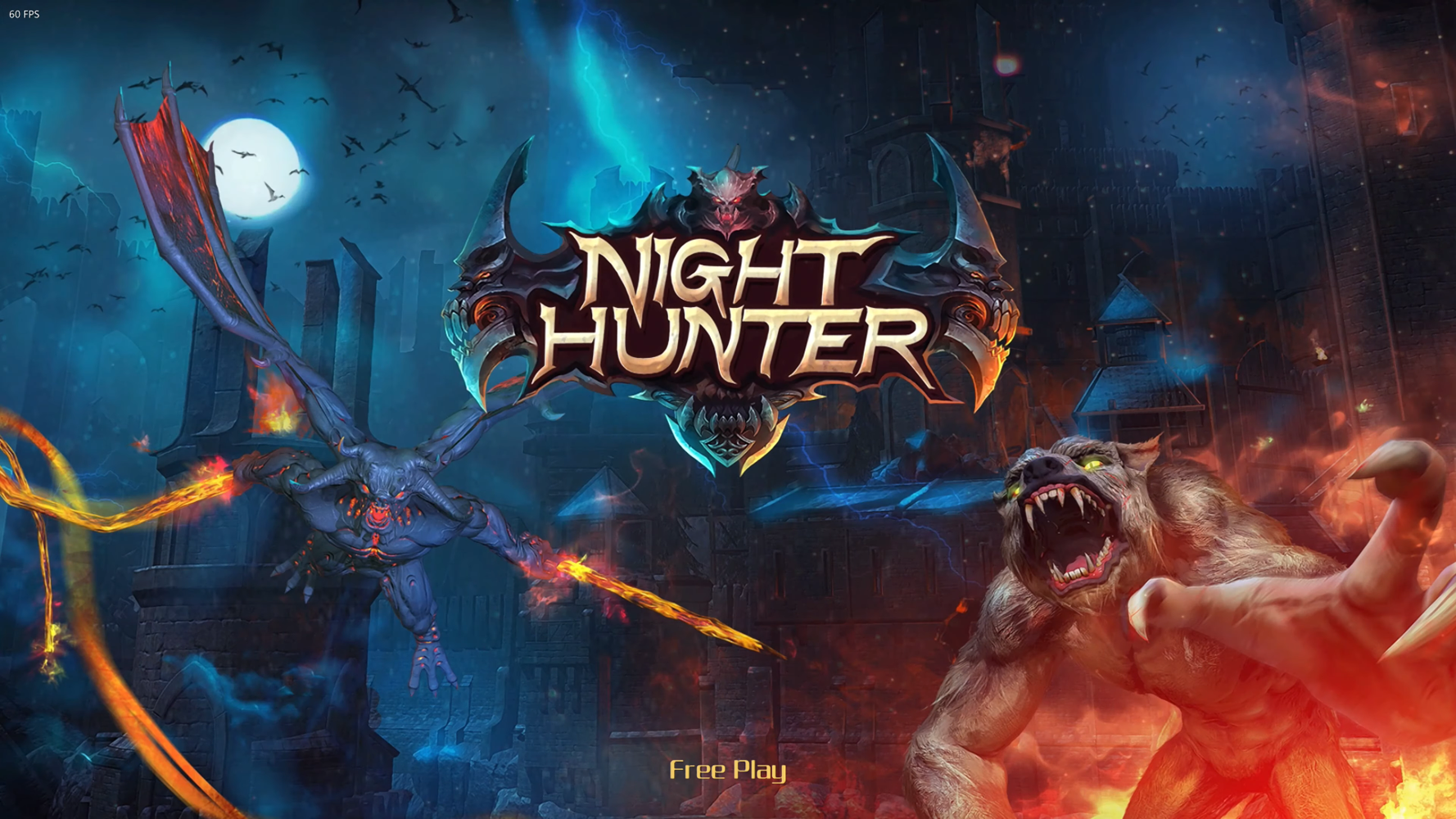
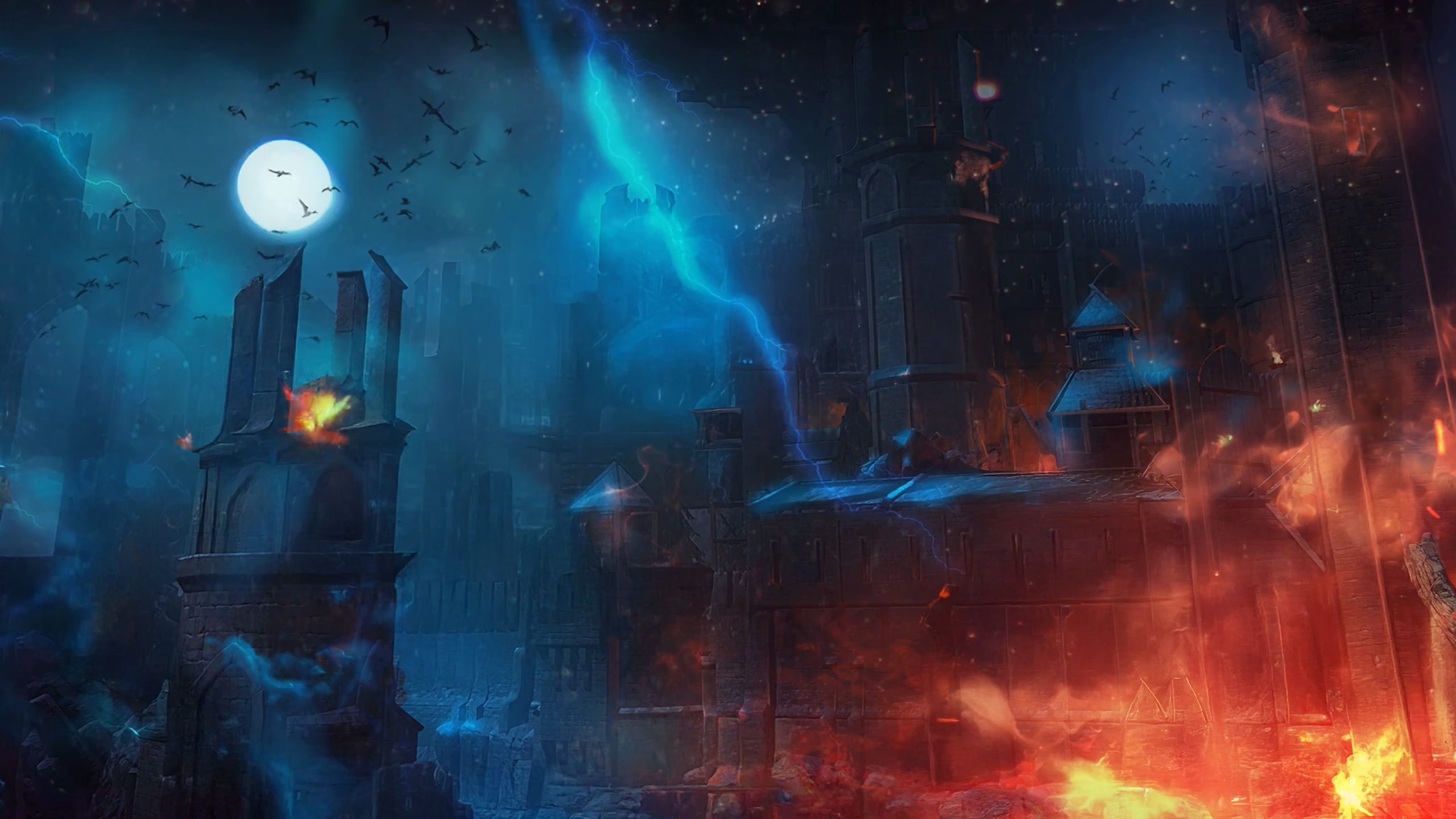
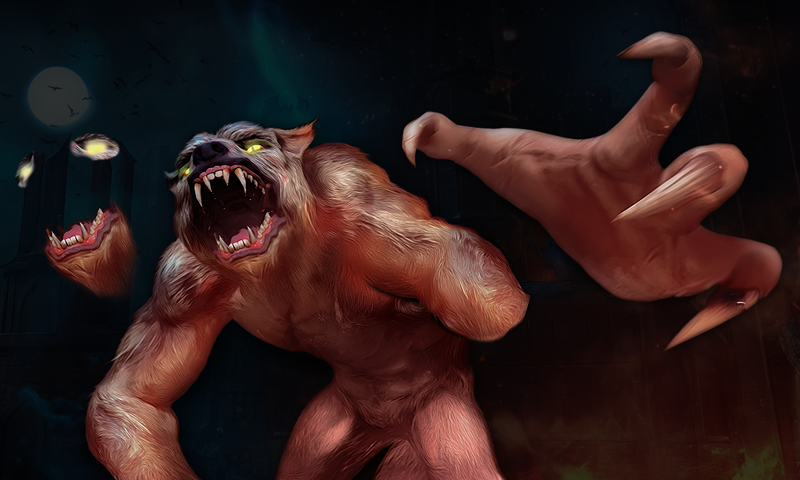
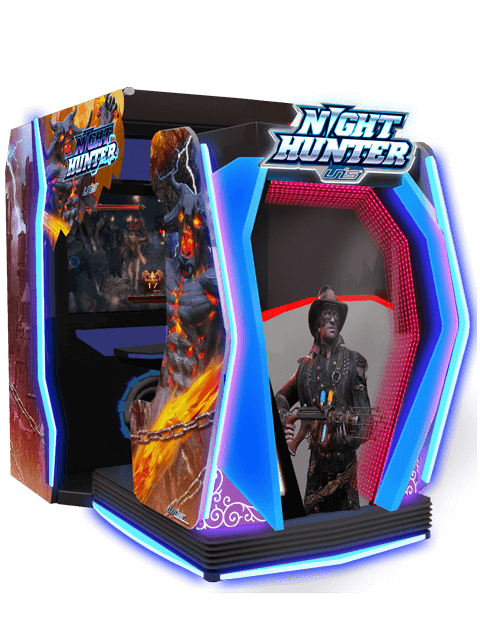
Night Hunter - After Dark, Chapter 2 This is one of my favorite themes so far. And I spent a ridiculous amount of time on it, so this post may be a little lengthy. I started off with a title screen snapshot and filled in the gaps with generative fill. I used multiple variations and then cut-and-pasted the best bits together. I initially wanted the main hunter character in the theme. I tried multiple characters from screenshots, flyers, and arcade machine photos, but I couldn't get the results as good as I wanted. And that's when I decided the werewolf from the title screen would be the star. I upscaled it, recolored it and enhanced the hair texture. To animate it, I needed parts for the movement. First, I cut out the hand and rebuilt the right fingers. I used a mixture of generative fill, copy/paste and manual retouching with a brush to repair the hand and arm stub. Then I copied/pasted the lower jaw and "beard" so it would cover the original jaw when the mouth partially closed. I then copied the eye and surrounding area so I could make the eyes glow. (I just painted a brighter yellow over the eyes on the new layer.) The logo from the title screen was cool, but the simpler, bolder one looked more "arcade" to me and it's the one that I saw on most arcade photos. So I found the best source I could, upscaled it and cut it out with the pen tool. Btw, I always use the path to create a vector mask. Then I can adjust the edge later if needed. Another tip is to use the layer style(s) inside stroke and/or an inner glow to even out any jaggies or color variations on the edges of your cut. And finally, I made a video frame to match the title. I used a gradient overlay for the blue stroke and applied a mirrored variation of the lightning from the title. Put that all together with some HyperTheme magic and you get this: Night Hunter - After Dark 2 FINAL.mp4
-
rondar's HyperSpin 2 HD Game Themes - Arcade PC/Teknoparrot WIP
rondar replied to rondar's topic in HyperTheme
Anytime, man! -
rondar's HyperSpin 2 HD Game Themes - Arcade PC/Teknoparrot WIP
rondar replied to rondar's topic in HyperTheme
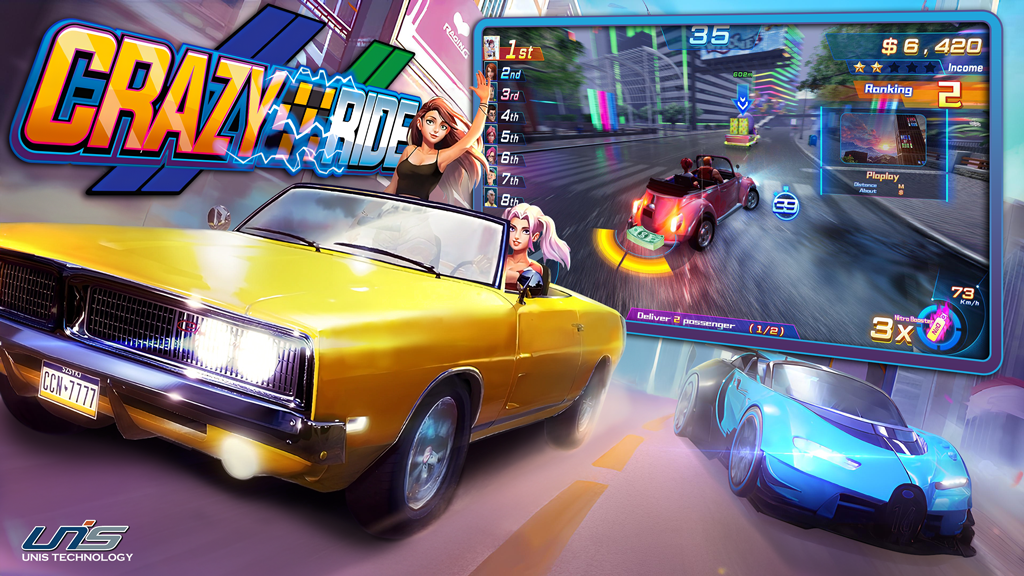
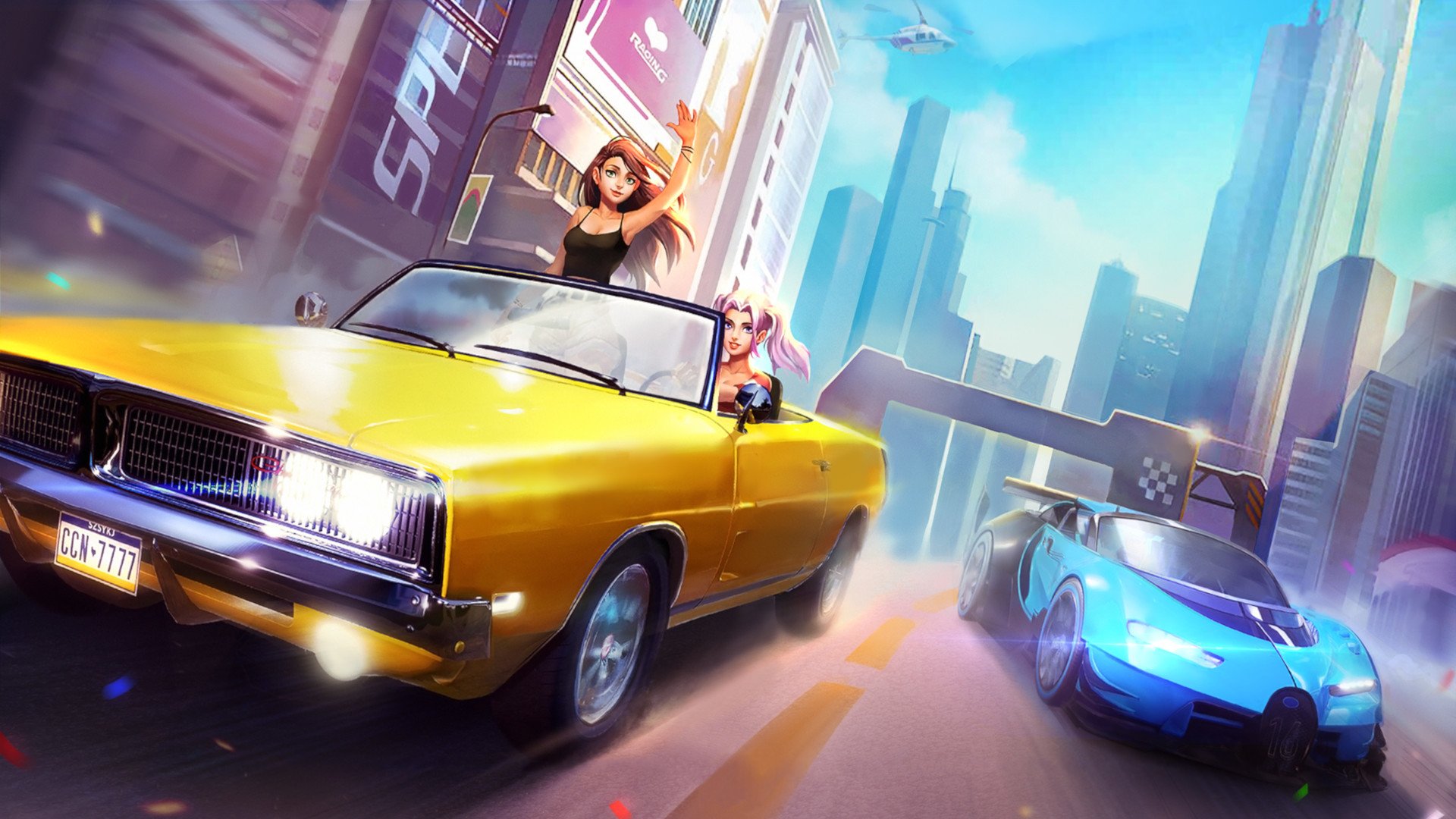
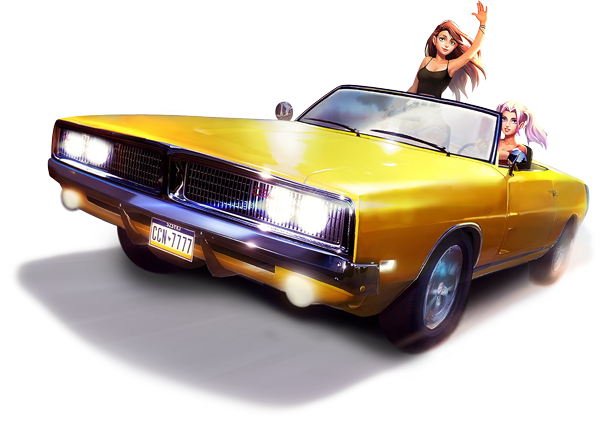
Next up is Crazy Ride by UNIS. This one had a nice wallpaper/background readily available, but I needed to cut out the cars to animate it. I used Photoshop's "generative fill" as the first step to replace the gaps. I had to try multiple variations to get close to the desired outcome, and then I cut and pasted several sections together. It's not perfect, but if you don't study it too much, it looks pretty good. I wanted the yellow car to move in from off screen and hover, so I had to rebuild the front corner that was cut off in the wallpaper. Generative fill got me the approximate shape that I wanted (again, it took several variations). Then I copied and pasted the headlights and fog lights to finish it off. I got the best title that I could find, upsized it, and cut it out cleanly with the pen tool. Then I zoomed in and made additional touchups by hand. To make it a more dynamic and integral part of the theme, I changed the perspective too. Crazy Ride revised.mp4
-
rondar's HyperSpin 2 HD Game Themes - Arcade PC/Teknoparrot WIP
rondar replied to rondar's topic in HyperTheme
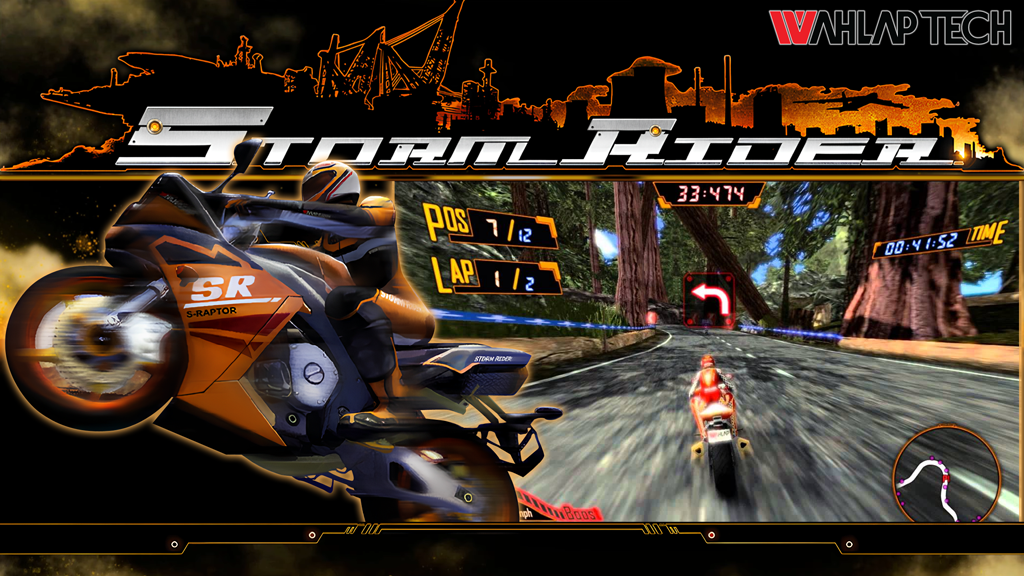
Storm Rider.mp4
-
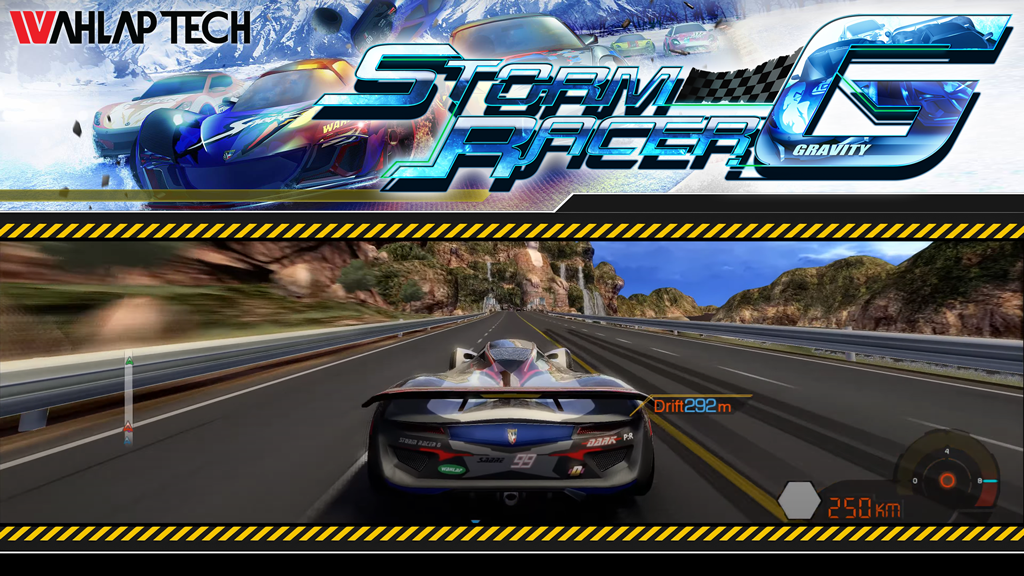
With Hyperspin 2 in development, I've been working with the new HyperTheme a lot, and it is quite impressive to see what can be done. So I wanted to start this thread to show what I'm working on; to explain some of my process, and to demonstrate some of the capabilities of HT's new tools. Back when we used to announce our themes, I found it inspiring, motivating, and even educational at times. Hopefully this thread will do the same for others and help to spark the HS theme building community again. Please feel free to ask questions about any processes or techniques I use. I'm not a pro, but I kinda know what I'm doing. Here are the first two ArcadePC themes that I did: Storm Racer G (SRG) and Storm Rider (StormRider). For Storm Rider, I used a lot of screen captures for the bikes and details. Then I upscaled them with an online tool (https://www.iloveimg.com/) and cleaned up any details in Photoshop. For clean edges on cut out artwork, I use the pen tool to create vector masks. Side note: I am not a fast theme builder like some of the greats from the past, but I do strive to make high-quality themes every time. Storm Racer G.mp4
-
I've got a pretty bad case of that myself. I'm my own worst critic too. Keep up the great work though!
-
Looks pretty damn good to me!
-
May want to wait for the next update at this point. Shouldn't be too long now.
-
Sorry, I think we just need to wait for the next update. Should be soon.
-
1) There have been discussions about adding multiple systems at the same time but nothing has been fleshed out yet. Ease of setup is definitely front-of-mind though. I think there's only about 5 steps to setup a system in the current beta right now - and then media is fetched automatically. (Admittedly, I only have about 10 systems so it's really easy for me.) 2) I don't use LEDBlinky, but I'll add it to the bug list if it's not already there.
-
This is a bug that is being addressed. Should be fixed in the next update.
-
The ftp is no longer available.
-
Not at this time.
-
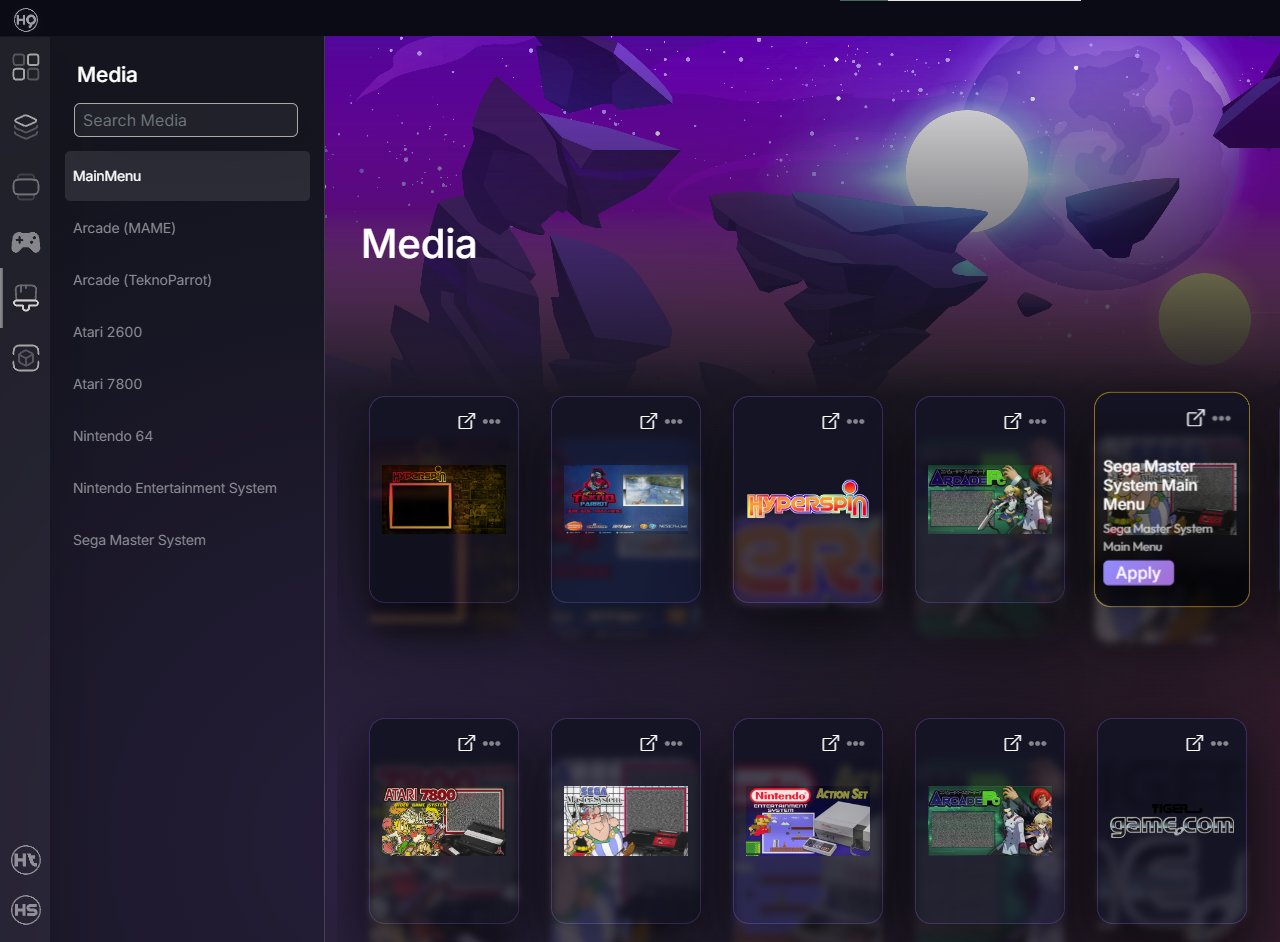
When you download a new theme from Hypertheme, it will apply it in HyperHQ (to be played in Hyperspin) automatically. Within HyperHQ, you can change to a different theme by clicking "Apply" on the theme in the Media tab. There is not currently a way to switch themes directly from within Hyperspin.
-
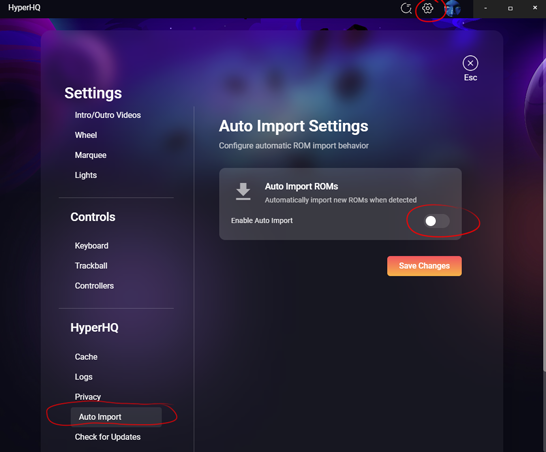
Until this bug is resolved, turning off auto-import should keep your rom count from rising and also stop that 70% window from displaying.
-
Ultimate Arctic Thunder Arcade Game Theme Theme by: Unknown Preview Description Snowmobile racing game by Midway - updated with new tracks and new sleds! Details Type: Game Theme System: Arcade (TeknoParrot) Tags: Arcade (TeknoParrot),Ultimate Arctic Thunder,Game Theme,ArcadePC Created: Aug 20, 2025 Download View on HyperTheme Credits rondar (Artist) rondar (Animator)
-
Arctic Thunder Arcade Game Theme Theme by: Unknown Preview Description Snowmobile racing game by Midway Details Type: Game Theme System: Arcade (TeknoParrot) Tags: Arcade (TeknoParrot),Arctic Thunder,Game Theme,ArcadePC Created: Aug 19, 2025 Download View on HyperTheme Credits rondar (Artist) rondar (Animator)
-
I'm sure at some point there will be. For now, when you go to upload to the library in HT, a bunch of file types are listed.
-
Atari 7800 Theme by: Unknown Preview Description Atari 7800 default theme by baddeolv Details Type: System Theme System: Atari 7800 Tags: Atari 7800,System Theme Created: Aug 17, 2025 Download View on HyperTheme Credits baddeolv (Artist) rondar (Animator)
-
Sega Master System Main Menu Theme by: Unknown Preview Description Sega Master System Main Menu. Graphics by Baddeolv! Details Type: Main Menu Theme Tags: Sega Master System,Main Menu Theme,sega,master,sms,main,main menu,baddeolv Created: Aug 12, 2025 Download View on HyperTheme Credits tron38 (Animator)


-Theme-FINAL.png.70587cc66af236def031d4e30adc3ece.png)