Fursphere
-
Posts
365 -
Joined
-
Last visited
Content Type
Forums
Events
Downloads
Store
Everything posted by Fursphere
-
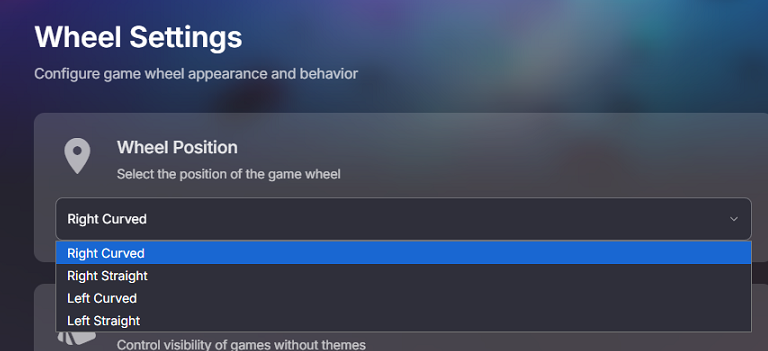
Looking in Hyerspin/HyperHQ - there only appears to be to only be left side / right side wheel options. Is there any way to get a horizontal wheel? (top / bottom, curved / straight ?) I was going to (attempt to) start working one a horizontal wheel that's intended to be navigated with a steering wheel controller for my twin racing cabinet. thanks!

-
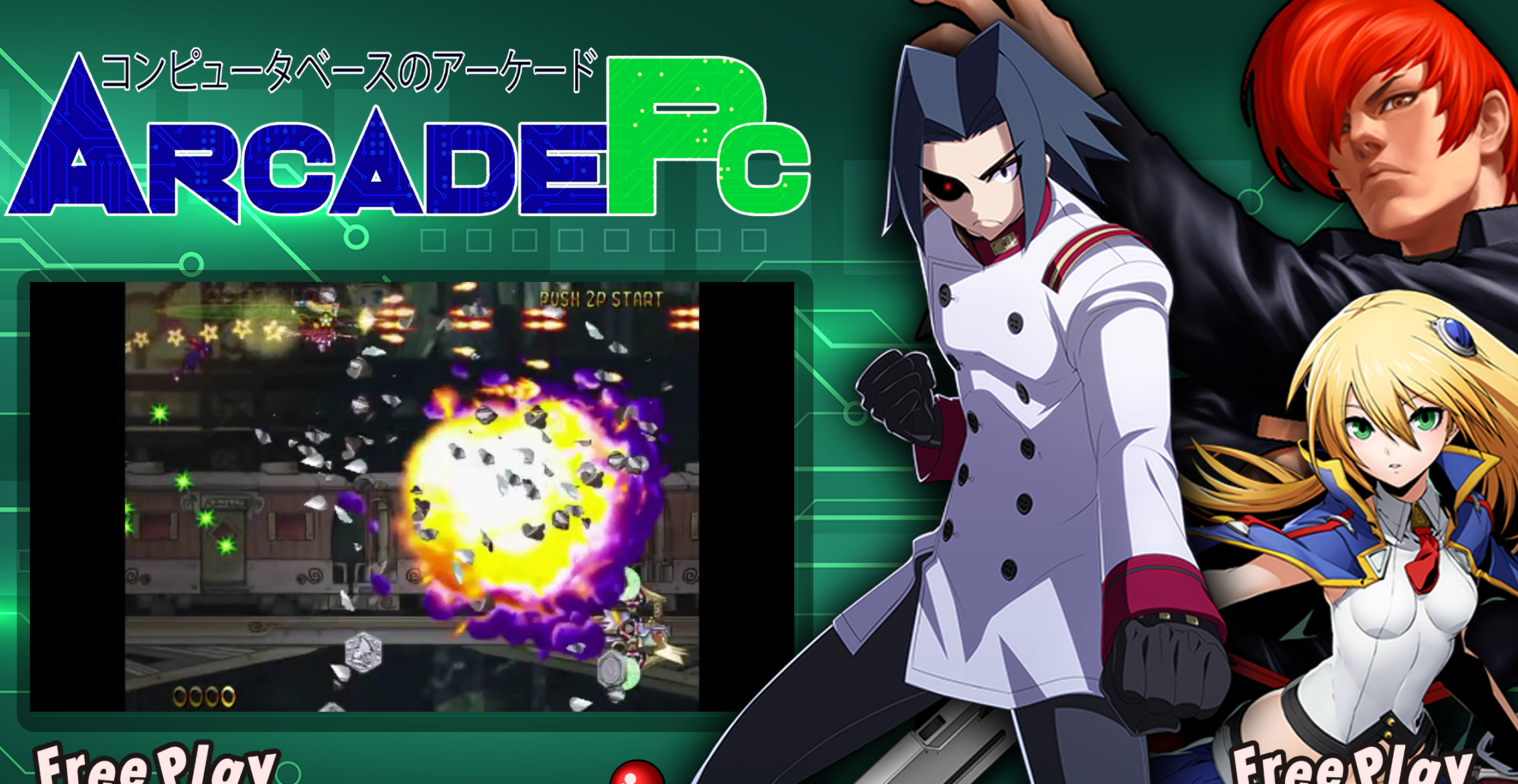
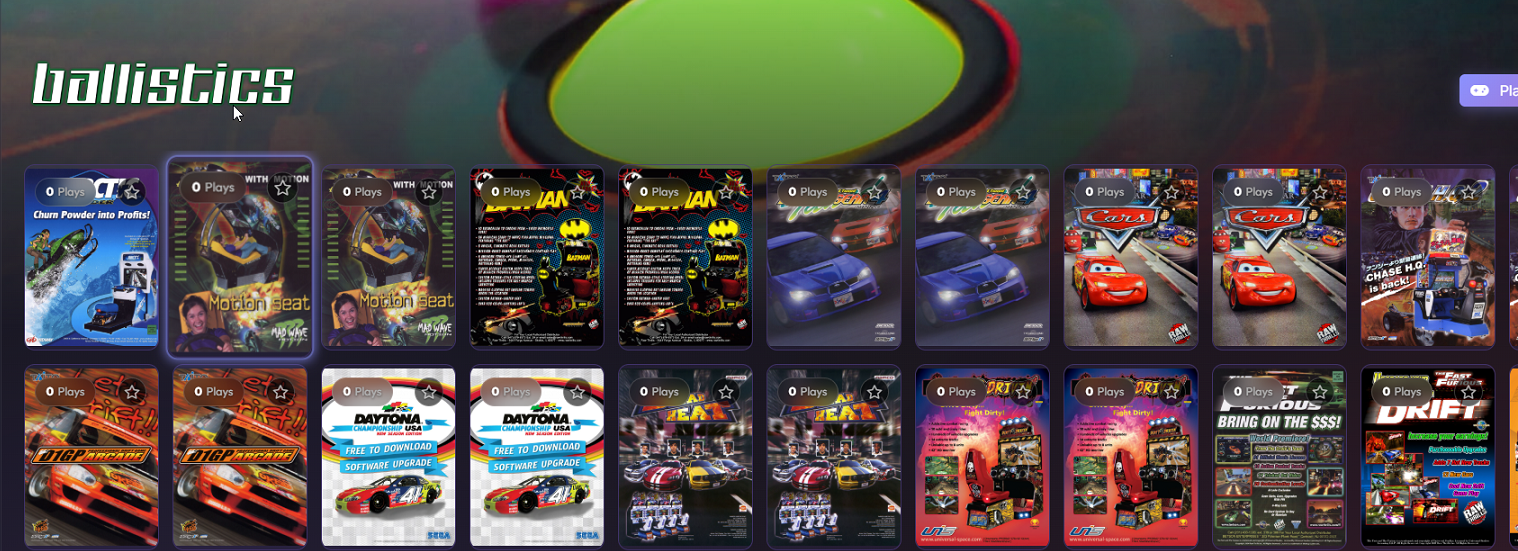
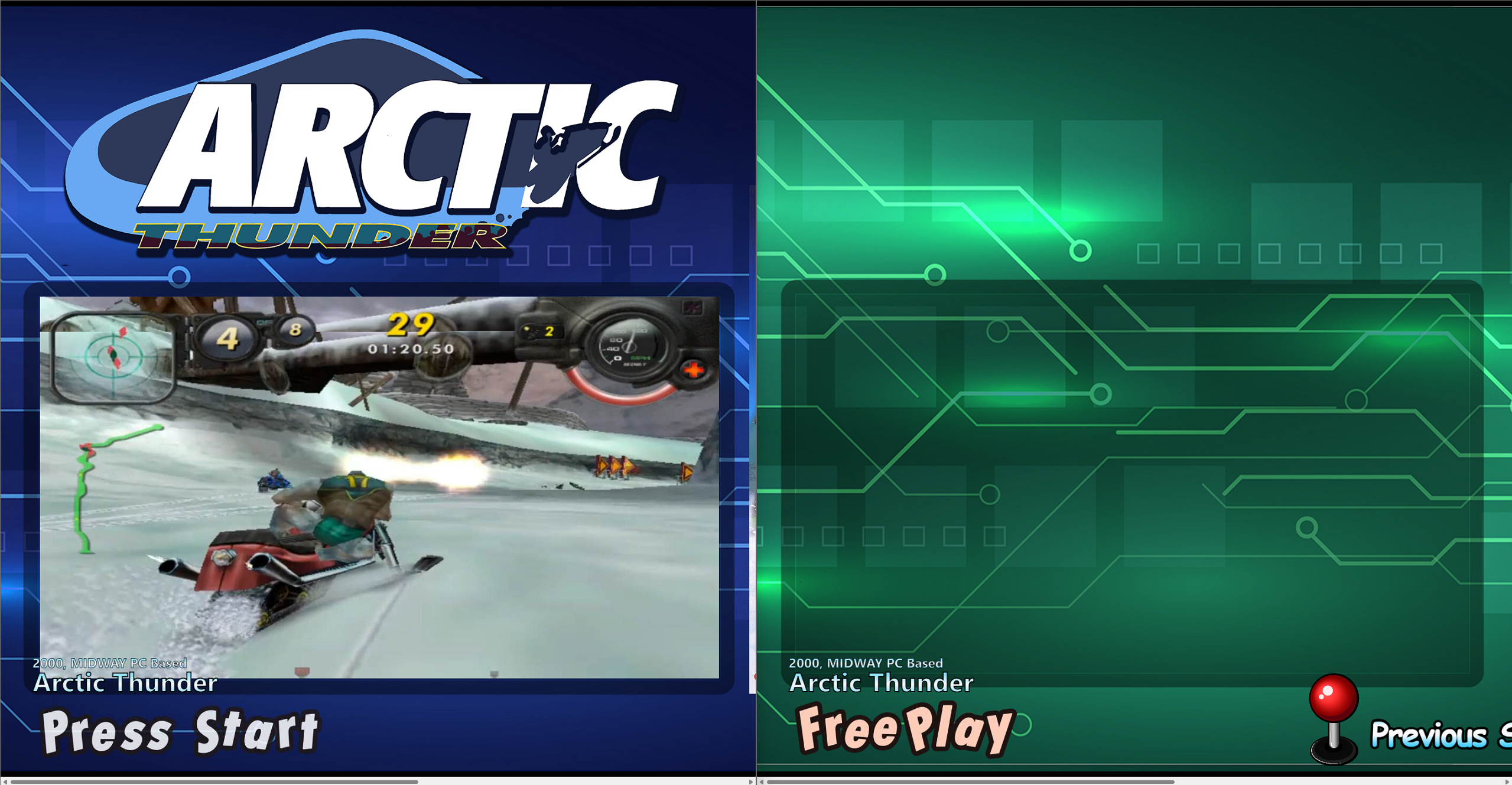
Is there a way to delete the system theme videos, and just have it display a random video from that theme instead? On my racing cabs, its completely bizarre to show this video (for example) as this game won't be found on the cabinet at all. (the system theme is off too, but that's on me to figure out) I dislike the montage system theme videos all together, because they often display games I don't even have on the system. But I haven't figured out how to remove them yet.
-
Systems: Switch, Xbox360, PS3, 3DS Media downloads fine for everything. System themes downloaded for these four. But not a single piece of media downloaded for the titles. Seems odd, because I know its out there, as other front ends download it just fine. Is this intentional?
- 1 reply
-
- 1
-

-
Ok, I fixed the "no media displayed" issue by deleting the 'system' and then re-importing it. But Now I'm seeing double... If I delete one, it deletes BOTH copies. (I tested with Arctic Thunder) And there does not appear to be a way to re-import a single game. So I deleted the system again, and reimported a 3rd time. This got 'arctic thunder' back as a single, but everything else is still doubled up.
-
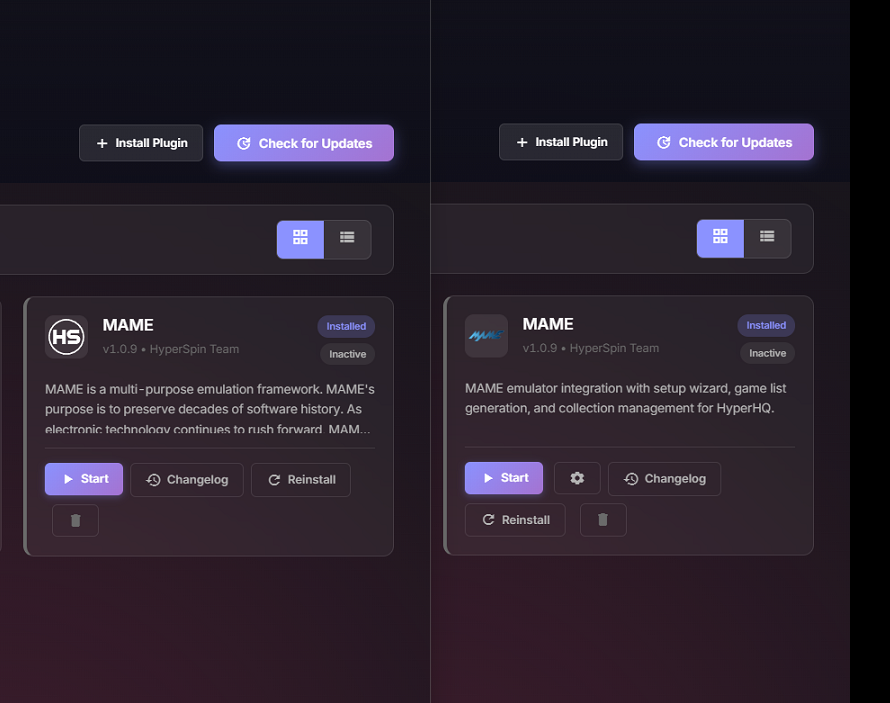
Just did two installs on my Daytona Twin cabinets. These were fresh installs on Windows 11. This is just some observations... Install wizard feels polished since the last time I tried it. Overall pretty good... Expect the initial system setup. You go through each step to add your first system, then get to platform (why not just call this emulator? that's what it is?) and you click "add platform" - and it completely drops the system process. So you add your platform (emulator), then have to start the system setup all over again. Just a little clunky. Plugins - MAME is different on each install. See screenshot. And lastly - 2nd install refuses to show game themes and game videos, even though the files (video files) appear to be there. See screenshot. (left side cab 1 / right side cab 2).
- 1 reply
-
- 1
-

-
That would be amazing. On my two stand up arcades, I've got them setup (with AHK, Parsec, and a USB sharing app) so with a single button press on a Stream Deck - Cabinet 2 "joins" Cabinet 1 as players 3 and 4, with the displays mirrored. So four playing games can be played across the two cabinets. Since the ipac ultimate i/o boards are a single USB device, this gets LEDBlinky (on cabinet 1) in control of the LEDs on cabinet two for a full four player LED button experience. Only thing lacking is the LCD marquee on cabinet 2 isn't controlled by cabinet 1, so I just have it display a static image using ifranview. Basically the two cabinets between one stretched cabinet. The sound delay was something I experienced with early attempts, thankfully parsec handles that pretty well locally. Steering wheels (I have all Fanatec gear) and twin linked games are completely different ballgame. I got HS installed on the primary cabinet, working on the secondary cabinet. I have some feedback about the install wizard.. I'll post that in an appropriate place.
-
Awesome. I will get HS2 installed on the daytona and get some basic games setup (teknoparrot or something easy), then start fooling around with the plugins (with chatgpt's help - because I'm a noob when it comes to coding). And I totally get the concern about sound. Having two machines in attract mode and being 1ms or 2ms out of sync screaming "Daaaaaaaaaayttoooooooooonaaaaaaaa!" would be hilariously painful. Maybe there is a way to mute the secondary machine in attract mode to prevent that unfortunate scenario from happening.
-
thank you!
-
I've been working on a project off and on for a long while now. I've got a Daytona Twin cabinet that I've built for playing racing games. I've got it working with twin games for the most part, but the front end has always been lacking to me. (LaunchBox/BigBox currently). (If you're curious, you can see the beast here - https://forum.arcadecontrols.com/index.php/topic,167512.40.html I haven't updated the thread in a long time though) While in the front end, it very much feels like two separate machines, not a true "twin linked" cabinet. LB/BB does not support linking up attract mode, even with plugins (devs don't expose the right api functions - and the direction that project is going is to become the worlds best metadata editor - actually being used as a frontend is taking a back seat to priorities). So my question (use case if you will) is this: (natively or with plugins?) - Can HS2 be setup so while in attract mode, it can sync up two HS2 installs (master/slave). So they 'spin' together in sync (master remote selecting a game on slave) - Can HS2 launch games together (master remote starting a game on slave) (bonus - slave remote starting a game on master?) - Retain the ability to be two independent cabinets / installs - so players can choose independent single-player games (less of a priority, but would still be nice) I'm not a developer (but I can kinda fake it at times). I've looked at MANY other front-ends, and this seems to be a feature that's just not considered (understandable, given the assumed small user base - not sure how many folks out there have twin cabinet setups). I could see this being used for twin racer setups as well as twin light-gun cabinet setups (time crisis comes to mind). Anyway, thanks for reading!
-
 So this takes two configurations to make work. You need to enable outputs in MAME, and you need to enable the option in LEDBlinky. Check this out: https://www.ledblinky.net/support.htm#MAMEOutputsProblem
 -
HyperHQ has lost/forgotten my credentials again (like, 4th or 5th time now). And now when trying to enter my EMUMovies account info, it won't accept it. I have independently verified my emumovies credentials are good/correct. HyperHQ won't accept them.
-
See this thread:
-
I'm having a similar issue, except I'm not using overrides. In the 'teknoparrot' system wheel, only a couple of the game videos are playing. But if I check the hard drive, all the videos are there (and play).
-
Found another one. c:\users\<username>\appdata\local\hyperhq-updater
-
Good find. I missed the .hyperhq and .hyperspin folders in the root of my \user\ folder.
-
I have five machines running Launchbox today. I started on HS 15+ years ago. I often move media around, playlists, themes, all sorts of stuff for various reasons, quickly and easily. (two standup arcades, one 'console' on the television, and then a daytona twin cabinet - oh and a VPin running PinUp Popper). And because there is something wrong with me, I'm actually considering building another. lol This new HyperSpin model seems to make the entire system non-portable. And goes to great lengths to accomplish that. And its even tattooing the system after I press the uninstall button. <not cool> I dumped rocketlauncher around the same time I moved to launchbox, due the fact that RL changes random stuff on your system and doesn't tell you. Pissed me off that someone was arrogant enough to assume they knew how I wanted my emulators configured. Nope!
-
Ok, I found the 'left over' config Had to deleted the %appdata%\hyperhq folder My credentials were still cached somewhere else even after I deleted the %appdata%/hyperhq folder. So there is lingering stuff somewhere else. I'm still calling this a deal breaker at this point. I do not want my front end config stored in %appdata%. There is no logical reason for this.
-
I uninstalled HyperHQ I deleted my HyperHQ folders on C:\ and D:\ (because of the multiple install bug) I deleted HyperSpin folder on D:\ When I reinstalled HyperHQ, it still had my login info cached, and the MAME system was still there (which I'm having problems deleting because of the auto-import rom bug) Where is the cached configuration hiding? Why can't all the configuration settings be stored alongside the app and basically be portable like every other front end system? Honestly, this is a straight deal breaker for me. When I click "uninstall" there shouldn't be any configuration left.
-
here is .33 - https://hyperai.s3.amazonaws.com/HyperHQ_2.0.33.exe
-
Awesome, thank you! I'm waiting for the HyperHQ update (forced C drive install) to be fixed before I reinstall and start kicking the tires again.
-
The hyperhq installer (and updated) is bugged. So if you 'update' it'll auto-install on the C:\ drive, even if you originally installed it on D:\ (or where ever). They're working on a fix.
-
So.. can't use auto-import in the current builds if you're using MAME. Got it.
-
Oh interesting. That's a nasty bug. I just blitz my entire hyperspin install. I'm going to start over tomorrow.
-
In HyperHQ go to plugins, and the click the reinstall button on HyperSpinCore Fixed it for me.