Fursphere
-
Posts
365 -
Joined
-
Last visited
Content Type
Forums
Events
Downloads
Store
Everything posted by Fursphere
-
So it looks like every video file is being duplicated. one in the \hyperspin\media\systems\<system> folder one in the \hyperspin\media\systems\~cache\<system> folder The files are the exact same size. The image files look like they might be getting duplicated too (files being the same size in both locations - so not actually caching anything), but haven't 100% confirmed this yet. My media folder is 113 GB, with approx. 50% of that in the cache folder alone.
- 1 reply
-
- 1
-

-
It seems to be tied to the 'auto import roms' features. I turned that off, and it stopped doing that. I've already downloaded like 113 gb of media. I would hate to have to start all over. The cache folder is ~50% of that though, even after I cleared all the cache. (I'm guessing bug?)
-
Just updated to v2.0.32 HyperHQ moved itself back to the C:\ drive.

-
 I've got 8 systems 'setup' at this point. Hyperspin takes 50 second to 3 minutes to load. When it finally loads, if I try and rotate the main wheel up or down, after a few moves, it completely dies. I have to alt-f4 out of the program. Clear logos and themes never display. Looks like this: At first I thought maybe the trackball was overloading the 'move' buffer, so I disabled it, but that didn't make a difference. I tried clearing all the image cache, that didn't help. Tried disabling LEDBLinky too. No help. HyperSpin.exe is also consuming 3.2+ GB of memory, which seems really excessive. (my other front end with a lot more going on only uses 590mb) These are the 'systems' i have provisioned so far in HyperHQ. I'm not sure what I can provide to help debug this one, so please let me know how I can help. thanks,
-
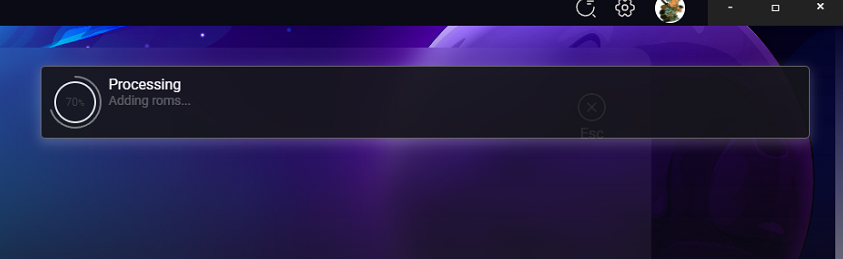
HyperHQ has been stuck "Processing - Adding Roms..." for 5+ hours. (I just left it on this screen while I ran some errands today, got home and it was still sitting here) Also, this "Processing" windows blocks access to clicking the ESC button behind it. (I know I can just hit the ESC key)
-
You're getting further than I am. I click 'download' and nothing happens at all.
-
I just noticed I have this same issue. Originally installed HyperHQ to d:\hyperspin\hyperhq\ Update to HyperHQ moved to it c:\Program Files\hyperhq\
-
Reinstall didn't immediately fix it. However, I wait for HyperHQ to finish its download operations (which is a subject for another post), then closed HyperHQ, reopened it, and then clicked the HyperSpin button and HS now loads correctly. Maybe there was some operation queued up in the reinstall process that couldn't complete until all the download operations were completed? Anyway... back to kicking the tires.
-
Like the title says, updated this morning and now HyperSpin appears to be dead. Won't launch. no error message or anything. just won't launch at all. hyperspin version is v2.0.26 and hyperhq is v2.0.31 Are there logs somewhere I can review? I can't seem to find any. Going to try the 'reinstall' button on the hyperspincore plugin button in a minute.
-
Nope. It defaulted to RetroArch for NES. I wonder if this is because I selected 'download bezels' to an emulator that doesn't support bezels maybe? (I realized it after I did it) For MAME, it looks like it downloaded the MAME install package, but didn't extract it in '/hyperspin/emulators/mame/_temp' So no harm there I guess.
-
I have the same problem with MAME. I went and setup my MAME install in emulators to my existing MAME install, then went to add a system, selected MAME, went through the wizard and set it to download everything. And now its downloading MAME... even though HyperHQ already has a MAME emulator setup.
-
Just installed the beta. Setup a system (NES), setup a custom emulator (Nestopia) and said download everything and hit go. then I see this: I didn't ask it to download RetroArch? Why is it downloading it?
-
No, this is HyperSpin. And HyperSpin is not required to play games you know...
-
I think you're correct in speed, but I believe the newer cards 9800 --> 250 support more options in the newer driver sets. With the price, I'd just get a 460 for like $160.