

Yardley
-
Posts
394 -
Joined
-
Last visited
Content Type
Forums
Events
Downloads
Store
Everything posted by Yardley
-
Anyone know how to add the main menu video for MAME?
-
Added MAME, got the main menu and default themes working but there is no main menu/system video. How do I add one? For a lot of games that don't have a video, the snaps overlap the video frame.
-
I see it now, thanks!
-
First post woohoo! Trying to add MAME into HyperHQ, when I type MAME into "Which system would you like to add" it just keeps spinning with the message "Detecting Emulator Settings". Should I just continue to adding the ROMs?
-
 very nice!
 -
pc games game theme Shadow of the Ninja - Reborn
Yardley commented on mankin's file in Game Themes (16:9)
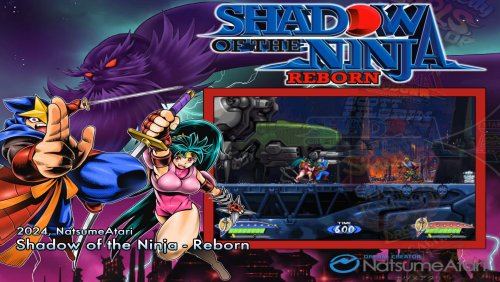 Excellent! Thanks for sharing.
 -
Savage Quest by Interactive Light + bezel
Yardley reviewed nanometrovovo2's file in Game Themes (16:9)
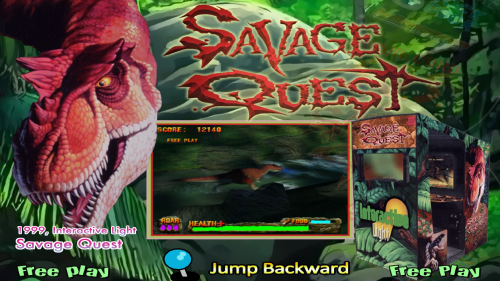 Excellent, thank you!
-
- 1
-

-
- interactive light
- teknoparrot
- (and 2 more)
-
MAME 0.261 - 0.264 Update (Database\Wheels\Videos\Themes)
Yardley reviewed floatingyeti's file in Media
 Thanks for keeping up with this project! Very helpful.
 -
Wow, yeah I just tested the theme you posted and even after alt tabbing onto task manager the CPU usage stays at 79% on my system. So just to be clear, you're saying that using any of your scripts on artwork for a default theme will cause this issue? I'm trying to find any themes currently on my system that have this same problem but haven't found any so far. When I alt tab over to the task manager the CPU usage is high on some but it gradually drops to zero pretty quickly.
-
You didn’t get any replies? I will test the theme you linked on my system. I understand you’re saying that there’s a performance hit but is this when using any of your scripts?
-
Hey dark, can you expand on this? I don’t quite understand what it is that causes higher CPU usage.
-
 awesome dude!
 -
I installed Adobe Animate CC 2017 and it works with that!
-
I installed a fresh copy of flash on another PC that has never had any adobe products installed and got the same error ?
-
I don’t think I have, I’m on CS6. I also tried with a png file I’ve used before but same error. I’m going to see if I can get a hold of Flash CC.
-
Hi guys, I've used these scripts several times before with no issues but all of a sudden Flash is crashing whenever I try to run them on my Mac and on my PC Flash gives the error "TypeError: bmp_lib has no properties. Any ideas?
-

Version 2.0
203 downloads
Wheel pack for Locomalito Games -
-
Version 2.0
233 downloads
4:3 Game themes pack for Locomalito -
Thanks! That worked perfectly. Question, should I still design themes in both resolutions? There's no one fits all correct? I designed the theme in question for 1080p then used your scripts, it looks great on my 1080p system but it's a bit squished on my 1024*768 system so I resized the background in Photoshop and moved everything around accordingly then saved it as a new theme for use specifically in my 1024*768 system. (saved it as png's) Is this correct or I'm I missing something/doing too much work?
-
Hey guys, have a couple of questions. When creating a theme in Photoshop, to be used with both 1920*1080 and 1024*768 resolutions, should I make the theme in one size for example 1920*1080 only or should I make one in each size? I'd love to understand this better as I've been making themes lately and want to achieve the most flexibility for different resolutions . At the moment I've been exporting them as PNG's on a 1024*768 canvas. Also, which of these scripts should I run to convert the PNG's to SWF's after the theme is ready and what is the advantage of SWF? I'm a complete noon at this and know nothing about Flash so a detailed explanation would be really appreciated.
-
- 1 review
-
- 4
-
-

-

-
-
-
- 1 review
-
- 1
-