fr0stbyt3
-
Posts
1,262 -
Joined
-
Last visited
-
Days Won
29











About fr0stbyt3

- Birthday 07/10/1986
fr0stbyt3's Achievements






-
We have a new version of the integration coming soon. It should be able to pull videos just fine. In the meantime, you can always take a look at using overrides for now.
- 1 reply
-
- 1
-

-
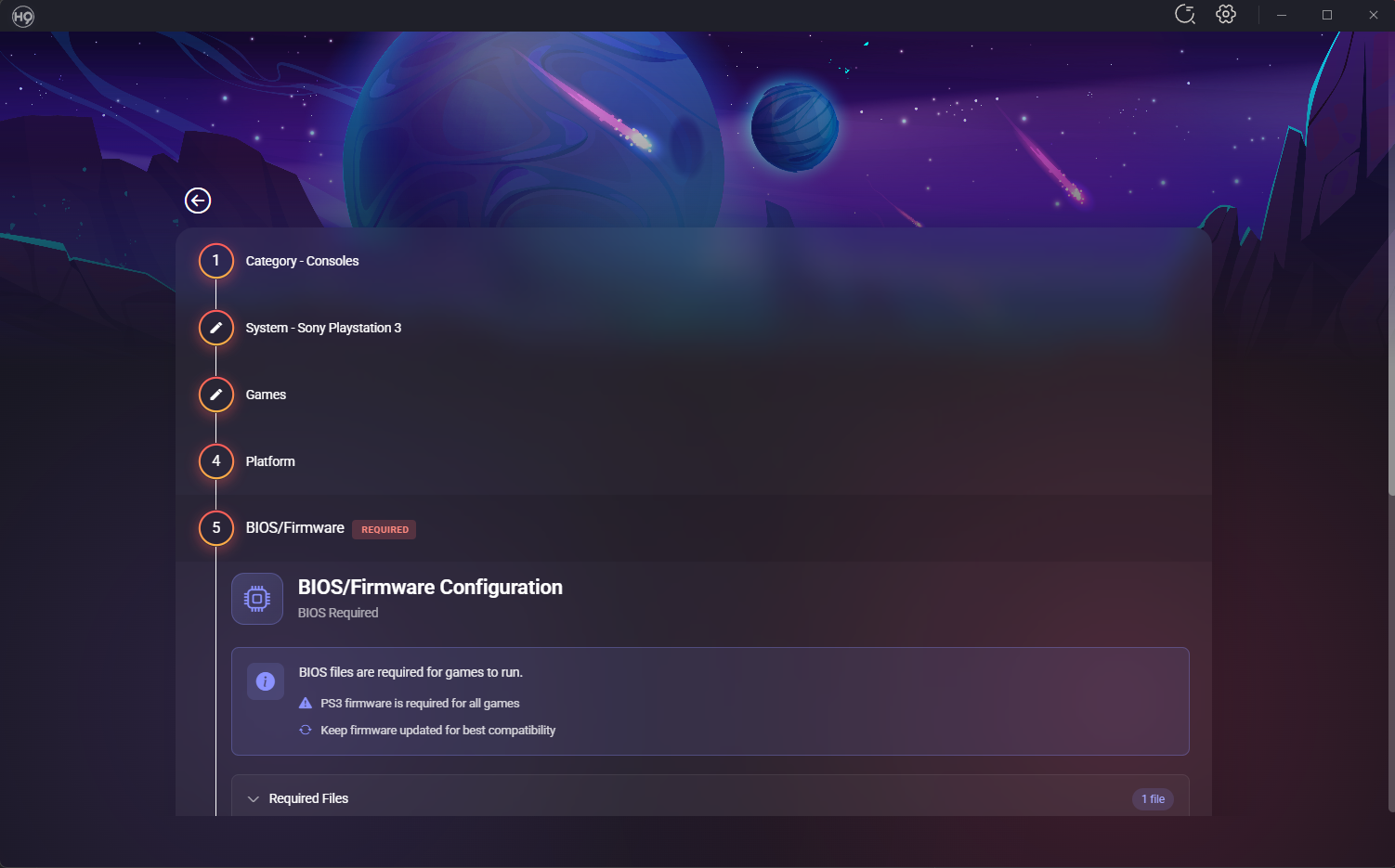
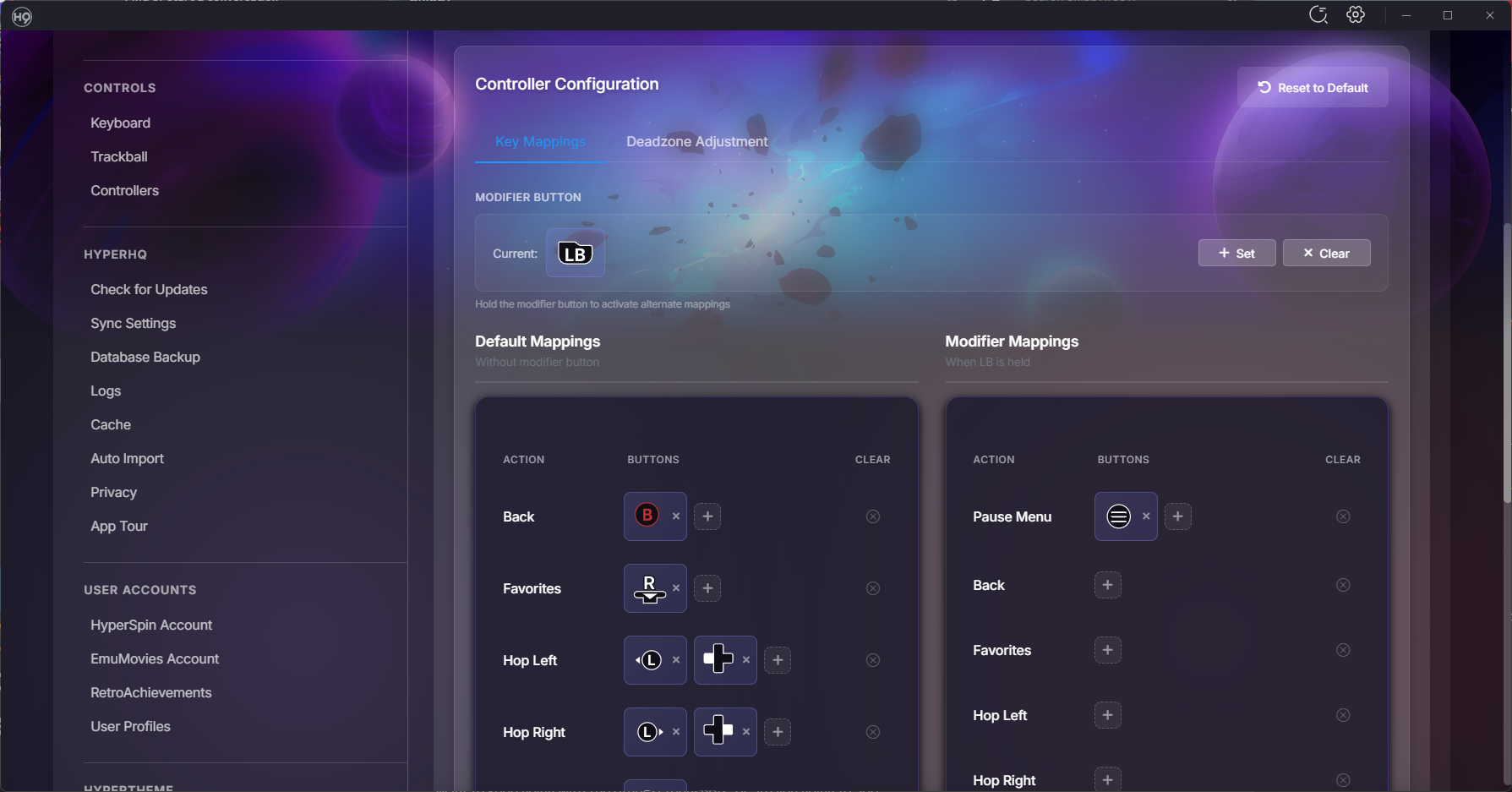
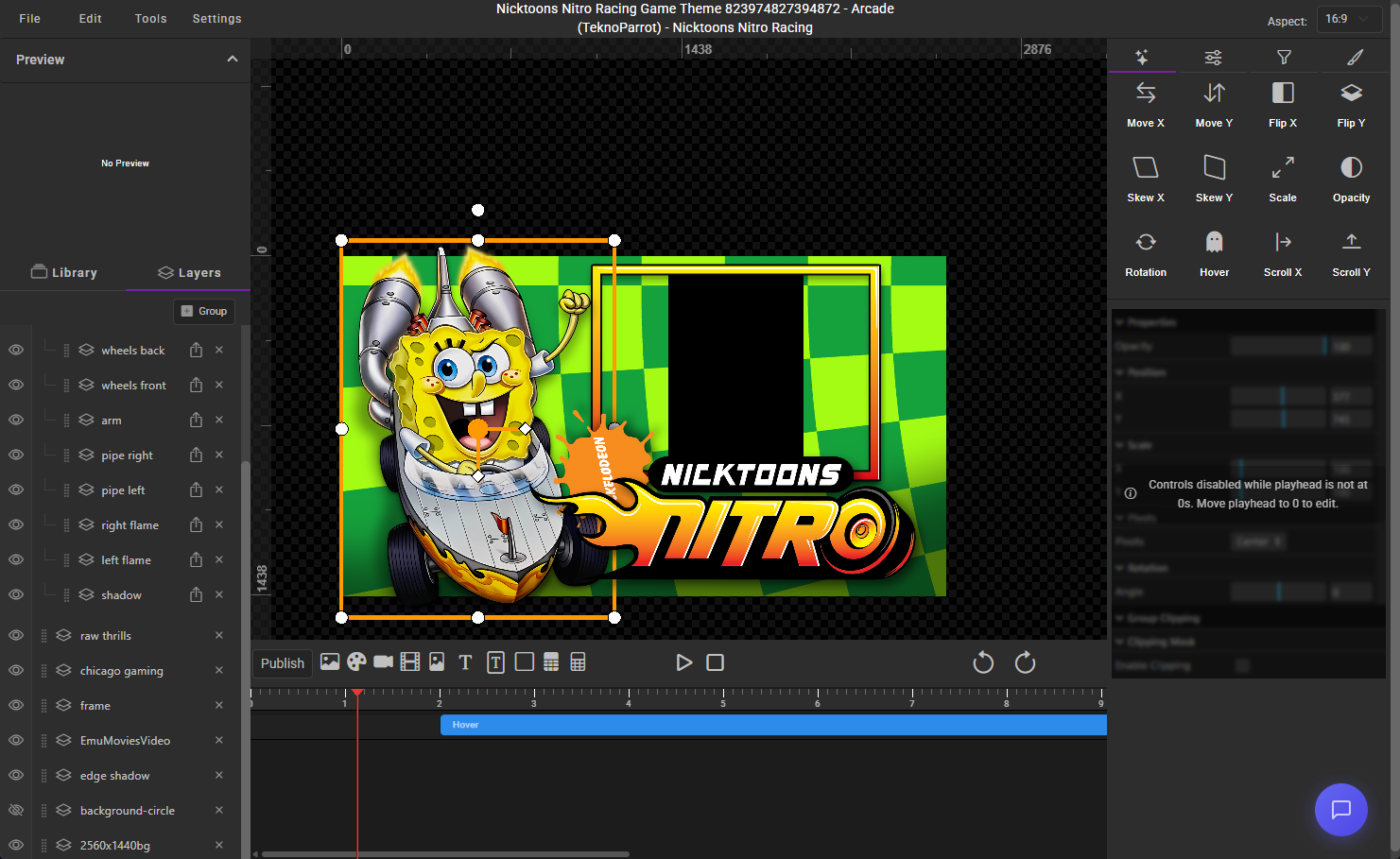
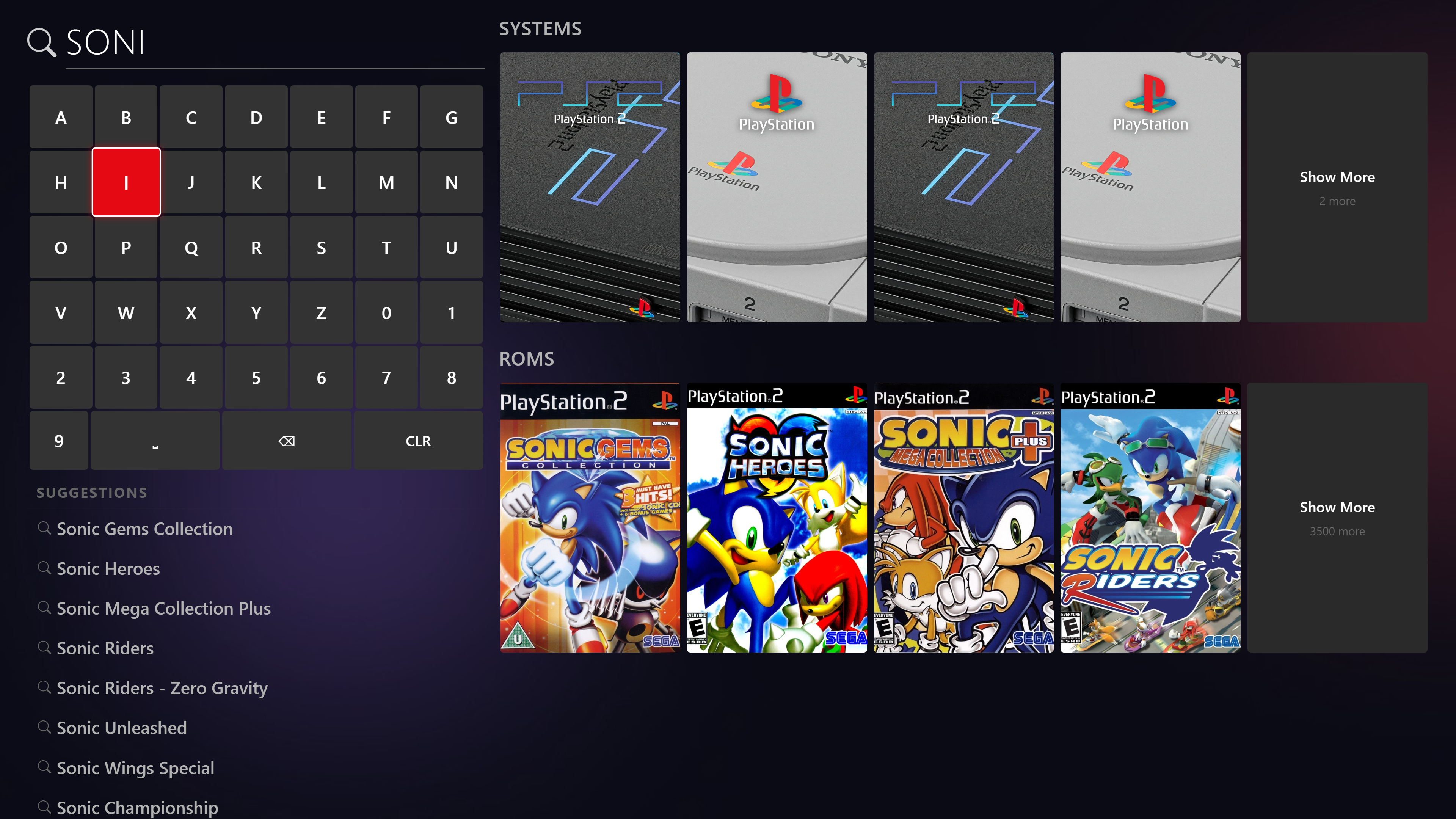
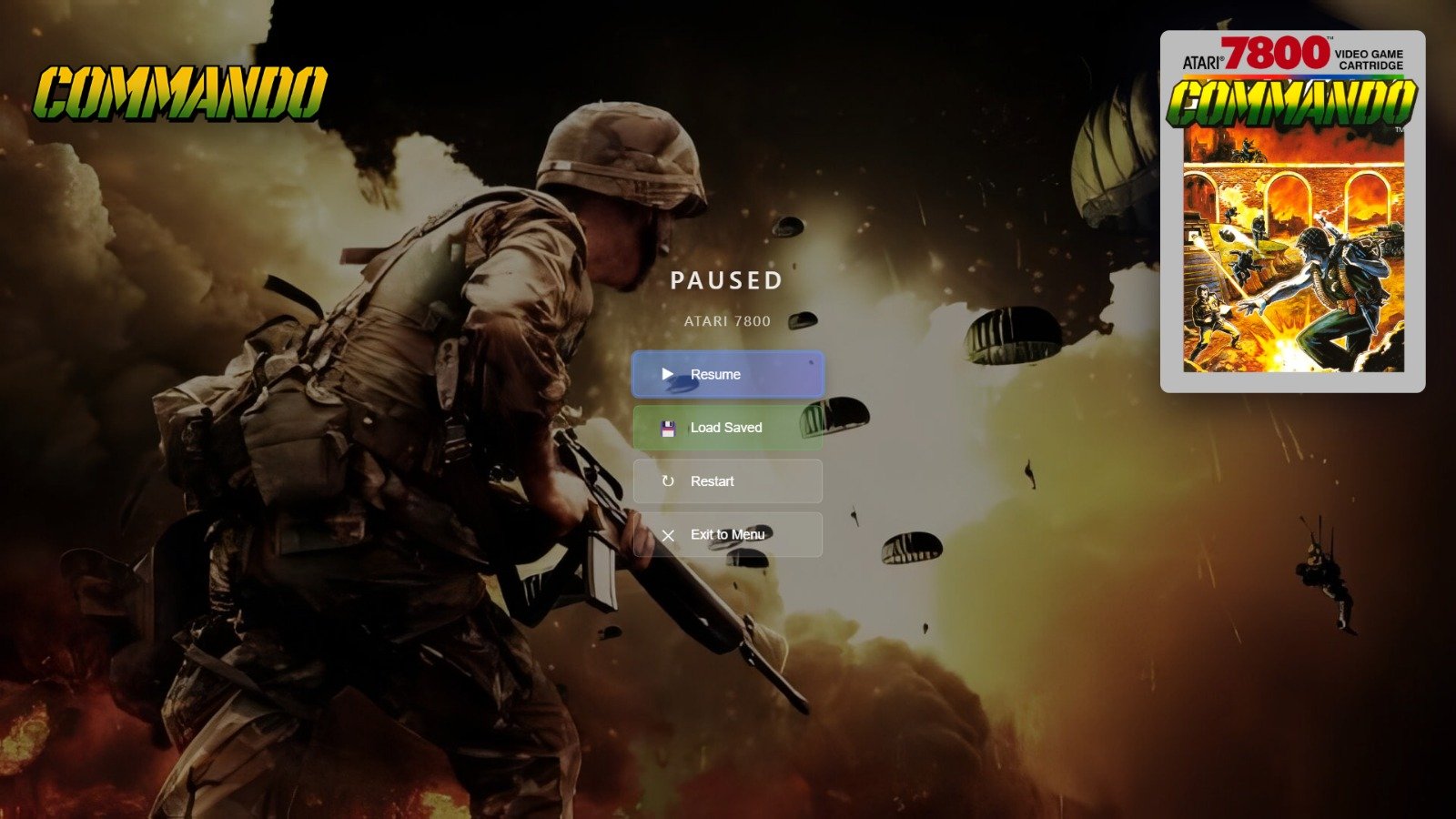
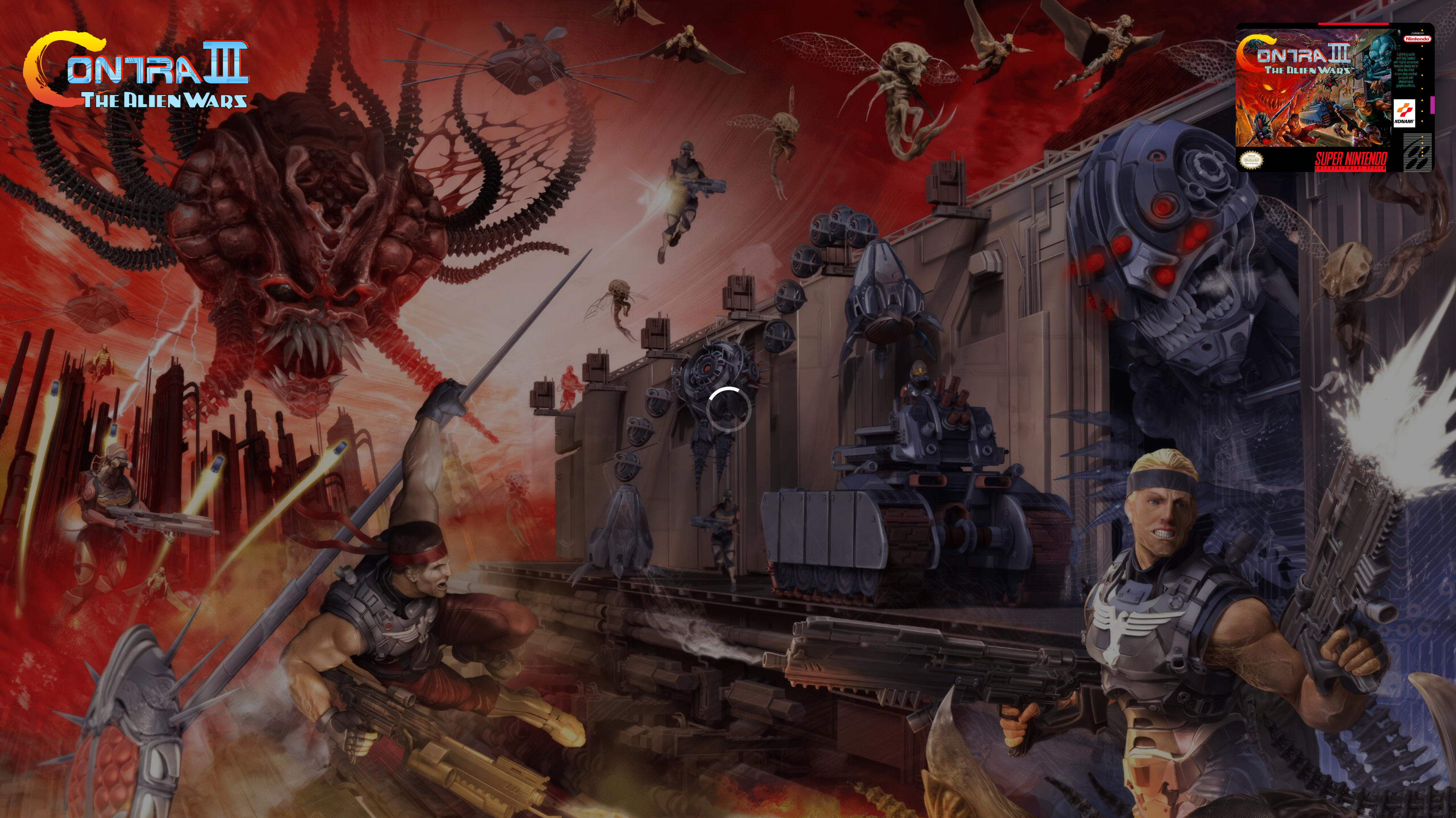
March Update: HyperOverlay, Performance Overhaul, and a Mountain of Polish Hey everyone! It's been about three weeks since our last update and the team has been busy — over 400 commits and 80+ closed issues across the board. This one's packed with brand new platform support, a smoother experience overall, and a ton of UI polish. Let's dive in! Introducing HyperOverlay We're excited to share HyperOverlay — a new plugin that adds loading screens and pause menus to your HyperSpin setup. If you've ever launched a game and stared at a black screen while the emulator loads, HyperOverlay fixes that. It displays a clean loading screen with game artwork while everything spins up in the background, so the transition from wheel to gameplay feels seamless. It also adds an in-game pause menu you can pull up with your controller. HyperOverlay is still a work in progress, so it's completely optional — you can enable or disable it anytime from the plugin settings. If you try it out, let us know how it works for you. What you get: Loading screens — displays game artwork and info while the emulator starts up, so no more staring at a black screen Pause menus — pull up an in-game pause menu with your controller to resume, restart, or exit Game end screens — see a stats summary when you exit a game Controller and keyboard support — navigate everything with your gamepad or keyboard Multi-monitor ready — works across multiple displays for cabinet setups Save state management — browse and load your save states right from the pause menu Performance The first time you start HyperSpin, it should be significantly faster to load. The second time you start it, it should be almost instant. We completely reworked how games are loaded and cached so your library is ready to go the moment you launch. Scrolling through large game lists is smoother too, especially if you've got thousands of games in a system. Wii U Support We've added full support for Wii U via Cemu. What this means for you: Add any of these systems through the Add System wizard just like any other platform HyperSpin automatically detects your installed games — no manual game lists needed Games launch directly from your library with the right settings BIOS and firmware checks are built into the setup flow so you know if something's missing before you try to play Real game titles are pulled automatically (no more cryptic folder names in your game list) Wii U support is further along and should be stable for most setups. New Features Spotlight Search Spotlight search is now in HyperSpin with full controller support. Find any game or system instantly without scrolling through wheels — just start typing or use your controller to pull it up. Zip File Progress When HyperSpin needs to extract a compressed game before launching, you now get a visual progress screen instead of wondering what's happening. Temp files are cleaned up properly afterward too. Advanced Controller Mapping We've added modifier key support for controllers. If you've got a cabinet with limited buttons, you can now hold one button as a modifier to unlock additional actions on every other button — effectively doubling (or tripling) what your controller can do. For example, hold the Player 1 button and press Start to exit a game, or hold it and press another button to open the menu. Works with keyboards too. Always on Top Marquee The marquee display can now sit above everything on screen, including the taskbar. Perfect for dedicated marquee monitors on arcade cabinets. RetroArch Bezels BezelProject packs now automatically apply a system-wide default bezel to all your games — and per-game bezels still override when available. This also prevents touch controller overlays from appearing on arcade cabinets. UI Polish We knocked out a big batch of visual improvements: Category highlight in Add Systems updated to HyperSpin purple Add Extensions button is now more visible Update screen shows your current version vs. what's available Cache settings descriptions rewritten to actually explain what each button does Autoimport settings got a tighter layout with cleaner toggles Archive extraction now uses toggle switches instead of checkboxes Plugin screen buttons cleaned up and streamlined Contact link in License Settings now opens in your browser instead of in-app Collections Right-click context menu on collection items — refresh, hide/show, and delete without navigating away Collections now update in real-time as you make changes Fixed the new collection creation flow Games & Media List view is back — toggle between grid and list views List view context menu fully working again Editing a game's name now updates everywhere immediately Media tab only shows media for systems you actually have installed Media download labels now include the system name so you know what you're looking at Platforms & Emulators BIOS status now rescans automatically when you visit the page or import files Systems list has a right-click context menu (Open, Edit, Hide/Show, Refresh Media) Platform Test button shows the correct system list now Advanced controller mapping support Plugin auto-updates now work for non-default plugins Theme Builder Import a PSD with layer groups and they now show up properly as expandable folders in the layers panel Scale controls now accept decimal values Remix for themes now supports the new groups feature Added list views for collections, media, and projects in your profile Fixes & Stability Thank You This was a huge push and the team really delivered. Massive thanks to everyone who's been testing, reporting bugs, and giving us feedback in the forums and Discord. Your input directly shapes what we work on. Keep the bug reports coming — and if you get a chance to try any of the new platform support, we'd love to hear how it works with your setup. — fr0stbyt3 & The HyperSpin Team

-
- 13
-

-

-
-
Wait until the upcoming release in the next few days.
-
Can you send me your log files? Was the Media folder deleted as well? You can find it C:\ProgramData\HyperSpin\Media is the default. If that folder is still there - it will persist the data. I'll make a change where it ignores systems that are not installed in the next version. But the data is still technically there.
-
Thanks for the detailed report - really helpful stuff. A few things off the top: - MAME issues should be sorted in the next release. We've had a few reports on those and addressed them along with some other small fixes we caught along the way. - HyperSpin itself is also getting a release next week that covers quite a few of the issues you mentioned. I'm curious to see if you still have issues after that. It may be something as simple as a single theme breaking and causing an issue. - Cached images are not being copied. The database files (what systems you have installed) are in appdata. Without logs to trace, this one is a little difficult. I think - somewhere along the way - something went wrong and you're still chasing it. Try the attachment. This is an internal tester tool we created to clear out this exact type of issue quite a long time ago. Please let me know if you still run into this issue. We appreciate you testing and sticking with it. We honestly do take these issues seriously and we're working on something almost every day here. Reports like this are vital to us polishing up the remaining issues before we open up the flood gates. I expect for the rest changes - we will have a public build for you within the week. Reset HS2.zip
-
I was thinking of mute as an option or you would so something fancy where the main machine controlled speakers on both sides and only when a game launch was triggered it would get independent sound. I could probably get you set up with enough code to where you could chatgpt your way through any changes you would need.
-
I have been summoned. So - This is an incredibly interesting use case. We CAN do this but it would take a few changes. We already have the API protocols for this. As long as the machines in question are on the same physical network - launching games together and syncing up attract mode is possible. The issue would be perfect sound sync across both systems. Load times, pc resources, and network latency could all cause it to be off just a little. This would also take some work to make sure the installs were exactly the same. But again, doable. That being said - we're in a major push for stability and getting ready to bring on more users in the coming months. Keep me up to date on your progress. Once we wrap up with this push, I'll see what I can do to help you along with a plugin. I'll likely open source it so that users can learn from it and possibly help you with it if i'm not always available.
-
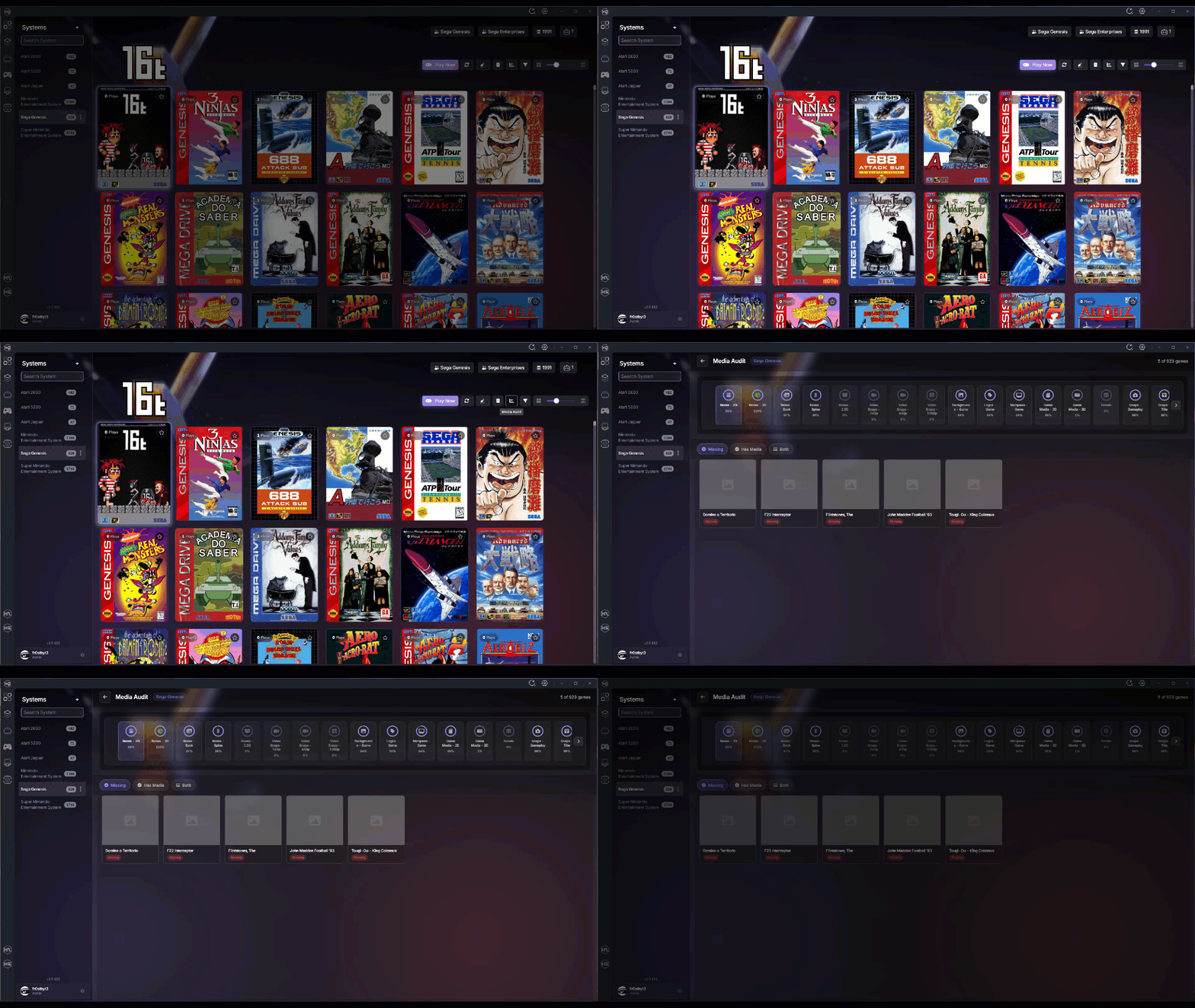
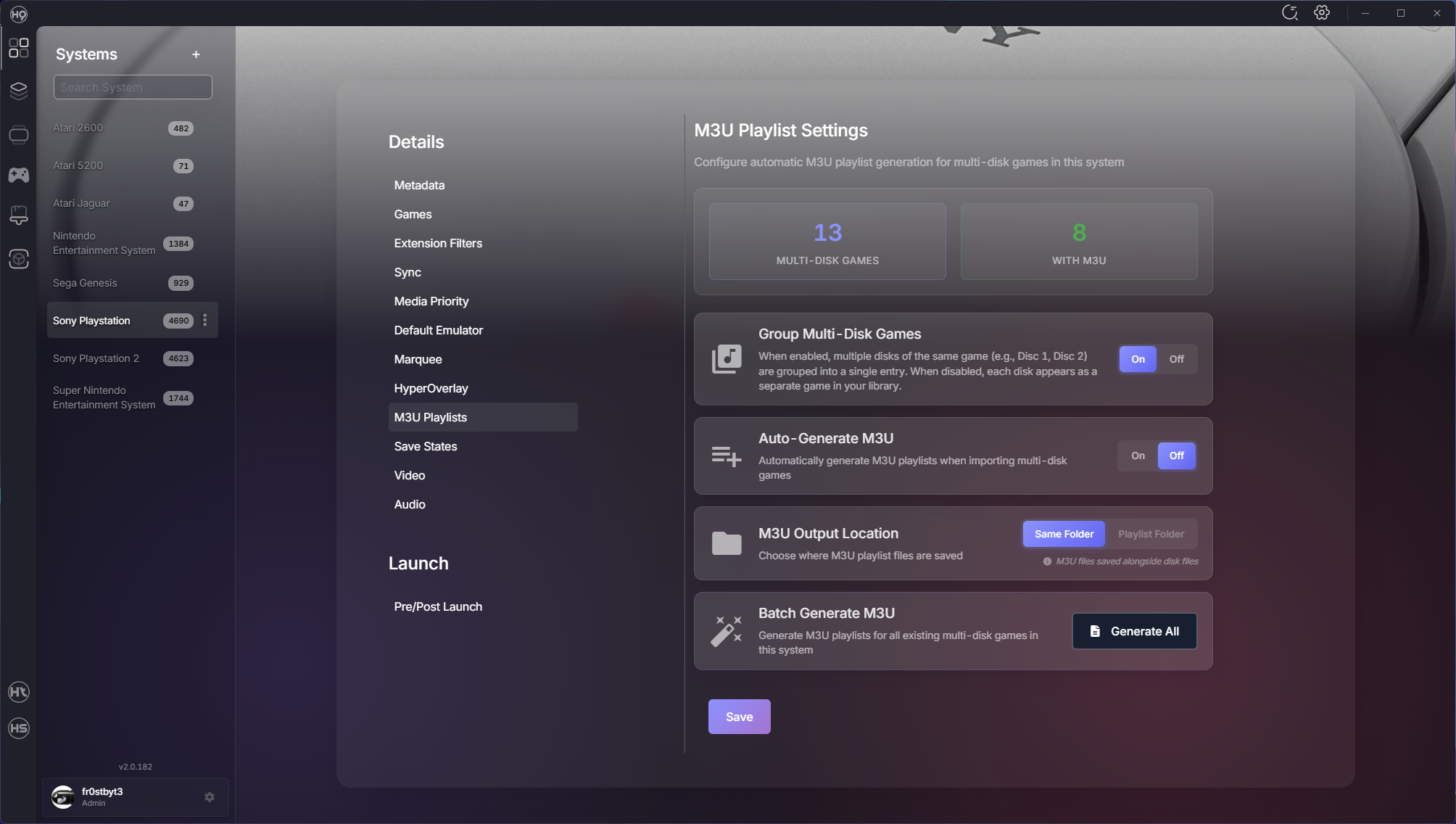
Hey everyone! We've been heads-down shipping improvements across the entire HyperSpin ecosystem over the past few weeks. This update spans 20 days with over 260 commits and 50+ merged PRs bringing major new features, performance enhancements, and quality-of-life improvements. Whether you're managing a massive collection or just getting started, there's something here for you. Let's dive in! Media Audit Screen Managing media for hundreds of systems just got easier. The new Media Audit Screen gives you complete visibility into what you have and what's missing. Features: Visual comparison of available vs. missing media Drag-and-drop upload for bulk media additions Real-time status tracking across all media types Organized by system for easy management No more guessing which games are missing artwork — it's all right there. System Import Overhaul We completely redesigned how you import systems with a queue-based approach that's faster and more reliable. Improvements: Progress tracking shows exactly what's happening Re-import skipped systems without starting over Automatic BIOS detection in emulator directories Better error handling and recovery The import flow now handles edge cases gracefully and keeps you informed every step of the way. Multi-Disk Game Support Games spanning multiple discs (like PS1 RPGs) now have first-class support with automatic playlist generation and management. New Capabilities: Automatic playlist creation for multi-disc games Multi-disk grouping settings Automatic ROM extraction before launch Switch between discs seamlessly without manual playlist editing Better Game Metadata HyperSpin can now pull game metadata from additional sources, giving you more complete and accurate game information. What This Means: Fuzzy search finds the right game even with typos Automatic metadata sync from trusted sources "Search For Match" added to game context menus Your game library stays up-to-date with accurate metadata from the community Performance Enhancements We've made significant improvements to how HyperSpin handles rendering and background operations. What's Faster: Sidebar system list loads instantly Boxart rendering redesigned with smart lazy loading Smooth scrolling even with thousands of games Background operations optimized to not block the UI Reduced memory usage for long-running sessions Everything feels snappier, especially when working with large collections. HyperTheme Updates ThemeBuilder continues to evolve with better tooling and compatibility. What's New: Improved layer management (no more accidental reordering) Drag-and-drop enhancements for easier theme building Better positioning controls Theme Player: Fixed layer management for complex themes Smoother hover animations Background system integration for system themes Fixes & Stability ROM counts now update reactively and stay synced across the UI RetroArch auto-setup registers platforms and downloads cores reliably BIOS detection improved MAME wizard no longer gets stuck at 10% Game artwork updates immediately after downloads Theme downloads reconnect properly if the connection drops Fuzzy search for system names handles typos Improved emulator availability checks Thank You A huge thank you to everyone who's been testing, reporting bugs, and sharing feedback. Your input has been invaluable in making these releases better. We've got more great things in the pipeline. Keep the feedback coming! — fr0stbyt3 & The HyperSpin Team
-
- 14
-
-
-
-
Log out in the lower left next to your username. It's being looked at now. Your session just expired.
-
Log out in the lower left side next to your name. Then log back in. I'm looking at this now. It just means your session expired.
- 1 reply
-
- 1
-
-
alpham2 Preview Description Converted Arcade (MAME) Theme Credits: - Yaron (Collaborator) - Johno (Artist) Details Type: Game Theme System: Arcade (MAME) Tags: Arcade (MAME),Alpha Mission II / ASO II - Last Guardian,Game Theme Created: Jan 25, 2026 Download View on HyperTheme Credits yaron (Collaborator) Johno (Collaborator)
-
- 4
-
-
-
alien3 Preview Description Converted Arcade (MAME) Theme Credits: - Yaron (Collaborator) - Johno (Artist) Details Type: Game Theme System: Arcade (MAME) Tags: Arcade (MAME),Alien3: The Gun,Game Theme Created: Jan 25, 2026 Download View on HyperTheme Credits yaron (Collaborator) Johno (Artist)
-
- 1
-
-
actfancr Preview Description Converted Arcade (MAME) Theme Credits: - Yaron (Collaborator) - Johno (Artist) Details Type: Game Theme System: Arcade (MAME) Tags: Arcade (MAME),Act-Fancer Cybernetick Hyper Weapon,Game Theme Created: Jan 25, 2026 Download View on HyperTheme Credits yaron (Collaborator) Johno (Animator)
-
- 1
-
-
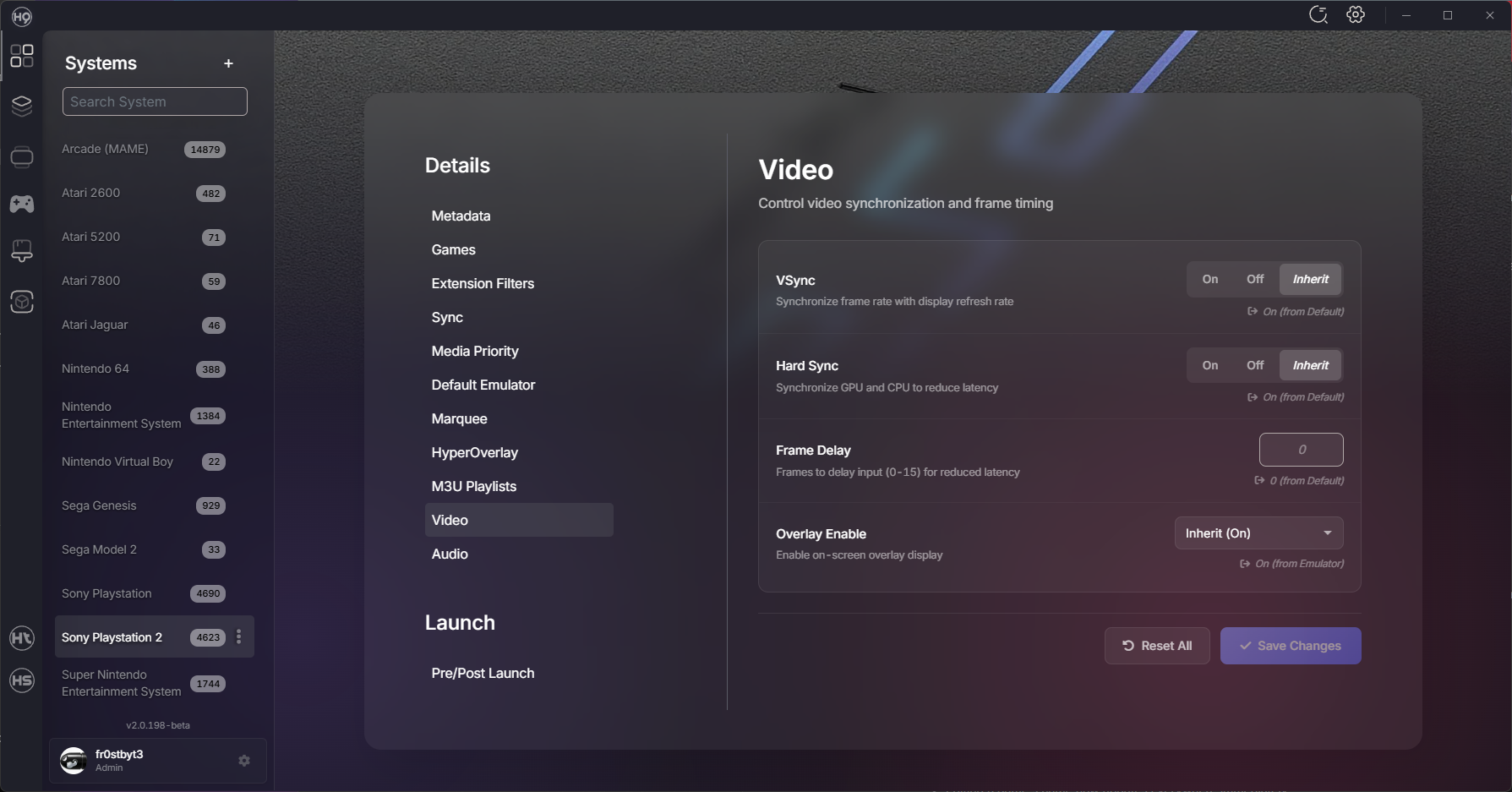
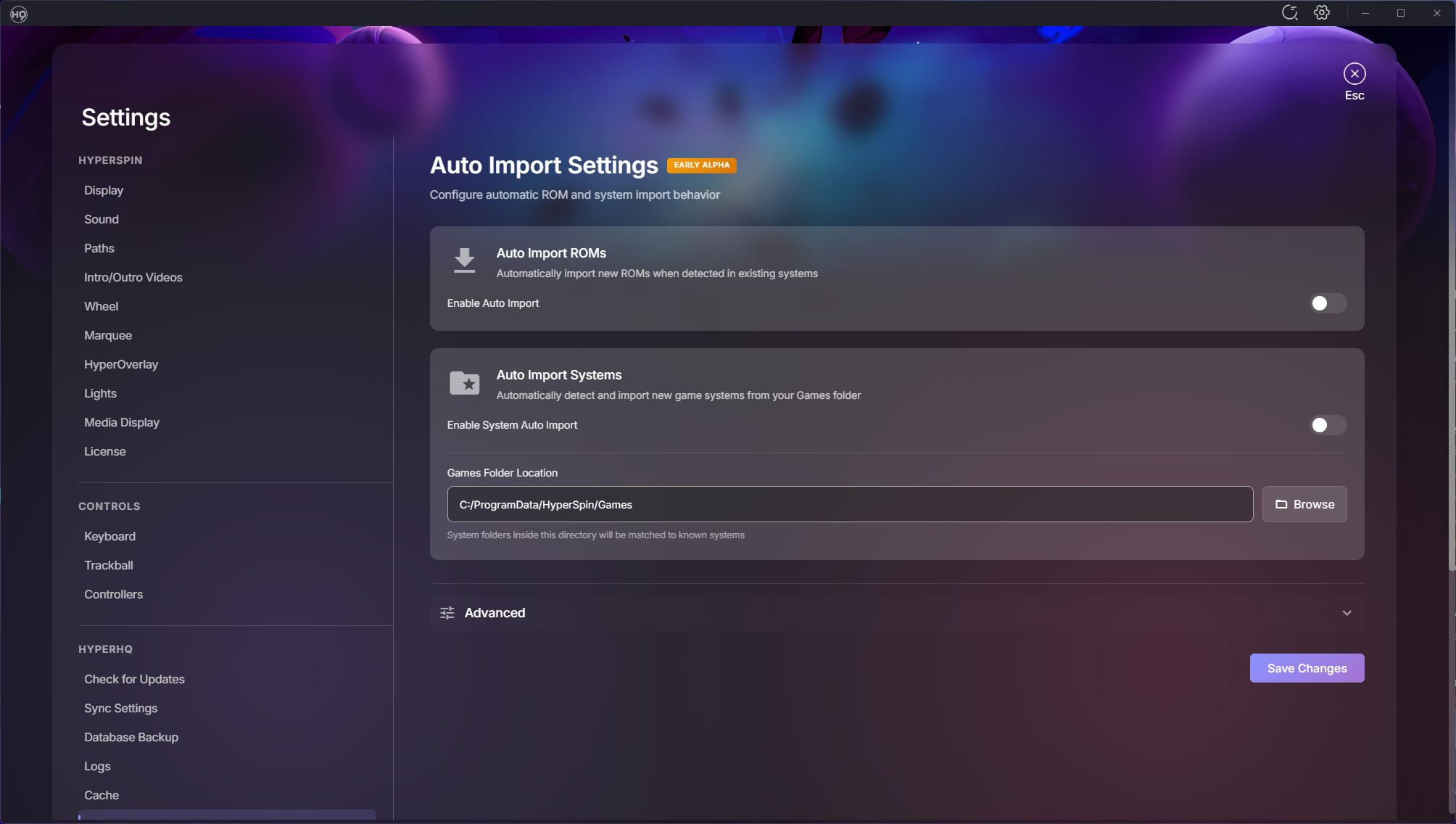
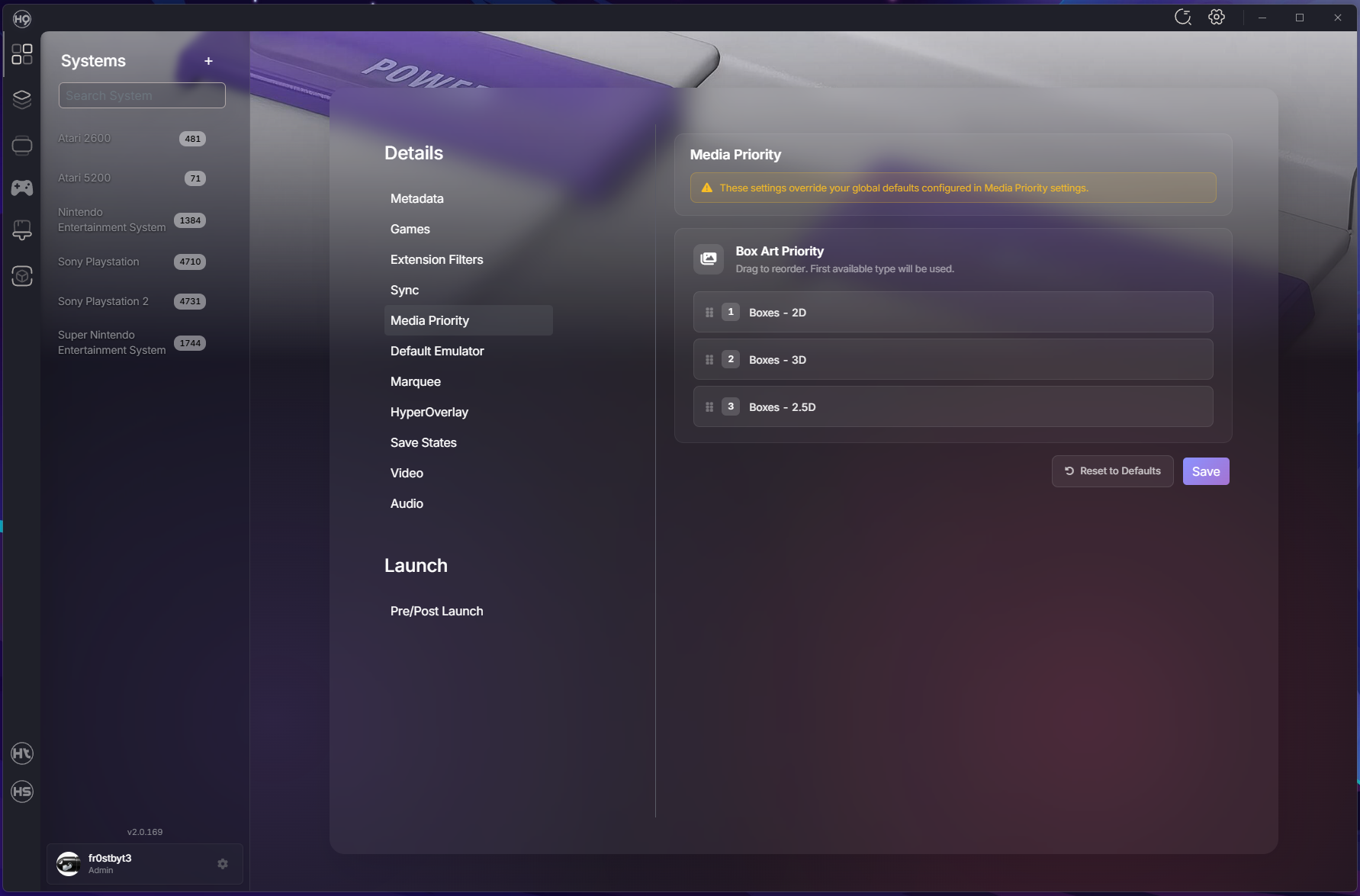
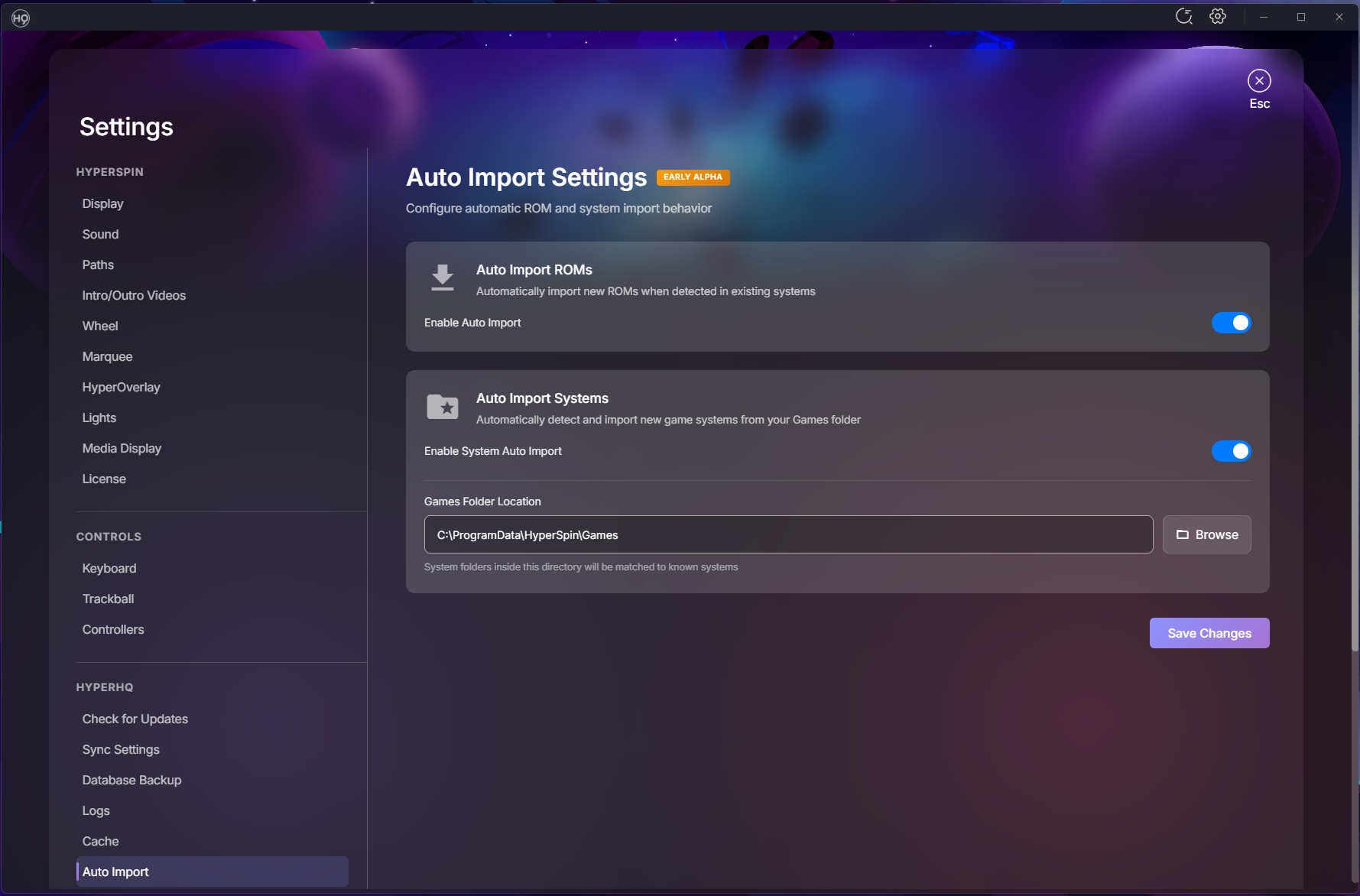
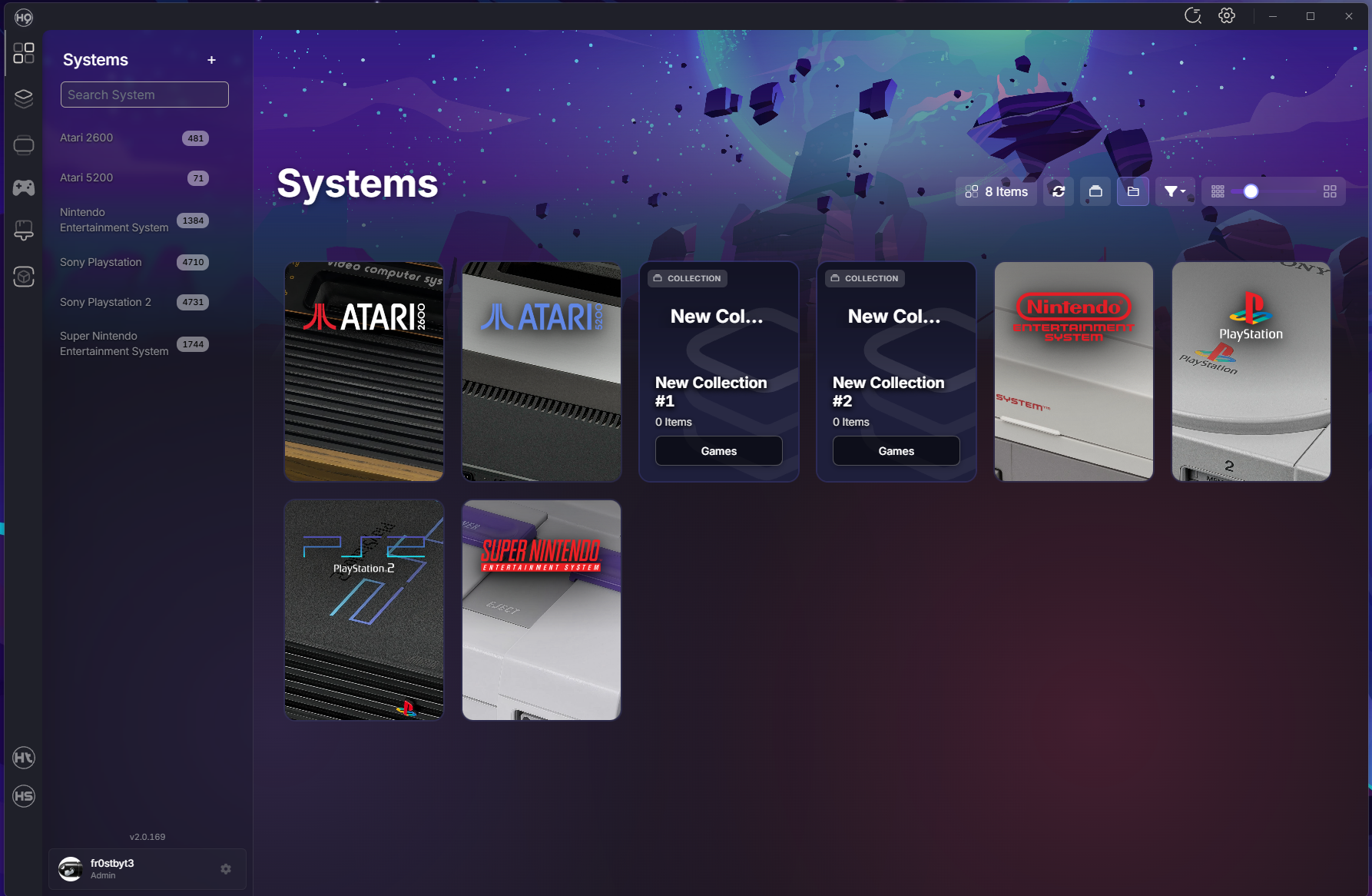
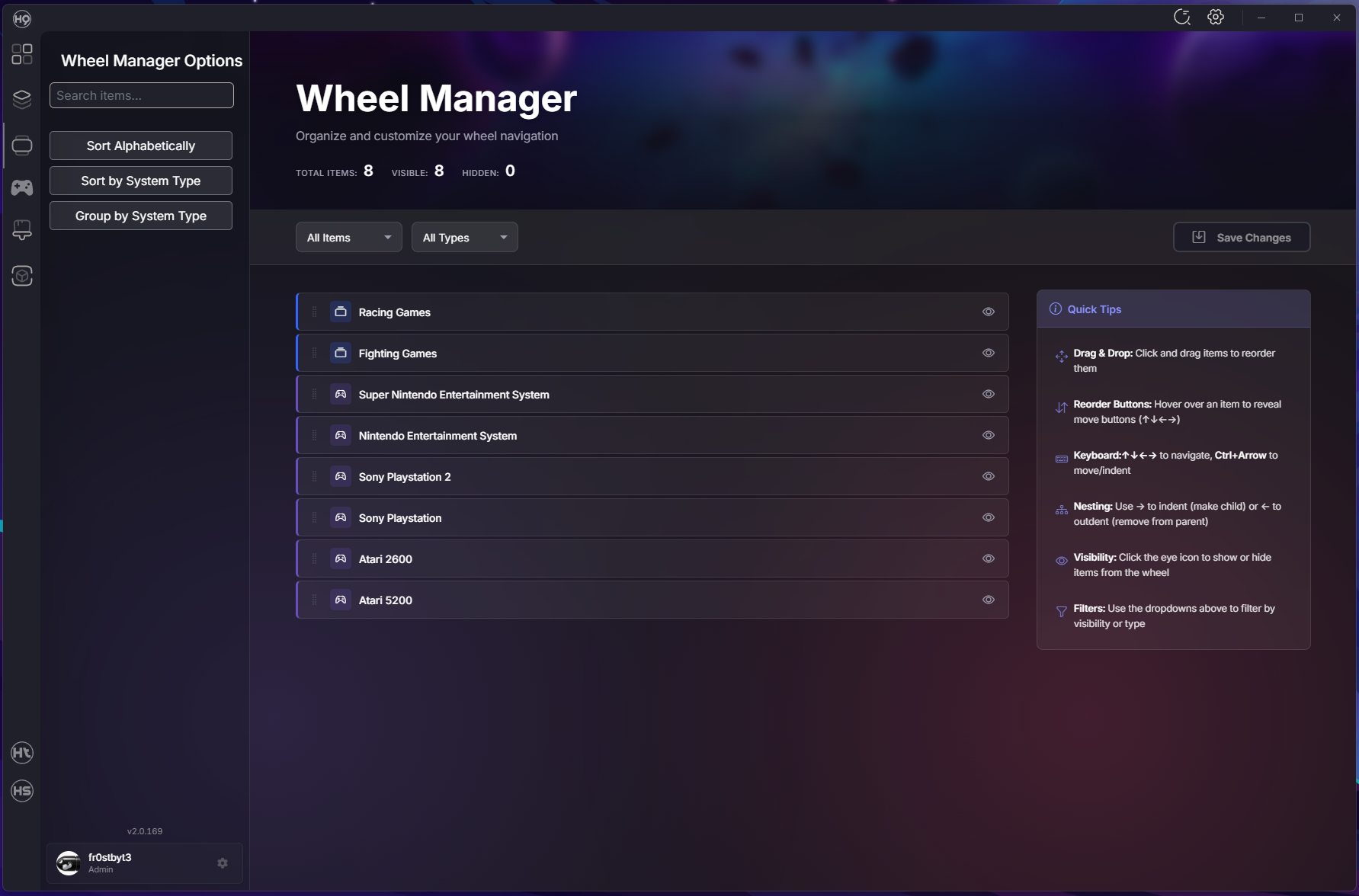
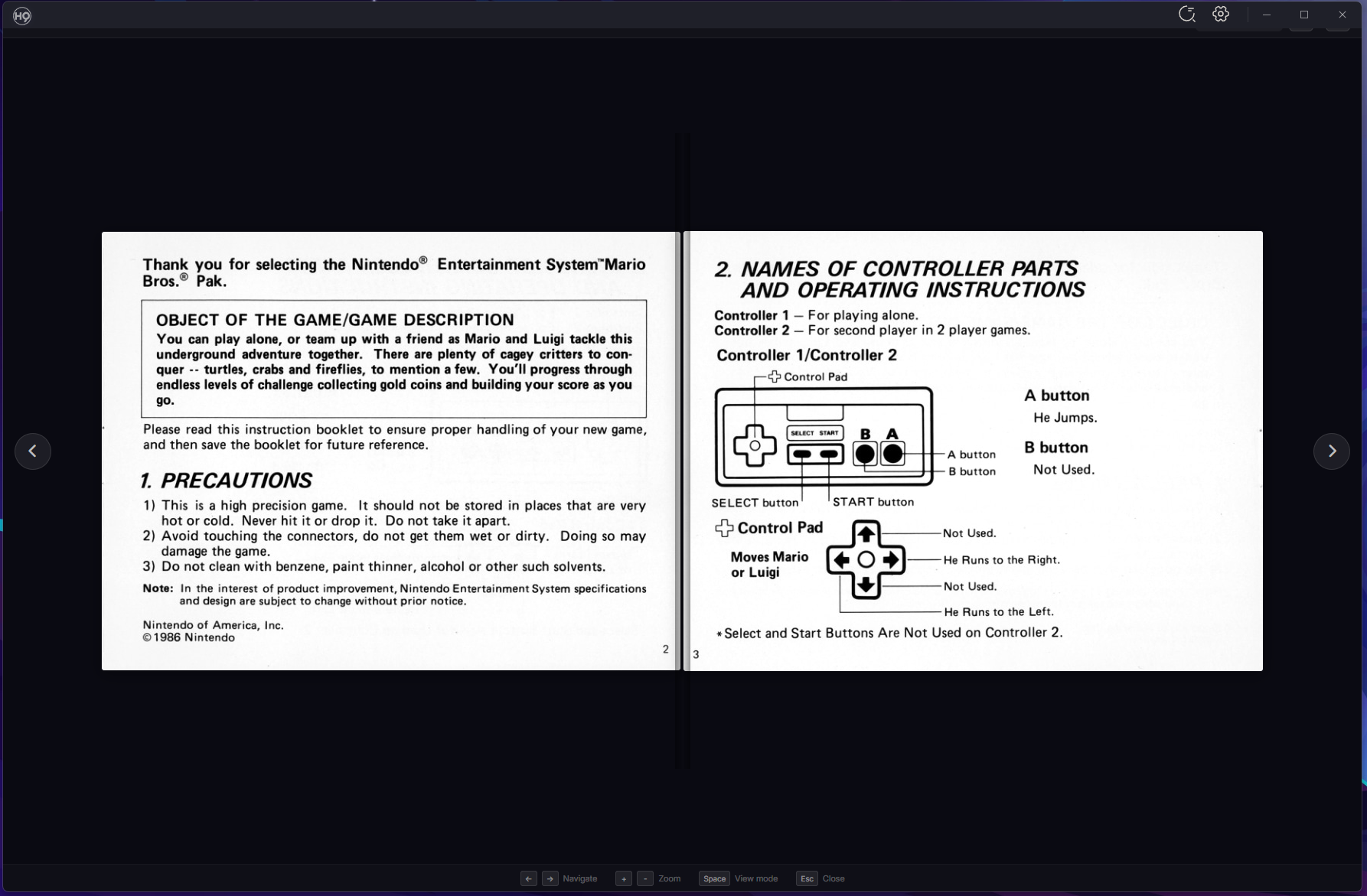
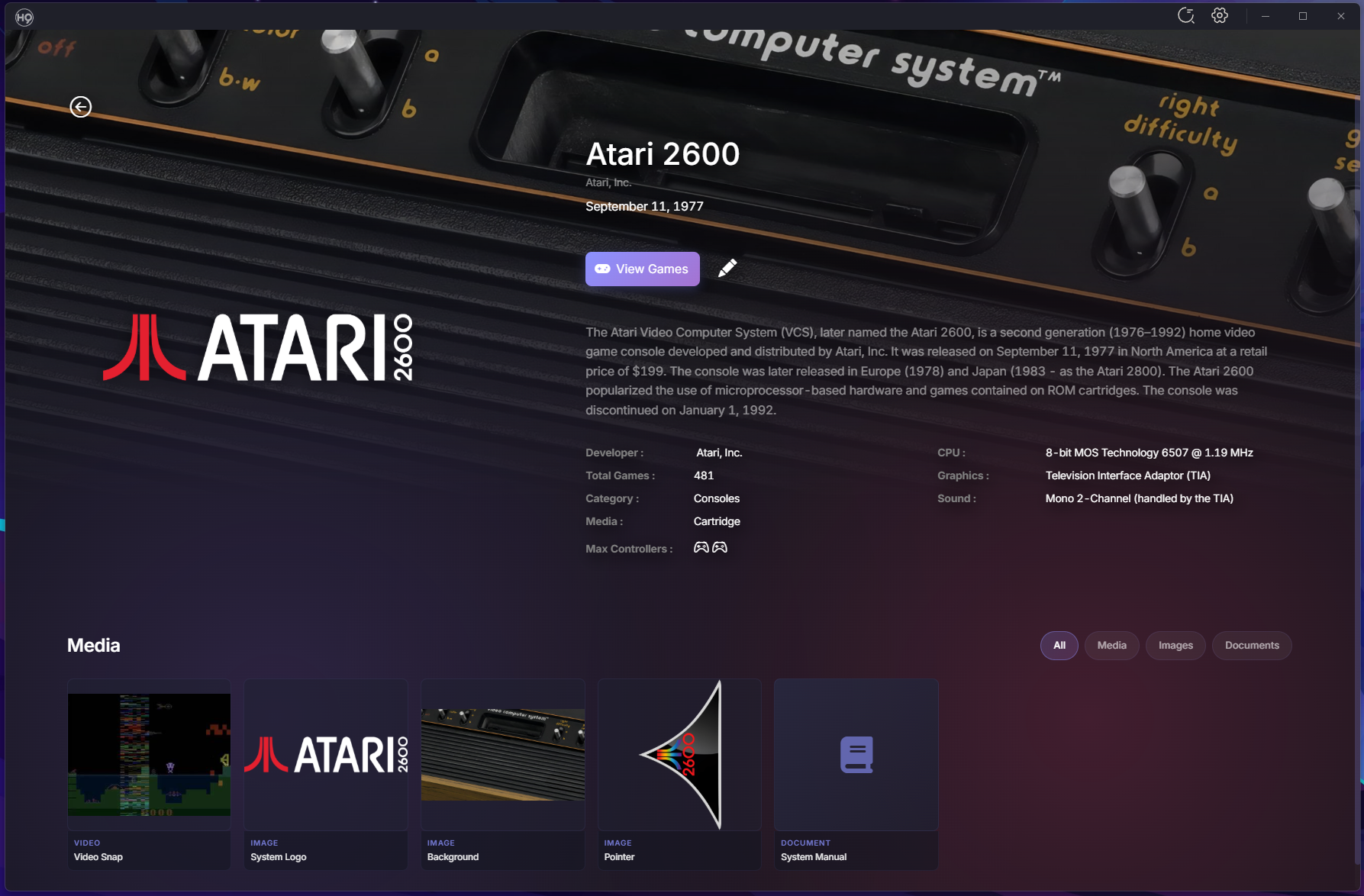
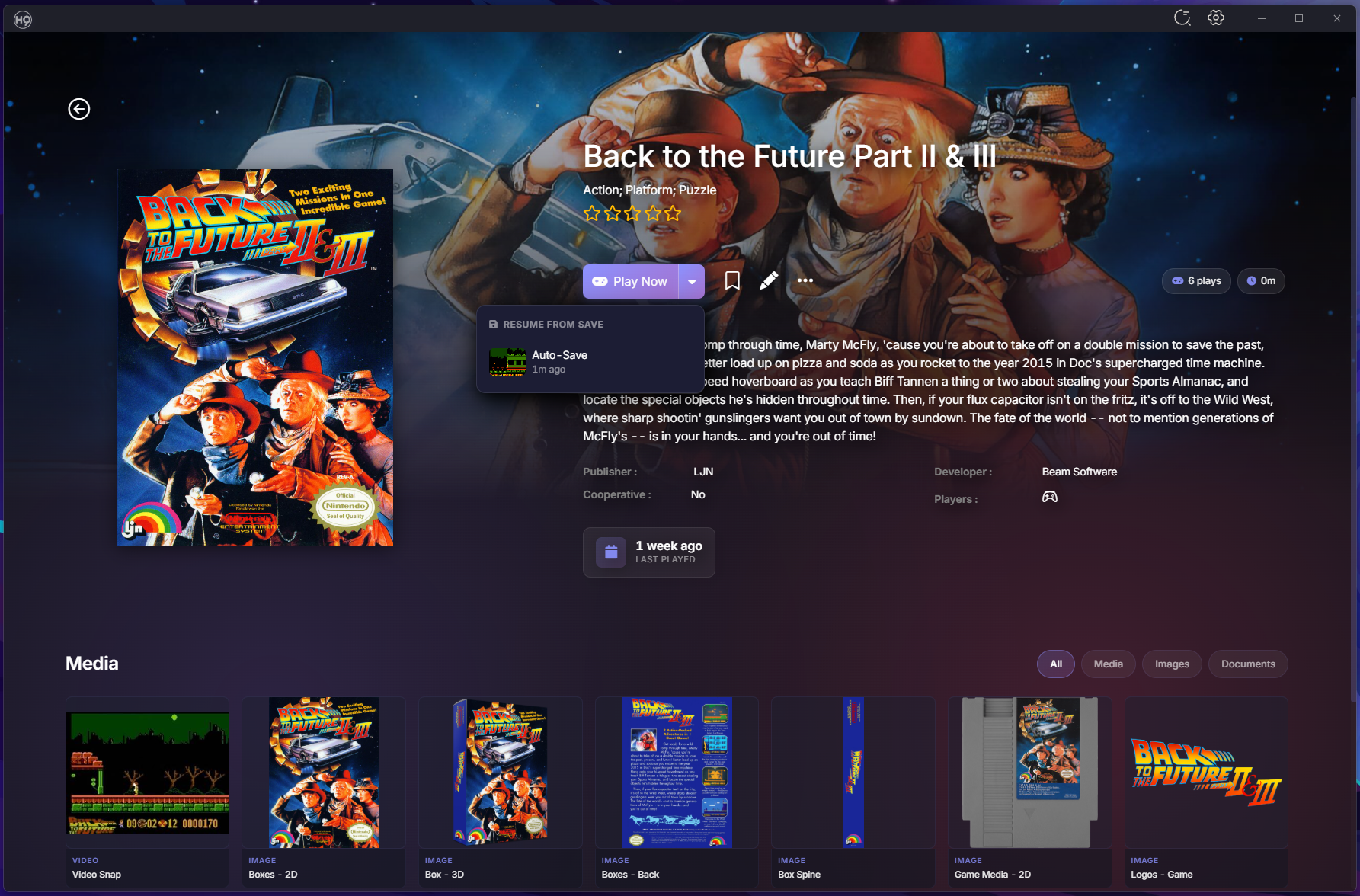
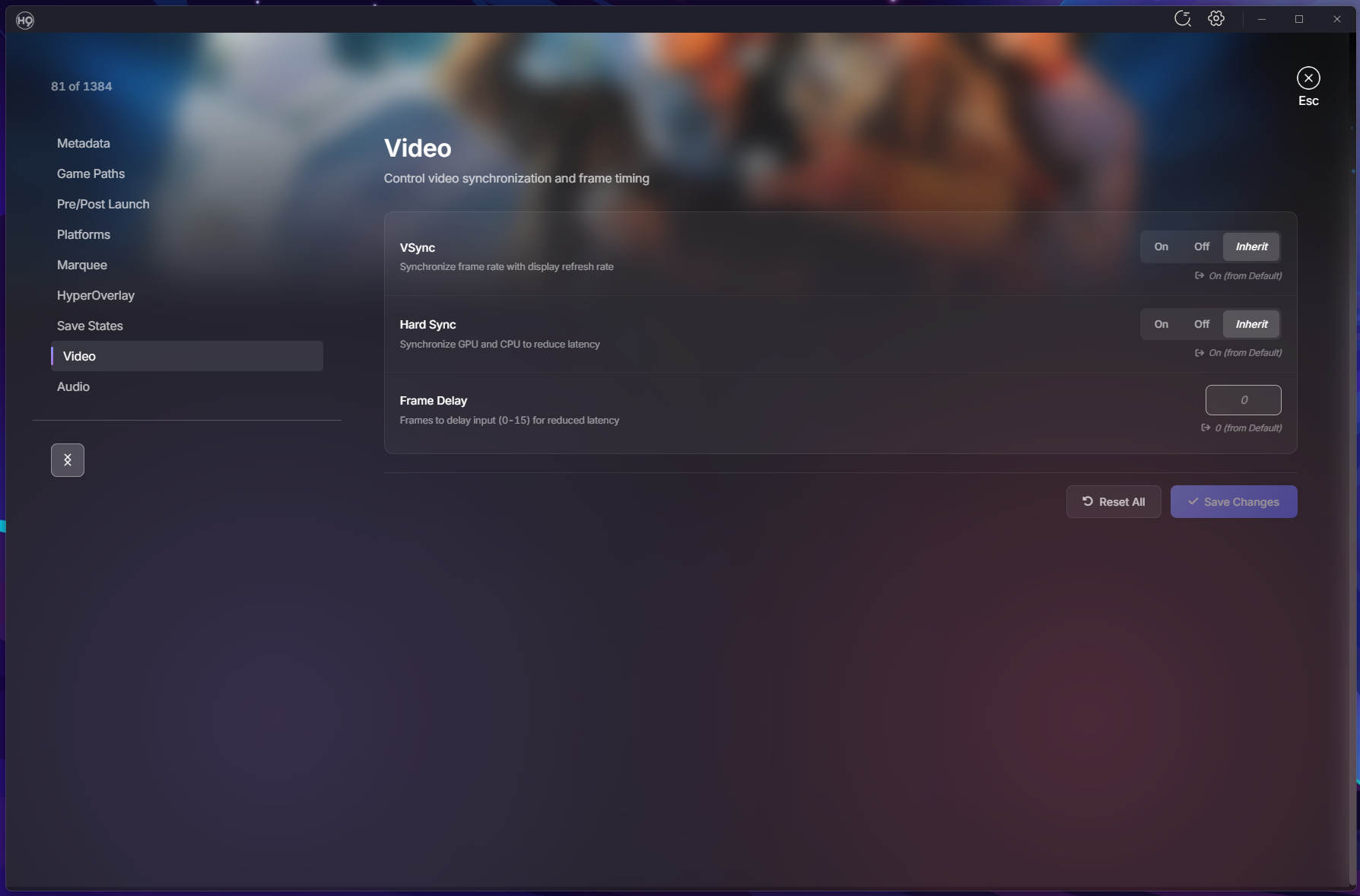
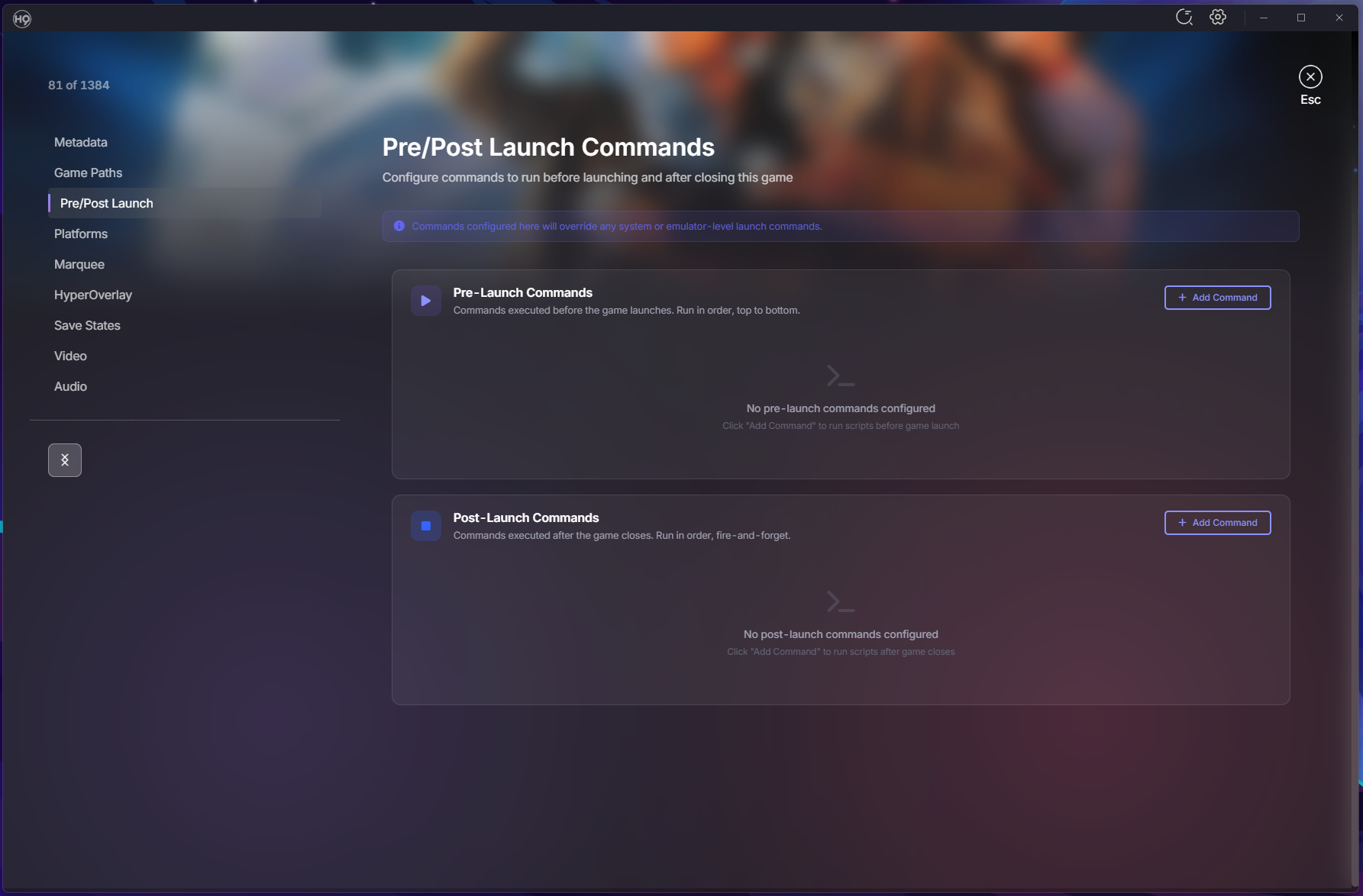
Hey everyone! It’s been a busy stretch since our last update, and we’ve got a lot to share! This release cycle spans over 30 beta builds with hundreds of commits bringing major new features, quality-of-life improvements, and plenty of bug fixes. Whether you’re setting up a new cabinet or managing a massive collection, there’s something here for you. Let’s dive in! Emulator Settings — Per-Game Customization You can now customize emulator settings at the emulator, system, or game level with full inheritance. Override video and audio settings for specific games without touching your global config. Supported Emulators RetroArch: Video settings (VSync, Frame Delay) and Audio settings (Volume, Latency) MAME, PCSX2, Dolphin, PPSSPP, DuckStation: Emulator-specific settings Xenia, RPCS3, Cemu, Xemu, Redream: Additional emulator support How It Works Game settings override system settings, system overrides emulator, emulator overrides defaults Dynamic Video/Audio menu items appear based on emulator capabilities Config files generated on launch — your original emulator configs stay untouched Save State Management A completely new way to manage and launch from your save states. Save State Browser: View all save states grouped by core and ROM in system settings Thumbnail Previews: See what you saved with thumbnail support for RetroArch Quick Launch: Play button dropdown lets you resume from any save slot Delete Management: Clean up old save states you no longer need Emulator Support: RetroArch, PCSX2, Dolphin, PPSSPP, DuckStation, and MAME Pre-Launch & Post-Launch Commands Run custom commands before or after launching games — perfect for scripts, controller profiles, lighting setups, or anything else your setup needs. Three-Level Configuration: Set commands at emulator, system, or game level Drag & Drop Ordering: Reorder commands with visual feedback Rich Variable Support: %system.name%, %system.path%, %rom.folder%, %rom.fileExtension%, %emulator.name% Unsaved Changes Warning: Never lose your work when navigating away Play Time Tracking Know how much you’ve played each game. Total Play Time: Tracked per game (e.g., "2h 30m") Last Played: See when you last played and how many times Crash Recovery: Sessions persist even if HyperHQ closes unexpectedly System Media Details Page A dedicated page for browsing all your system media in one place. Gallery View: Filter tabs for All, Media, Images, Documents, Themes Interactive Preview: Click any artwork or video to preview it instantly Built-in PDF Viewer: Read system manuals with zoom and page navigation Floating Audio Player: Listen to system music while browsing EXIF Metadata: View Title, Keywords, Credit, and Notes in the lightbox CBZ Manual Viewer A beautiful new way to read your game manuals in CBZ format. 3D Page Flip: Animated page turns with smooth transitions Two-Page Spread: Toggle between single page and spread view Zoom Controls: Keyboard shortcuts (+/- and Ctrl+wheel) Keyboard Navigation: Arrow keys, space, and escape Accessibility: Respects reduced motion preferences ROM Path Migration Moving your ROM folders? HyperHQ can update your database automatically. Automatic Detection: When you change a system’s ROM path, HyperHQ offers to scan for matches Batch Updates: All matching ROM paths updated in your database Multi-Disk Support: Handles multi-disk ROMs correctly Progress Display: Real-time feedback during migration Wheel Manager Improvements Complete overhaul of the wheel management experience. Keyboard Navigation: Arrow keys flow through the entire tree seamlessly Reordering Controls: On-screen buttons and Ctrl+Arrow shortcuts Sort by System Type: Organize systems by category then alphabetically Group by System Type: Create collections for each category automatically Smooth Animations: Visible slide effects when moving items Collections in Systems Grid Your collections can now appear right alongside your systems. Toggle Button: Show/hide collections in the systems grid Mixed View: Collections and systems sorted alphabetically together Visual Distinction: COLLECTION badge with item count on hover Keyboard Navigation: Arrow keys work across combined list Group Systems by Type Organize your systems list by category. Category Groups: Arcade, Consoles, Computers, Handhelds, and more Category Headers: Show system count for each group Persistent Setting: Your preference saves between sessions Auto-Import Systems HyperHQ can automatically detect and import system folders from your Games directory. Startup Scan: Detects unimported system folders when HyperHQ launches Live Monitoring: Watches for new folders added while running Smart Matching: Case-insensitive matching to our system database Skip List: Mark folders to always ignore Media Downloads: Uses your existing preferences for imported systems Note: This feature is currently in early alpha — we’d love your feedback! EmuMovies Media Defaults Set your preferred media types once and use them everywhere. Wizard Step: Choose default video quality and media types during setup Automatic Application: Preferences apply when adding new systems Easy Management: Update defaults anytime in EmuMovies Settings Skip Option: "Skip for now" during setup if you don’t have an account Boxart Priority Choose your preferred artwork style. Style Selection: Set which box art displays first — 2D, 3D, or 2.5D Per-System Override: Configure globally or per-system Smart Fallback: Automatically shows next available style if preferred is missing Media Filter Find games based on available media. Dropdown Filter: Show only games with specific media types Find Missing Media: Great for identifying games missing artwork or videos Descriptive Tooltip: Shows which filters are currently active Unified Platforms Tab Streamlined emulator configuration. Merged Tabs: Launch Command and Platforms combined into one view Variable Reference: Shows available variables (%ROM%, %ROMNAME%, etc.) Smart UI: RetroArch core selector only appears when RetroArch is selected Wii U Support Better support for Wii U games and Cemu emulator. Loadiine Folder Scanning: Automatically detects Wii U folder structures meta.xml Parsing: Extracts title, publisher, and region automatically DLC/Update Exclusion: Automatically skips DLC and update folders BIOS Management Updates Building on the automatic BIOS detection from v2.0.135, we’ve expanded coverage to more setup scenarios. Standalone Emulator Addition: BIOS step now appears when adding emulators directly from Platforms Skip Option: Emulators with optional BIOS let you configure later Cemu Integration: Dedicated setup flow for Wii U emulation Additional Improvements Setup & Configuration DOS Support: DOSBox games launch with game folder as working directory Steam Custom Systems: Create systems that pull metadata from Steam using App IDs Window State Memory: HyperHQ remembers your window size and position Media & Display Video Quality Selection: Game detail page shows best quality based on your preferences Game-Level Marquee Override: Complete Global → System → Game inheritance Faster Thumbnail Generation: Process up to 64 videos simultaneously Reorganized Media Categories: All, Media, Images, Documents, Themes User Experience App Tour System: Interactive walkthrough for new users System Card Actions: Quick access Games/Details buttons on hover Smarter Auto-Login: Retries saved credentials before prompting Media Processing Indicator: See when downloads are being prepared Improved Uninstaller: Clear options for removing data during uninstall Bug Fixes & Stability Fixed: Bezel Project downloads not working for fresh RetroArch installations Fixed: RetroArch reinstalling on every app restart Fixed: Disc-based games (CUE/BIN) selecting wrong file to launch Fixed: Steam games not launching (steam:// protocol) Fixed: Plugin list showing duplicate server and local entries Fixed: EXE file plugins start/stop behavior Fixed: Media sync for manually matched games Fixed: EmuMovies upgrade prompt for supporting members Fixed: MAME plugin reinstall and system creation issues Fixed: Games closing immediately after launch Fixed: System images not loading for MAME and other systems Fixed: Collections not showing games from uninstalled systems Fixed: External marquee not connecting on startup HyperTheme Animation Assistant HyperTheme now includes a chat assistant to help you build animations faster. Instead of clicking through menus, just describe what you want in plain language. Natural Language: "Add a fade in to layer 1", "Make the logo spin", "Set the delay to 2 seconds" Context Aware: The assistant understands your layers and animations by name or number Quick Access: Press Ctrl+/ or click the chat button to open the panel Workflow Focused: Designed to speed up adding and tweaking animations, not generating images 2026-01-20 11-53-30.mp4 Ecosystem Updates HyperSpin 2.0.66-2.0.68 New Theme Player: All changes from HyperTheme’s editor rolled in System Pointers: Now show when entering systems Dynamic Wheel Pointer Scaling: Pointers scale with wheel items Performance Optimizations: Smoother animations and reduced memory usage HyperMarquee 1.0.7 Improved Display Handling: Better scaling and transitions Reliability: Videos and fallback images display more consistently HyperTheme 1.11.0 Theme Player Enhancements: Better animation accuracy and reliability Scale Animation Fixes: X and Y axes now work correctly Hover Animation Improvements: Speed and easing fixes Your Feedback Matters We’d love to hear your thoughts: How are the new emulator settings working for you? Is the save state management helpful for your workflow? What do you think of the CBZ viewer and media details page? Any issues you’re encountering? What would you like to see in future releases? Thank you for being part of the HyperSpin community. Every bug report, feature suggestion, and word of encouragement helps make HyperHQ better. Stay awesome, -fr0stbyt3
-
- 13
-
-
-
-
2020bb Preview Description Converted Arcade (MAME) Theme Credits: - Yaron (Collaborator) - Johno (Artist) Details Type: Game Theme System: Arcade (MAME) Tags: Arcade (MAME),2020 Super Baseball,Game Theme Created: Jan 23, 2026 Download View on HyperTheme Credits yaron (Collaborator) Johno (Artist)