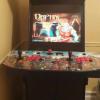
danwelsh Posted September 10, 2016 Posted September 10, 2016 Hi guys. I have an idea for fade screens for my cabinet for different systems and wondering what you guys think......as it is right now if someone came to play some games on hyperspin theyd have no idea what button does what. My idea is to take a pic of my CP and gimp it so there are different genres showing on the fade in(so thered be like 6-9 control panels in a grid) labelled per genre and buttons pointed out which ones are used per genre. Good plan? I'm lovin my arcade
JoyStickKilla Posted September 10, 2016 Posted September 10, 2016 No not really cuz fade is in and out quick. That is a function to be used in the pause screen
danwelsh Posted September 11, 2016 Author Posted September 11, 2016 No not really cuz fade is in and out quick. That is a function to be used in the pause screen Okay....I don't have hyperpause setup. Any quick tips to set that up I'm lovin my arcade
kylecp1979 Posted September 11, 2016 Posted September 11, 2016 It's not to hard enable pause in RL then make your controller layouts and put them in the RocketLauncher\Media\Controller folder. You need a folder for each system. If you make a (_default) folder that layout will show up in every system you can also do controls per game to.Just name a folder the same as your rom Link to how to use controllers in pause http://www.rlauncher.com/wiki/index.php?title=Pause_Controller_Menu
BATTLEDONKEY Posted September 11, 2016 Posted September 11, 2016 In theory ur plan of using the fade screen to display controls will work, u can easily set a longer time for the fade to be displayed in rocketlaucherui. Also there is the Instruction Card feature in rocketlauncher that can display that info on an overlay with the press of a dedicated button and then be turned off again midgame without having to go into the pause menu
danwelsh Posted September 11, 2016 Author Posted September 11, 2016 In theory ur plan of using the fade screen to display controls will work, u can easily set a longer time for the fade to be displayed in rocketlaucherui. Also there is the Instruction Card feature in rocketlauncher that can display that info on an overlay with the press of a dedicated button and then be turned off again midgame without having to go into the pause menu In theory ur plan of using the fade screen to display controls will work, u can easily set a longer time for the fade to be displayed in rocketlaucherui. Also there is the Instruction Card feature in rocketlauncher that can display that info on an overlay with the press of a dedicated button and then be turned off again midgame without having to go into the pause menu I'll check into that thank you.....the thing is is with no marking on any of my buttons at all a person wouldn't know which button to press to see which buttons to press lol....what I might do is where I have dual monitors setup with HM and EDS is put the button layout I have setup to display for a brief amount of time when first starting up HS on my second monitor or overlay it for a few second on the primary monitor(although I think that would look pretty rank on the main display) or have it displaying all the time on a dedicated section of my marquee monitor.....idk I'll figure something out I'm lovin my arcade
gigapig Posted September 11, 2016 Posted September 11, 2016 You guys have thought of everything, the only other option I can think of is adding it to a bezel if you use them. But the quickest option sounds like HyperMarquee or instruction cards. I feel pause takes a bit of time and kind of bread the illusion of playing arcade games, but it's fine for consoles and computer systems.

Recommended Posts
Archived
This topic is now archived and is closed to further replies.