jesfknkrys
-
Posts
411 -
Joined
-
Last visited
-
Days Won
56
Content Type
Forums
Events
Downloads
Store
Everything posted by jesfknkrys
-
 Sure, I can try it out.
 -
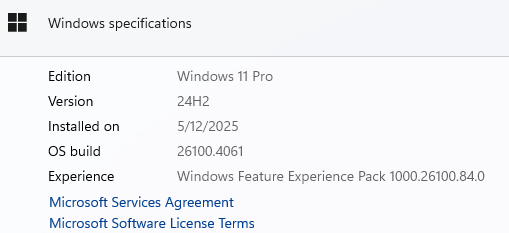
Unfortunately, moving to Windows 11 OS Build: 26100.4061 did not work. Still have the crashing error issue.

-
@Agard - You are on a build that is not yet available in the California, USA. I will try manually downloading updates to your current Windows 11 build to test. I will try to provide feedback on my results later today. Thank you for the snapshot!
-
@Agard - Can you send a snapshot of your WIndows11 Build?
-
Unfortunately, Hyper-Sync service is no longer available. You would need to download each theme manually. Andyman posted 10+ gigs worth of themes you can start with . You can also follow floatingyeti's MAME updates.
-
I read the the same thing somewhere as well. Something about the tools would not be able to block future updates.
-
Unfortunately, it just takes one of those updates to be installed on you computer to keep Hyperspin from running. I recommend you do a fresh Windows 11 install, since the updates are past the uninstall deadline. Make sure you make a backup of your files on a separate drive.
-
@Dime333 - Thank you for the info. So far, four confirmed Windows 11 updates have caused Hyperspin to stop working. KB5053598 KB5053656 KB5055523 KB5055627
-
@Agard - I'm glad you were able to get Hyperspin working again. The blocked update will show on your installed updates history even if not installed.
-
@shredder Have you tried installing another copy of Hyperspin on a different location on your PC to make sure it's not corrupted or missing files?
-
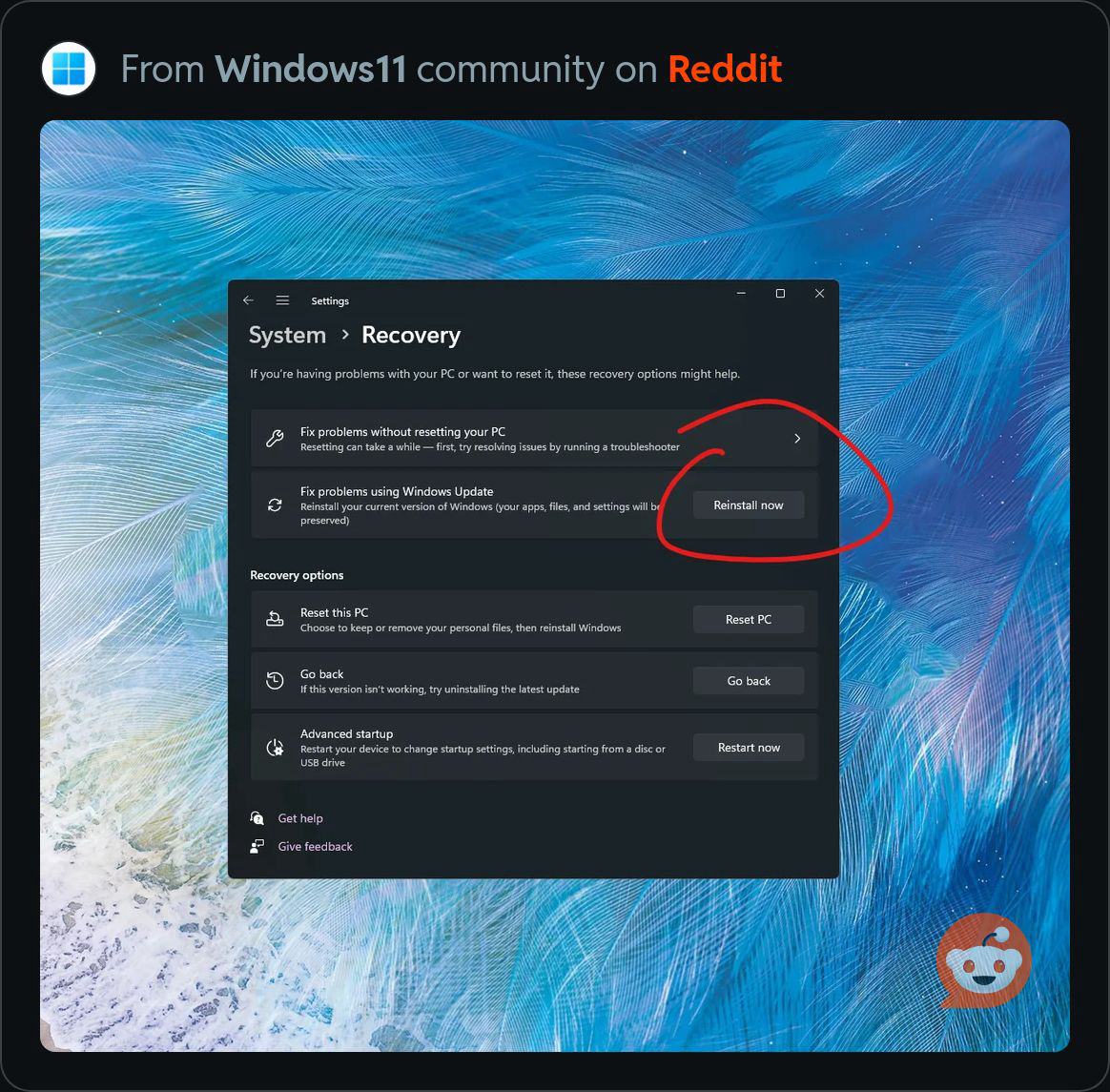
Try this under windows update if you’ve already tried the Sfc /scannow command. You shouldn’t lose any settings or files. It’s an iso download, so it might take 30 minutes to an hour to download and install the updates.
-
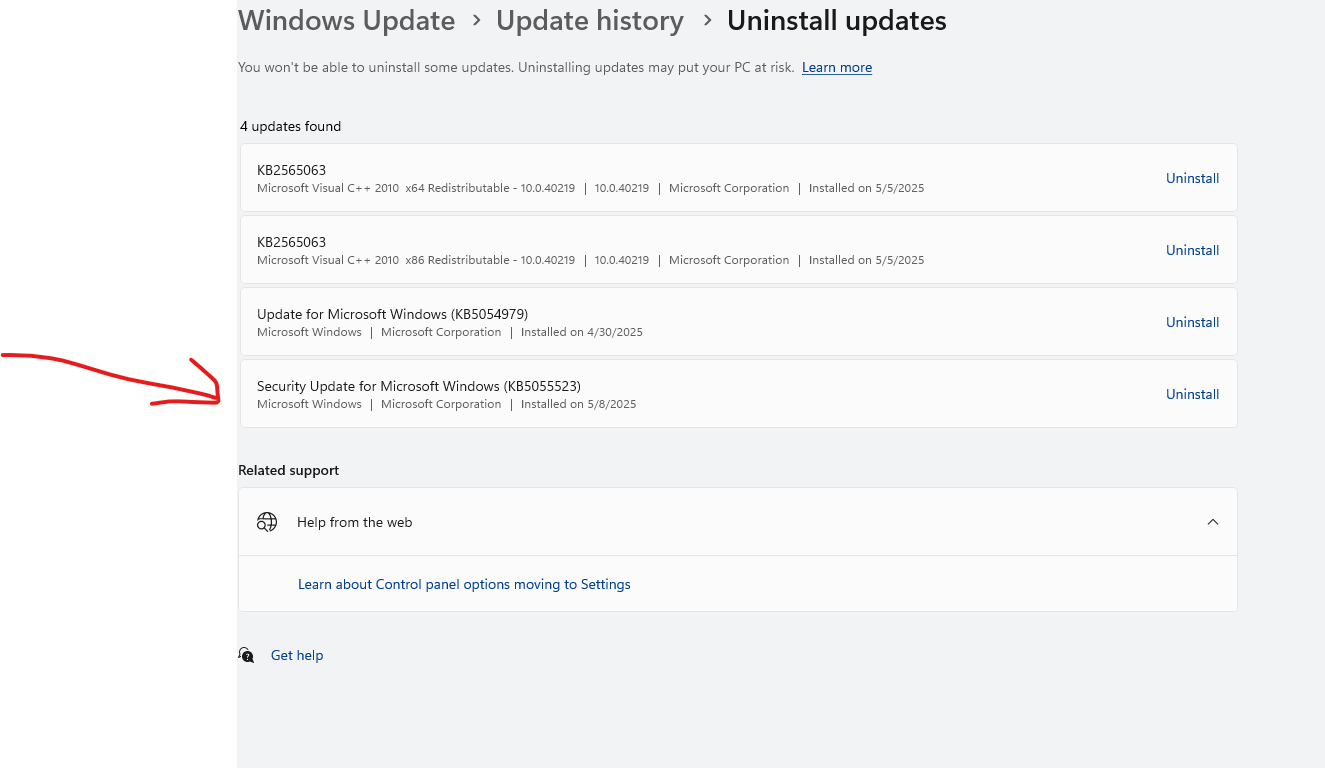
Yes, I just updated the latest Windows updates, which it reinstalled KB5055523. I will need to uninstall and block it. Keep in mind, Microsoft is rolling out updates in certain areas. For example, Dime333 has updates available for a later Windows11 build which is currently not available here in southern California.
-
@Agard - It might have been an update from a previous Windows 11 Build. No need to worry about it if Hyperspin is currently working.
-
@shredder Have you tried removing the other 2 updates as well?
-
@AgardI’m not sure if 25h2 would fix the issues. It’s something we would have to test once available. Can you confirm that he does have the problematic updates installed? Also, what version(education, home, pro, enterprise, lot enterprise) of Windows 11 and build is he on?
-
@jh79 Try checking for Windows corrupted files first. In an elevated command type the below from line 1 and wait for it to complete. Then try uninstalling the update using the command on line 2. If it doesn’t work we can try repairing your Windows files using DISM commands. Let us know your result. 1. sfc /scannow 2. wusa /uninstall /kb:5055523
-
In addition to blocking the update, delete the contents of the SoftwareDistribution folder.
-
It could be that you selected to downloaded the updates when you initially installed a Fresh copy of Windows. I installed the updates one at a time inside Windows. Try this in Command Line as an administrator: Replace "5055523" with the update you would like removed. The example below is to remove "KB5055523" wusa /uninstall /kb:5055523
-
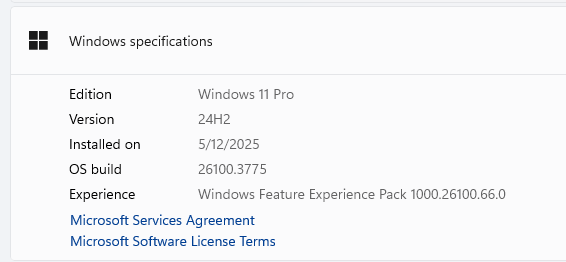
@jh79It seems like there's a few users unable to uninstall update KB5055523. I will try to reinstall the update to check if I get the same result of being unable to uninstall it. Meanwhile try the following to uninstall: Open Command prompt as an administrator. copy the line below and press "Enter" wusa /uninstall /kb:5055523 Status: I just updated to KB5055523 and it does give me the option to uninstall. Edition Windows 11 Pro Version 24H2 Installed on 4/30/2025 OS build 26100.3775 Experience Windows Feature Experience Pack 1000.26100.66.0
-
@Winamp920 What Windows version are you on? Things to try: 1. Try downloading and installing Hyperspin in a different location from your original install to check if your original Hyperspin install is the issue. Don’t forget to place the sxs.dll file in the root of your Hyperspin folder, only if your on Windows 10 or above. 2. Run sfc /cannow from a command prompt. Run it as an Administrator. It will attempt to to repair any missing or corrupted system files.
-
@Agard From the Windows icon, press and hold the Shift key while clicking Restart. In the Windows Recovery Options menu, click Troubleshoot, and then click Advanced Options. Click "Uninstall updates", and click "Uninstall latest quality update". Hopefully that works for you.
-
Although Windows 11 update KB5055627 became available on April 25th, it's not currently showing up for download on my computer. I'll be sure to test it and provide feedback on this thread as soon as it's accessible.
-
@Andyman The app shows the Windows updates as they are needed to be installed by Windows, similar to Windows updates. If you don't see the update in the app, then it's probably not available for download and cannot yet be blocked or it's already installed and must be uninstalled. If you uninstall the update, you will need to empty the "Software Distribution" folder and restart the computer, then run the application after the restart. You will then see the update needing to be blocked.
-
@Dime333 I just downloaded the latest Windows11 ISO and performed an upgrade. It installed Windows11 Build 26100.1742. It installed update "KB5055523" which prevented Hyperspin from loading. I uninstalled the update, emptied the "Software Distribution" folder under "c:\Windows and blocked the update from updating in the future using wushowhide.diagcab from link above in previous comment.
-

Version 1.0.0
28 downloads
16:9 theme + wheel + video(FLV and MP4 gutangtn_complete.zip contains all the theme files.