brudibru
-
Posts
516 -
Joined
-
Last visited
-
Days Won
15
Content Type
Forums
Events
Downloads
Store
Everything posted by brudibru
-
 Thanks Espartano, nice alternative to Floatingyeti's theme !
 -
I read an article about it yesterday and it has not been implemented yet but will be, supposedly, in the weeks to come. You can maybe search for such an article to confirm, or not, this information. It says that Microsoft will leave us no possibility to block the update (apart from going offline), which seems strange indeed.
-
 Great stuff as always nanometrovovo2 !!!
 -
I am using 23H2 and so far so good, but I have read somewhere that Microsoft might enforce the migration to 23H4 even if you have blocked the updates. I don't know if it's true or even possible.
-
 Qaz, can you explain a bit more ? I am not sure to understand what you are looking for. In the meantime, my own preferences are like that: screen dga/1024/768 windowmodes 3 screenmodes 63
 -
Qaz, if the game you are trying to launch is "fair then partly piggy" (what a name !!) you have to double click on the icon on the top right with all the strange caracters and then enlarge the new window that has opened, to finally double click on the icon called "hare" to start the game. If it's an other game you still have to click on the same top right icon and navigate until you find the game icon. Depending on the games, the navigation up to the game icon can be quite easy or can necessitate to open multiple windows. I have not found how to improve that. Sheepshaver can be a little tricky sometimes and I had to write protect some of the game files, otherwise the contents of the games were deleted. That means the emu cannot save the configuration of the windows when we quit.
-
Which game are you trying to launch Qaz ? Have you tried to doublle click on the strangely named drive on the top right ?
-
Sorry, I knew I was missing something ! It's available in the downloads now. Apple Bandai Pippin.xml
-
Version 1.0.0
693 downloads
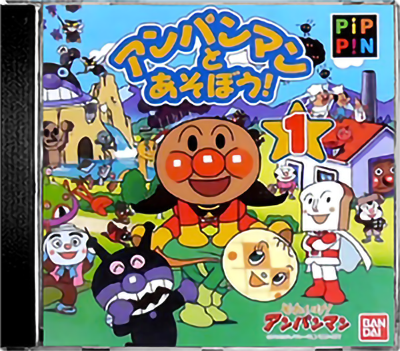
To make it clear right away, I have not found or written a Pippin emulator out of the blue. To my knowledge, the Pippin system remains largely unemulated. I have been able to create this setup because most of the Pippin library of games was compatible or had a version for Mac PPC's. So I have been able to use the Emulator Sheepshaver which works quite well with those games. That means that, despite the Pippin opening splash screen and sound, it doesn't really acts like a Pippin console as it starts in a Mac OS environment and we have to use a mouse to browse through folders and start games (and sometimes browse through multiple folders). Talking about games, they are mostly kiddie FMV stuff, a lot of them from Bandai, interactive videos or educational. Only a few games stand out but the keyboard and mouse controls are not always great compared to today's standards. So why bother ? The Pippin ended up an abject failure but is still an important part of the videogames history as it was the first and only attempt from Apple to make a gaming device. It had a very limited success in the US and fared just a little better in Japan, thanks to Bandai's lineup of games for the young ones. Back then, Apple probably thought that the CD player and FMV capability, and their name, would be enough to appeal to everybody but obviously it was not (same happened to the CDTV and many other CD based consoles of course). The setup is prepared for what we have to call Hyperspin 1 now. I don't know about a Sheepshaver module for Rocketlauncher so I have used the capabilities of PCLauncher and each games are launched via .bat files (Instructions in the downloads). I have included a Pippin.txt file with all the lines you have to copy/paste to your own PCLauncher.ini. If you don't do that, you will have to point out each games manually in the PCLauncher settings in Rocketlauncher. I don't know about the compatibility with HS2. It can probably launch bat files too but I have not tried myself. I had this system unfinished for a long time and Floatingyeti helped and motivated me to finish it. Floatingyeti also created the main and default themes (and a beautiful pointer) and was generally a great help to refine my project. The boxes have been created from a standard cd case and real covers and cd images from a template. Hope you will enjoy it. PIPPIN main.mp4 Pippin Default.mp4 -
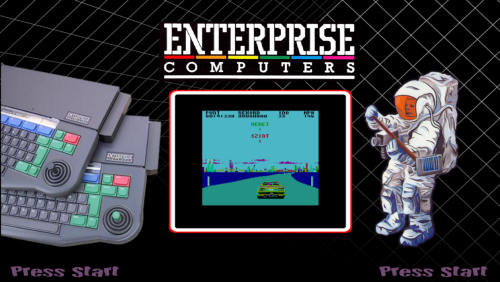 I want to add to Floatingyeti's post that we have simplified the names of the roms from the TOSEC set for obvious reasons and the roms must also be unzipped before being launched in Retroarch to be playable. It has to be taken in account if you want to play them in HS2.
 -

Version 1.0.0
10 downloads
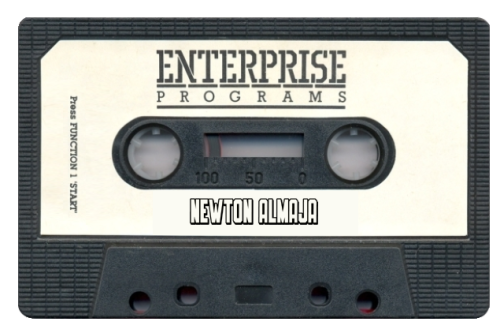
Wheels for the Enterprise created by floatingyeti and me (and a few already existing ones). You can find the whole setup here: -
Version 1.0.0
8 downloads
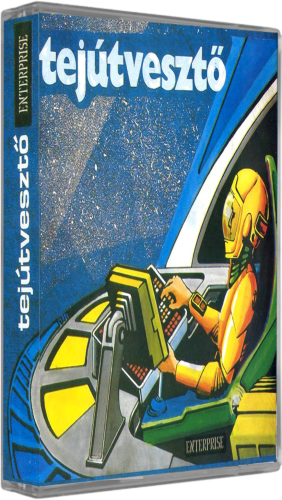
Standardized cassettes for the Enterprise setup. Thanks to floatingyeti for providing the template. There are two sets in the zip file: One with squeezed images, so they fit correctly for a 16:9 screen and one with original sized images. The complete setup can be found here: -
Version 1.0.0
11 downloads
Full set of cassettes cases for the setup we have created with Floatingyeti for those who only want the artworks. Some of them were already existing, so credits goes to whoever created them. I had to create around half of them from covers or screenshots. You can find the complete setup here: -
Thanks for the info Creez67. I still hesitate to update even if I have the home version. It would be good to know if everyone who reported the problem have the home or pro version of Window 11.
-
Are you yourself on 23H2 or 24H2 creez67 ? If 24H2 is the problem, as it seems most likely, that is worrying !
-
I put the bat file in the root of the shadPS4 folder so you I had no need to write down the whole path to the exe in the bat file. But it sure would be cleaner to put them in a separate dedicated folder. I haven't set up this system yet, just tried on one game to see if it was working. I also use the nightly updates of ShadPS4.
-
Working for me on Windows 11 Home. It says I am up to date but actually I am still on 23H2. I have blocked the automatic updates. Has anybody else tried to make it work in Win 11 ver. 24H2 ?
-
Cool. I also had that problem with ShadPS4 losing focus and the RocketLauncher GUI popping up in front so I had to determine the fade title of the game with the method provided with PCLauncher. I don't know if it comes only with my computer but doing that for each games could be a drag even if there are only a few working for now. That's the problem with not having a proper module for ShadPS4 (I am too incompetent myself to create one, I'm afraid).
-
I have just tested it and It works for me with PCLauncher as well. I have just selected the rom and emu skipchecks in RocketLauncher
-
I have only tried a .bat file so far, but I guess it should work with pclauncher if the bat file works. Your command line is correct, I don't understand why it doesn't work. Are you using the latest version of shadPS4 ? They have changed a few things recently concerning the command lines
-
Creez67, you have to add -g after shadps4.exe (like this: shadPS4.exe -g "H:\Hyperspin\Emulators\Shad PS4\games\CUSA08791\eboot.bin") It works for me
-
 Very good, thanks !!
 -
 Beautiful !!
-
- 1
-

-
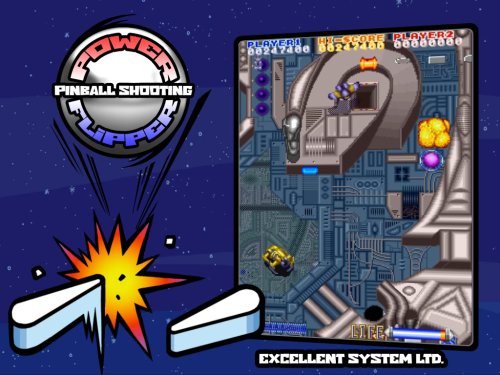 Thanks a lot Andyman ! One less missing theme from the list I hope everything's OK for you now. I experienced almost exactly the same situation a few years ago (the workplace burnt while the company had just been sold). It was also very challenging but it turned out positive in the end ! Creating themes or other media is indeed a great way to clean your mind.
-
- 1
-