32assassin
-
Posts
1,442 -
Joined
-
Last visited
-
Days Won
6










About 32assassin

- Birthday 08/25/1974
32assassin's Achievements






-
the only way I could get them to stop downloading is by logging out of the emumovies account

-
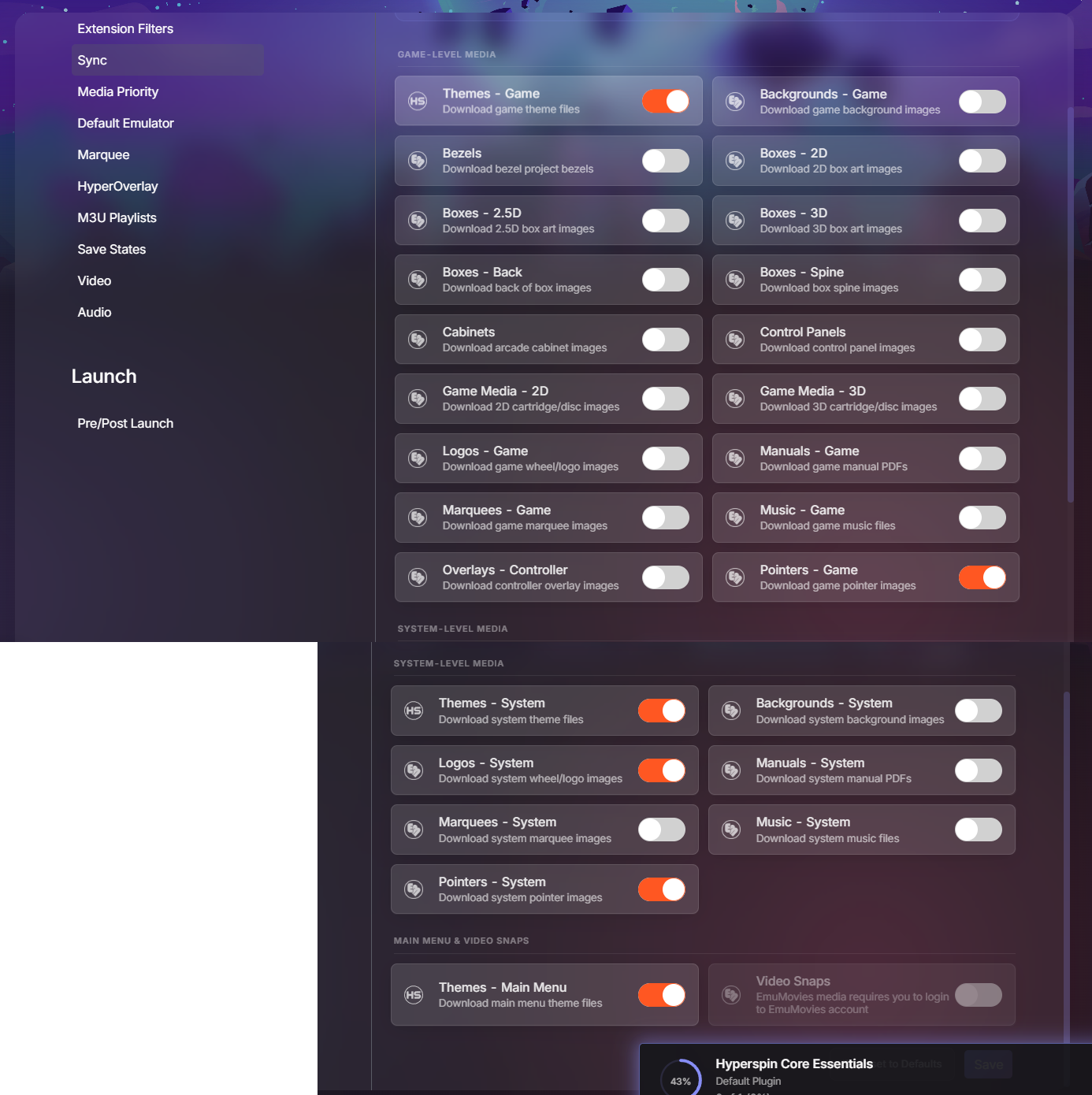
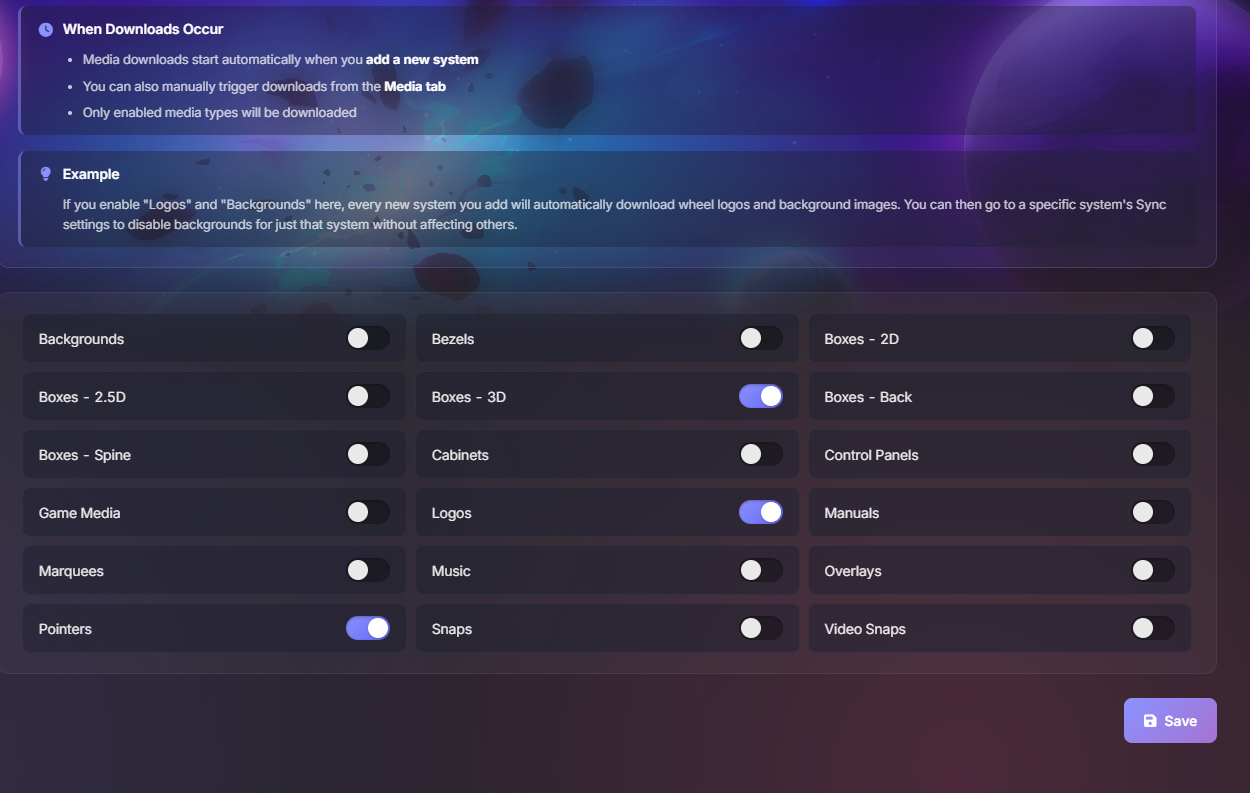
can anyone tell me how to disable automatic downloads of snaps and tittles I plan to use videos and don't see the need to have extra clutter on my drive I was able to pause the automatic downloads but you can't do that anymore with the latest update. I disabled, game media and snaps in my settings tab but its still downloading the snaps.
-
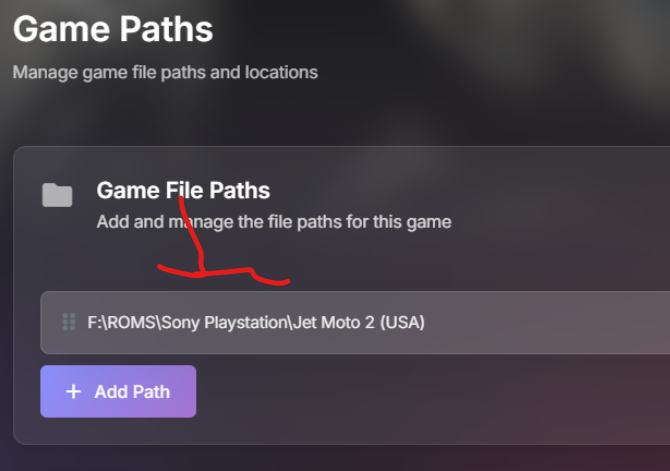
you more than likely have two paths listed on your game path settings delete the extra path or delete the games and re scan your game directory so it only adds the path to the cue files.
-
The only thing I could say that is possible wrong with your current set up is 1. remove the bin extension from your list, Retroarch only uses the Cue file to load the game you also don't want to add any bin files to your game list 2.open the cue file in notepad++ ( do not know if notepad will work) and make sure that all the bin files (with the correct name are listed) but your game loads directly from the emulator (I do not see how this is could be a problem) 3. Seems like a dumb thing to ask but, this was an issue for me Open Retroarch and go to the Online updater -- Core downloader make sure that all the cores listed on HQ are actually downloaded. I'm only using SwanStation because HQ suggested it, I had to download the core because I was using the Beetle or PCSX core on my previous setup
-
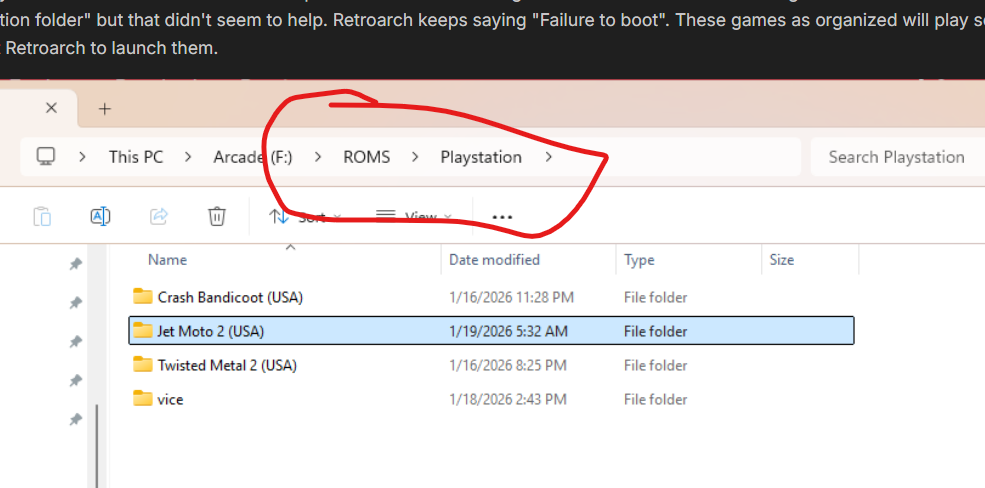
your game paths don't add up one is F:\ROMS\Playstation\ and the other is F:\ROMS\Sony Playstation\ but I guess if you updated that remove any extra extensions from the system set up and only have the CUE file.
-
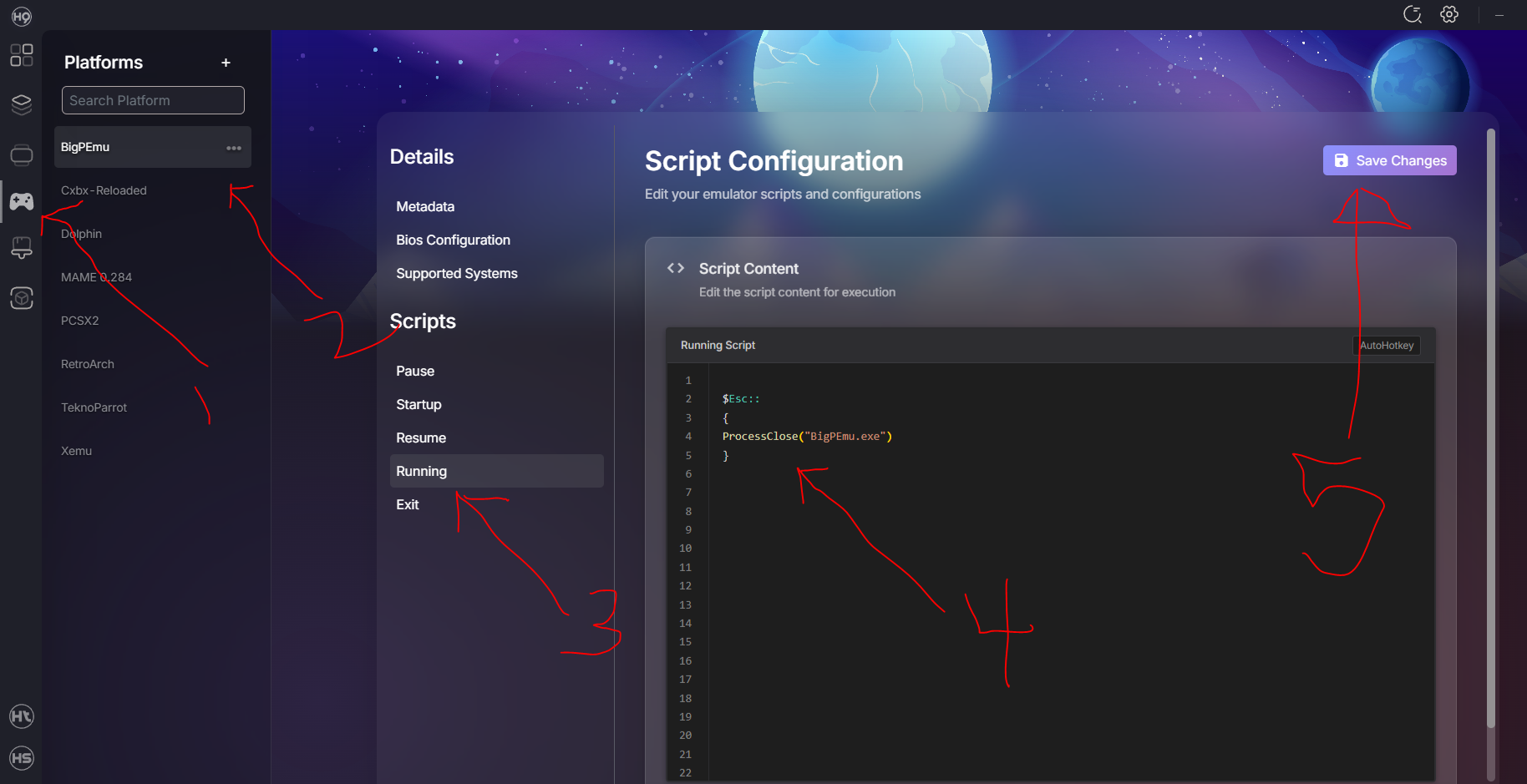
I figured out the Exit issue with BigPEmu, it might work for Duckstation too but Retroarch with the swansation core and CHDs will load and exit for me the guys at Launchbox had the same issue https://forums.launchbox-app.com/topic/71470-atari-jaguar-on-bigpemu-emulator-what-command-line-is-needed-to-exit-the-game-when-pressing-esc/ unfortunately the script they are using did not work for HQ, I had to modify it (slightly) 1. click on the platforms icon 2. click on the emulator 3. click on the running script 4. type in $Esc:: { ProcessClose("BigPEmu.exe") } 5. save the changes If you need to access the emulators system menu you will need to load the emulator OUTSIDE of HQ or HS, as this script will exit the emulator when you press the ESC key. try and see if it works for Duckstation, obviously you will need to change the ProcessClose("NAME.exe") to match the name your emulator exe.
-
I have the same issue with BigPEmu (Atari Jaguar CD) the issue is with the emulator not HS or HQ. The emulator users the EXT key to navigate the emulators system menu it might need a custom exit script so that the emulator closes when you press the EXT key and not bring up the emulator menu.
-
what format are your games, at some point we had to mount bin, cue files on virtual drives in order to play the games. if you are upgrading your Hyperspin setup, now is the time to replace your files if you don't have CHD files for your disc based games. CHD = Compressed Hunks of Data ( will save you allot of drive space compared to most of the other formats)
-
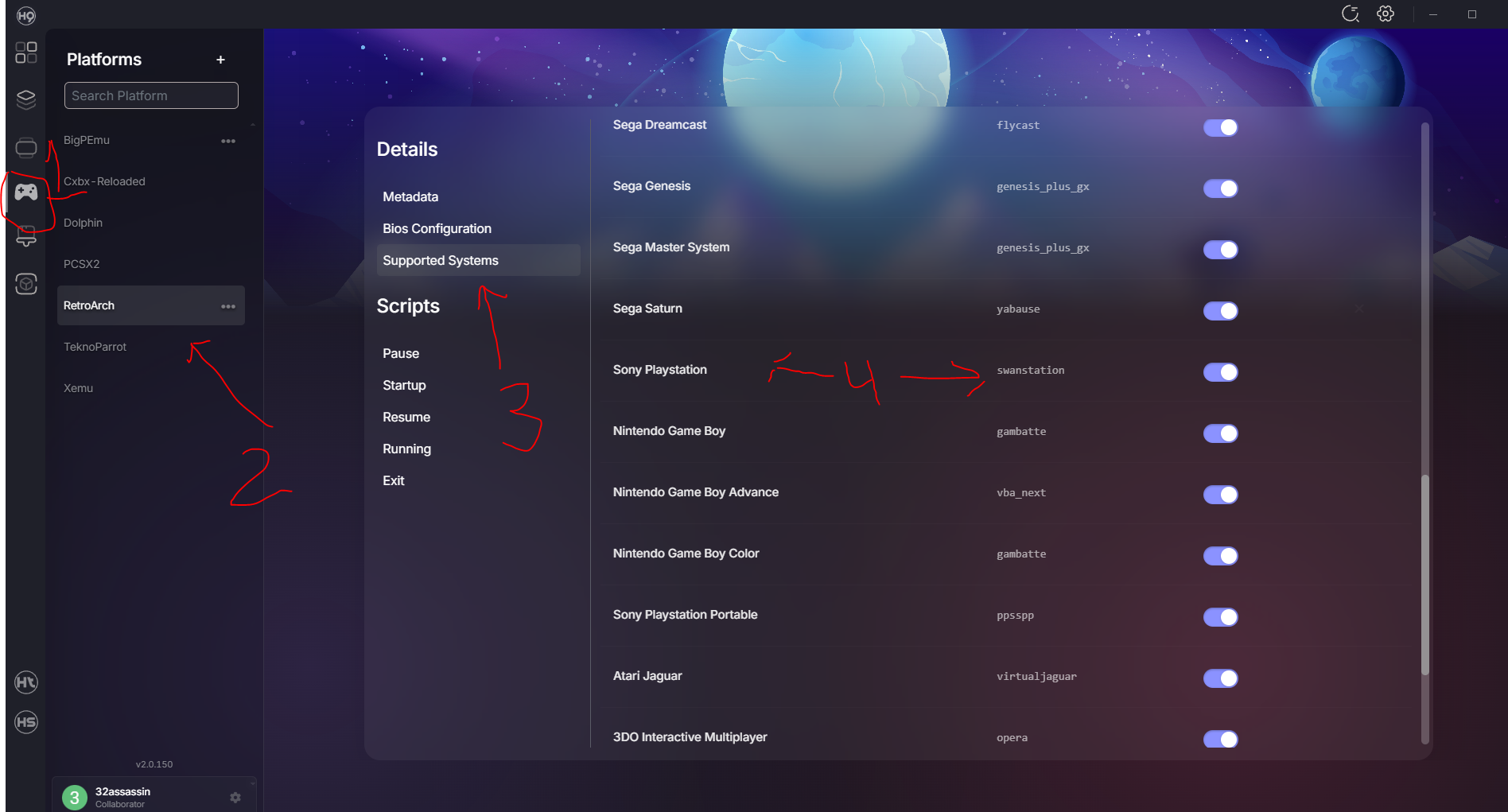
I had multiple systems installed and none of them worked, this was because the retorarch core was not added tot he list 1. click on Platform tab 2. click on the RetroArch tab 3. click on supported systems 4. make sure that the system you want is listed and has the core assigned to the system. I had to manually add a few PSX was one of them.
-
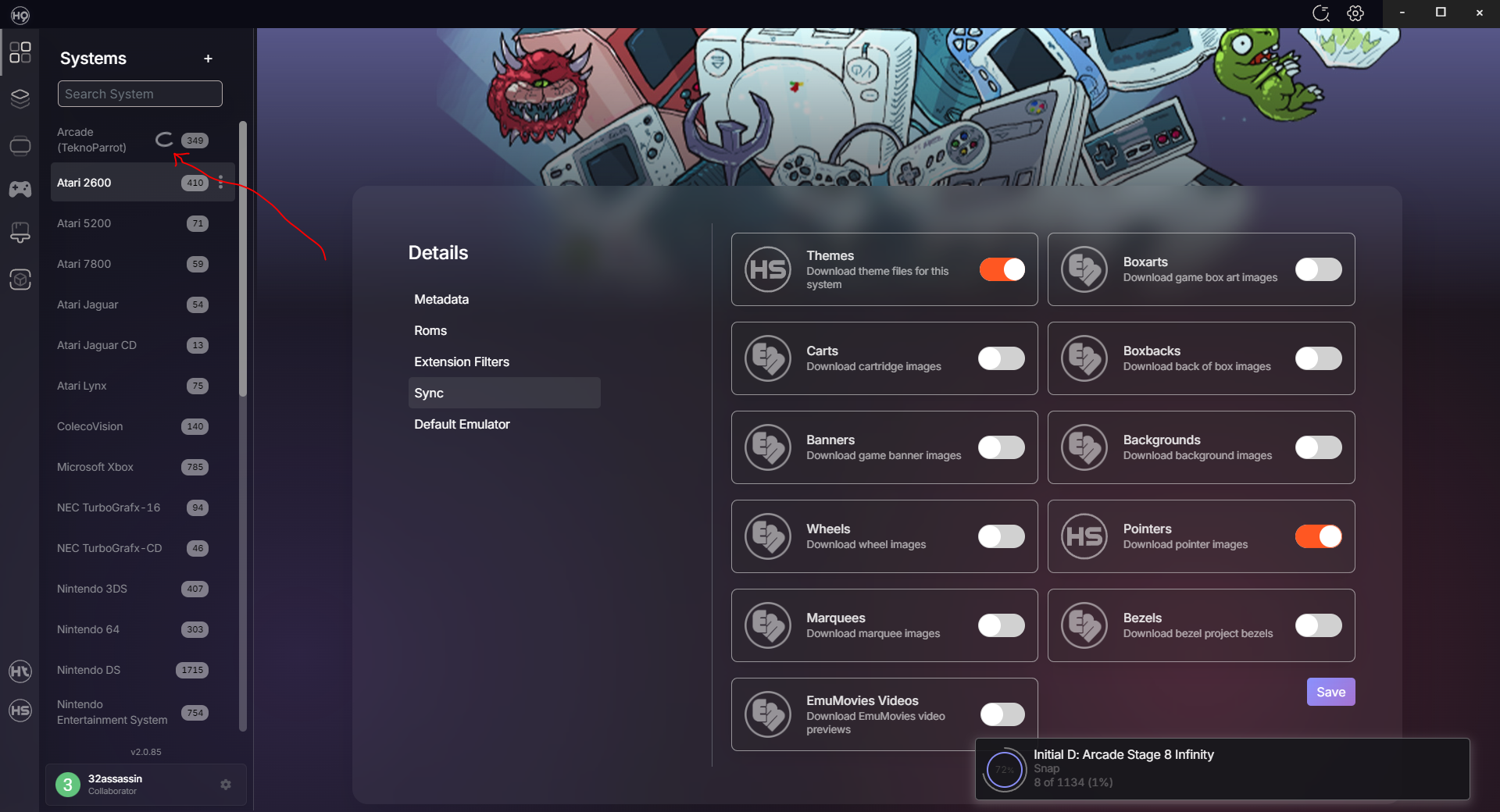
I do not know if this is a bug or if its something I need to disable multiple systems are auto syncing "Snap" media packs. I do not want any snap shots as I prefer video can anyone tell me how to disable the Snap downloads. The snap media is not listed on the Sync menu, or is it a bug that needs to be addressed. on a side note for the Devs. on the pop up window that shows the game tittle for the media being downloaded. can we also get the system to witch this media is going to I noticed the spinning "circle" on the system list but it would be nice to also see it on the pop window
-
I did multiple install and uninstalls of HQ because of some bugs I could not clear deleted the folder C:\Users\User\.HyperHQ but I still have multiple HQ clients installed, is their a way to remove the extra ones
-
Display Only US Version of MAME Games in the Wheel
32assassin replied to DarkTemplarGS's topic in HyperHQ
I hope that we get the feature to import game lists from existing Hyperspin 1 XMLs. this way we can create any game list we want with the current XML editors we have and then simply import our game list to HQ 2.0 without the need of filtering our rom folders. I just imported Neo Geo MVS to my game list and it looks like we have to pull all the MVS roms from the MAME roms folder to create a dedicated MVS rom folder or delete 1000s of games from the created game list. -
I also noticed that some games such as Atari Jaguar Battle Sphere Gold (World) NBA Jam T.E. (World) The meta data was not scraped but HHQ was able to download media for it. is their a Hyperlist where we can look for the game manually and import the metadata from. just incase the metadata was not added to the rom because the name is not the same as what's on the metadata database.
-
take a look at the left side of the screen on the hypertheme home page, Under "Media Type" look at "Box and Cart" tab. their are no uploads yet, if you click on "Create" next to your profile on the top right it will take you to the page where you upload your media. at the moment, you still can't upload box art or carts. I still don't know if you can manually add media to your system as I made official 2d carts for the 3Ds and NDS and I can't currently use them.
-
I did no find a decent quality cart image for Samurai Warriors Chronicles 3 (Japan) https://mega.nz/folder/IxlyVApa#qzOWwcGiuXhxR-R-_-vRJw