32assassin
-
Posts
1,443 -
Joined
-
Last visited
-
Days Won
6
Content Type
Forums
Events
Downloads
Store
Everything posted by 32assassin
-
Hyperspin 2 beta - general questions (4:3 support, use old media)
32assassin replied to alex2005's topic in HyperSpin General
1. open HQ, click on the upper right corner (Gear) settings icon, go display settings and you can change your screen settings to 4:3 2. I would think that this will be updated once you change your display settings. 3. you can use all your box, cart, wheels, videos, pointers ect. you just need to place them in the HyperSpin\Media\System Name\ all the media you auto download is stored in the folder HyperSpin\Media\_hsm\ note that none of the Themes from HS 1.0 will work with HS 2.0, they all have to be converted and auto downloaded. If I was you I would wait until their is more themes to overwrite your current setup. -
the only way I could get them to stop downloading is by logging out of the emumovies account

-
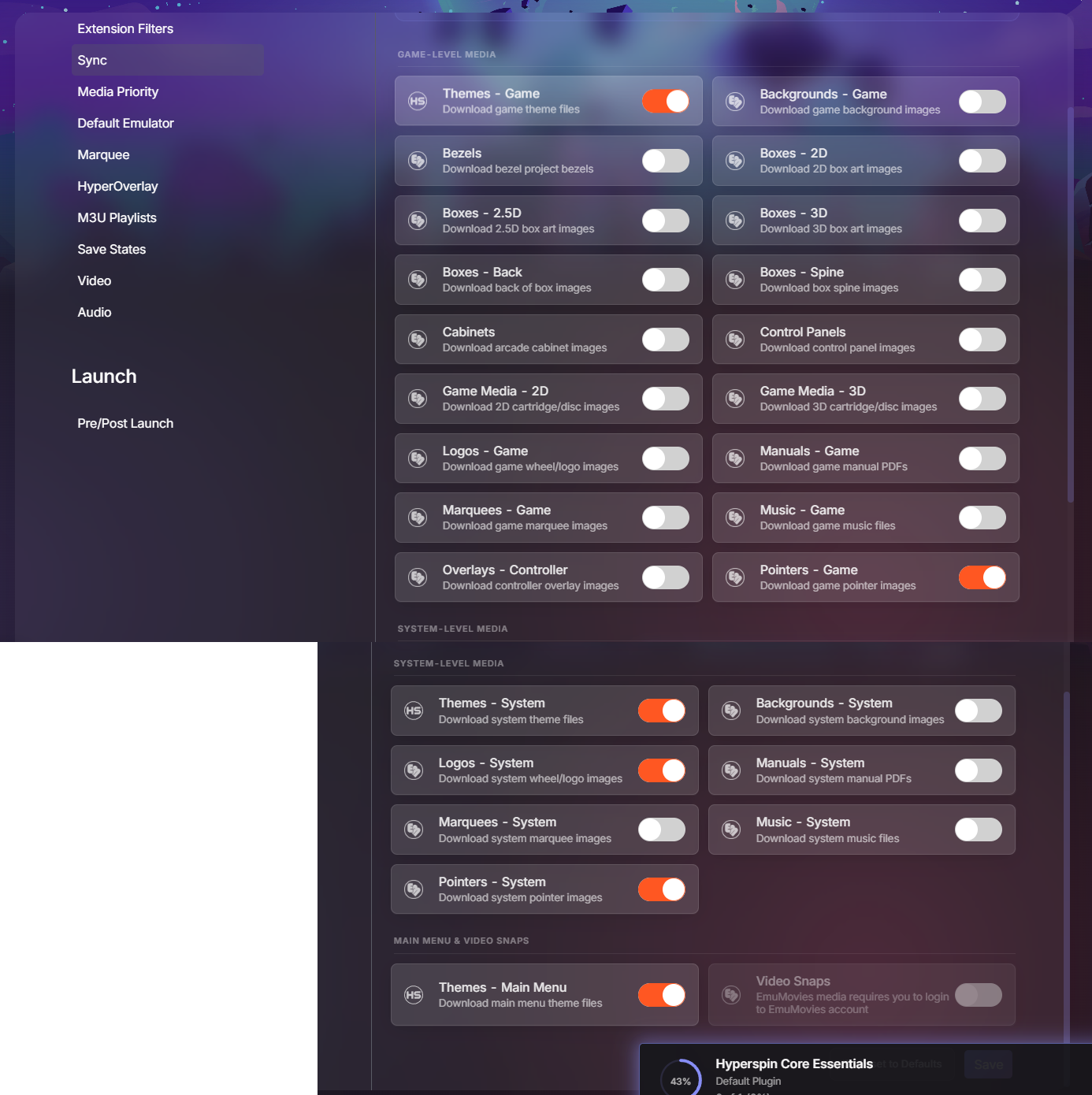
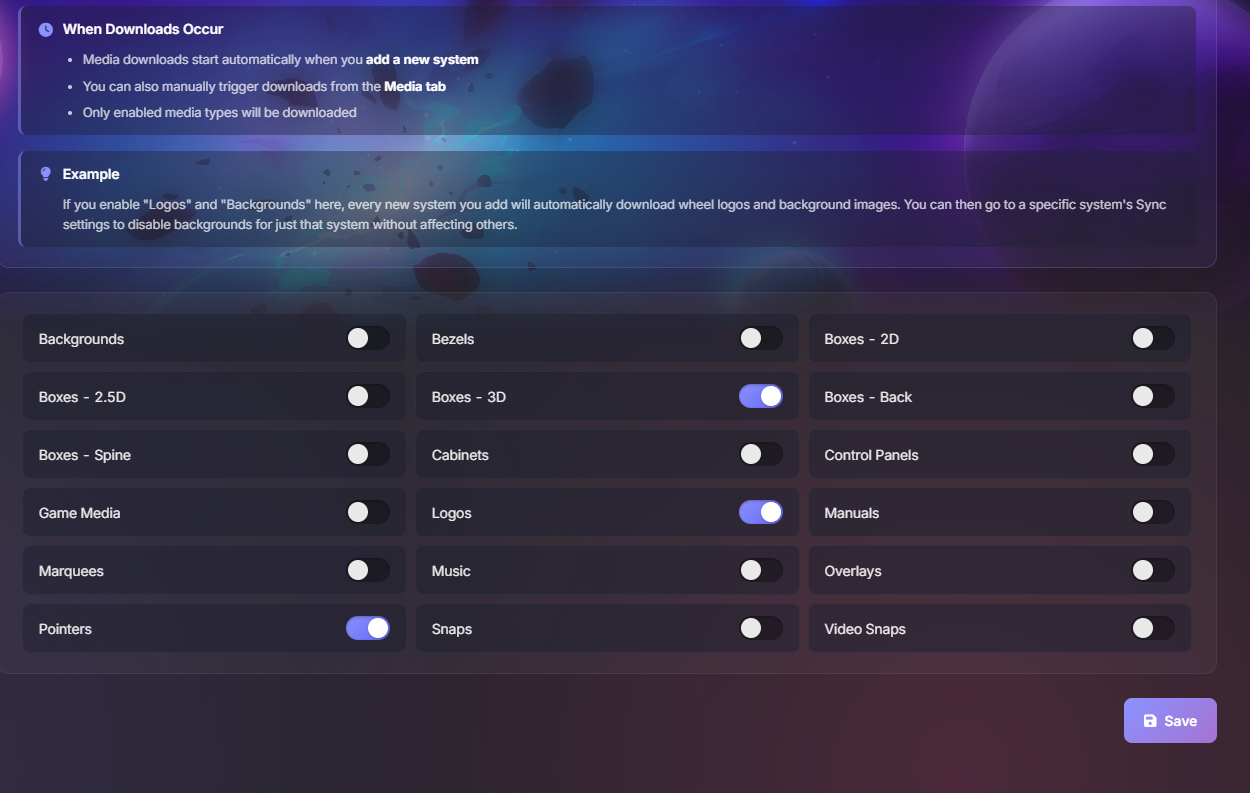
can anyone tell me how to disable automatic downloads of snaps and tittles I plan to use videos and don't see the need to have extra clutter on my drive I was able to pause the automatic downloads but you can't do that anymore with the latest update. I disabled, game media and snaps in my settings tab but its still downloading the snaps.
-
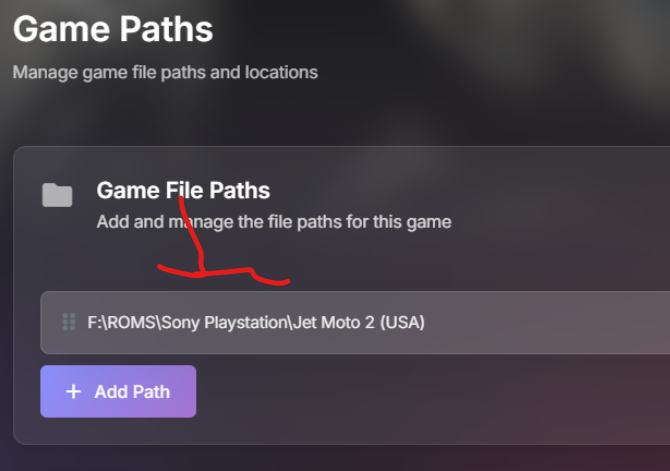
you more than likely have two paths listed on your game path settings delete the extra path or delete the games and re scan your game directory so it only adds the path to the cue files.
-
The only thing I could say that is possible wrong with your current set up is 1. remove the bin extension from your list, Retroarch only uses the Cue file to load the game you also don't want to add any bin files to your game list 2.open the cue file in notepad++ ( do not know if notepad will work) and make sure that all the bin files (with the correct name are listed) but your game loads directly from the emulator (I do not see how this is could be a problem) 3. Seems like a dumb thing to ask but, this was an issue for me Open Retroarch and go to the Online updater -- Core downloader make sure that all the cores listed on HQ are actually downloaded. I'm only using SwanStation because HQ suggested it, I had to download the core because I was using the Beetle or PCSX core on my previous setup
-
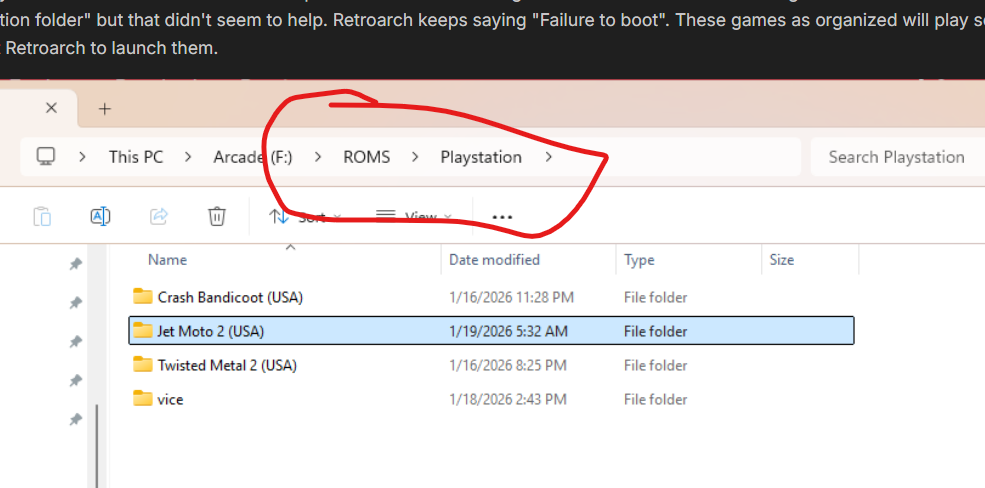
your game paths don't add up one is F:\ROMS\Playstation\ and the other is F:\ROMS\Sony Playstation\ but I guess if you updated that remove any extra extensions from the system set up and only have the CUE file.
-
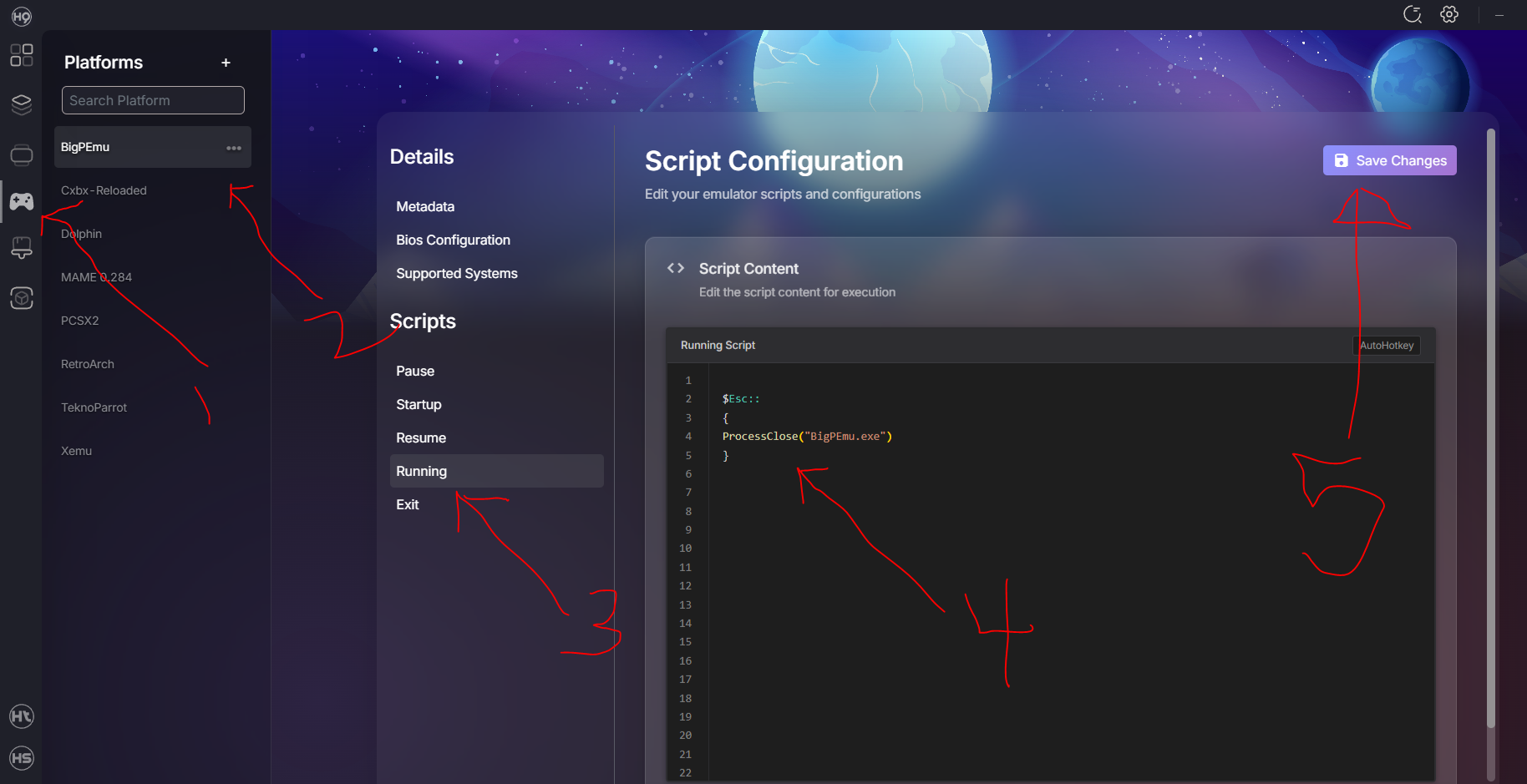
I figured out the Exit issue with BigPEmu, it might work for Duckstation too but Retroarch with the swansation core and CHDs will load and exit for me the guys at Launchbox had the same issue https://forums.launchbox-app.com/topic/71470-atari-jaguar-on-bigpemu-emulator-what-command-line-is-needed-to-exit-the-game-when-pressing-esc/ unfortunately the script they are using did not work for HQ, I had to modify it (slightly) 1. click on the platforms icon 2. click on the emulator 3. click on the running script 4. type in $Esc:: { ProcessClose("BigPEmu.exe") } 5. save the changes If you need to access the emulators system menu you will need to load the emulator OUTSIDE of HQ or HS, as this script will exit the emulator when you press the ESC key. try and see if it works for Duckstation, obviously you will need to change the ProcessClose("NAME.exe") to match the name your emulator exe.
-
I have the same issue with BigPEmu (Atari Jaguar CD) the issue is with the emulator not HS or HQ. The emulator users the EXT key to navigate the emulators system menu it might need a custom exit script so that the emulator closes when you press the EXT key and not bring up the emulator menu.
-
what format are your games, at some point we had to mount bin, cue files on virtual drives in order to play the games. if you are upgrading your Hyperspin setup, now is the time to replace your files if you don't have CHD files for your disc based games. CHD = Compressed Hunks of Data ( will save you allot of drive space compared to most of the other formats)
-
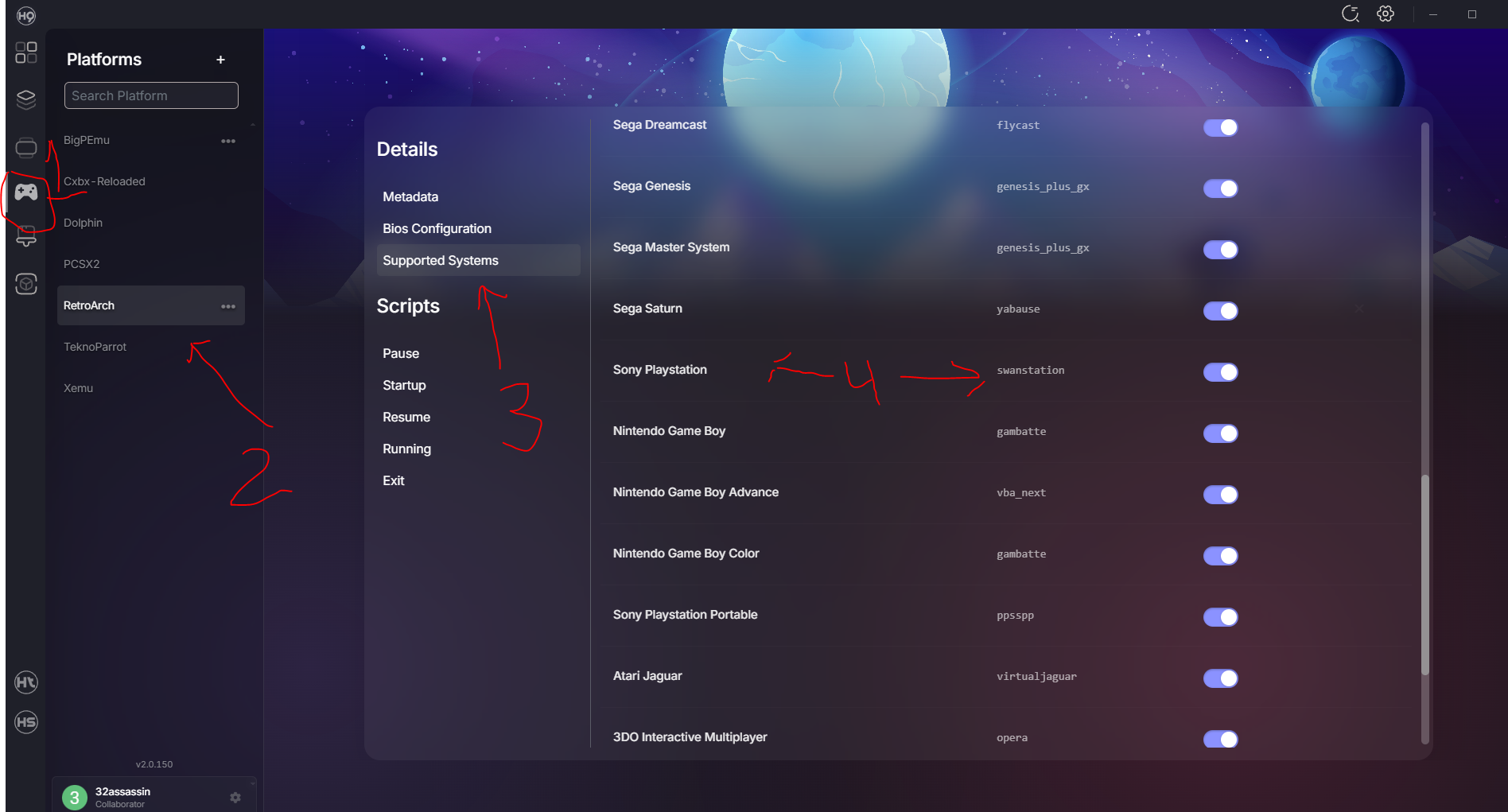
I had multiple systems installed and none of them worked, this was because the retorarch core was not added tot he list 1. click on Platform tab 2. click on the RetroArch tab 3. click on supported systems 4. make sure that the system you want is listed and has the core assigned to the system. I had to manually add a few PSX was one of them.
-
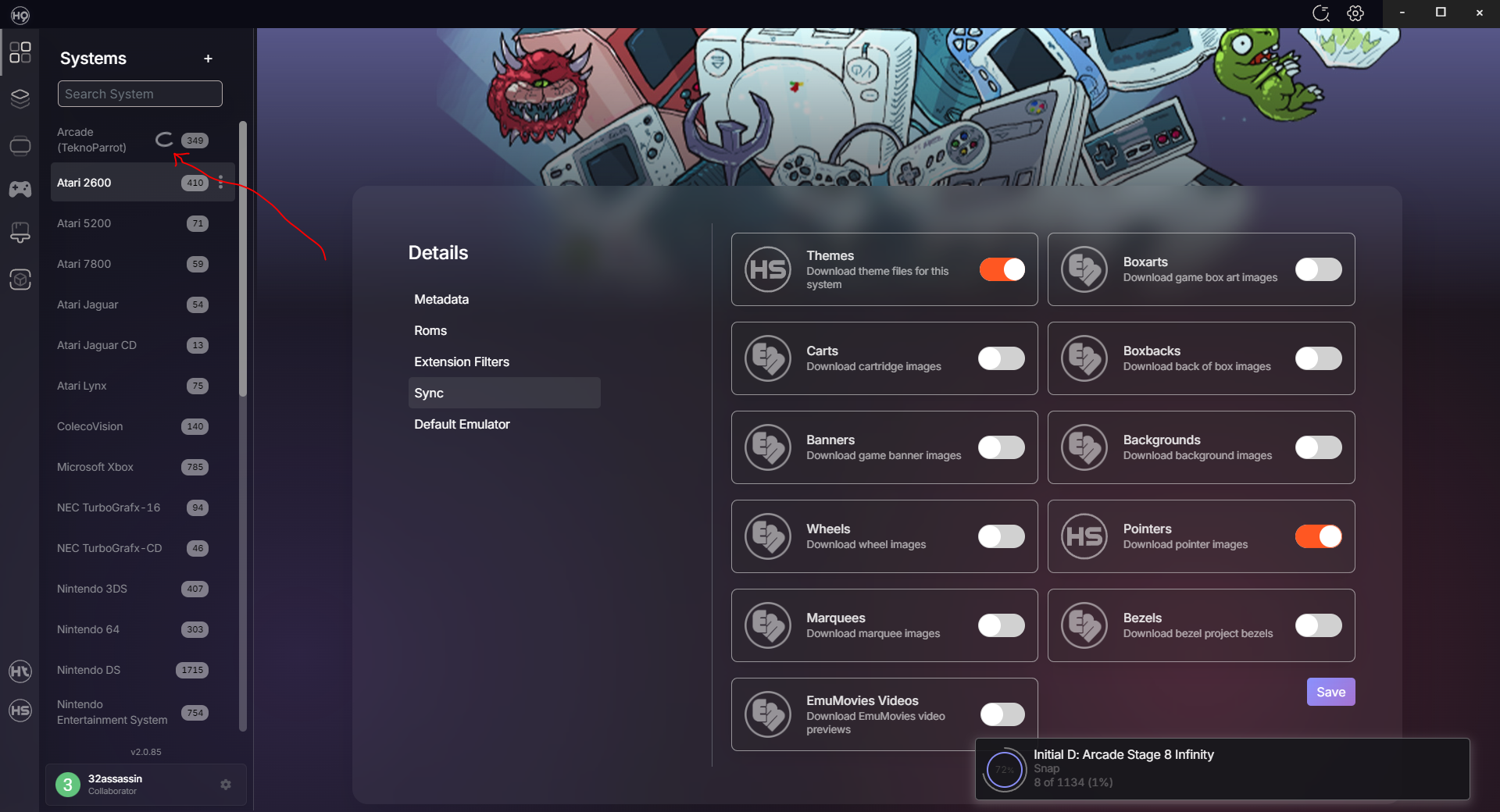
I do not know if this is a bug or if its something I need to disable multiple systems are auto syncing "Snap" media packs. I do not want any snap shots as I prefer video can anyone tell me how to disable the Snap downloads. The snap media is not listed on the Sync menu, or is it a bug that needs to be addressed. on a side note for the Devs. on the pop up window that shows the game tittle for the media being downloaded. can we also get the system to witch this media is going to I noticed the spinning "circle" on the system list but it would be nice to also see it on the pop window
-
I did multiple install and uninstalls of HQ because of some bugs I could not clear deleted the folder C:\Users\User\.HyperHQ but I still have multiple HQ clients installed, is their a way to remove the extra ones
-
Display Only US Version of MAME Games in the Wheel
32assassin replied to DarkTemplarGS's topic in HyperHQ
I hope that we get the feature to import game lists from existing Hyperspin 1 XMLs. this way we can create any game list we want with the current XML editors we have and then simply import our game list to HQ 2.0 without the need of filtering our rom folders. I just imported Neo Geo MVS to my game list and it looks like we have to pull all the MVS roms from the MAME roms folder to create a dedicated MVS rom folder or delete 1000s of games from the created game list. -
I also noticed that some games such as Atari Jaguar Battle Sphere Gold (World) NBA Jam T.E. (World) The meta data was not scraped but HHQ was able to download media for it. is their a Hyperlist where we can look for the game manually and import the metadata from. just incase the metadata was not added to the rom because the name is not the same as what's on the metadata database.
-
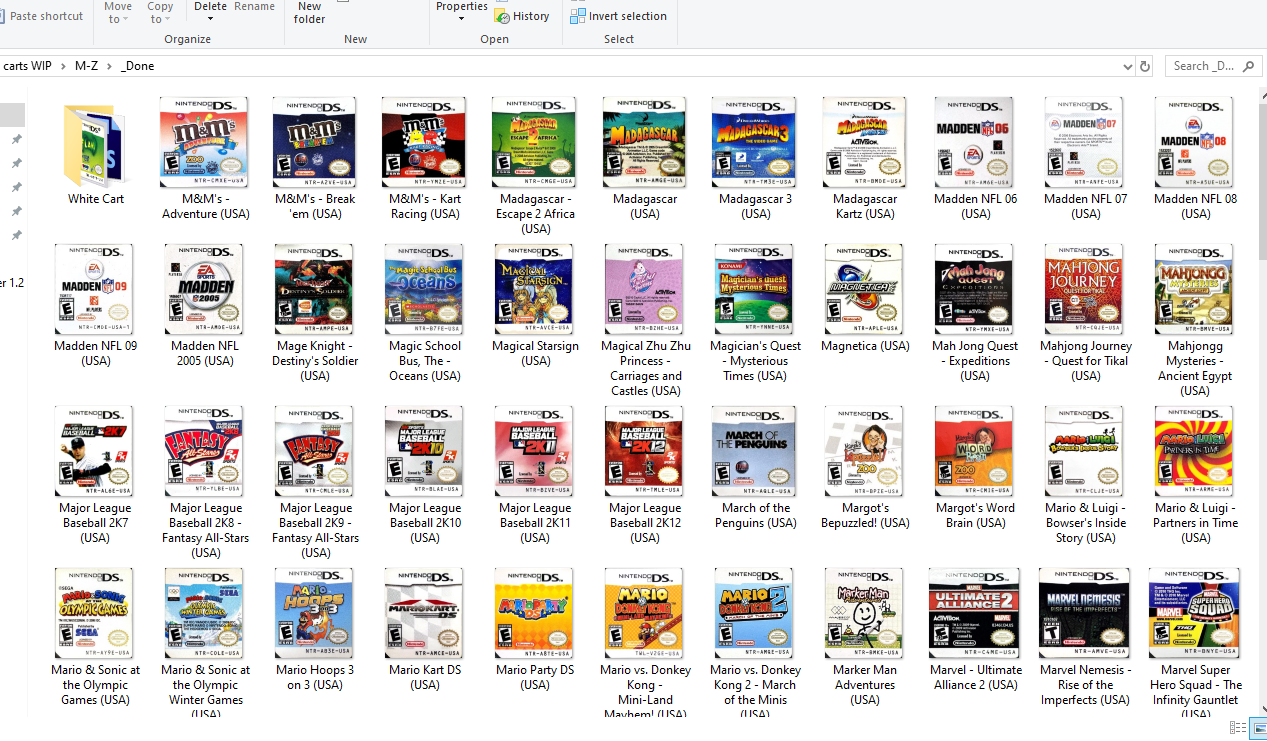
take a look at the left side of the screen on the hypertheme home page, Under "Media Type" look at "Box and Cart" tab. their are no uploads yet, if you click on "Create" next to your profile on the top right it will take you to the page where you upload your media. at the moment, you still can't upload box art or carts. I still don't know if you can manually add media to your system as I made official 2d carts for the 3Ds and NDS and I can't currently use them.
-
I did no find a decent quality cart image for Samurai Warriors Chronicles 3 (Japan) https://mega.nz/folder/IxlyVApa#qzOWwcGiuXhxR-R-_-vRJw
-
I only have USA titles on my game list. if anyone is willing to collect decent artwork for any of the missing PAL or JAP exclusives. I will be more than willing to make what is missing. Paper Mario - Super Seal ---> Japan exclusive no USA version Samurai Warriors Chronicles 3---> Japan exclusive no USA version Super Robot Taisen UX ---> Japan exclusive no USA version
-
if anyone is interested. I uploaded a USA 2D set of retail carts to emumovies and the download section I also updated the 3D box set. I replaced multiple boxes that were incorrectly labeled or where not the retail version.
-
multiple versions with that perspective are available https://emumovies.com/files/category/1780-artwork/ I'm currently working on offiical carts for NDS and 3DS. The Ms for the NDS are done
-
thanks I found 3 games that are not in your XML I have boxes and files for the 3 games CSI - Crime Scene Investigation - Dark Motives (USA) https://www.amazon.com/CSI-Dark-Motives-Nintendo-DS/dp/B000Q4SRBO?th=1 Learning To Spell (USA) https://www.amazon.com/Learning-Spell-Nintendo-DS/dp/B0030GBU7S TouchMaster - Connect (USA) https://www.amazon.com/Touchmaster-Connect-Nintendo-DS/dp/B0045EI7IE I also removed Finding Nemo - Escape to the Big Blue (USA) and added the limited edition version Finding Nemo - Escape to the Big Blue - Special Edition (USA) (same thing was done for Bolt (USA)) I made more boxes the 3D box collection for US retail releases is now complete. Winx Club - Saving Alfea (USA) Tetris DS (THQ) (USA) (Proto) SpongeBob's Surf & Skate - Roadtrip (USA) copy Petz - Horsez Family (USA) copy Legend of Zelda, The - Four Swords Anniversary Edition (USA) (DSiWare) copy not in the XML 2 games in one rerelease Transformers - Ultimate Autobots Edition (USA)
-
I just made more missing 3D boxes https://emumovies.com/files/file/2234-nintendo-ds-3d-boxes-pack-alt-2/ based on the XML I have all USA boxes are accounted for, but the XML I have is missing allot of titles and it does not have the meta data so the question is. is their a more complete XML available. Or should I consider my 3D box project complete. if anyone is using my box artwork here are the 74 box update. they will eventually go to the download section or emumovies once I confirm that nothing more needs to be added https://mega.nz/file/t8s3hLoZ#dsst4hQ1OVNPNUZaQaxY-HA8o2qr3ycYWS7otXrWF2A
-
.thumb.png.d2aa7f0044f2eef11eeb886a30b033a0.png)
Version 1.0.0
365 downloads
Unofficial (not sure who makes things official) but this is a USA wheel pack that is better then whats available in the FTP or via the sync tool You can even pull 600+ wheels for a Microsoft Xbox wheel rebuild You can pull more then a handful of images and have better quality replacements for the Game Cube this is a Sony Playstation 2 wheel rebuild that started back in 2014 Dropbox Members (not using full name) Brolly GH HoboJoe 2 more members witch I can't see the name of 32assassin Our goal was to replace all the low quality wheels and the wheels pulled from other systems that did not match the PS2 box. Every single USA wheel has been compared to US box if it did not match the box it was replaced. Big thank you to SupraKarma for making the final 30 missing files. and his full pack of PAL, JAP and Misc files-
- 9
-

-

-

-
- playstation 2
- sony playstation 2
- (and 1 more)
-
.thumb.png.1944fa9c4b0b37041d00a2bf4bfe6b9b.png)
Version 1.0.0
284 downloads
big thank you to diskmatch for the missing files. this are a set of custom carts, I cropped the box and used a 2d template I only have a handful of official carts, if you want official carts head over to diskmatchs blog-
- 9
-
-
-
- nintendo 3ds
- 3ds
- (and 1 more)
-
.thumb.png.c9f839227532e40da9167a8d400c32f8.png)
Version 1.0.0
317 downloads
Big thank you to Diskmatch for helping me with the missing scans I needed if you are looking for the latest XML or the latest wheels head over to his blog Some info on the files their are hundreds of PAL and JAP files missing, I will be more then happy to make them. but I have no plans of looking for any of them. If anyone has decent to HQ scans please post them here Color Cases I double checked all the boxes that had "Mario" on the tittle to see if they had a red case. I do not know of any others that had them. I know the PAL and JAP version of Detective Pikachu had a yellow case but the US version has a white case. If I missed one let me know. French Canadian version some of my scans are French Canadian. Some games like the FIFA series only came with the French Canadian box, others such as Frogger 3D have a US version. I would like to replace all the US versions. But again; I need scans. Finally Version 2.0 with the spine artwork showing is in the works. But again we need scans any help with scans will do I have less then 150 scans at the moment.-
- 8
-
-
-
- nintendo
- nintendo 3ds
- (and 1 more)
-
why don't you try to disable the "disable my joysticks" feature this might be a Windows Power management feature to save energy of unused devices. https://answers.microsoft.com/en-us/windows/forum/all/usb-gaming-controllers-prevent-power-saving/83ed81d7-fb75-4908-8407-be8c76561013