thatman84
-
Posts
3,651 -
Joined
-
Last visited
-
Days Won
9
Content Type
Forums
Events
Downloads
Store
Everything posted by thatman84
-
What size resolution is your screen?
-
Currently emulator direct. there are some emulator settings available in HyperHQ on the system and game level settings pages here is some system level info https://docs.hyperai.io/docs/hyperhq/managing-systems#built-in-emulator-settings
-
Snagged my old hyperspin Settings_Android, Databases, Media/Main Menu + couple of system folders onto my Poco F1 phone but only getting a black screen. Settings screens work but no systems/wheels found. Am I missing a simple step here? Or just compatible issue
-
Images folders is for backgrounds generally the docs has more detail https://docs.hyperai.io/docs/hyperhq/managing-media
-
Relocated your thread to the Android subforum of Hyperspin Classic->Hyperspin 1.x Discussion -> Hyperspin Android you should find the answers in the guides of this forum. Also see the latest release of the app this week!
-
That’s a pretty serious update from the user guide details! Man I wish I still had the Shield TV
-
I wonder if the wheel images have not been reduced by .75 width to account for the 4:3 stretch hyperspin adds. Wow it’s been a while since I thought about! Glad your still kicking about Sonkun
-
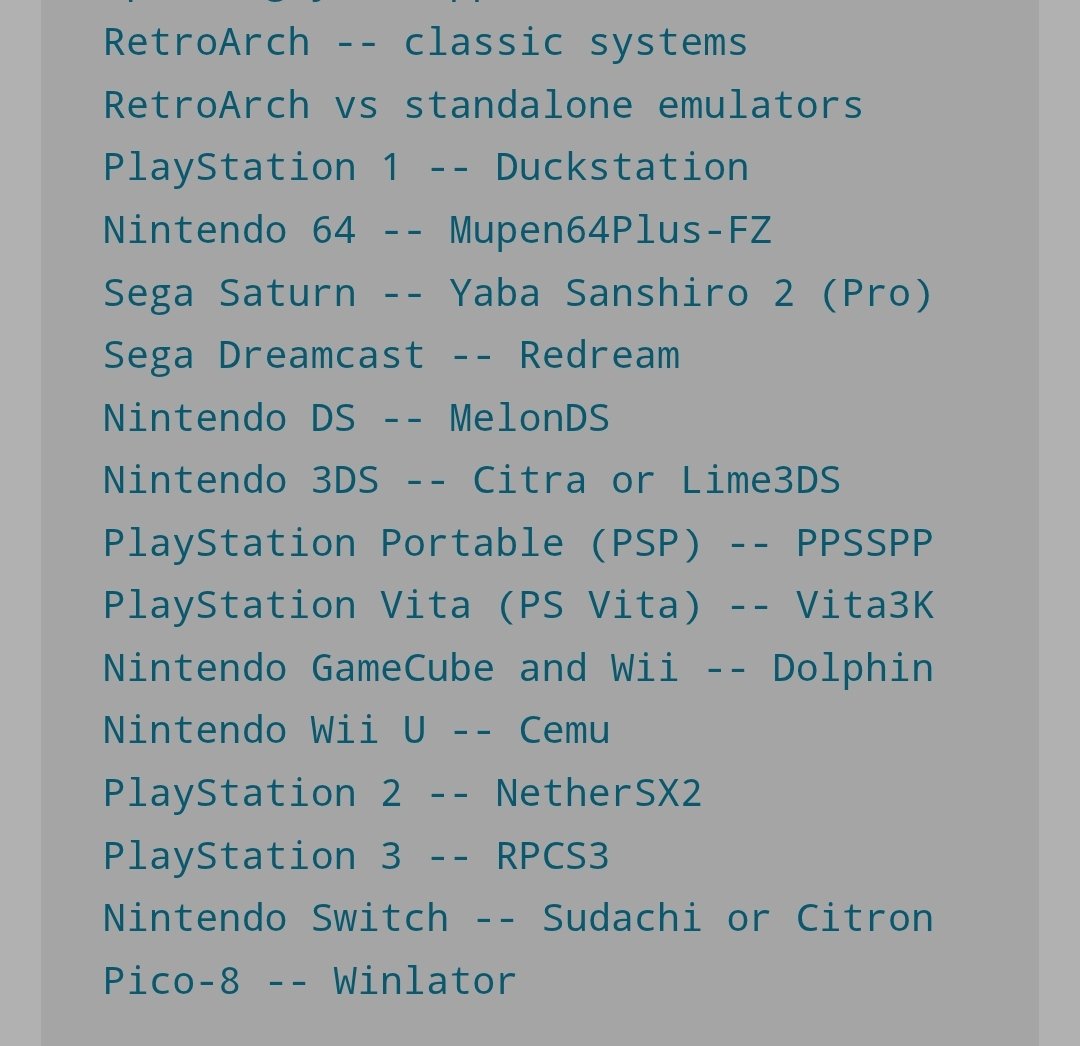
I rarely game on droid now but occasionally on trips I will delve in, so do keep an eye on the scene a little (Not Shield specific). 3ds emu Azahar is a recent one I have seen chatter about, aPS3e/RPCS3 brings some games, NetherSX2 patch for PS2. My SD845 chip can run some stuff but I genuinely stay below PS2. With the SD elite stuff bringing so much power most of the hype has moved on to PC/Steam gaming apps like Game native and GameHub etc. I'm not sure where the Shield is at in the current landscape! Russ of retrogamecorps is usually on point.

-

rondar's HyperSpin 2 HD Game Themes - Arcade PC/Teknoparrot WIP
thatman84 replied to rondar's topic in HyperTheme
That intro emblem animation is genius-ly creative. Now bumped up my list of games to get working -
Fairly good timing DaveT, the Android Hyperspin dev just said they are working on a new version for the Shield
-
I will give that a test. How are you adding the .exe to HQ just so I can't do it step for step?
-
There are the global defaults in HQ settings and then when you add systems you get to choose media types be good to test and make sure there’s not a bug to report there
-
Happy to see you back at it, my Shield has been gone a few years now! I would be pretty amazed if your still rocking the original Portable
-
I'm 99% sure that's not been implemented yet. It has been requested.
- 1 reply
-
- 1
-

-
Some great looking themes baddie, really tempting me into TP full set at this rate
-
Still the same after Fridays update? They can't seem to stop adding new features ATM, I'm a little behind the curve right now. Worth submitting a bug report in the bug tracker https://hyperspin-fe.com/development-bug-tracking/11_hyperspin-2-bug-reporting/
-
MAME Bezel Theme Preview Description Bezel Theme Details Type: Main Menu Theme Tags: Arcade (MAME),Main Menu Theme Created: Feb 05, 2026 Download View on HyperTheme Credits nyny77 (Artist) nyny77 (Artist) alexdc22 (Artist)
-
Made new topic
-
Just testing now. 275 rom files imported. 295 sitting at 10%. Should be helpful info for the devs
-
There’s some focus on Hyperspin bugs this week so wouldn’t worry about trying to figure that out. I’m sure the guys will get a fresh build out sometime in the next few weeks
-
Glad you got the games running in Retroarch. I assume you were testing by opening Hyperspin/emulators/Retroarch/retroach.exe see what your game paths are showing in HyperHQ systems-> Sony PlayStation -> Games and hit the edit pencil and choose game paths. you may need to rescan if you haven’t done so since updating the games to CHD
-
Yes HyperHQ is sending the folder not the cue file. you can try deleting and importing again. Turn on search subfolders in the import wizard
-
are your games in individual folders? Under the edit pencil on the game in HyperHQ check the game paths see if its got the actual file and extension
-
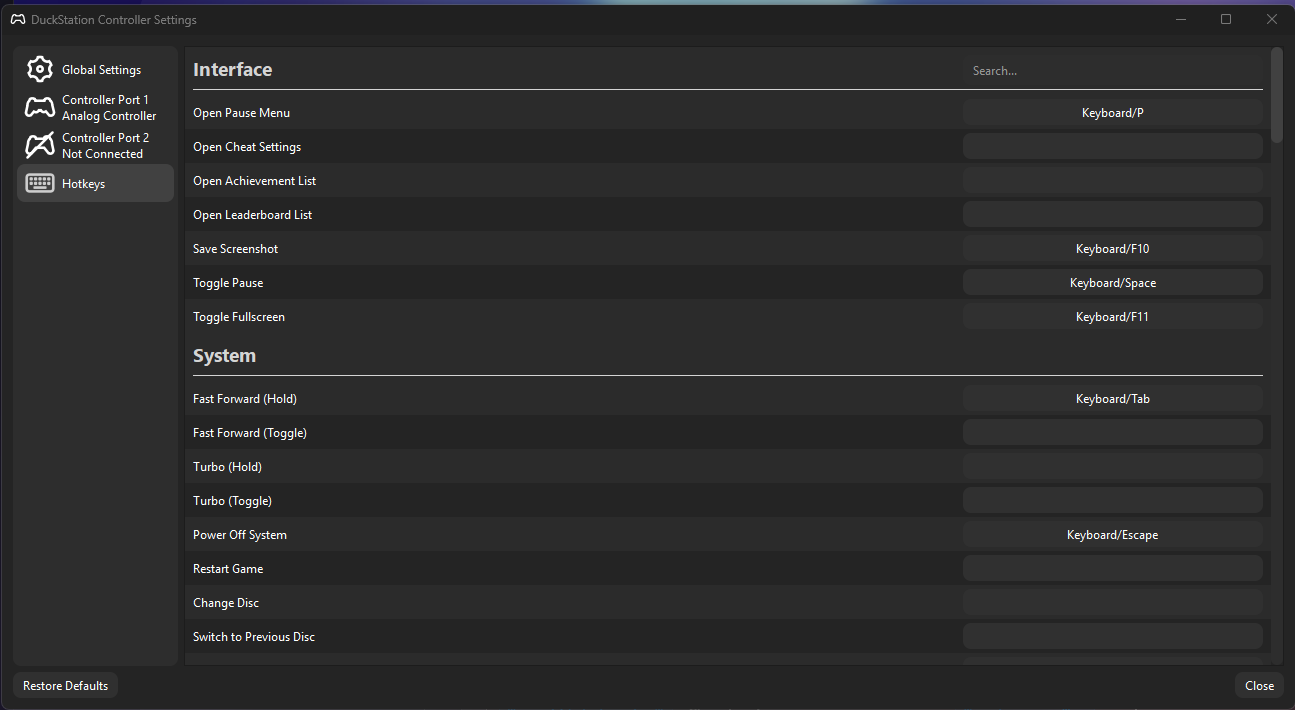
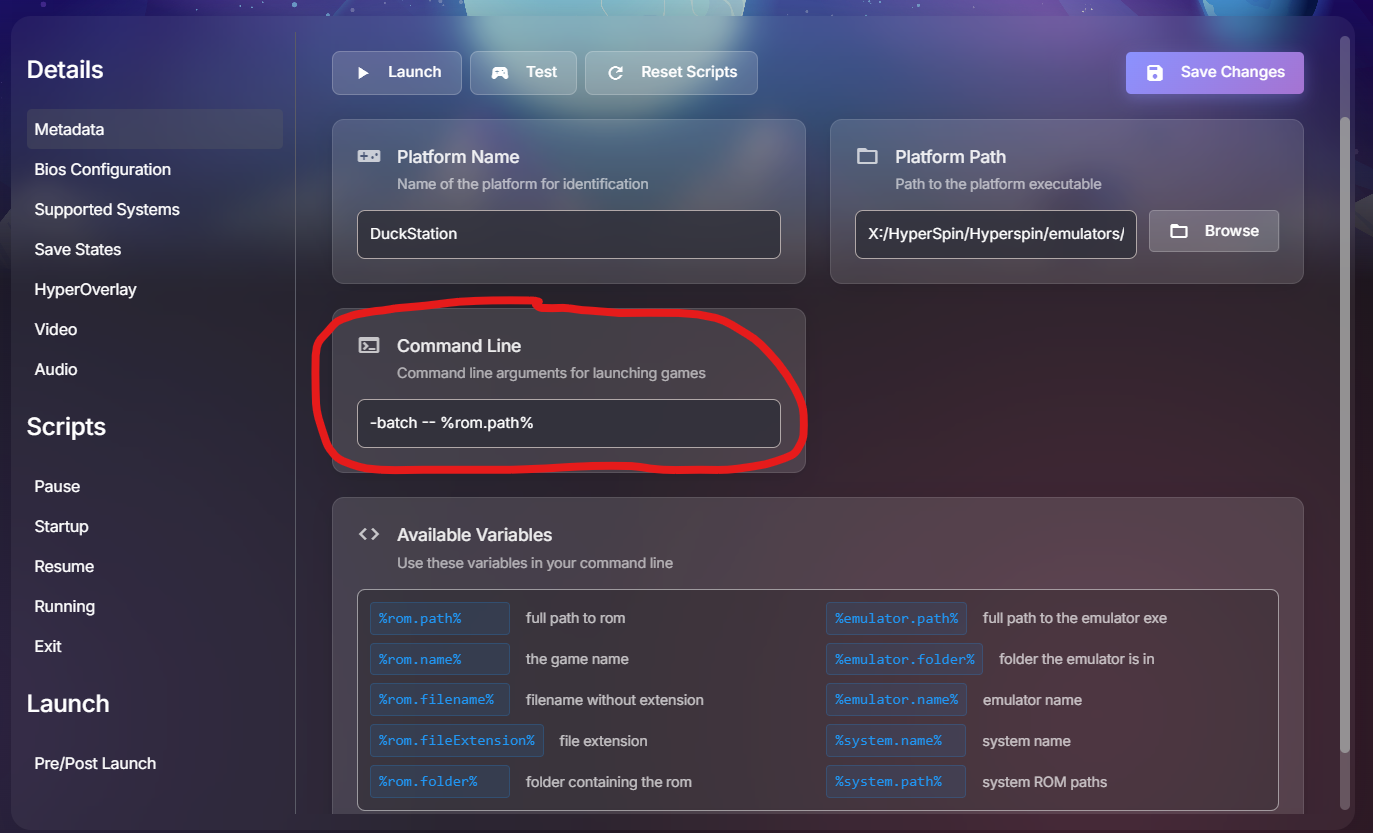
I was just playing with this and @32assassin thread linked. I have set the DuckStation "Open Pause Menu" Hotkey to P instead of Escape. I have set the "Power Off System" Hotkey to Escape In the HyperHQ Platform settings for DuckStation I added the -batch command to the launching. Seems to work fine with latest releases of HQ and HS
-
I think you may be right. I think wait for the next public release. I shouldn’t be to far away.