Creezz67
-
Posts
1,323 -
Joined
-
Last visited
-
Days Won
23
Content Type
Forums
Events
Downloads
Store
Everything posted by Creezz67
-
No, that's it.
-
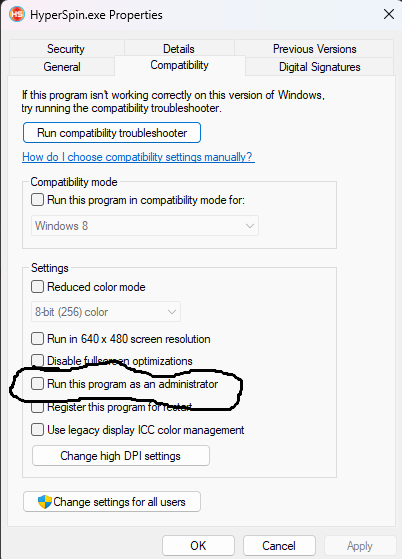
Just right click , properties, compatibility and ensure Run this program as administrator is unticked. Do this for Hyperspin.exe and RocketLuncherUI.exe And yes when they are both unticked, latest Ryujinx will then work as before.

-
FYI, Vita3k (latest update) is now doing exactly the same thing saying admin rights need to be disabled. This looks like many new emulator updates are going this way. I have now disabled Admin rights on both RL+Hyperspin.exe as 95% of systems will run fine this way. Any that require admin rights can be set via the emulator itself.
-
This is the latest version that still works in RL/Hyperspin with admin set (just in case you don't have it) ryujinx-canary-1.3.199-win_x64.zip
-
UI is the important one sadly. Admin is either set on or off. There is no way around it from what I have seen Emulator will work fine as is, just not with Hyperspin/RocketLauncher.
-
The reason it does this is because you are running RocketLauncher as admin (which is required for many systems to work correctly). The only way to fix it is to disbable admin in RL or go back to a previous working build of Ryujinx. No idea why this happens, as I literally have 100's of emulators and no others do this.
-

Video Theme Konix Multi System 16:9 (Main Menu)
Creezz67 commented on ESPARTANOCT's file in Main Menu Themes
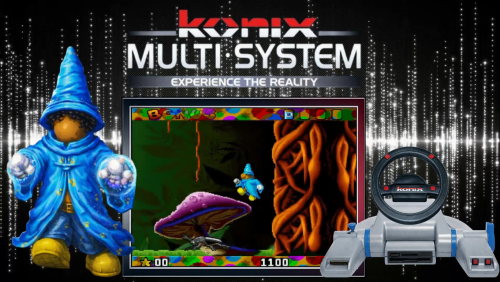 Database + genres Konix Multi System.zip
 -
Video Theme Sega Video Driver 16:9 (Main Menu)
Creezz67 commented on ESPARTANOCT's file in Main Menu Themes
 Cleaned up the logo.
 -
Video Theme Ring Riders (RingRiders) Gaelco 16:9 (Teknoparrot)
Creezz67 commented on ESPARTANOCT's file in Game Themes (16:9)
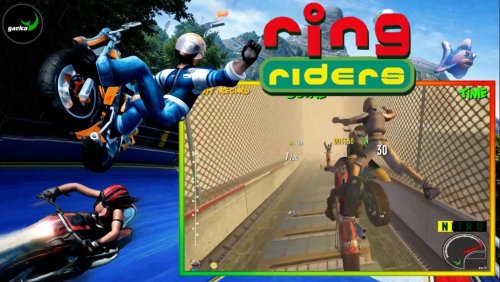 Great videos but maybe consider running them through something like Handbrake first as it will reduce the size drastically. https://handbrake.fr/rotation.php?file=HandBrake-1.11.1-x86_64-Win_GUI.exe
 -
https://emumovies.com/
-
Вы запускаете Hyperspin.exe от имени администратора? (Щелкните правой кнопкой мыши/Свойства) и выберите «Запустить от имени администратора». Также убедитесь, что файл sxs.dll находится в той же папке.
-
View File Delete Hi all, I wanted to get rid of all my empty folders in my setup (there were literally 1,000's) so I made this exe. Simply drop the Delete all empty folders.exe into the root of your Media folder and it will look through and find ALL empty folders/sub folders and delete them. I suggest you test it on 1 folder first so you can see what it does before doing them all. Just did it on my setup and it works great. Submitter Creezz67 Submitted 03/15/2026 Category 3rd Party Apps Credits Creezz67
-
- 3
-

-
.thumb.png.a8f6d36c9e6c2216d4ab64a948dde11e.png)
Version 1.0.0
5 downloads
REANIMAL is a co-op horror-adventure game developed by Tarsier Studios and published by THQ Nordic, releasing on February 13, 2026, for PlayStation 5, Xbox Series X/S, Nintendo Switch 2, and PC (via Steam/Epic Games Store). The game supports both local and online co-op, with cross-platform capabilities, featuring 4K resolution on supported systems. -
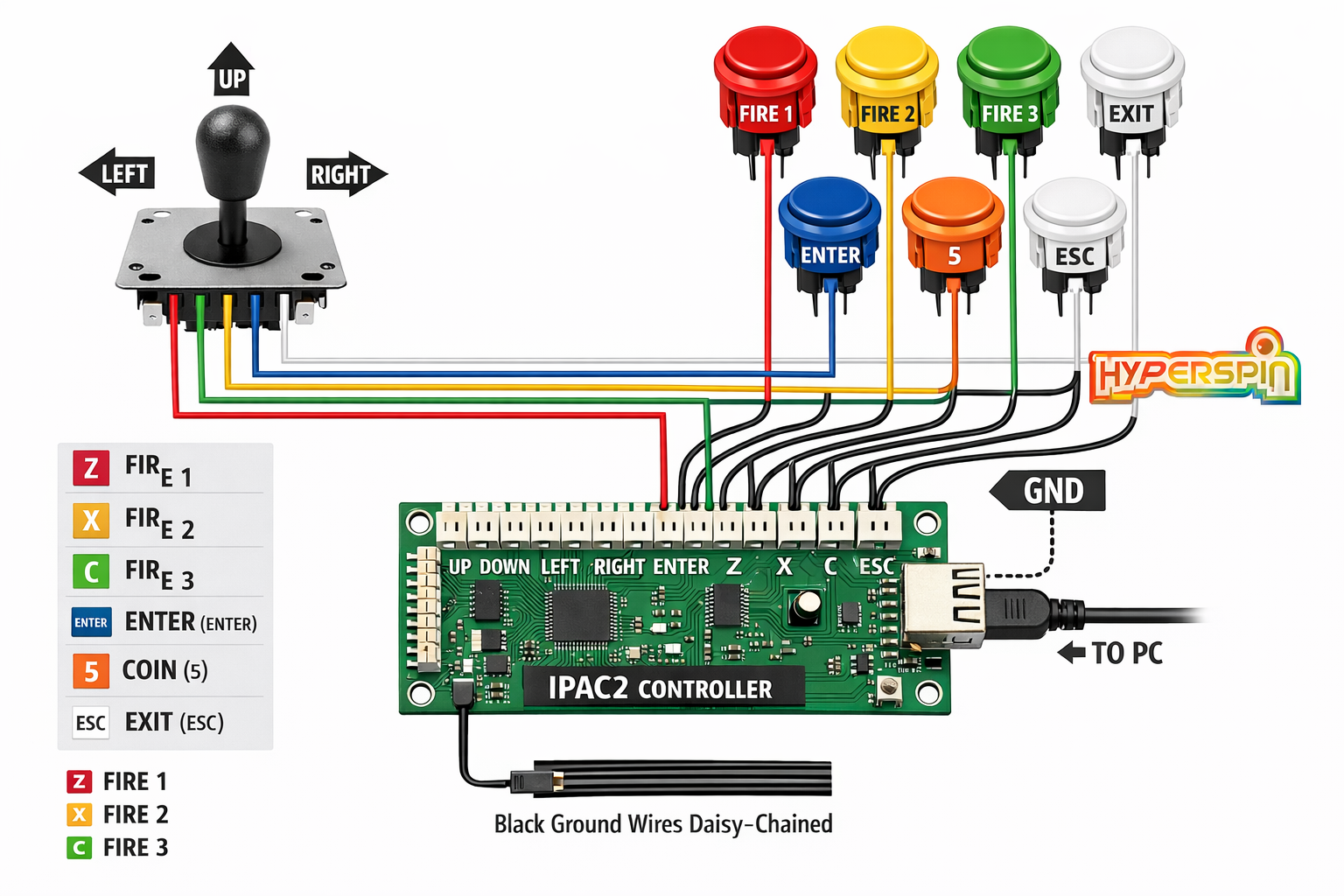
AI is your friend. Assuming it’s the arcade controller IPAC2, here’s a complete tutorial: IPAC2 Setup for HyperSpin 1. Hardware Setup Wire your buttons and joystick exactly as in the previous diagram: Joystick → UP, DOWN, LEFT, RIGHT pins Buttons → P1A, P1B… (6+ depending on your setup) All grounds → GND pin on IPAC2 USB → PC Optional: Use extra buttons for Exit, Coin, or Menu shortcuts: Example: P1G → HyperSpin “Back” Example: P1H → HyperSpin “Coin” 2. IPAC2 Configuration Plug the IPAC2 into the PC. HyperSpin sees it as a keyboard. You can program each button with keys HyperSpin recognizes: Example key mapping (common): Function Key Start / Player 1 Enter Coin / Insert Credit 5 Exit / Back Esc Up Up Arrow Down Down Arrow Left Left Arrow Right Right Arrow Fire / Action Z, X, C… If you want, use IPAC2 programming software to assign custom keys for each function. 3. HyperSpin Configuration HyperSpin uses keyboard inputs (or JoyToKey/Xpadder if using a gamepad), so your IPAC2 buttons are automatically recognized. Front-End Navigation: Up/Down → Move between systems or games Left/Right → Change themes or options Enter → Launch game Esc → Return / Exit Game Launch / MAME Mapping: Make sure each emulator used by HyperSpin (e.g., MAME, RetroArch) has its controls mapped to the same keys you assigned to IPAC2. This ensures when you launch a game, the same arcade buttons work seamlessly. Optional: Coin / Menu Buttons Many HyperSpin setups map a button to insert a coin (5) or open the menu (Esc). Use extra IPAC2 buttons for these. 4. Testing Open HyperSpin with your IPAC2 plugged in. Navigate the menus using the joystick. Test all buttons: Fire, Start, Coin, Exit. Launch a game and ensure in-game controls work. 5. Recommended Key Mapping for HyperSpin HyperSpin Action Suggested Key IPAC2 Button Move Up Up Arrow Joystick Up Move Down Down Arrow Joystick Down Move Left Left Arrow Joystick Left Move Right Right Arrow Joystick Right Start Game Enter P1A Fire / Action Z / X / C P1B, P1C… Insert Coin 5 P1D Exit / Back Esc P1E Tip: Consistency is key. Make sure emulator keys match HyperSpin menu keys.
-
Try this. #NoTrayIcon ; Hide tray icon Gui +AlwaysOnTop -Caption +ToolWindow Gui, Color, 0 Gui, Show, x0 y0 h%A_ScreenHeight% w%A_ScreenWidth% ; --- Run Emulator --- emuExe := "simple64-gui.exe" emuPath := "E:\Nintendo\N64\Emulateur\Simple64 Super Mario\simple64-gui.exe" romPath := "E:\Nintendo\N64\Jeux\Super Mario 64 (E) (M3) [!].z64" Run, "%emuPath%" "%romPath%", , , emuPID Sleep, 3000 Gui, Destroy ; --- Wait until emulator closes --- Process, WaitClose, %emuPID% ExitApp ; Optional: ESC closes emulator Esc:: Process, Close, %emuPID% return
-
What are you trying to do ? Where are you trying to run the command line from ? A bat file ? Maybe post what you are trying to use currently ?
-
It's a timing issue on your PC to make it go fullscreen, as I found on mine. Alt+enter of keyboard makes it go fullscreen and I added that at the end of the script. Look at the bottom of the script for alt+enter info and see if changing the sleep helps (increase or decrease it accordingly)
-
Try this. Escapes with Esc on keyboard and also should go fullscreen. Also works fine with Hyperspin and Rocketlauncher. Super Mario 64 (E) (M3) [!].ahk
-
-
Try this, works perfectly for me in Hyperspin/RocketLauncher doa.ahk
-
Video Theme Road Fighters 3D Arcade Pc (Konami) 16:9 +Wheel
Creezz67 commented on ESPARTANOCT's file in Game Themes (16:9)
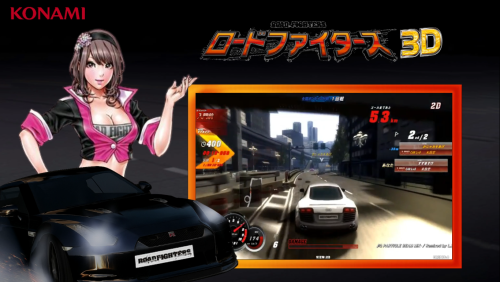 It's not an issue, it was just an alternative.
 -
Video Theme Road Fighters 3D Arcade Pc (Konami) 16:9 +Wheel
Creezz67 commented on ESPARTANOCT's file in Game Themes (16:9)
Maybe this logo would be better for those that don't understand Japanese ? -
Are you using Hyperspin 1.5 or the newer 2.0 version ? If using 1.5 you need to be using Rocketlauncher in conjunction with Hyperspin and all the modules that Rocketlauncher uses will load all your games as intended. there is nothing special you need to do with any bios files if your emulators are loading games normally. if trying to use newer 2.0 version don’t bother , it’s light years from being anywhere near playable.
-
State what the system and emulator is and maybe someone will be able to help.