Creezz67
-
Posts
1,323 -
Joined
-
Last visited
-
Days Won
23
Content Type
Forums
Events
Downloads
Store
Everything posted by Creezz67
-

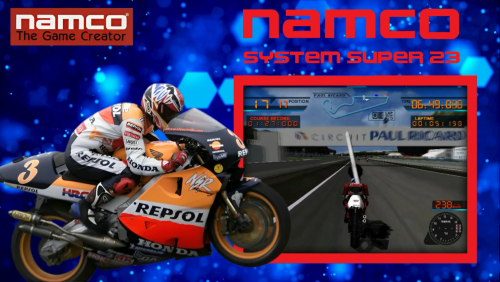
Namco System Super 23/Namco System 23 Video Theme
Creezz67 commented on ESPARTANOCT's file in Main Menu Themes
 Thanks
 -
Namco System Super 23/Namco System 23 Video Theme
Creezz67 commented on ESPARTANOCT's file in Main Menu Themes
xml ? -
Windows 11 24H2 Update KB5046740 breaks Hyperspin
Creezz67 replied to DillonM1075's topic in Support
Yes, but you could just uninstall it then turn off Windows updates completely until a fix is found. -
.thumb.png.fff1545dadc0ca5d6f9af99769ec8e8c.png)
Version 1.0.0
66 downloads
Indiana Jones and the Great Circle is a 2024 action-adventure game developed by MachineGames and published by Bethesda Softworks. It is based on the Indiana Jones franchise and features an original narrative that draws from the film series -
.thumb.png.b09ec186a36c2d787ee5bbe7db9629b0.png)
Version 1.0.0
56 downloads
Legacy of Kain: Soul Reaver 1 & 2 Remastered is an action-adventure video game compilation developed and published by Aspyr. It contains remastered versions of Legacy of Kain: Soul Reaver and Soul Reaver 2, entries in the Legacy of Kain series originally developed by Crystal Dynamics -
Windows 11 24H2 Update KB5046740 breaks Hyperspin
Creezz67 replied to DillonM1075's topic in Support
Can it be uninstalled ? -
Windows 11 24H2 Update KB5046740 breaks Hyperspin
Creezz67 replied to DillonM1075's topic in Support
Is this another manual install or does it install automatically ? -
Yes
-
-
I must admit I got that info from elsewhere as when mine went down I took a screenshot of problem update, then lost everything on my new SSD when trying a system restore, so didn't see the code. I thought the one that caused the problem for me could NOT be uninstalled (I checked) and it was a large Security preview update and the only one that updated on my PC on a fully working 242H setup i had just installed (meaning Hyperspin was working fine on 242H until that update) Can you confirm that it's NOT working with the update, then working again when uninstalled ?
-
I was using Windows 11 HOME 24H2 and it worked fine until it installed/updated Windows 11 24H2 Update (KB5046740) Once this is installed Hyperspin stops working
-
MESSAGE TO ALL .. I just installed Windows 11 HOME (version 24H2), and all seemed fine till I got a huge security preview update November 21, 2024—KB5046740 (OS Build 26100.2454) Preview Now Hyperspin has stopped working. At least I now know what caused it (though lost info when new SSD got corrupted) But now I know 100% that it's an update on 242H that is causing Hyperspin to stop working. If i see download again I will post info here.

-
FYI, That's why mine didn't work previously. I put them all in a separate folder and no luck, but when I put them all in the root with the exe all working fine. Just need to find the missing command that lets you put them in a folder on their own, as I have other bat files like PSVita that work fine in their own folder.
-
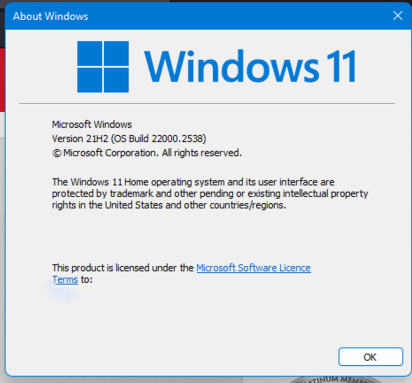
I am on 21H2
-
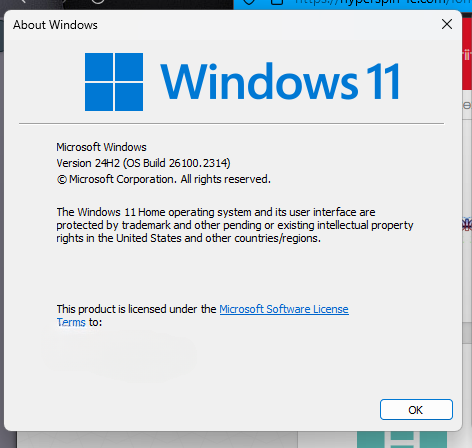
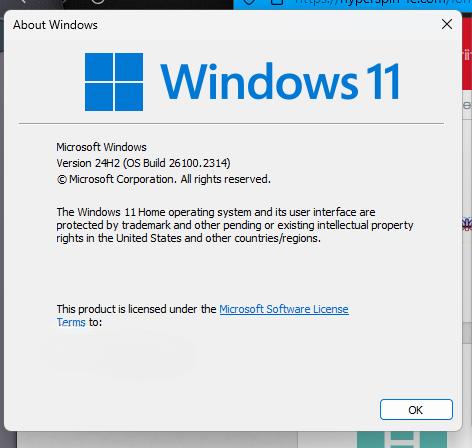
Check what Windows version you are on by typing WINVER into Search Bar is it 24H2 ?
-
Check what Windows version you are on by typing WINVER into Search Bar is it 24H2 ?
-
It looks like the problem is Windows 11 ver 24H2 To check to see if you what version you are on, just type WINVER into Search bar.
-
Where are you putting your bat files ? In a separate folder ? Also, use nightly update rather than release on update channel (settings/configure in emulator) as for some reason they act differently. Où placez-vous vos fichiers bat ? Dans un dossier séparé ? De plus, utilisez la mise à jour nocturne plutôt que la publication sur le canal de mise à jour (paramètres/configuration dans l'émulateur) car pour une raison quelconque, ils agissent différemment.
-
Yes using latest version and updates (nightly updates)
-
All working now. Thanks
-
This is what I used ... shadPS4.exe -g "D:\Hyperspin\emulators\shadPS4\ps4 games\CUSA00319\eboot.bin" should the " be at the start AND the end ?
-
No luck here. What settings do you have in RocketLauncher ? Anything specific ?
-
Hi all, Has anyone managed to get this working in Hyperspin ? I tried this bat file but can't get it to work using PCLAUNCHER module ... shadPS4.exe "D:\Hyperspin\emulators\shadPS4\ps4 games\CUSA00319\\eboot.bin If I remove "D:\Hyperspin\emulators\shadPS4\ps4 games\CUSA00319\\eboot.bin, the emulator opens fine using the bat file, so it must be an error somewhere in the line ? Any help appreciated
-
Yes, all up to date as of yesterday. I am on Windows 11 Home - version 21H2
-
UPDATE .... I have just installed Windows 11 HOME EDITION onto a new SSD (version 24H2) and all was ok, UNTIL a security update November 21, 2024—KB5046740 (OS Build 26100.2454) Preview stopped Hyperspin from working. It's now safe to say that if you want Hyperspin to continue working .... DO NOT update to Windows 11 (version 242H)