gigapig
-
Posts
9,582 -
Joined
-
Last visited
-
Days Won
27
Content Type
Forums
Events
Downloads
Store
Development Tracking
HyperCL
Everything posted by gigapig
-
Welcome back Alberto. I hope it all works out well.
-
Passed your post over to the Devs.
-
To turn off on-screen overlays in RetroArch, navigate to Settings > On-Screen Display > On-Screen Overlay and toggle Display Overlay to OFF. For a faster method while in a game, open the Quick Menu (F1), go to On-Screen Overlay, and turn it off. Be sure to save overrides to keep them disabled. Methods to Disable Overlays Permanent Solution (Global): Go to the main menu > Settings. Select On-Screen Display. Select On-Screen Overlay. Toggle Display Overlay to OFF. While in a Game (Quick Menu): Press F1 (or your designated hotkey) to bring up the Quick Menu. Select On-Screen Overlay. Toggle Display Overlay to OFF. Save Settings: To ensure they stay off, go to Quick Menu > Overrides and select Save Core Overrides or Save Content Directory Overrides. Additional Tips Hide Overlay When Controller Connected: Under Settings > On-Screen Display > On-Screen Overlay, you can enable "Hide Overlay When Controller is Connected". Adjust Opacity: Instead of turning them off, you can change the Overlay Opacity to 0% for a cleaner look. Remove Input Graphics: To keep the bezel but hide the button graphics, turn off Show Inputs on Overlay.
-
Might be in overlays, turn them off for that core.
-
Welcome P4ddy, great to have you here and we look forward to seeing your build.
-
Welcome Ottly, great to have you here, lots going on at the moment so let us know what you're into.
-
Try again.
-
First off does MAME run games outside of Hyperspin on your new computer. Secondly about the organisation, first try to use parent ROM settings when you set up MAME as this will have less game as the clones won't be visible. To further reduce the games you will eventually be able to use 'Collections' but as the software is beta that feature is not implemented yet.
-
Nothing, your status was wrong on your account so I have rectified it. Please try again.
-

rondar's HyperSpin 2 HD Game Themes - Arcade PC/Teknoparrot WIP
gigapig replied to rondar's topic in HyperTheme
I welled up seeing the werewolf running and Mutley laughing, truly epic, what a great series. -
New Member Hoping for some HyperSpin 2.0 Direction
gigapig replied to JohnnyChimpo's topic in HyperSpin General
https://hyperai.s3.amazonaws.com/HyperHQ_Latest.exe You should grab the latest MAME version and ROM set -
New Member Hoping for some HyperSpin 2.0 Direction
gigapig replied to JohnnyChimpo's topic in HyperSpin General
You seem to be perfect to try the beta as long as you realise it is still early and I'm sure HS 2 is very functional if you just want a few systems to start with. It's also good for you to start learning from scratch. Most other systems will use Retro arch which I recommend you look at some setup videos on. HS2 will guide you and is much easier to set up than HS1. -
https://hyperai.s3.amazonaws.com/HyperHQ_Latest.exe
-
I got over this by closing the app from the task manager and then open it again. Worked 1.33 and should be the same with the version in the download section.
-
I had the same issue this morning and like nguerra said it should be fixed in the next release.
-
I had the same issue this morning and it is an issue with the authentication. I've been told it should be fixed in the next release.
-
Welcome back Spawk the (still) moderator, great to have back. Lots to catch up with and if you would like your old account sorted then drop us a support ticket or send me a DM.
- 1 reply
-
- 1
-

-
Who that?....... A ledge?
-
Welcome back Foo.
-
Before Rocket launcher there was only Hyperspin which had a modules folder for .ahk scripts to go. Then Rocket launcher came along with its own ahk scripts and if you have a Rocket launcher folder in your Hyperspin folder then RL scripts will be used. The default should be for Rocket launcher to be you default launcher this is set in the settings.ini file in your HS folder but shouldn't need to worry about that. Most of your Rocket launcher setup should be done in RocketLauncherUI if you're a novice. Under the 'Modules' tab for MAME is where you will find those MAME ini settings. Hopefully you've managed to do it via the ini as suggested by jesfknkrys.
-
Hyperspin newest Update - None of the Themes work
gigapig replied to rik81's topic in HyperSpin General
I also had the ahk error when starting MAME (no nag script.) Apparently it can be deleted from the script area but I will wait for a fix. -
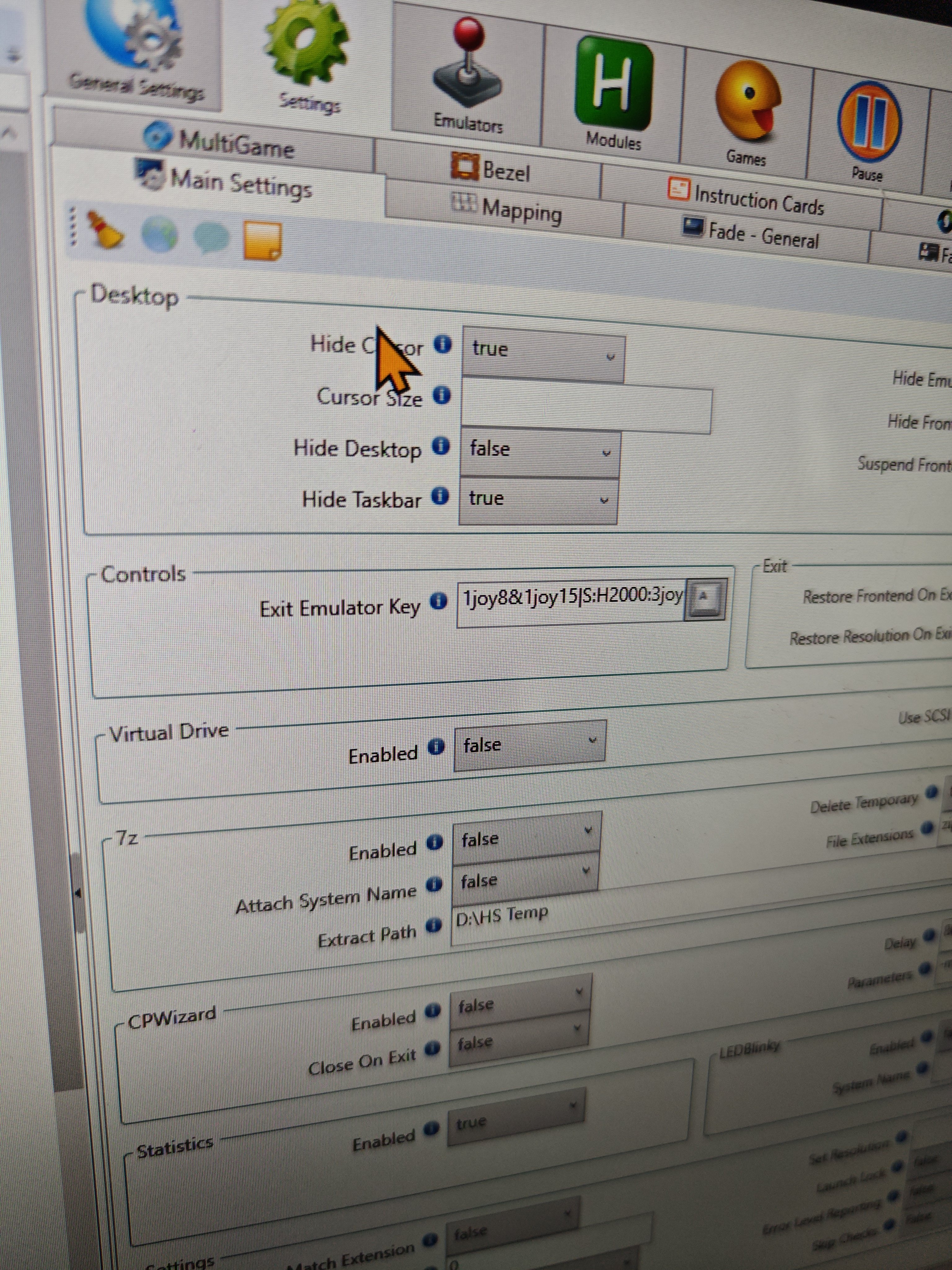
Hopefully you fixed this by now but just in case. You need to find the exit emulator key not exit script.

-
Hyperspin will be downloaded when you you install and set up HyperHQ.
-
In future please create your own thread instead of hijacking a random one
-
Welcome to the world's most beloved mascot, good to see you taking a break from opening other people's packages and wacking off Goombas. Have fun, it's great to have you here. P.S. Keep to the speed limit and no blue shells.