Andyman
-
Posts
744 -
Joined
-
Last visited
-
Days Won
74
Content Type
Forums
Events
Downloads
Store
Development Tracking
HyperCL
Everything posted by Andyman
-

Thought I'd share my Gauntlet Legends cabinet :)
Andyman replied to Andyman's topic in Cabinets and Projects
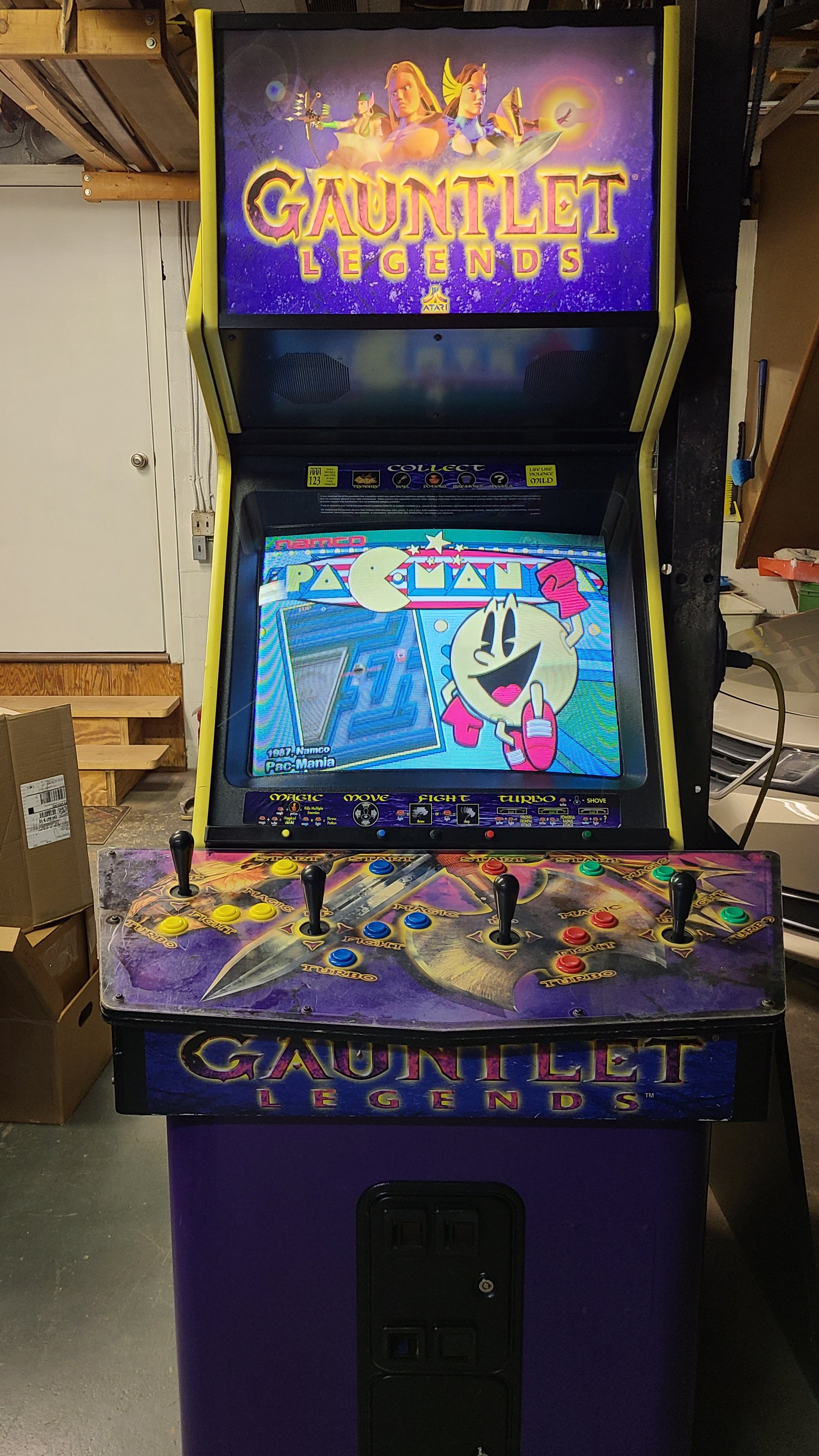
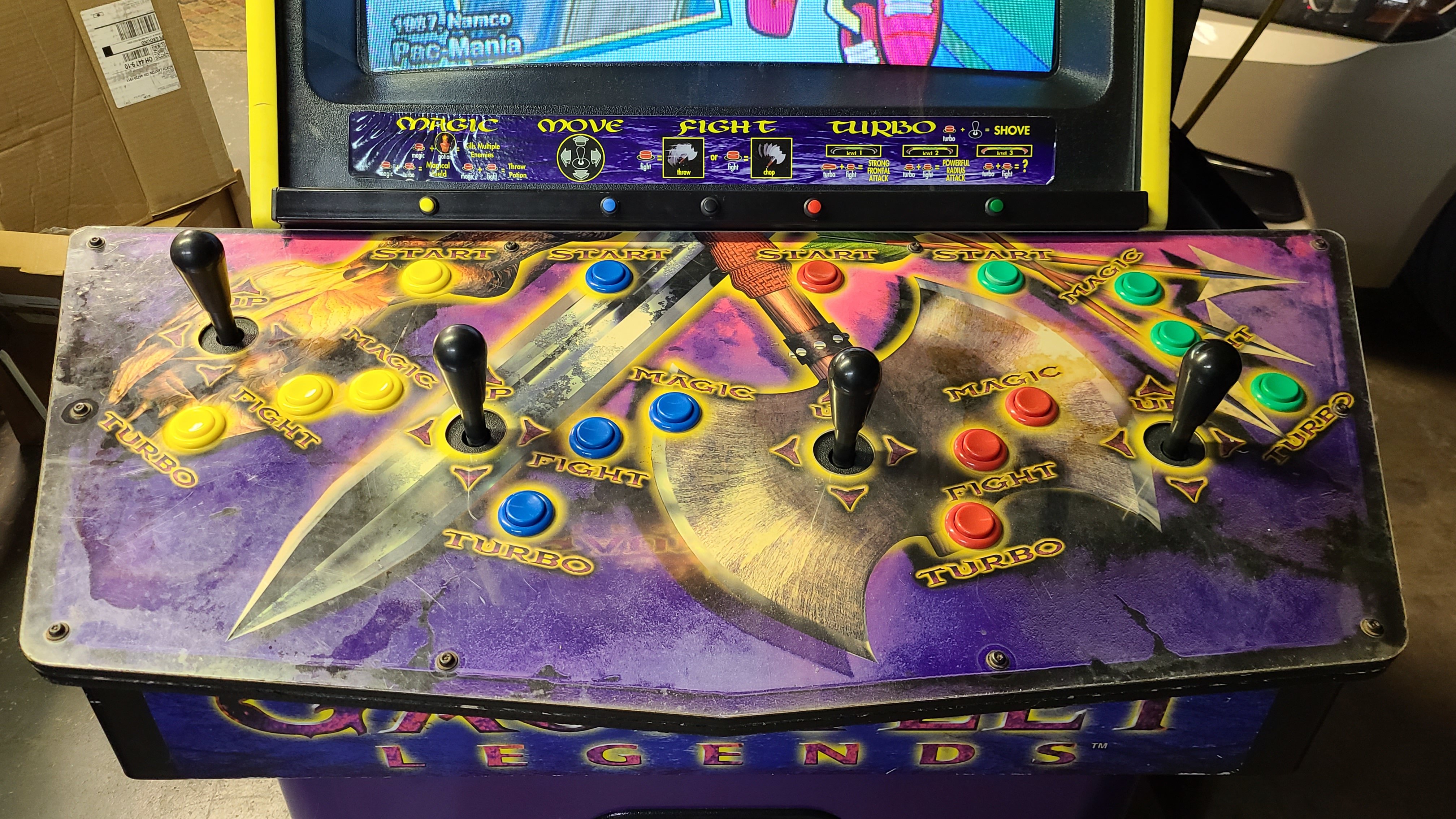
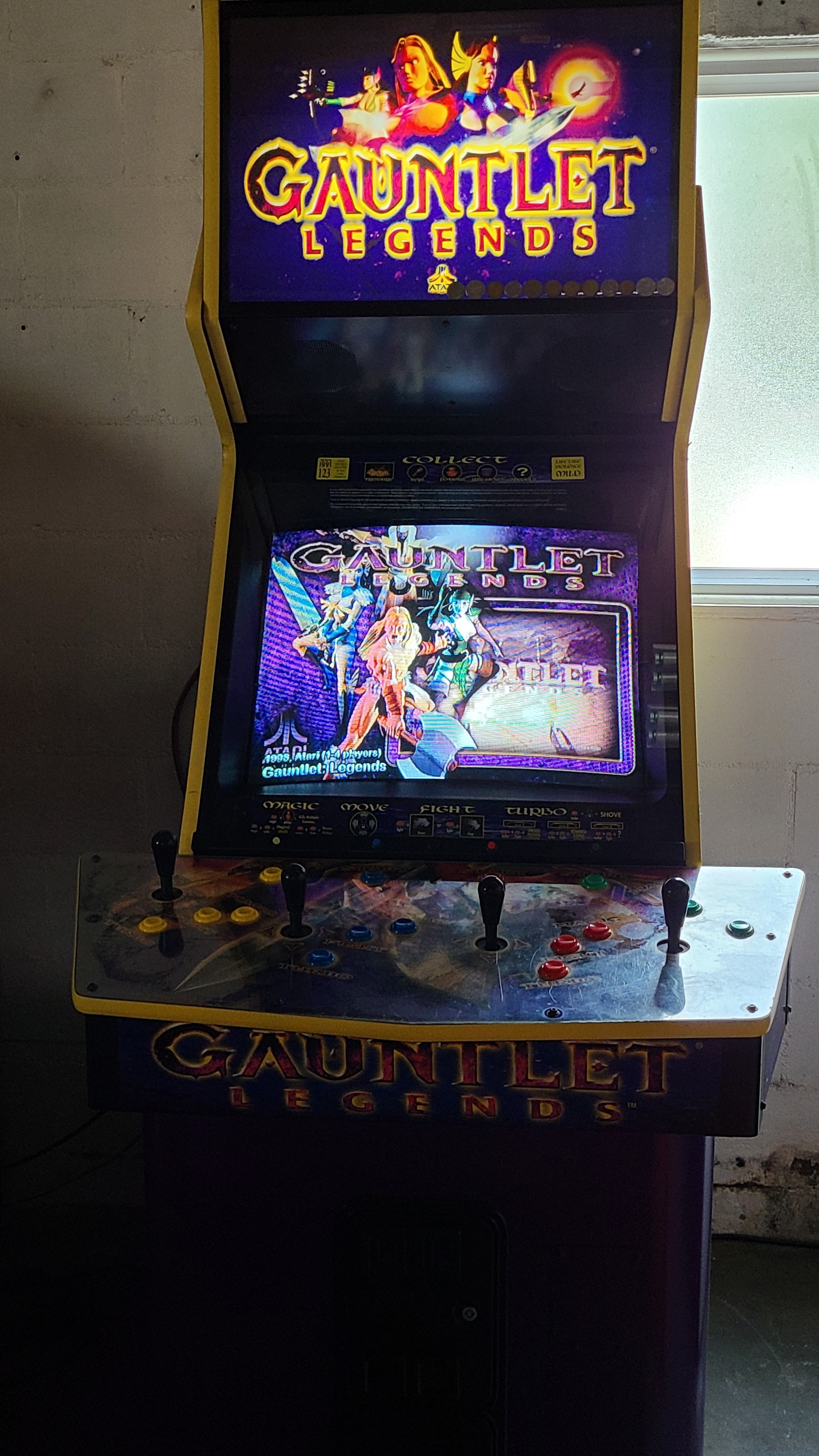
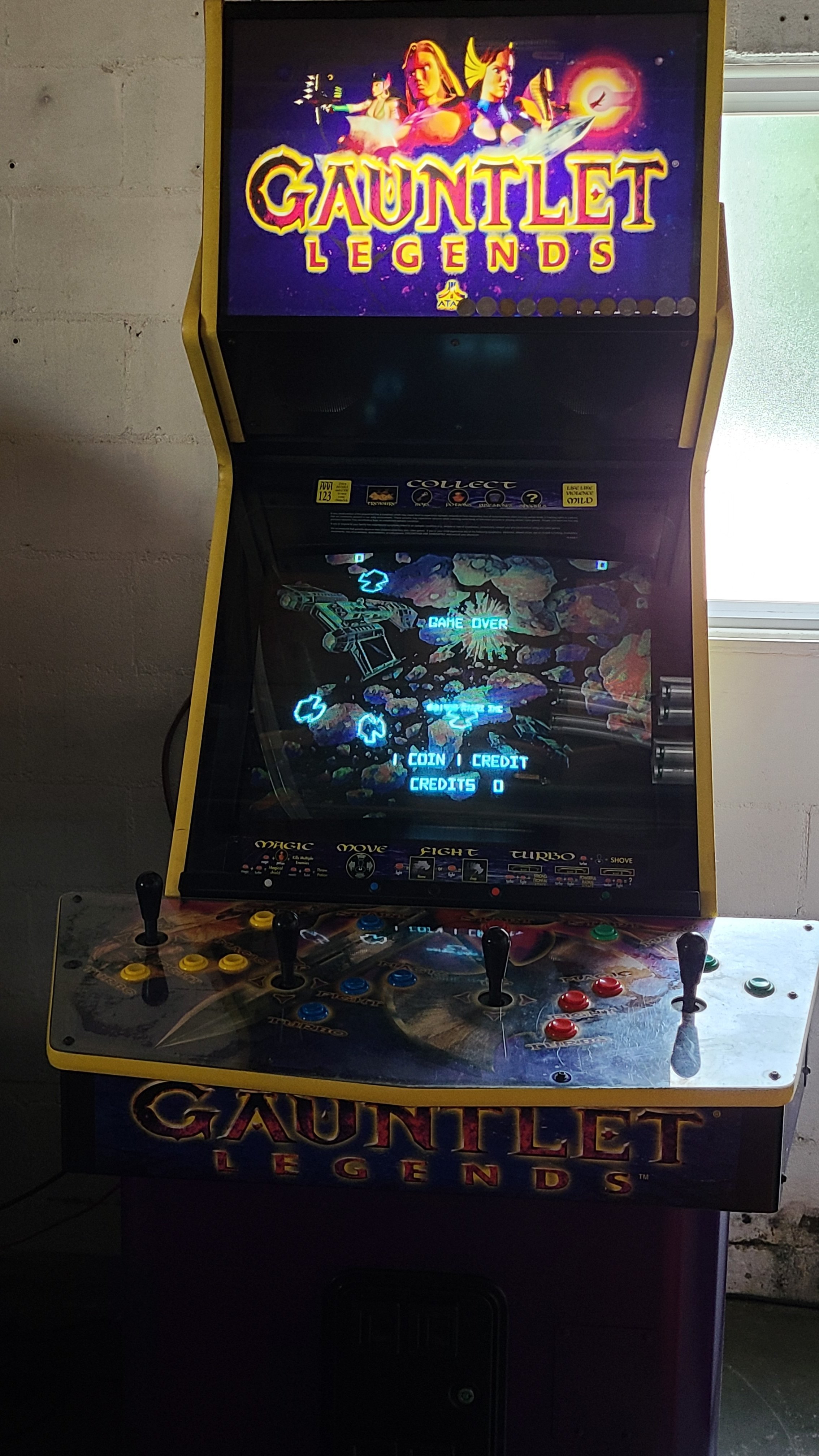
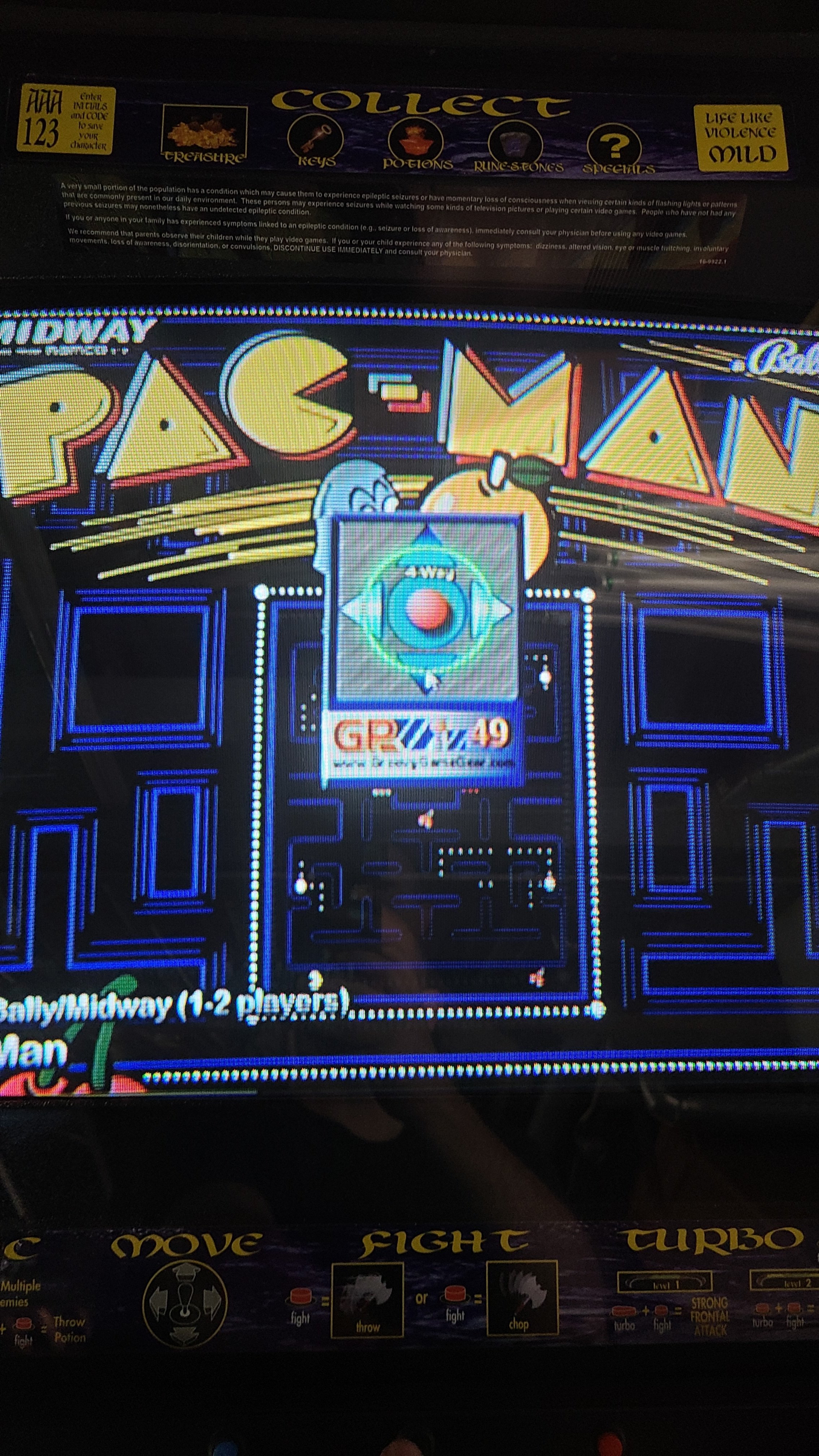
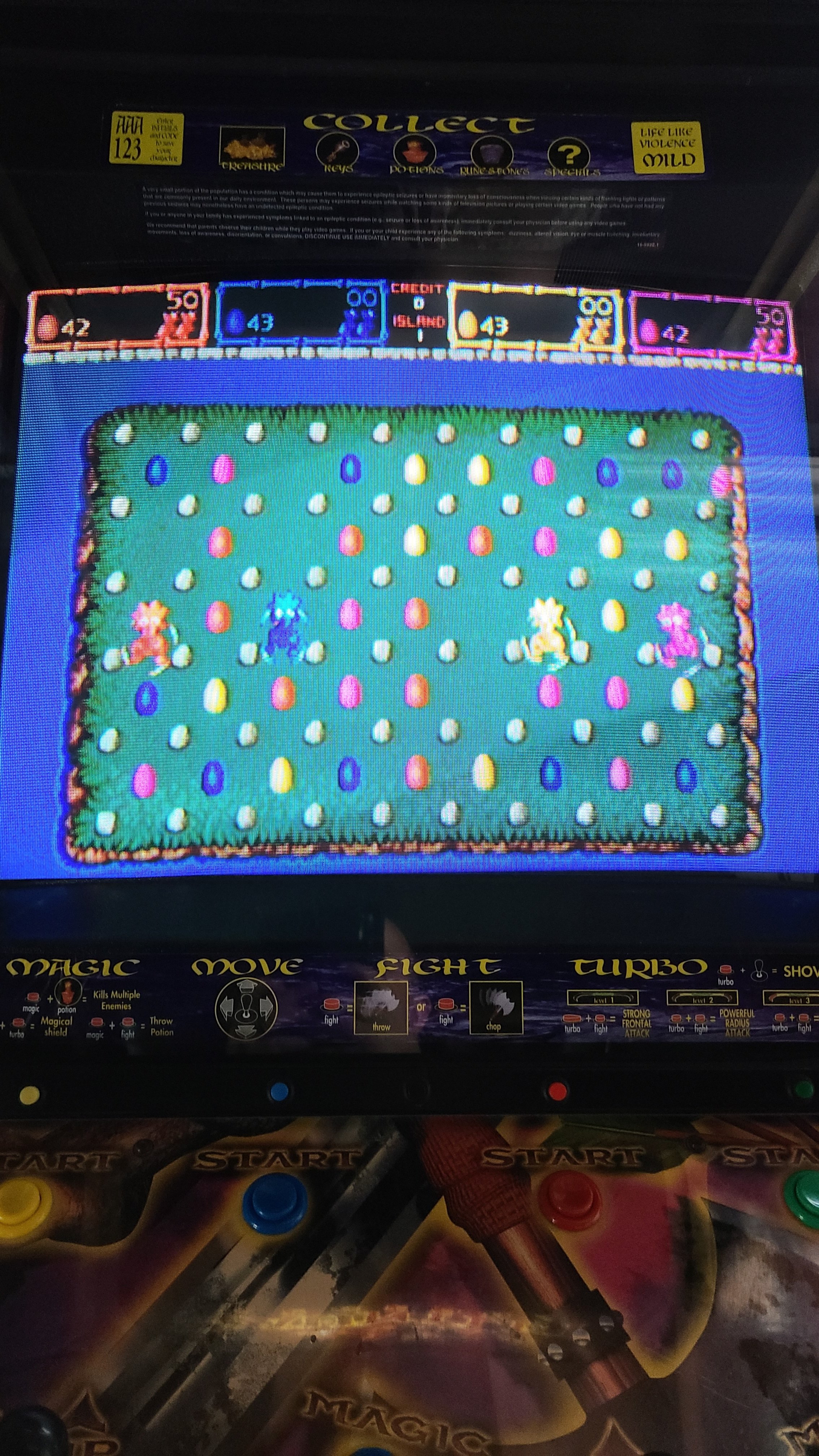
After a day-long marathon of configuring the remaining games yesterday, the Gauntlet Legends cabinet is DONE! Here are some highlights: 1) It starts up on Gauntlet Legends, because of course. I set its attract mode to sit on each game for a minute, then randomly spin to another one. 2) Games that have backgrounds and/or overlays and other unique features (like Gorf's ranking lights) are displayed as they were in the arcade. I especially love Asteroids Deluxe's blacklight-illuminated background. 3) Here's the little joystick-mode popup I was talking about earlier. 4) Here's a close-up shot of the slim coin button bar that rests just above the control panel. The game-exit button is black and barely visible in the middle of the bar (intentionally). Not pictured: a whole lot of creative control configuration. Some examples: Toobin' uses the buttons from P1/P3 and P2/P4. Quiz & Dragons uses the 4 stick directions for its 4 answer buttons. Trackball and spinner games are set to 49-way in the app and have their MAME settings tweaked to replicate analog controls as closely as a stick can. It's been a fun build process, but I'm very glad it's finally finished. Now I can actually PLAY the thing instead of spending my free time working on it.
-
Thought I'd share my Gauntlet Legends cabinet :)
Andyman replied to Andyman's topic in Cabinets and Projects
Well, it's been awhile since my last post about this cabinet... After playing on it for about a year, I decided I needed to go a different route with it. Having thousands of arcade games on it just isn't user-friendly enough for me or any casual players - and I rarely/never played about 90% of them - so I curated it down to 300 great games that I love and that will work very well with Gauntlet Legends' control setup. Then, I set about manually configuring each game's controls in MAME, and tweaking their DIP settings and built-in settings for maximum home enjoyment (see also: not having to pump in a credit every minute). One by one - yeah, it's taking awhile. Starting at the beginning of the alphabet, I've done from 1941 through Rygar as of last night. I'm becoming a huge fan of the Analog Controls settings in MAME for each game. You can really dial in the responsiveness of a joystick acting like a trackball or spinner with that. Normally awkward-with-a-joystick analog games like Arkanoid and Quantum are actually very playable when dialed in! Likewise, the slick little app that was included with the four GPWiz49 interface boards I'm using really makes the controls shine. I modified the stock MAME HyperLaunch module to feed the app the proper mode parameter: Mode: 1 - Raw 49 (Gauntlet Legends) 2 - Progressive 49 (Food Fight) 3 - 8-Way (most arcade games, I have this mode set as the default) 4 - 4-Way (Pac-Man) 5 - Diagonals (Q*bert) 6 - 2-Way Horiz (Galaga) 7 - 2-Way Vert (Defender) 8 - 16-Way (some consoles, which aren't on this cabinet) It works exceptionally well. Even better, the app pops up a neat little graphic to confirm the sticks are in the selected mode. I added a routine to switch the sticks back to 4-Way on game exit, so HyperSpin works correctly to select the next game. I also finally got around to installing the new yellow T-molding around the control panel. It was much easier than expected and it looks terrific - far better than the original molding that was split in multiple places. I'll add current photos of the cabinet once I've finished configuring the games. With any luck, that'll happen in the next week or so. In the meantime, here's the curated MAME database I'm using. You'll notice there's some games in there that don't seem to fit the cabinet's controls - I've mapped buttons to the sticks and done other things like that to make them play well. I'm super happy with the game selection, but if you spot something essential that I missed, please let me know! mame.xml -
It's alive! Now the real fun starts... configuring all the games.
-
The 500 games are settled on... for now. I've made myself stop looking for games to add, at least until I get what I have all configured and working. And yeah, those 2 emulators definitely are progressing nicely, but they're not to my standard yet. It's all good though - I don't think I'll be lacking entertainment, with 500 racing games to choose from. hahaha
-
It's been quite awhile since I posted an update on my racing cabinet project, so I thought I'd post a pile of frontend media screenshots for your viewing pleasure. I've been working on it all this time, and the cabinet itself is getting close to being presentable. I've completed the software end of the build, other than configuring each game fully with the controls. I'd like to add some original Xbox and Xbox 360 exclusives as well, but emulation of those systems just isn't quite smooth enough yet for my liking. Here's a fairly representative sample of what's available to play, among the 500 titles to choose from. Picture each of these full-screen on a CRT and you more or less have the idea. I should have the cabinet ready to show within a month or so, free time permitting. In the meantime, feel free to ask any questions you might have!
-
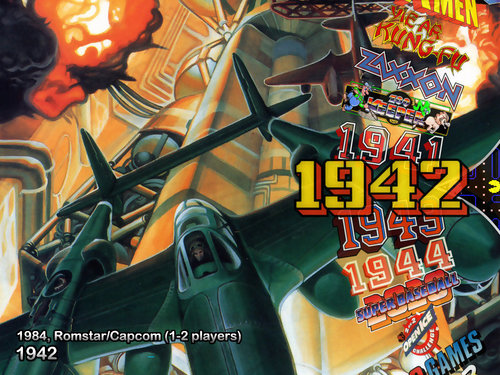
Version 1.0.0
19 downloads
I wanted something a little different in my cabinet setup, so I whipped up this Pac-Man themed Pointer image. I thought I'd share it, so others can use it too. Enjoy! -
Also, it helps to add your HyperSpin folder as an exception in your antivirus app, as many will wreak havoc via false-positive alerts.
-
VGA to an Avermedia 300 adapter to S-Video. I haven't observed any noticeable input lag as yet, but I'm early in the build process too.
-
Hey, thanks for the offer! If I run into a problem I just can't get past, I'll reach out and see if you've come across it and solved it.
-
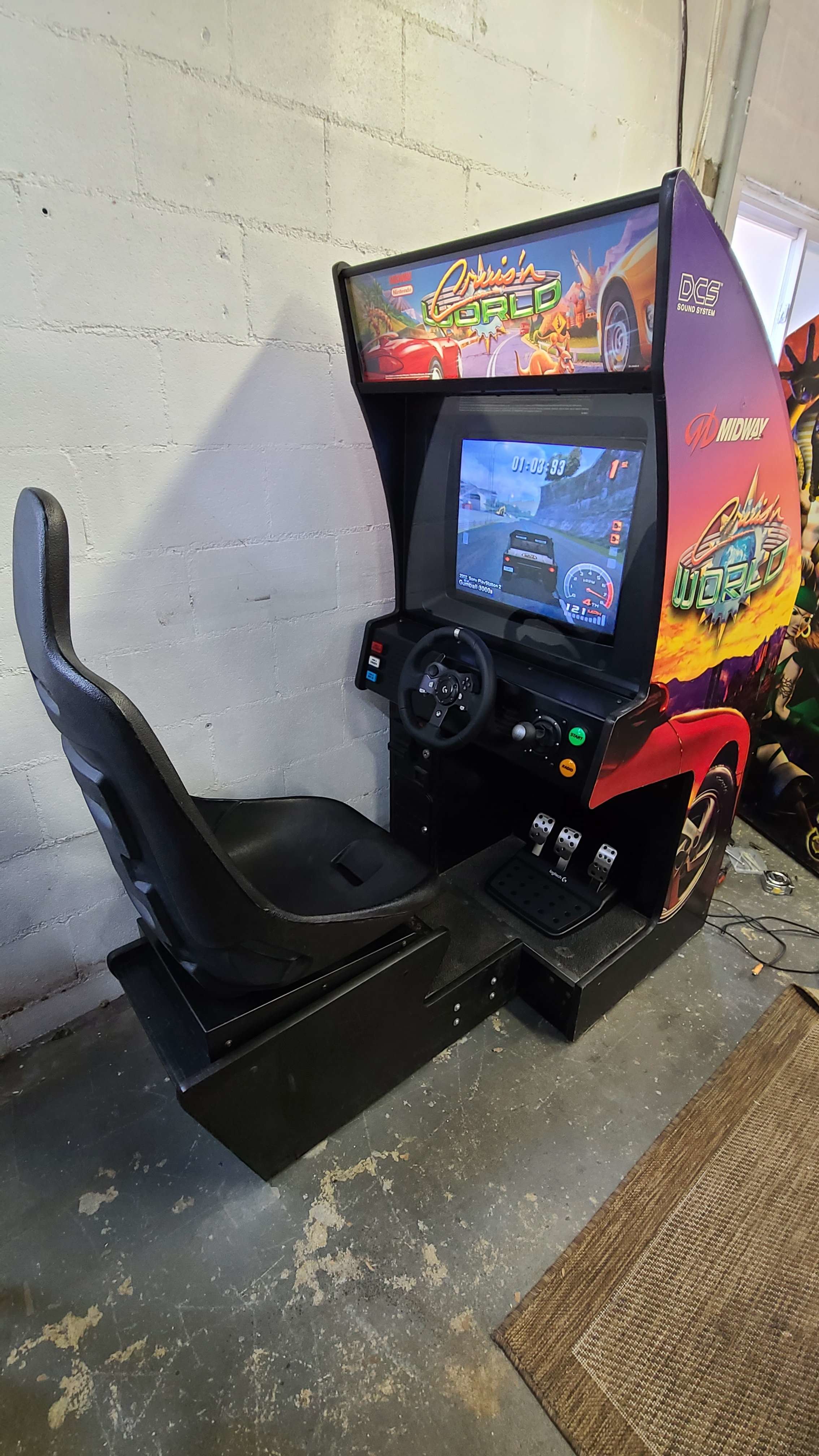
Oh, and taking a 3-inch hole saw to the pristine Cruis'n USA control panel to enlarge the opening for the G920's steering hub was enough to make the arcade connoisseur in me cry a little. Knowing the cabinet would never have been restored and knowing there's a lot of them in circulation eased my emotional stress, though.
-
1) I have had to do some minor modifications to the cabinet, such as cutting a larger opening for the G920's floor-mounted pedal unit (Cruis'n USA uses a face-mounted unit). I really like how it's working out, though. 2) I absolutely love how the 4:3 CRT makes modern games feel retro, and the new blends well with the old because of it. It amuses me to watch HyperSpin in demo mode go from the advanced visuals of Forza, to the pixels of Pole Position, to the rough polygons of Gran Turismo 2, to the cel-shaded cartoon look of Wacky Racers... it's great. 3) I've roughly setup all the games, and will be fine-tuning everything once the Logitech G920 is in the cabinet completely and I have the control panel buttons wired up fully. That part of the project will probably take quite awhile - partly because I'm a bit of perfectionist, and partly because there will be extended breaks to play each game once it's setup to my liking. Thanks for the feedback and praise! And yeah, I could easily put over 1000 racing games in this project, but I wanted to keep the overall quality of the experience high. 500 is more than enough to induce paralysis of choice as it is! Haha.
-
... and then an early Black Friday deal alert lands in my Inbox and I pull the trigger on a 2TB SATA SSD to really make this thing shine. I might need to subtitle this project The Rabbit Hole Edition.
-
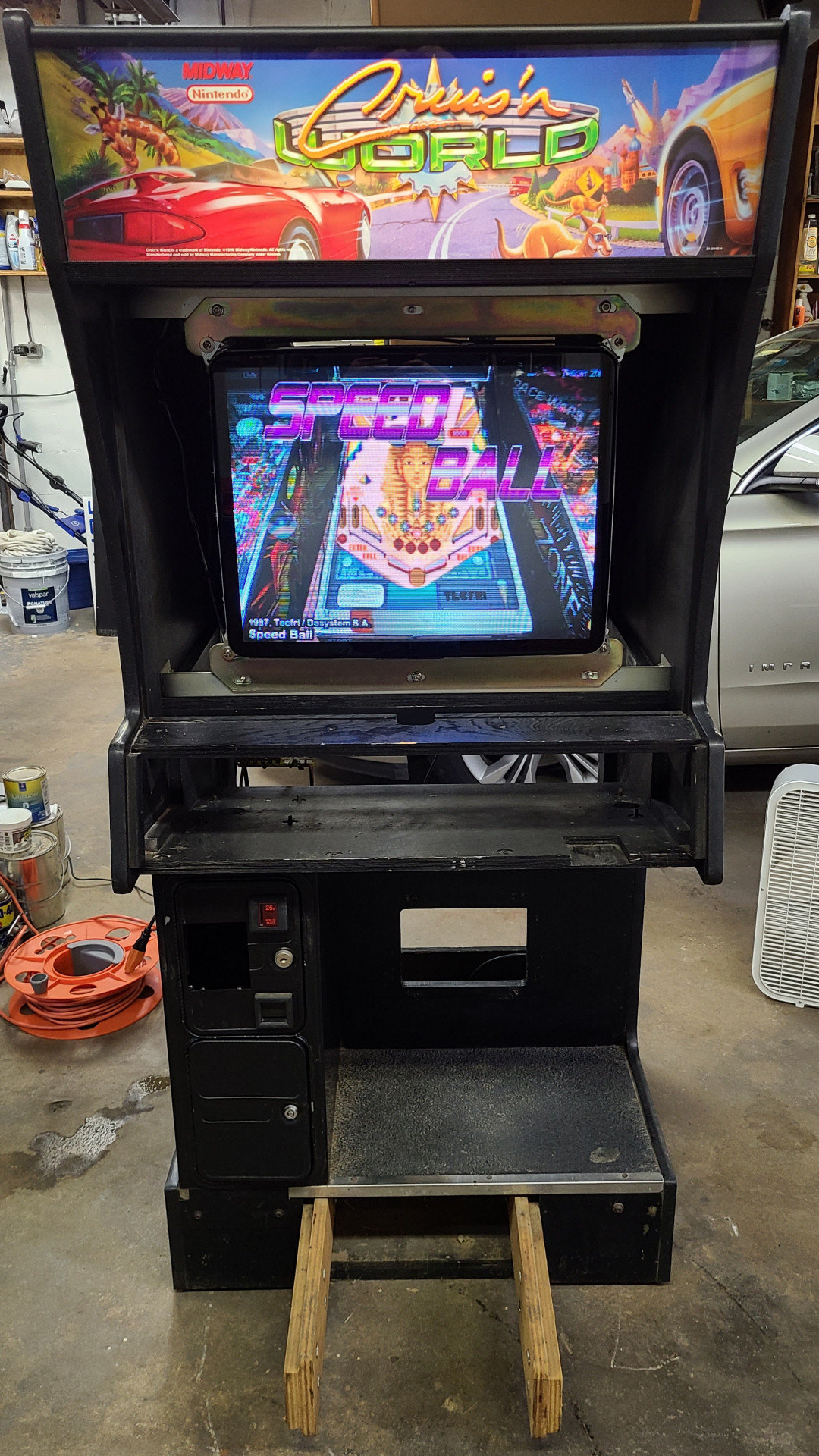
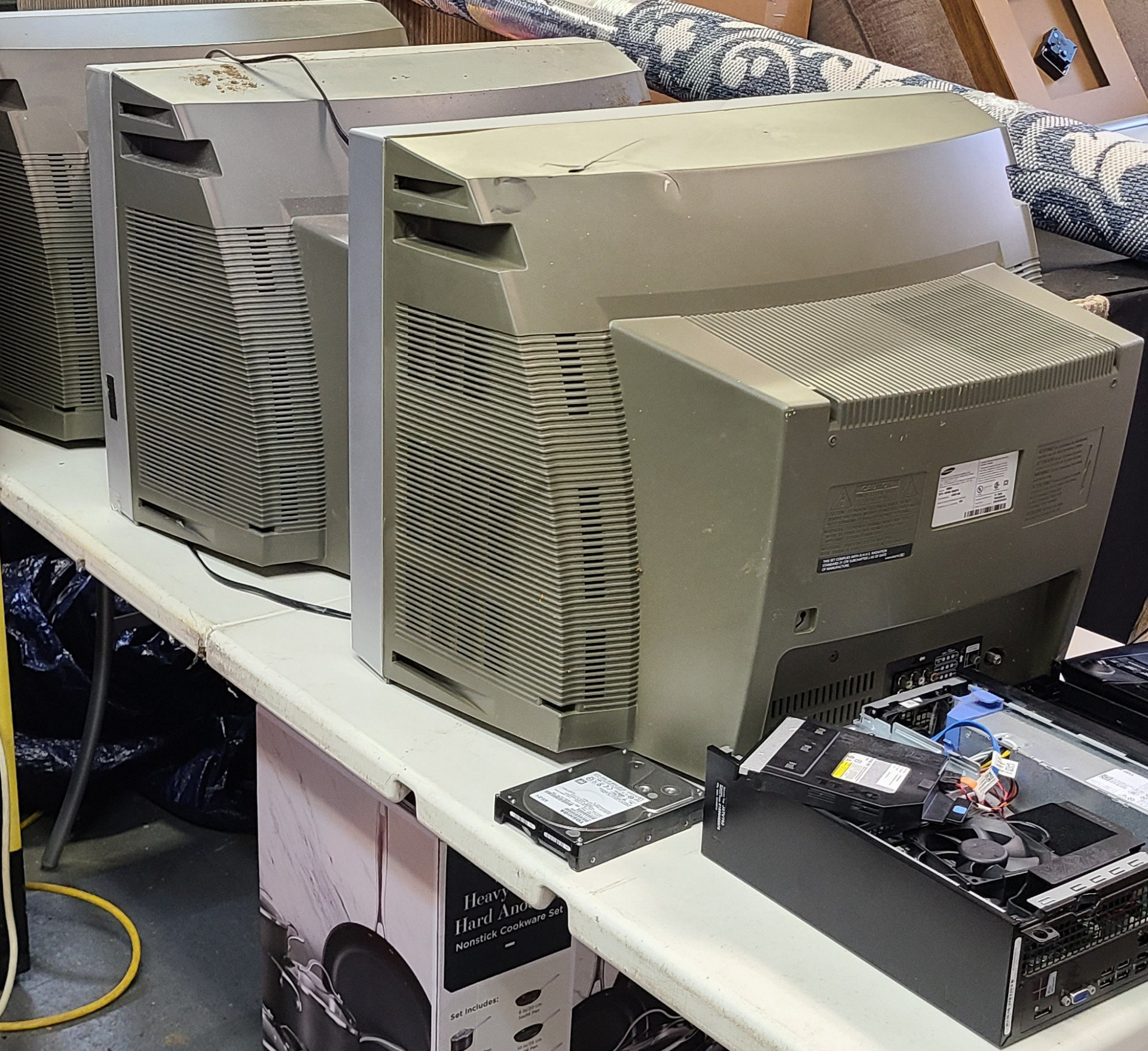
Some of you might've noticed I mentioned my sit-down racing cabinet project in my Pure (4:3) universal theme announcement back in October. Well, the project has evolved a bit since then, so I thought I probably ought to start a dedicated thread chronicling the project... Rewind a bit to a couple of months ago, and I was fortunate enough to acquire a Cruis'n World cabinet from the wonderful folks at Pinball PA in great condition (although absolutely filthy, as it had been in their warehouse's basement for a bit). Side note: You really must visit Pinball PA if you're in the area - it is incredible. A 2-hour trip to Pittsburgh with the utility trailer in tow and 2 hours back, and the cabinet was mine. I even managed to dodged that day's rain showers, so the cabinet arrived home nice and dry. Then began the cleanup process, to rid the thing of "that old arcade game smell" - you know the funk I'm referring to: a combination of smoke tar, mold, dust and other crud. I bet I changed my wash bucket a dozen times and went through at least that many rags. It's still not quite as sparkly clean as I'd like, but it's about 1000% better than it was! The next stop was to my local e-cycling center, to see if I could find a good-quality and working 25" CRT to use for the visuals. To my amazement, I found not one, but three - for free, even! Score! Even better, while I was rummaging through the piles of old TVs, I discovered a stack of discarded office computers. Curiosity got the best of me, and buried in the stack I found what had to be a company mistake - a Dell Optiplex 3020 small form-factor desktop in absolutely pristine condition. i5 CPU and 8GB RAM, but no hard drive (e-cycling centers are obligated to destroy them due to privacy concerns). I had a spare 2TB hard drive, so that worked out fine, and the PC is perfectly sized for the cramped confines of the Cruis'n World cabinet, and plenty fast enough to run the games I planned to include. Then I did a little research online, to see if I could squeeze more performance out of the little monster on the cheap, because I'm greedy like that. To my delight, I was able to max out the RAM at 16GB and add a respectable low-profile video card (Radeon R7 250), and I now have a whole $70 wrapped up in the machine. It runs Forza Horizon 5 very well, so I'm stoked, and confident that it'll run everything else I want to include. Next up, CRT testing time! They're identical 2006-vintage Samsung models with a full host of inputs, including S-video and component. Since all 3 CRTs were laying in a very wet section of the yard, I let them air-dry for about a week (see the first photo), then began the process of opening each one for inspection and powering up after making sure all looked fine. Their cabinets were pretty beaten up, so I hoped their guts weren't as abused. To my surprise, the first one I tried was perfect. I ran the S-video feed over from my Gauntlet Legends cabinet for testing purposes and was amazed at how clear and crisp the picture was. I think it's even better than the awesome Toshiba 27" I have in the Gauntlet cab. I immediately decased the CRT and mounted it in the Cruis'n World cabinet. You can see how it looks in the second photo. Fantastic, but a long way to go! I tested the other two CRTs - one's in equally great working order, and one's DOA. Hey, two out of three ain't bad! I stashed the other working CRT in a cool, dry place for possible future use. Control-wise, I'm mounting the Logitech G920 wheel, pedals and shifter I was using with my Xbox Series X to the cabinet. I don't have photos of that process, but I'll add pics once the controls are all in place. Here's the very slick Xbox 360 controller emulation app I'm using to make non-wheel games work as if they had wheel support. So cool. Now for the real meat-and-potatoes of the project: the games. I've spent the last couple of months methodically curating, installing and testing all the games I want in this beast. I decided the total will be 500 - no more, no less. What better number for a racing cabinet? Some games had to be discarded due to not working offline (Forza Motorsport 7), not being emulated well enough yet, or not playing nice with the 4:3 aspect. Surprisingly, a lot of very recent PC racing games work very well in 4:3 aspect. Who'd have guessed? In that time, I've also created a custom universal theme to tie the arcade, console, and PC games together visually in HyperSpin (see the link at the top of this post), and I've gathered logo wheels for each game and gathered/created video previews for each as well. That's been a job, and I'm glad it's done. I've attached the 500-game database as it stands right now. I don't anticipate major changes to it, but I'm still discovering racing games I want to include, so it'll probably continue to evolve as time goes on. I love me some racing games, as you can probably tell. If you have questions, ask away! Thanks for reading. More to come! CruisnWorld.xml
-

Version 1.0.0
120 downloads
Another missing theme down! I tossed in a wheel image as well, in case you need it. (and LOL @ the game's tagline... so silly) -
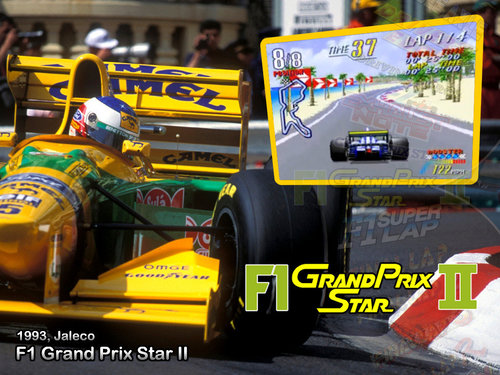
Version 1.0.0
66 downloads
I created a proper theme for this fun racer too, as a visual upgrade and to honor Michael Schumacher's first win in F1. Enjoy! -
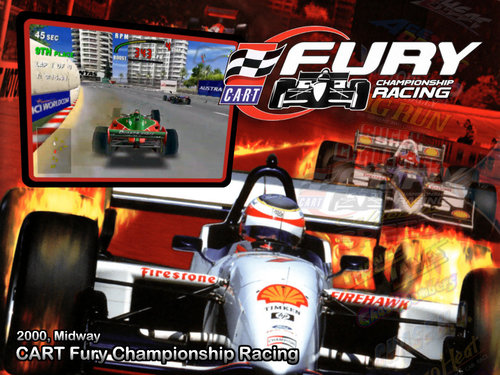
Version 1.0.0
113 downloads
I created a proper theme for CART Fury, because the other available theme reuses artwork from the Grand Prix Star theme. Indy cars and Formula 1 cars aren't the same thing, people! I also included a better-looking wheel image. Enjoy! -
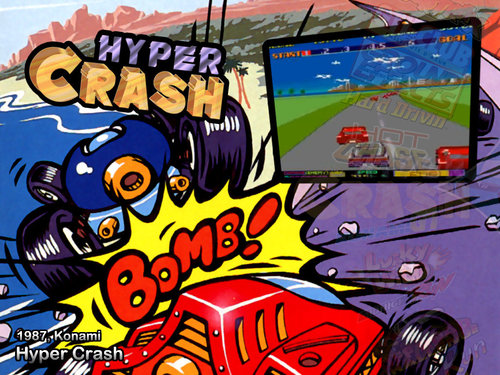
Version 1.0.0
74 downloads
A silly theme for a silly game! -
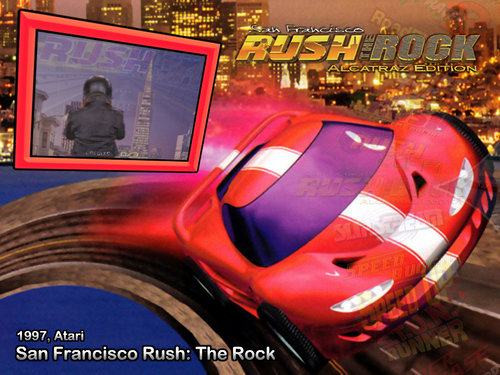
Version 1.0.0
114 downloads
Scratch another racing game theme off the missing list! I've included the wheel too, in case y'all need it. Game on! -
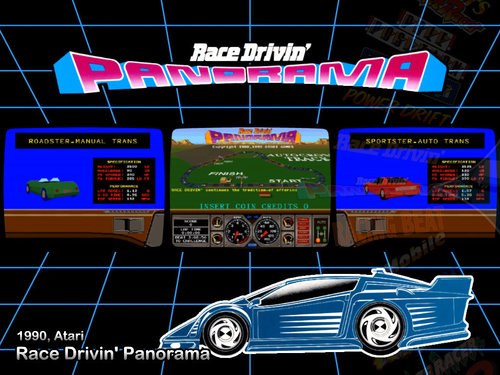
Version 1.0.0
123 downloads
Another missing racing game theme crossed off the list! I made a wheel and video for it as well, since those don't seem to exist yet. It was fun trying to catch the animated car for the screenshot. -
Version 1.0.0
44 downloads
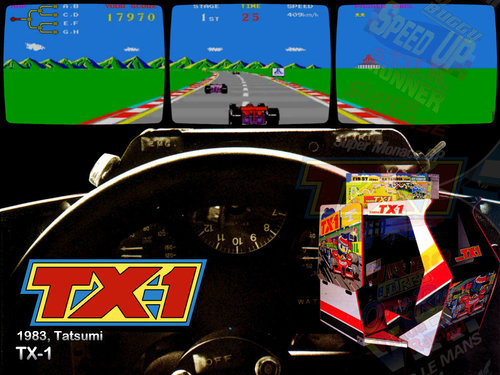
Adding one of the missing MAME game themes. I tried to replicate the look of the game's promotional flyer. Hope you like. Enjoy! -
Thanks to the wonders of Xbox Game Pass, I'm completely engrossed in Immortals: Fenyx Rising on the Series X at the moment. How this phenomenal game snuck past me when it first came out, I have no idea. It's like God of War and Spyro had a kid who loved ingeniously designed puzzles. Absolutely brilliant game.
-
After all these years, I still think HyperSpin is the ultimate in an arcade cabinet. Here's my latest project. I managed to find this gem for a mere $250 - working even! Don't worry, preservationists - my conversion is 100% reversible back to stock. I've even stashed the original CRT monitor away somewhere safe and dry for safekeeping. A few fun parts of the project to note: The CRT in it is actually a 27" Toshiba TV I got for free off Craigslist. Fun fact: the tube and mounting points are identical to the arcade original monitor. It slotted right into the frame and slid right into the cabinet. Also, the Toshiba has power-on sensing, so when I turn the cabinet on, the monitor turns itself on too! The video connection from the PC is VGA-to-Svideo, via this great adapter board, at 640x480. I was concerned about lag, but I haven't noticed any at all. Score! The stealth button bar above the control panel is actually a table leg cut to length and sprayed black! I needed a place to put the insert-coin buttons, and the little ledge below the monitor was the perfect spot. I picked up some tiny pushbuttons to match each player's color, and added a black button in the middle to escape back to the HyperSpin menu. The 25c slots in the coin door work for player 1 and 2 also. The marquee light didn't work no matter what I tried, so I set it aside and put this LED fixture in its place. I still can't believe how perfectly it fits and looks. I haven't gotten around to replacing the damaged yellow T-molding yet. It'll happen soon... if I can pull myself away from playing long enough to do it! And yeah, I made sure I can play Gauntlet Legends and Gauntlet Dark Legacy on it. The monitor is also big enough to play 4-player Tournament Cyberball 2072 with both screens displayed on the one monitor! MAME recommendation for other cabinet enthusiasts: Get familiar with the control bindings in the Tab menu! I was able to configure nearly every game in my setup in one shot, even the dual-stick games like Robotron and Karate Champ. It's super easy, once you get your brain around the way MAME does things. Feel free to ask any questions you have!
-
 This is perfect for my cabinet project. Thank you!
 -
Microsoft Xbox 1.4 (almost official) View File 1040 entries, including Japanese games and playable prototypes. Enjoy! Submitter Andyman Submitted 10/03/2018 Category Databases (XML) Credits Andyman
-


NightDriver.jpg.13a0c25d3d762be789772a7f03219c17.jpg)
RadRacer.jpg.4048a2b67bba2002584b7bf27e3e74f0.jpg)
VictoryRun.jpg.8bd24ca4c9056f2172384cd0b0216ce5.jpg)
JaguarXJ220.jpg.2728a8ef79e6f069a53f7a6ca31c1c54.jpg)
LotusTurboChallengeII.jpg.1ef2f0641dde05caec63f2e4cc823351.jpg)
CheckeredFlag.jpg.0622fd4d11e53fc03b290c909c5b45fe.jpg)
Quarantine.jpg.6a5418a14bbc33c3f946906deae8ce80.jpg)
BCRacers.jpg.822c8af231f534e547a1d604bb50ab8d.jpg)
CruisnWorld.jpg.65c45c7f7483170858c51c70e71f24f7.jpg)
WipeoutXL.jpg.6bd6bd896af53c28c8c5fad25dd7b247.jpg)
DiddyKongRacing.jpg.2405df5bdae678286b0f5e48f25e2d1d.jpg)
Re-Volt.jpg.1368c43aac39425487cf8d4cad88a896.jpg)
WaveRace-BlueStorm.jpg.f0aa0d02bc48eab38c54a78f5e87dafa.jpg)
RoadTrip.jpg.68bb36129c2d18ad5032fee1fb4f6450.jpg)
F-ZeroClimax.jpg.3be72757cc1022d973ba56e8f81b3486.jpg)
MarioKartArcadeGP.jpg.74503208ed6f454f4c151a5c8655647b.jpg)
CartoonNetworkRacing.jpg.a7e7bdb465b2b39f2bcb6e6d00df9215.jpg)
SonicSegaAll-StarsRacing.jpg.69397537a4053af17f58502e3061a387.jpg)
ForzaHorizon4.jpg.c9c69fde32e94ad42bf94774a9ae40ea.jpg)
SnowRunner.jpg.de2aa0a6d523677c4ac0e7246cadd643.jpg)