


brudibru
-
Posts
516 -
Joined
-
Last visited
-
Days Won
15
Content Type
Forums
Events
Downloads
Store
Everything posted by brudibru
-
 I didn't knew it 5 minutes ago, but now I definitely need that system !!
 -
 I think I have everything in place now. I just need time to finish the savestates and the media. For the videos I had hoped I could use the mame artworks snapshots but it doesn't seem they exist for this system so I will probably create them myself. I have some artworks and pictures to create the main menu and default themes. I have the right database but I don't remember who created it. Probably from the retroFE site. You are right about the fact that I am completely off topic in this thread and you are welcome to create a new one and copy our conversations there. It might become of interest for other people in the future, who knows...
 -
You can read again my previous post. I send it by mistake as it was not finished. I have found a solution in fact.
-
Thanks for your answer ! It was effectively related to the way I was creating the savestate or so it seems. I had temporarily disabled the autoload/autosave feature just to create the savestates at a precise time, when the game starts (it is often a text scrolling vertically so you must be quick to catch the first lines). And when I turned back the option it would not autoload the savestate. The solution was to create a new one, not manually this time, but with the auto option. With this savestate the game launch as I intended it. I am sorry if my explanation is very confused but as you said floatinyeti, the savestate feature in Retroarch can act weird sometimes. In the end it is still a very useful feature and the Apple I system is a living proof that your process works wonders for old, command lines driven computers. I really starts to understand all the growing pains you have to endured to create all those exotic systems complete setup...
-
.thumb.png.b21846393a6b4cb0dcf79878d455df13.png) That's awesome Mackano !
That's awesome Mackano ! -
OK so I finally made it work ! I am not sure what I was doing wrong but it was probably because I was not rewinding the cassette after loading the basic !! Aaaah the good old times... Now I have to create the remaining savestates. And by the way I have a small problem with them as I need to load them (with my hotkey + F4) each time in retroarch even with the autoload option on both in the core and general retroarch options. Floatingyeti, maybe I can send you the roms, databese and savestates so you try on your side ?
-
You says you will slow down but you you still come up with a new system ! I don't have much free time available but I am still working on the Apple I. I stupidely lost time looking around for videos on how to start the games while it was all explained properly in the mame hash file ! I should take a deeper look at those in the future. Now I have all the instructions neede but I still haven't found the way to launch the games that required to load the basic first. Probably dumb mistakes due to my lack of skill but I will insist anyway. If I release a complete setup I will probaly use mame snapshots instead of videos (as there is nothing going on in the screen anyway !) and generic wheels as I don't know about any artworks existing. Hopefully other people will be able to pick up on my work and release better media.
-
For the Macintosh, what would be the other emulation options ? and do we have rocketlauncher modules for them ? For the apple I, I have the correct games folder now and save states for 8 "games" already. I am currently struggling mightily to make the games which required to load the basic first to work. I have seen instructions for star trek for example. It says to launch the basic first then the game, I have the command line instructions but I can't make it work yet. I certainly understand what you mean when you say that you are suffering to make us enjoy your setups. I have inflicted that to myself for so many years but still continue because it is such a thrill in the end when you find solutions and manage to run new emulators or games...
-
I wanted to do this system for so long ... you are on fire !!! At some time time, do you intend to look at the Apple Macintosh brand ? I never saw a complete setup available publicly. I don't know about the software list games available though.
-
.thumb.png.0dc7b1e28b2888650bcab635e2fc163f.png) You did it !! Thank you so much !!
You did it !! Thank you so much !! -
 So colourful ! so Hyperspin ! You are at the top of your art hoscarconh
 -
.thumb.png.4588ba9829a166ce4aecb2cc61cbb036.png) Great job Mackano ! So nice to witness the collaborative atmosphere in this forum these days. We just need the individual bezels now and this system setup will be about completed.
Great job Mackano ! So nice to witness the collaborative atmosphere in this forum these days. We just need the individual bezels now and this system setup will be about completed. -
 Very nice ! Thank you Hoscarconh
 -
 I can try to but it might take some time as I am searching the net how to start more games (I need to find the proper command lines). I also need to make new videos and a default and main menu themes. Concerning the wheels there are no artworks as far as I know cause the games are text only and very archaic, so if you know of a relevant font to create generic ones please tell me. I will not make a bezel as I am using myself the megabezel of an old wooden tv from Duimon that fits perfectly. And yes Floatingyeti, I wouldn' t have been able to launch the games without all your advices, so thanks again for that ! At first it wouldn't work but then I remember that you need to place the relevant files for Mame in the roms folder along with the games. You also need to activate the hotkey option in retroarch in order to be able to use all the input keys (I don't know if there are other solutions). It was also necessary to disable the 7z option in rocketlauncher and let retroarch do the decompression. So quite some trials and errors but I learn a lot from them.
 -
I have successfully launch it through mame_libretro. I am in the process of creating the savestates for the 8 games I have been able to launch. So I will be able to senf you the hash, cfg, roms and savestates if you need them. Back when I made myself this setup I managed to launch games only because I found youtube videos of guys launching their games manually. The commands are different for each game and it is definitely not in basic !
-
.thumb.png.7eae40149ff505d8de79dfdfd3ee1e67.png) Mackano, Thanks a lot for your works, which are very nice complements or alternatives to FloatingYeti setups.
Mackano, Thanks a lot for your works, which are very nice complements or alternatives to FloatingYeti setups. -
The missing link between the Apple II brand and the Macintosh. Next, the Apple I ?? A long time ago I made a very ugly wheel for myself. I didn't used mame_libretro back then and its useful savestates feature so I had to type in the command each time in Mame. The videos I made for this system were showing the process to launch the games. I will try to improve it with your retroarch method but if you are interested I can send you what I have.
-
Mindset Corporation Mindset - RetroArch (MAME) - Setup
brudibru commented on floatingyeti's file in Media
 I used to avoid mame_libretro too, not because I was taking side in the debate but because I thought it was too difficult to setup and integrate in rocketlauncher. You prove me wrong and the savestate feature alone is a revolution for the systems where you have to type in the commands and load the tapes. It's a drag to setup thé first time if there are many roms but then it's a breeze. And the mega bezels makes retroarch such a desirable option now.
 -
Mindset Corporation Mindset - RetroArch (MAME) - Setup
brudibru commented on floatingyeti's file in Media
It was not said to diminish your work !! Your systems are awesome, especially considering the lack of quality graphics on the net or the lack in quality emulation. The solutions you find and your mastery of Retroarch and Mame are impressive to me. I just meant that probably nobody else had bother until now to make those complete packages for those obscure systems, which is a shame as they are emulated and part of the computing and videogames history. You are right in the Mame devs philosophy: emulate and preserve everything that runs with a chipset. So anyway, please keep it up ! -
Mindset Corporation Mindset - RetroArch (MAME) - Setup
brudibru commented on floatingyeti's file in Media
Well, I like your mindset ! (...Yes I know you used this joke already) I also like the fact that you don't hesitate to propose systems with only a few games or even only one, sometimes poorly working. Better that than nothing. -
Mindset Corporation Mindset - RetroArch (MAME) - Setup
brudibru commented on floatingyeti's file in Media
Thanks a lot ! An other one of these systems I never heard about. You must be spending a lot of time through the Mame change logs to find them There are so many obscure systems emulated by Mame that I didn't knew what to do with, and you are making them come alive, that's just so cool ! -
Охота (Elektronika Handheld)(MAME)(16:9)
brudibru commented on hoscarconh's file in Game Themes (16:9)
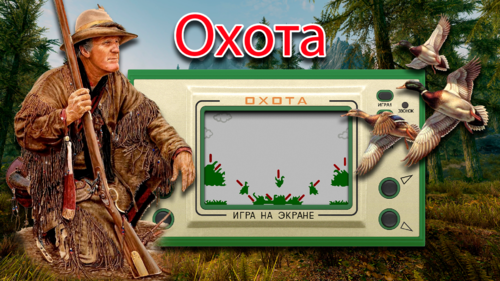 Hola Hoscarconh ! Thanks a lot for your answer. It is sad to hear that google closed your youtube page, you did such a fantastic job the years before. I think that you inspired many people to keep working on hyperspin complete packages at a time where the activity was quite low. I don't know the social networks very well myself but instagram seems to be a good choice. You would be limited to pictures instead of showcase videos though. Concerning the Elektronika Handheld system, do you think you could share it here or elsewhere if you have finished the complete system ? That would be a nice addition to our hyperspin wheels. Your themes are so beautiful !! Google automatic translation: ¡Hola Hoscarconh! Muchas gracias por tu respuesta. Es triste saber que Google cerró tu página de YouTube, hiciste un trabajo fantástico los años anteriores. Creo que inspiraste a muchas personas a seguir trabajando en paquetes completos de hyperspin en un momento en que la actividad era bastante baja. No conozco muy bien las social networks, pero Instagram parece ser una buena opción. Sin embargo, estaría limitado a imágenes en lugar de videos de exhibición. Con respecto al sistema portátil Elektronika Handheld, ¿cree que podría compartirlo aquí o en otro lugar si ha terminado el sistema completo? Esa sería una buena adición a nuestras ruedas hiperspin. Tus temas son tan hermosos!! Saludos
 -
VTech Laser 500 - Retroarch (MAME) - Complete Setup
brudibru commented on floatingyeti's file in Media
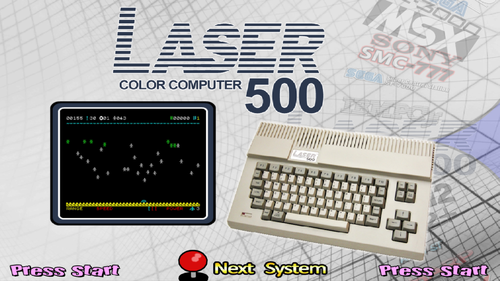 I am really sorry to hear that you are sick but I am happy to see that it doesn't prevent you from working hard. I absolutely love your obscure systems packs ! Back in the 80's I spent a lot time reading over and over the games and computers magazines I could find and I am so happy to re-discover some of them thanks to you. I was so frustated back then, not being able to play them, that it is a joy to add them to my Hyperspin setup now.
 -
VideoJet Pocket Dream Console (Game Theme)(MAME)(16:9)
brudibru commented on hoscarconh's file in Game Themes (16:9)
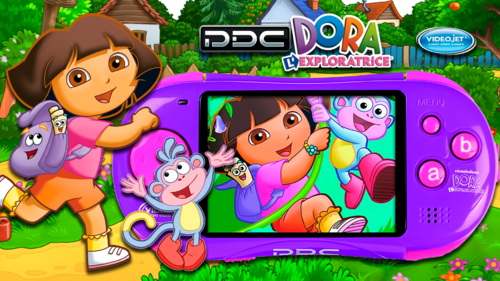 For those interested, Duimon is finalizing a mega bezel for this system: https://forums.libretro.com/t/duimon-hsm-mega-bezel-graphics-and-presets-feedback-and-updates/28146/3614
 -
VTech Laser 500 - Retroarch (MAME) - Complete Setup
brudibru commented on floatingyeti's file in Media
...another one !!! You are too fast, I can't keep up installing all those systems :)) Keep up the the good work, that is great ! There is a megabezel for the Laser 310, hopefully Duimon will make one for this one too.

