


brudibru
-
Posts
516 -
Joined
-
Last visited
-
Days Won
15
Content Type
Forums
Events
Downloads
Store
Everything posted by brudibru
-
 Floatingyeti, sorry to bother, I have a few questions: Have you been able to launch some games with mame_libretro ? Judging from the setup uploaded by sanchezmike it seems mandatory to launch a chd with an OS (mostly the 6.08 for old games). Do you agree ? if yes what would be the solution to load both the game and the OS ? A cmd file would be an option and then a save state but I haven't been able to launch a game with mame_libretro. Also in the cmd file I wouldn't know how to precise which kind of macintosh to launch Again, sorry for the flow of questions but this system is getting on my nerves...
 -
Yes that is a useful detail ! I have not been able to launch a single game via mame_libretro macintosh on pc myself but I am confident floatingyeti will succeed. I have put the hash file filn the cfg file, the files required by mame in the roms folder, tried different versions but my retroarch just crashes without showing anything.
-
When you arrive to the OS you have access to the hard drive or the disk ? If not it is maybe a problem when loading the game.
-
The video is useful and at the same time I am trying to understand how it works as it seems to be a pretty clever setup. So if I understand correctly the author has created a hdd file containing the OS 6.08 and most of the games and he has converted it in chd. He has then made copies for each game and renamed them accordingly. The chd files are launched with mame via the bat files, along with some other parameters (for some games, which are not present in the hdd, he also launches a dsk file). What I don't understand is how he can make the games launch directly instead of starting in the OS. Is the renaming enough for that ? (edit: of course not, so maybe something to setup inside the OS itself ?) The whole package is very well done with proper cfg files, choice of model depending on the game and nice artwork. A very good job and the proof that mame can play many more games than only the software files one. It is possible to convert this setup directly to Hyperspin, using the pc launcher module and the bat files, but it would also be nice to propose a more universal setup and maybe add more games. Floatingyeti is looking at this system, and is much more skilled than I am so I will wait for his opinion on this.
-
THANKS A LOT Sanchezmike, that will help tremendously !
-
I have mainly tested minivac_libretro with the results I have explained before but I had the intention to come back to mame and your explanations will help a lot. I have tried the few games available in the software list with many different models and the results are always the same, working or not. I think that the later macintosh models have a good retrocompatibility. However the level of maturity is different for each model is different in Mame and I have to take care of that. I must also determine the right HDD/OS version for compatibility. Can you tell me what instructions the ini should contain in order to systematically load the chd ?
-
I will check for the relative paths, I am afraid I am not skilled enough to create the batch file. So you have been able to use non software list games with mame_libretro. I have to try that but maybe, when you will be back home, you can check the kind of files you are using (dsk, img,...?). The software lists for mac are mac_flop and mac_hdflop and I think that most of the roms are pre-0.227. Tell me if you need them. I have spent a large part of my off day trying to figure out the macintosh emulation on PC and, well, now I understand why there has been little activity around it for years ! Mini Vmac standalone would be the obvious choice for a setup but there is no official module as far as I know for Rocketlauncher, only a very barebone one that was not completed. The mini Vmac core for retroarch is also a work in progress and lacks many features. I don't know if it's discontinued or not. I have managed to launch multiple disks games with the cmd files but I am still struggling to make them work. The reason is quite frustating and stupid.: When I try to launch an old monochrome game (which was my goal at first !) it asks me to put the screen in 2 colors but there is no monitors option in the control panel (I am booting with the few, most populars, system disks). The core is emulating a Mac II and the systems disks are launching a 7.0 or a 7.5 OS. I have not yet been able to launch the core with older OSes. I am really not versed into the macintosh world and it takes me a lot of time to follow tutos and try new solutions.. I have no such problems with the more recent games, at least for the handful I tried. I want to do a monochrome setup because of the unique look of those games but I may do another one for the color macintosh if I find enough "exclusive" games (like the marathon series maybe).
-
Sanchezmike I have a question for you as you seem familiar with the .cmd files for retroarch: Is it possible to use relative paths in the command line instead of absolute path so the cmd file can be portable, independant of where retroarch and the games are installed. I would like to use this process to create the macintosh setup with minivmac but I don't want people to manually change every command files to fit their own paths. Thanks in advance for your help
-
I can't run lode runner from the mame software files as it says that I need to put the original disk in the drive (as if the game's not cracked). I don't know about grid wars. Are your games coming from a different romset (not from the "official" software files) ?
-
From the software list I only have Beyond dark castle (despite a warning saying disk 1 needs redump) and Airborne running. The other few games gives me an error or doesn't show anything. I am using the Macintosh 128 or SE with the same results. I have not tried to launch non-software list games yet.
-
Thanks for the explanation. Tomorrow I will update the setup with your improvements if you don't mind. The .auto trick is a very nice solution and a nice feature for retroarch. I was bothered by this auto save problem and it does solve it.
-
.thumb.png.c71e6cbb073e2d4cc66062c61092f721.png) The mame software list doesn't seem to support as many games as the current setup and I don't think mame_libretro can run the atomulator compatible roms so I am wondering if a retroarch setup is relevant or not. The advantages would be the savesatates and the megabezel, the disavantages would be less games and the necessity to adapt the artworks or create new ones. I will probably give it a go and see where it leads.
The mame software list doesn't seem to support as many games as the current setup and I don't think mame_libretro can run the atomulator compatible roms so I am wondering if a retroarch setup is relevant or not. The advantages would be the savesatates and the megabezel, the disavantages would be less games and the necessity to adapt the artworks or create new ones. I will probably give it a go and see where it leads.- 2 comments
-
- 1
-

-
- acorn
- atomulator
- (and 1 more)
-
Great job Mackano ! The Acorn Atom can probably be emulated also with Retroarch/Mame. So there is something to do here in terms of emulator setup. I will take a look.
- 2 comments
-
- 1
-
-
- acorn
- atomulator
- (and 1 more)
-
Fantastic ! Your modifications on the wheel and default theme are great !! Concerning the default theme, I am, obviously, not comfortable at using hypertheme and I am glad you improved it yourself. I have not asked him but I sure hope Mackano can come up with some other media too. He is doing such a good job with your setups. For the save states I had no idea you could add the .auto reference. Can you explain a bit more ? I had them running automatically by switching on the option auto load/save states in Retroarch. It's not really convenient because it always save where you end the game while you might want to restart at the beginning each time you run it. With your explanation I may be able to update the files accordingly. Concerning my macintosh project I am progressing with the minivmac core. Sadly this core doesn't use the savestates so I am considering creating .cmd files to launch the games (as it need to load both the system and the game rom at first). This process seemed too complicated to be applied on the Apple I setup but is much easier for the minivmac core. Thanks for your support, that gives me the motivation to go on
-
If I can't make the minivmac core working I will probably do a retroarch/mame setup for the 2 games I have been able to launch. That would serve as a basis and hopefully would improve with the years. I still hope to make minivmac working in retroarch though. I just need one thing : Being able to load dsk or img files within the emulator. It works easily with the standalone emulator but I haven't been able to do it with the retroarch core which uses different function keys it seems. I have found in the corresponding github that it should work by pressing the Y button on an Xbox360 joypad but it doesn't work for me (the other buttons are working as intended ) . That is very frustating because it is probably the only obstacle to make it work. Minivmac has a good compatibility and can run a lot of those old monochrome games. I keep searching and working on it.
-
Thanks, I hope you will not be disappointed after installing it. If you and other people can install this Apple I system without too much trouble that will be a motivation for me to post more setups, as I have a few ideas in mind. For example I was looking to follow up with other Apple computers (I am not an Apple fanboy, quite the opposite, but I still think they deserve some love). However there are no games in the mame software list for the Apple Lisa, and concerning the Macintosh I have been able to launch the Grand total of 2 games (you warned me !). There is a minivmac core in retroarch and I can launch the system correctly but I can't launch any games yet (I manage to launch games with the minivmac standalone emulator). I haven't found any videos of macintosh games running in retroarch yet so that might be a bad sign.
-
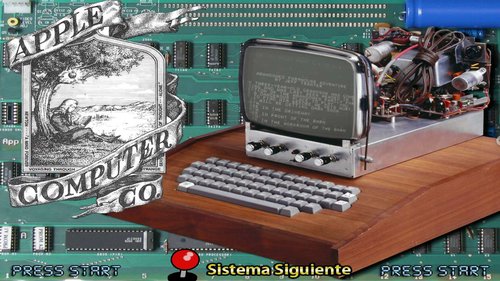
Very Important !! I forgot to write in the instructions that you MUST add the following lines in the Retroarch module for Rocketlauncher where it's needed: MSystem := "Apple I" mTypeVar:= Apple I|mame_libretro|apple1
-
Version 1.0.0
86 downloads
My first attempt at posting a full setup. The result is not up to the usual high standard here but I don't think that this system has ever been proposed, so I post it anyway. The Apple I was short lived, sold less than 200 units handmade by Steve Wozniak and Steve Jobs but it has a great historical significance. The process is the same as for the Floatingyeti releases except that I have zipped the files in their own directories. The emulator is Retroarch/mame_libretro. For the people allergic to Retroarch, you can use Mame and type the command lines for each game manually (or create a command file). The instructions to launch the games are on the hash file (good luck to you...). So you must go through the following steps: 1. Extract the media.zip in Hyperspin/Media 2. Extract the Main Menu.zip in Hyperspin/Media/Main Menu 3. Extract the games where you want and point Rocketlauncher to this directory 4. Extract the Retroarch.zip to your Retroarch folder 5. Extract the Databases.zip to your......Databases folder ! 6. Choose Retroarch as the emulator in Rocketlauncher and mame_libretro as the core in the module global settings. 7. you must add the following lines in the Retroarch module for Rocketlauncher where it's needed: MSystem := "Apple I" mTypeVar:= Apple I|mame_libretro|apple1 You should be ready to go. I have included the savestates in the retroarch folder so you don't have to go through the tedious process of typing all the command lines. If the save states doesn't start automatically in retroarch you have to put the corresponding option on in the core options, or hit F4 (or your hotkey+F4) each time you start a game. It is my first release so please be tolerant. I will update the files if I have made any mistakes. There was little to none artworks available for this system and the games have no graphics so it was tough to create the media. I know I have done a pretty subpar job and I hope someone will pick up the job and improve the media dramatically. I didn't made a Bezel as I am using a Megabezel in Retroarch. It's an old wooden TV that fits well with the homemade Apple I built by Steve Wozniak. Credits goes to Floatinyeti for his help and inspiration, to Duimon who created the nice megabezel I am using for the videos and for whoever created the original database and main theme I have borrowed. -
 I am !!
 -
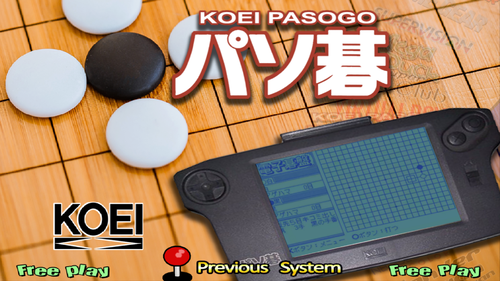
Playing that completeley unknown Japanese handheld that only run a few GO games on my arcade cabinet ? I love that !!!
-
Exelvision EXL 100 - RetroArch(MAME) - Complete Setup
brudibru commented on floatingyeti's file in Media
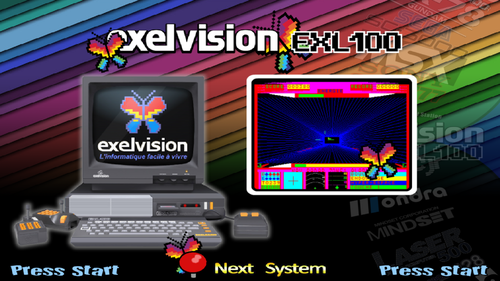 Good job again floatingyeti ! An old computer from my country. Back then it was supposed to be an answer to the spectrum and the c64 but it was just crap (like many other french computers of the time...) I had a wheel for this system already, using the emulator DCEXEL, but the module was not working properly at all for me. I had to load the game in the emu first then write the command line : LOAD"1" and then sometimes RUN to launch it. Thanks for your work and dedication.
 -
 wow, much older than the PDP-1 itself ! Would it be able to decode the German enigma machine ?
 -
It seems that your recent complete setups have been downloaded around 20 to 25 times. I would have guessed more but that is something already and it will grow with time. I can see that there are new members joining everyday. Maybe people who have discovered Hyperspin recently and will first install the most obvious systems and, later on, your "obscure" ones (You know that adding new wheels can get infectious after a while). I will probably be able to post my complete setup of the Apple I next week. I will see if a system so archaic and without any graphics can raise some interest. The manufacturer's name might help...or not.
-
I think that your work is incredibly useful and educative. There are Mame devs spending hours of their time trying to emulate such unknown computers and nobody but a few knows about it !
-
How to you find those systems ? Just by going through the Mame Software list ?

