


Retro Goonie
-
Posts
367 -
Joined
-
Last visited
-
Days Won
1
5 Followers



About Retro Goonie

- Birthday 11/30/1985
Retro Goonie's Achievements






-

Theme Creation Direction - 16:9 is the New Standard
Retro Goonie replied to Avar's topic in HS1 Graphic & Theme Creation
@Avar Hey mate! I finally bit the bullet and got hold of Adobe Flash. I followed your tutorial on YouTube and using dark13 "smooth" script, managed to convert a theme into flash and looking smooth! No jaggies! However I have encountered a problem! In Hypertheme I had set certain artworks to appear using the "blur" animation. After converting the artworks to flash, this "blur" effect has changed to more of a fade. It is still labeled as "blur" in the themes .xml but just doesn't behave the same anymore?! I had a quick try at re-opening the theme within Hypertheme but after the conversion to flash, Hypertheme doesn't seem to be able to open the theme anymore?! Any ideas? Has anything like this happened to you before? -
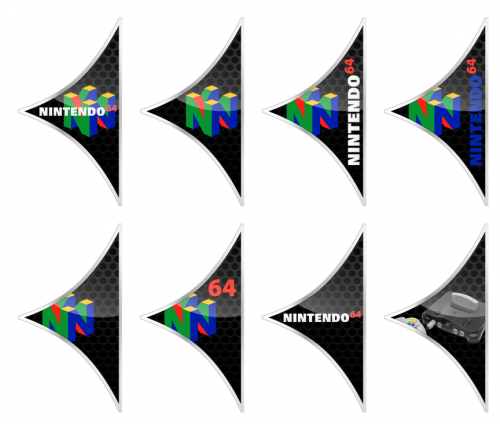
Nintendo 64 Pointer(s) View File Pointer(s) for the Nintendo 64 Submitter Retro Goonie Submitted 01/26/2017 Category Pointers HyperBase Version Media Dimensions File Count Credits
-
Version 1.0.0
1,304 downloads
Pointer(s) for the Nintendo 64-
- 4
-

-

-
- nintendo 64 pointers
- nintendo pointers
- (and 5 more)
-
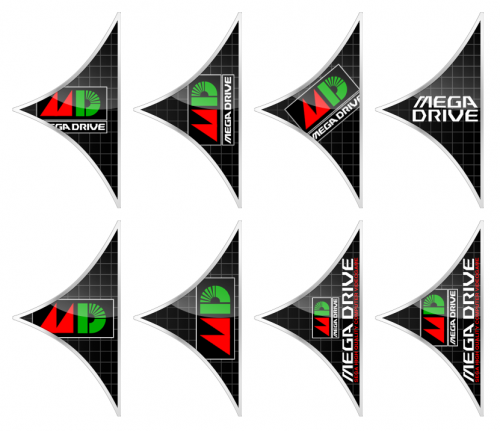
Sega Mega Drive Japan Pointer(s) View File Sega Mega Drive Japan Pointer(s) Submitter Retro Goonie Submitted 01/21/2017 Category Pointers HyperBase Version Media Dimensions File Count Credits
-
Version 1.0.0
1,282 downloads
Sega Mega Drive Japan Pointer(s)-
- 6
-
-
-
- sega mega drive japan pointers
- sega mega drive japan
- (and 5 more)
-
GCE Vectrex - Vector - 2D Carts [HQ Hi Res] - Complete
Retro Goonie reviewed Retro Goonie's file in Media
-
GCE Vectrex - Realistic - 2D Carts [HQ Hi Res] - Complete
Retro Goonie reviewed Retro Goonie's file in Media
-
Bandai WonderSwan Color - 2D Carts [Hi Quality] - Complete
Retro Goonie reviewed haimbilia's file in Media
-
-
-
-
-

-
-