

Agard
-
Posts
280 -
Joined
-
Last visited
-
Days Won
8
Content Type
Forums
Events
Downloads
Store
Everything posted by Agard
-
Version 1.0.0
45 downloads
Nintendo Switch Transparent Wheel Logo's & Assets ( MAY '26 ) Too many to list but most are original transparent logo's but some are custom as none available that I could find. Logo's & assets I have created for talented theme creators or just simply use the logo's for your Switch wheels The most I have done myself but included are some i've found I try my best not to make mistakes but I am human I think ! If you have a png file that fails to load just try opening in windows paint or your favorite image editor & re-save as a png file as that might fix it as I do save as png files but sometimes forget to save as a windows png file. Any mistakes please let me know Thanks to all creators If you have better quality that isn't upscaled please PM me. A talented swf file editor needed as i want a swf file pic making smaller if you can help PM me. Also if you have a complete HyperSpin XML file with all Nintendo Switch games that would help in finding them PM me. Please Hit the SHROOM's for more content Thanks -
I got another problem though I close down like I always do but now it stays on the game over screen & doesn't exit back to HS plus you can hear the game still running. i'll do a capture of what's happening & see if you can diagnose it. I think it might have some to do with module for RL ? Any help always appreciated Thanks
-
Thank you I thought it was that way but was unsure if there was another setting somewhere in RL or HS1
-
So does this make Ryujinx work disabling Admin rights on both RL+Hyperspin.exe ? If so can you just post the steps on how to do so i'm doing it right as i'm sure I did this but could have done it the completely wrong way. Great work Thanks
-
Thanks & looks like more than myself has downloaded it also unless you checked download works. A Thanks or a like would be nice if it wasn't you just testing. I have a jailbroken switch but can never figure it else I let ryujinx devs know but surely they know by now. Thanks again really appreciate it
-
Once again Thanks as nothing like you said will make it work but I wonder as there nightly builds that's the problem as I don't think we've had a stable release in a while. Really appreciate the reply Thanks
-
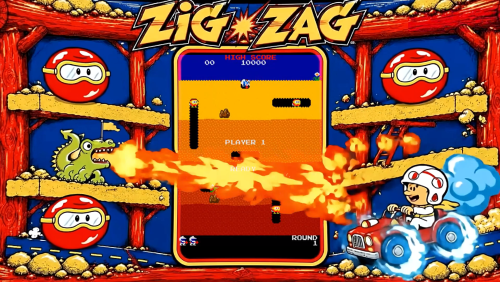 I thought the logo would match what's in the image but i see it's taken from the marquee. Can you send the image assets to me please & thanks
 -
Thanks I never thought about RL & yes it's set to run as admin but only UI is so i'll see if it makes a difference & it works. My Ryujinx is set as portable so do you think actually installing it might get around this ? In RL UI is there a separate setting for turning Admin off or is it just in properties in the exe. file ? Once I get things working right I tend to forget how I did things especially quite a while ago, I should make notes but i'm waiting on HS2 being really stable but I just wanted to update things as it's been a while. I'll test later today & see if anything fixes this. Really appreciate the help. Thanks
-
I recently switched to using the nightly builds of Ryubing / Ryujinx & if I now launch it normally it works but if I launch using HyperSpin Classic it says Ryubing / Ryujinx is not supported in Administrative mode anyone else had this as had to go back to older build. I'll try & get a video of what's happening. I haven't changed Ryubing / Ryujinx to run as admin either so it's weird as double checked it's not got run as admin enabled. Any help much appreciated. Thanks
-
Version 1.0.0
23 downloads
Nintendo Switch Transparent Wheel Logo's & Assets ( APR '26 ) Too many to list but most are original transparent logo's but some are custom as none available that I could find. Logo's & assets I have created for talented theme creators The most I have done myself but included are some i've found I try my best not to make mistakes but I am human I think ! If you have a png file that fails to load just try opening in windows paint or your favorite image editor & re-save as a png file as that might fix it as I do save as png files but sometimes forget to save as a windows png file. Any mistakes please let me know Thanks to all creators If you have better quality that isn't upscaled please PM me. A talented swf file editor needed as i want a swf file pic making smaller if you can help PM me. Also if you have a complete HyperSpin XML file with all Nintendo Switch games that would help in finding them PM me. Thanks -
 Thanks as always i got a few more logo's to send but I may have done some before but found in wrong place on my PC so must be missing but a couple I got sent & doing an image search I only found 400x but could be upscaled but IMHO they are better than what I have. Your updates are really helpful especially when I see we need better quality stuff.
-
- 1
-

-
Version 1.0.0
10 downloads
Nintendo Switch Wheel Logo's & Assets ( MAR '26 ) Too many to list but most are original transparent logo's but some are custom as none available that I could find. Logo's & assets I have created for talented theme creators The most I have done myself but included are some i've found I try my best not to make mistakes but I am human I think ! If you have a png file that fails to load just try opening in windows paint or your favorite image editor & re-save as a png file as that might fix it as I do save as png files but sometimes forget to save as a windows png file. Any mistakes please let me know Thanks to all creators If you have better quality that isn't upscaled please PM me. A talented swf file editor needed as i want a swf file pic making smaller if you can help PM me. Also if you have a complete HyperSpin XML file with all Nintendo Switch games that would help in finding them PM me. Thanks -
 Thanks floatingyeti I'll hopefully try & work on missing high quality logo's ASAP. If you know of what's poor quality or any missing PM me. Always great work !
 -

switch The Legend of Zelda: Breath of the Wild (Wii U) (Switch) (16:9)
Agard reviewed md_max's file in Game Themes
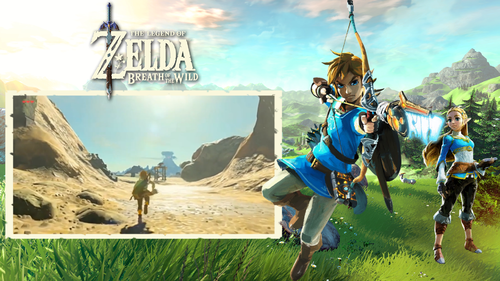 I would check out my Switch logo's & assets as we need more switch themes making. Thanks
 -
Version 1.0.0
12 downloads
Nintendo Switch Wheel Logo's & Assets ( FEB '26 ) Too many to list but most are original transparent logo's but some are custom as none available that I could find. Logo's & assets I have created for talented theme creators The most I have done myself but included are some i've found I try my best not to make mistakes but I am human I think ! If you have a png file that fails to load just try opening in windows paint or your favorite image editor & re-save as a png file as that might fix it as I do save as png files but sometimes forget to save as a windows png file. Thanks to all creators If you have better quality that isn't upscaled please PM me. A talented swf file editor needed as i want a swf file pic making smaller if you can help PM me -
Version 1.0.0
13 downloads
Nintendo Switch Wheel Logo's & Assets ( JAN '26 ) Too many to list but most are original transparent logo's but some are custom as none available that I could find. Logo's & assets I have created for talented theme creators The most I have done myself but included are some i've found I try my best not to make mistakes but I am human I think ! If you have a png file that fails to load just try opening in windows paint or your favorite image editor & re-save as a png file as that might fix it as I do save as png files but sometimes forget to save as a windows png file. Thanks to all creators If you have better quality that isn't upscaled please PM me. A talented swf file editor needed as i want a swf file pic making smaller if you can help PM me -
I'm sorry but you can't see the letters A D as the upscale has made them worse in pic 2
-
Version 1.0.0
21 downloads
Nintendo Switch Wheel Logo's & Assets ( DEC '25 ) Too many to list but most are original transparent logo's but some are custom as none available that I could find. Logo's & assets I have created for talented theme creators The most I have done myself but included are some i've found I try my best not to make mistakes but I am human I think ! If you have a png file that fails to load just try opening in windows paint or your favorite image editor & re-save as a png file as that might fix it as I do save as png files but sometimes forget to save as a windows png file. Thanks to all creators If you have better quality that isn't upscaled please PM me. A talented swf file editor needed as i want a swf file pic making smaller if you can help PM me -
 It's a great game & works well on my switch but not seen it working on any emulators yet. the theme just needs a few tweaks like the video being larger but all good. thanks
 -
.thumb.png.025f661b33f8a5895855ec0a82a29a1e.png)
Version 1.0.0
14 downloads
Wonder Boy ( wboy ) ( MAME ) My final version of Wonder Boy Theme 2 Logo's 1 Video 1 Theme Thanks for Wonder Boy swf file so please PM me to add your name Hopefully I get a smaller version of the Wonder Boy swf file as I would like to do a final Wonder Boy Deluxe Theme -
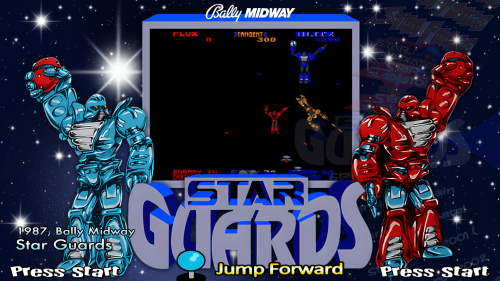 Thanks ! I'm working on the marquee so it can be used as a logo but it's not that easy at the moment so might take me a while with my OCD.
 -
Star Guards - stargrds - Andyman (2025-06-27) (MAME 4:3)
Agard reviewed Andyman's file in Game Themes (4:3)
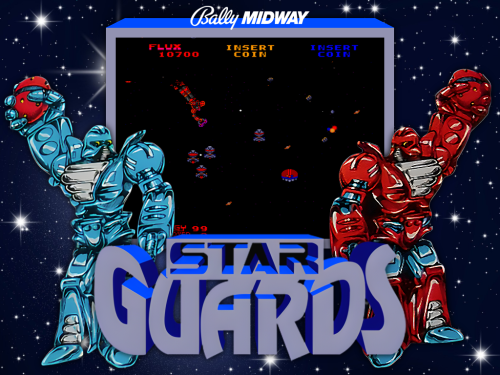 Thanks please add 16:9 version as well.
-
- 1
-

-
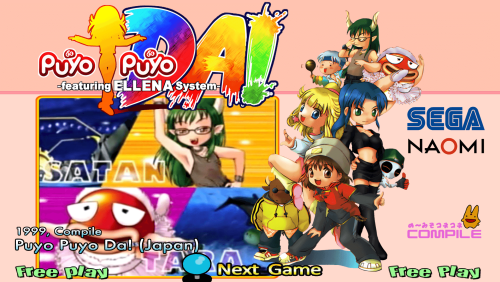 It's nice to see us back up & working on stuff. Thanks really nice theme
 -
Version 1.0.0
23 downloads
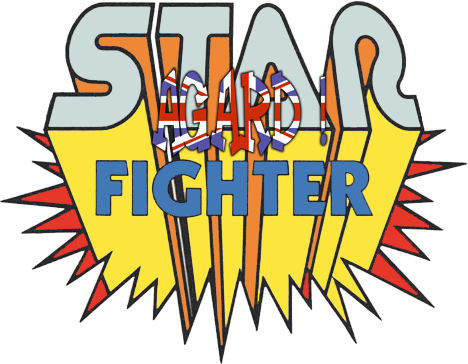
Star Fighter (starfigh) MAME Taken from the manual & added colour & upscaled versions as well. AGARD ! is removed once downloaded. Thanks to all creators still making 1.5 THEME's -
@jesfknkrys I haven't installed the cumulative update (KB5058499) yet so it must be something else that makes HyperSpin work. But it's good to know HyperSpin still works with that installed too. It has been a rollercoaster ride for HyperSpin 1.5 over the past few months & it also goes down to what manufactrer of PC you have whether or not HyperSpin 1.5 works or not as you know mine was working well before yours, a few weeks at least. Thanks for all info you shared with the community. I do reccomend people do clean all there cache files & temp files though if still not working & do a re-start then a shutdown before trying again though. It made my PC with TPM work as at first HyperSpin didn't work with all updates applied until I did that. I have 2 PC's 1 with TPM & 1 without TPM. It means I installed Windows 11 PRO on 1 PC with supported hardware & 1 PC without supported hardware. They both work with HyperSpin 1.5 Thanks to all !!
