
thatman84
-
Posts
3,649 -
Joined
-
Last visited
-
Days Won
9
Content Type
Forums
Events
Downloads
Store
Everything posted by thatman84
-
 Good to have another Hyperdroider on board drop by the Android forum and report back with your setup man. It's always good to see what people come up with
- 4 comments
-
- 1
-

-
- android
- hyperspin android
- (and 1 more)
-
2789 is the actual worthy games number now as above posts.
-
It really bugs me that after nearly a year I still don't fully understand wtf all this means so thick lol
-
@sevenseal is releasing a version in the downloads if you didn't know @Metalzoic
-
i didnt think mess games were included in mame sets? Just the bios files for the mess systems what do you use to filter?
-
No reason not to share @phantasy just make your thread intro the same as the post above. He'll none of my stuff is close to official !
-
-
-
Version 1.1
30,321 downloads
My Attempt at making Andriod, MAC, PC users 1st steps in to Hyperspin Android easier This is an adjusted version of the Media and Databases that are included with Hyperspin Full Install 1.3.3 Tweaked and cutdown for use directly with Android devices (It will not directly work with a PC although you can merge it with a PC setup to aid the building of an Android setup) Whats Included Indenticle Media files as 1.3.3 with some removals Pre configured Settings files Brief Android Emulator setup notes MAME Adjusted xml for 0.139 ROM set (Default one included also Outdated) Additional Settings files for 123 systems/collections (Provided by Badhemi) Systems Included & Emulators suggested Atari 5200 (Retroarch MAME (Arcade) Core) Atari Lynx (Retroarch Handy Core) MAME (MAME4droid Reloaded (Red) 0.139v romset NEC TurboGrafx-16 (Retroarch Mednafen PCE Fast Core) Nintendo 64 (Retroarch Mupen64Plus Core or Glupen Core) Nintendo Entertainment System (Retroarch Nestopia Core) Nintendo Game Boy Advance (Retroarch VBA Next Core Panasonic 3DO (Retroarch 4DO Core) Sega 32X (Retroarch Picodrive Core) Sega CD (Retroarch Picodrive Core) Sega Dreamcast (Reicast 73e2691 2016_05_22 Build) Sega Game Gear (Retroarch Genesis Plus GX Core) Sega Genesis (Retroarch Picodrive Core) Sega Master System (Retroarch Picodrive Core) SNK Neo Geo (Retroarch FB Alpha Core) SNK Neo Geo Pocket Color (Retroarch Madnafen NGP Core) Sony PlayStation (Retroarch PCSX Rearmed Core) Super Nintendo Entertainment System (Retroarch BSNES Mercury Performance Core) See this Thread for details (Tutorial) Hyperspin Android Overview & Installation Install Notes To install this Hyperspin Android base pack Step 1 - Combine the download parts Extract the "Hyperspin 1.3.3 Android PT1" (Hyperspin.zip) file Place the "Hyperspin 1.3.3 Android PT2" (Media.zip) file within the extracted Hyperspin folder Extract the "Hyperspin 1.3.3 Android PT2" (Media.zip) file and it will combine the two parts Alternativly extract both files and the cut and paste them together (Optional Addition) Extract the Settings_Android.zip and pick out the settings files you require as you build your setup. Place them in your Settings folder or Settings_Android folder depending on your setup Rename specific systems if needed ADD YOUR ROMPATH Step 2 - READ the Setup Notes.txt Step 3 - Organise your roms Organise your roms so they are located in the suggested folder structure OR place them in a location of your own choice. MAKE sure you adjust the "SYSTEMNAME".ini files to reflect your own rompath ****Remeber rom names will need to exactly match your Hyperspin databases (.xml) and be in a format that your chosen emulator can open**** Step 4 - Move the pack to your Android Device Once you have the complete Hyperspin folder place this at the root of your storage device connected to your android device (USB HDD, Internal storage, SDCard or Network drive) Step 5 - Download and configure your emulators Step 6 - Install Hyperspin Application Download and install the Hyperspin application from the Goggle Playstore- 4 comments
- 2 reviews
-
- 14
-

-

-
-
- android
- hyperspin android
- (and 1 more)
-
Version 1.1
4,788 downloads
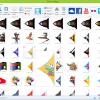
All Pointers I could find 555 Total 211 Official Systems 12 Custom Systems 173 Random/Universal Pointers Thread http://www.hyperspin-fe.com/topic/27773-cu-wip-full-pointers-set/page-1 Pointers collected mainly from files found in the old site downloads section, new upload here section and CU-WIP Thread. All un-credited Pointers are from the official download section. Naming 1. Named with credit where I could Seems like alot of the originate from the THk Blondin set found in the Old Site Downloads section, also thank nija2bceen as he has released many many pointers also. Big thanks the adamg for sepping in to help finish this set!! 2. Combined all THK-Blondin pointer set's and credited where multiple pointers are included 3. Where there are many versions of a pointer I have labeled differently To use the full set pointers:- Rename the pointer of your choice to "Pointer.png" (if not already) and place this in the Systems correct folder e.g Sega Genesis would be Hyperspin\Media\Sega Genesis\Images\Other\Pointer.png To use the drag and drop set Drag the SYSTEMNAME folder into you Hyperspin\Media folder RENAME your current Pointer.png to avoid overwriting it with the one is this set Thatman84 HyperSpin Community United Project -
This looks right but can't confirm at moment, away from my setup. Try looking in the beginners guide thread. A few pages back badhemi upload his settings. I think they are in the Upload here section of the downloads. What is your actual problem? Does retroarch launch the game ok? I think miles core is broken and only displaying a black screen. I have an older version so I'm ok.
-
Hi I don't use an external drive so not sure Make sure your roms are .nes for may not .zip or .7z or anything else. Also have a search for mounting drives. I believe The user sting has put a lot of tips/guides for external drives on the forum
-
Wicked, just to double check. What version is this? 0.175?
-
Thanks I come from there to here. It's the "other little clean ups" bit that makes really want metal to upload one of his versions to the database section of upload here. Official request Metalzoic. If you get a chance .
-
Thanks I'll have a play about
-
He must have "some tricks up his sleeve" to counteract that PS I mame is my Achilles heal. I understand changing the xml but not sure on other steps. Guessing I set parents only in HyperHQ anything else?
-
Yeah i have seen a few posts from Metalzoic that state he takes Phulsofs XMl adjusts it fixes a couple of things and gets it down to around 7000. One of those post lead me to this thread. I trust his skills and would prefer to use his XML if its availiable
-
imbusy right now but scanning this, do you have your fixed up 7000odd game xml's availiable for download Metalzoic?