Andyman
-
Posts
744 -
Joined
-
Last visited
-
Days Won
74
Content Type
Forums
Events
Downloads
Store
Everything posted by Andyman
-

Yet another project: The Mortal Kombat II(hundred)!
Andyman replied to Andyman's topic in Cabinets and Projects
The thought just occurred to me that I might be able to use RetroArch's save-state function per game to reduce the load time of old computer fighting games. I'm going to mess around with that when I get time and see if I can make it work to my liking. If it does, there's quite a few games I'll add to the pile. (As if I need any more. Haha.) Thanks for the suggestion! -
From the notice on the front page of this forum: "The confusingly-named Hyperspin Attraction is for the Attract-Mode frontend, not HyperSpin. Please direct your support questions to those who created it."
-
Version 1.7
18 downloads
Here's the latest version of my hand-curated fighter database for HyperSpin. It only includes fighting games that work on a CRT. I haven't added Windows fighters to it yet, as I haven't tested them to see which ones will work on a CRT. I'll add them soon! I should mention that there are other systems that work on a CRT, but that I'm not putting my cabinet yet for various reasons. These include Microsoft Xbox, Microsoft Xbox 360, Nintendo Wii, and Sony PlayStation 3. There's also a good chance I missed some fighters for the systems I have included. Shoot me a DM or reply in my Mortal Kombat II cabinet thread with suggestions! Thanks! -
Yet another project: The Mortal Kombat II(hundred)!
Andyman replied to Andyman's topic in Cabinets and Projects
That reminds me... here's the latest version (1.5) of my hand-curated fighter database for HyperSpin. I haven't added Windows fighters to it yet, as I haven't tested them to see which ones will work on a CRT. I'll add them soon! Multi-Platform Fighter Database v1.5.xml -
Yet another project: The Mortal Kombat II(hundred)!
Andyman replied to Andyman's topic in Cabinets and Projects
I don't have fighters for the Amiga itself, but I do have Fightin' Spirit, Shadow Fighter, and Ultimate Body Blows for the CD32! As much as I'd love to have computer fighting games on it, I don't think they'll load quickly enough to make a good experience. -
Yet another project: The Mortal Kombat II(hundred)!
Andyman replied to Andyman's topic in Cabinets and Projects
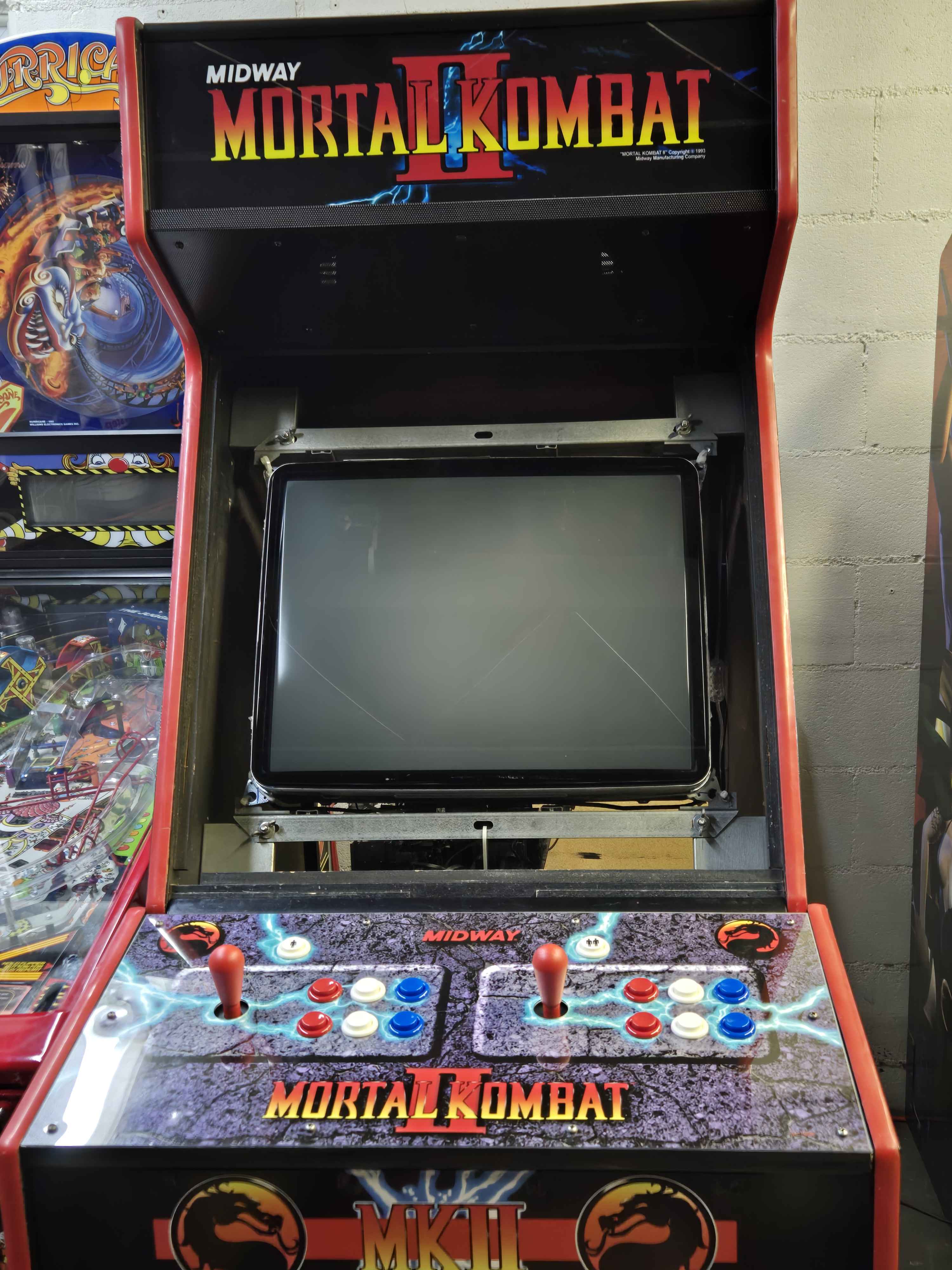
I finally got the new control panel a few weeks ago, and got around to taking a photo of the new control panel this morning. What you can't see are the stealth black game-exit buttons on each side of the panel. Next up: finishing the monitor bezel! I have about half of the games configured. You'll notice it's a custom 6-button panel, where MK2 normally has a 5-button. I just double the block button for the 5-button games. 6 buttons gives me total flexibility for the various 1v1 fighters. Whether they're great or total crap, I'm putting every fighter that'll work on a CRT on it. It's well over 300 1v1 fighters and climbing. Haha. The really janky games are great fun too when played with a friend! (And yeah, that's a different pinball on the left - I traded my Time Machine for a Hurricane back in December.)
-
 As always, I'm amazed at how fast you guys get the update done after MAME comes out. Strong work!
-
- 2
-

-

-
 These updates are fantastic. I really appreciate the hard work the team is putting into them. My cabinet thanks you!
 -
Whoever you purchased the drive from is pretending to be us. From the notice on the forum here: "We do not sell pre-configured hard drives or setups, nor are any of them affiliated with us. Please do not buy these, and if you have, please contact the seller for support or a refund."
-
It looks like smoothing was added in 1.4.16 (see the release notes in the link below). I don't know if it can be disabled.
-
You can download it here: https://archive.org/details/mame0155-official-windows64 Or is there something else you're looking to do with it?
-
If you'd be so kind as to add it to the Downloads section, I'm sure many people would be appreciative!
-
HyperSpin Official Databases.zip View File For everyone's convenience, here are all of the HyperSpin Official system databases in one zip file. The only exception is MAME - the included 0.236 database is the most current one available and is far more complete than the official ones. If we've somehow missed including any official databases in this archive, please let us know. Thank you! ProTip: These don't cover all of the systems you'll find here on the site, and there are many unofficial databases available here as well. Submitter Andyman Submitted 05/27/2024 Category HyperSpin (Windows) HyperBase Version 2.1 Media Dimensions File Count 127 Credits
-
Thanks for the vote of confidence! I can't wait for y'all to see what the (near) future holds!
- 1 reply
-
- 12
-
-
-

-
I imagine development for both will continue on, but underground. It's not like the judgment will stop either one from being available, anyway.
-
Probably because a port of it is on the Switch, I'd guess. It's not an official port, though.
-
The end of emulation for current systems, maybe. I've always felt that current-system emulator developers are a little suicidal. I admire their work, but holy jeez, they court disaster.
-
Thought I'd share my Gauntlet Legends cabinet :)
Andyman replied to Andyman's topic in Cabinets and Projects
I came up with a cool way to make HyperSpin in my Gauntlet Legends cabinet behave like the other 2 cabinets in my game room, Cruis'n World and Mortal Kombat II. Since this cabinet has a variety of classic arcade games that have different monitor orientations, I'm using a theme for each game. My Pure theme won't work without stretching all the vertical games and making them look ugly in attract mode. My solution was to relocate the wheel to the center of the screen and enlarge the wheel images so they fill the screen nicely. In attract mode, it displays and spins horizontally like the other 2 cabinets, fading to the game theme when the spin stops. The purple background is from the Gauntlet Legends theme, tying it all together. I also removed the game description text, so HyperSpin displays only the game theme. It's a really clean look on the CRT.
-
Yet another project: The Mortal Kombat II(hundred)!
Andyman replied to Andyman's topic in Cabinets and Projects
Hahaha! It is indeed a trampoline! There's also a bike and a treadmill in there too. Our house began life as an oversized garage workshop with an apartment above it, and the garage's unusually high ceiling provides plenty of room for activities. We're eventually going to finish the back third of it into a proper game room, but for now it's wide open for maximum fun. -
Yet another project: The Mortal Kombat II(hundred)!
Andyman replied to Andyman's topic in Cabinets and Projects
Vinyls are on! Just the control panel overlay to do. I discovered the panel I have is homemade and doesn't match the stick and button holes, so I have a new one ordered. In the meantime, I'm getting the hardware end of things squared away. Next up - decasing the 25" Samsung CRT TV I acquired for the project and mounting it in the cabinet!
-
Yet another project: The Mortal Kombat II(hundred)!
Andyman replied to Andyman's topic in Cabinets and Projects
I made a minor adjustment to MAME's display settings, zeroing the alpha of the adjacent wheels (small_alpha=0) while leaving the selected wheel solid. I think it cleans things up quite a bit, and really looks cool when it's spinning to select the next game at random.
-
Yet another project: The Mortal Kombat II(hundred)!
Andyman replied to Andyman's topic in Cabinets and Projects
It's coming along nicely! Configuring each game fully with the wheel and pedals is quite a bit more involved than just joysticks and buttons, so it's very time-consuming. I've come up with a good method to keep it in a playable state at all times, though. I use the Wheels Only filter and keep the wheel images for the games still to be configured in a subfolder. That way, HyperSpin only displays the games that are ready to be played, and I don't have to keep modifying the database. Also, it helps me keep track of what's done and what's left to do. Thanks for asking! P.S. The MK2 cabinet artwork vendor said my order is just about ready to ship, so I should be receiving the vinyls here soon, and applying them shortly after that! -
Yet another project: The Mortal Kombat II(hundred)!
Andyman replied to Andyman's topic in Cabinets and Projects
Oh, almost forgot... here's the Mortal Kombat-themed Pointer image I ended up not using. Enjoy!
-
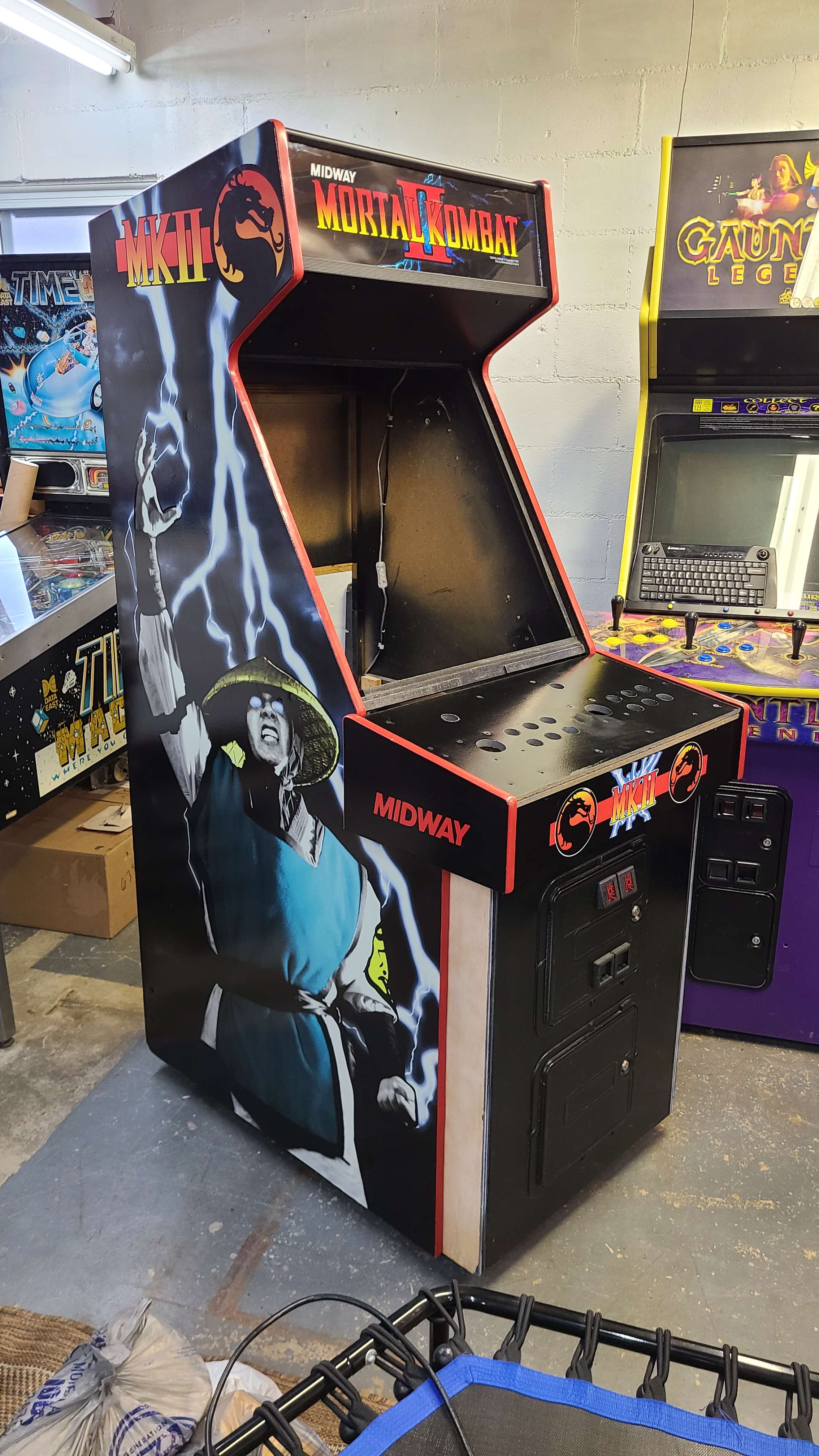
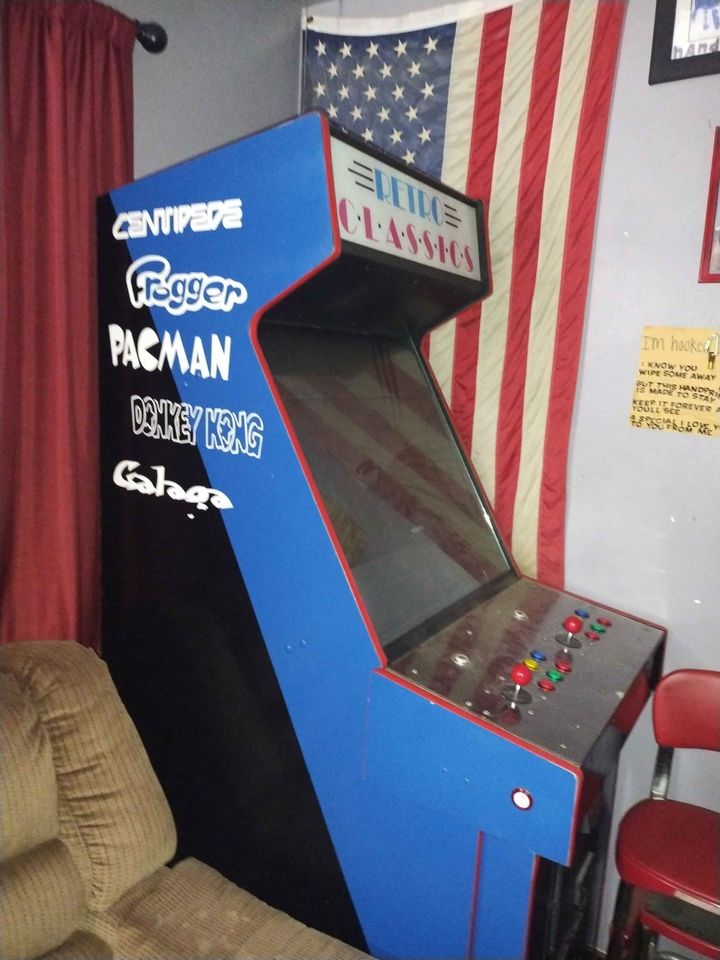
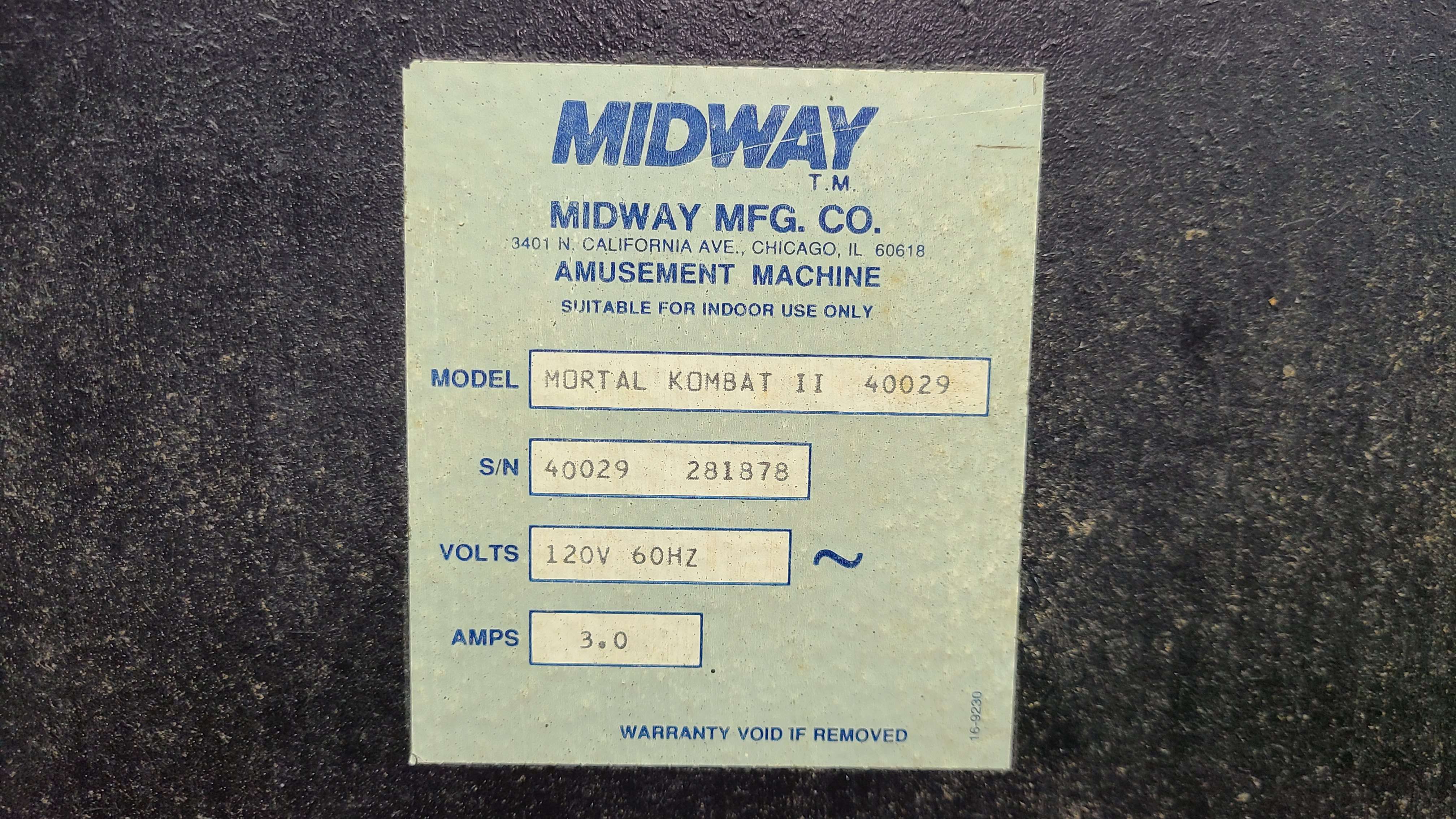
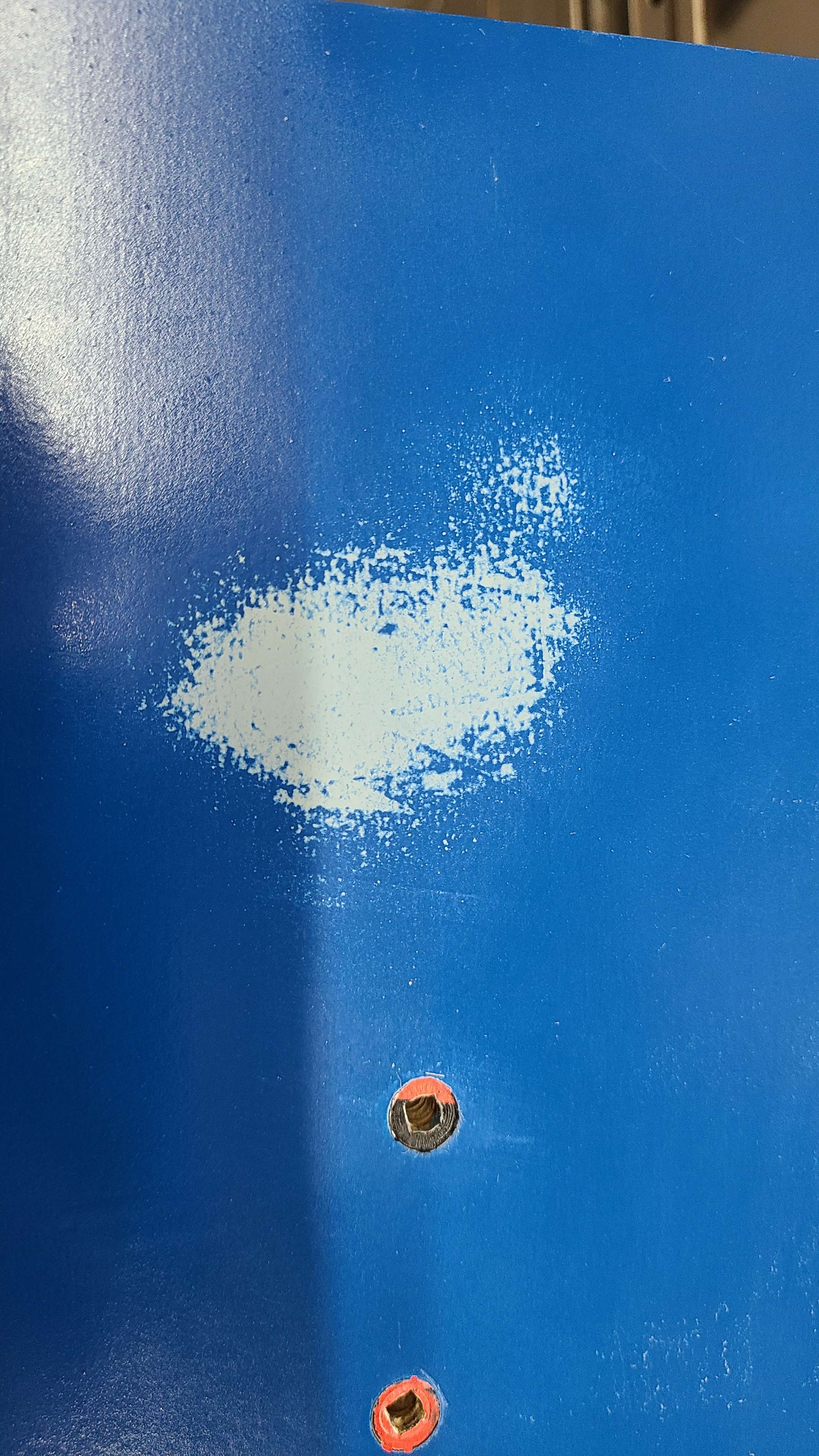
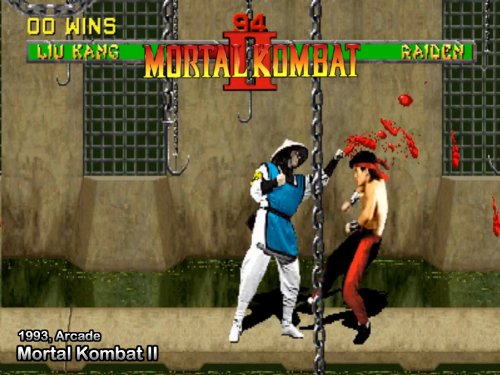
I have got to stop collecting cabinets. That said, I think I'm done for now, as I'm out of space in my game room. My wife is pleased. Haha. So, about a month ago, while scrolling through Facebook Marketplace, I stumbled into a fairly ugly MAME conversion (photo 1). I didn't give it a second glance at first, especially with its $800 price tag. Just... ew. Fast-forward a week, and I happened upon it again. It had been reduced to $500. OK, that got my attention. I took a closer look at the photos and spied... a Midway cabinet, and it appeared to be in pretty good condition! The red T-molding tipped me off that a Mortal Kombat of some sort was probably lurking under the hideous two-tone paint-over and silly game logo decals. Intrigued, I began to haggle with the guy. After a few days, we settled at $400 cash. I hooked the trailer up to the Escape and high-tailed it to his place to retrieve my latest acquisition. I arrived and he demonstrated the cabinet in operation. I was highly amused by the plain vanilla frontend (a very early build of Attract Mode, I think) and vintage MAME 0.102 on it - complete with nag screen you had to push left-right on the stick to get past. The multicolored buttons and sticks were lighted - it looked like Las Vegas. Oh, and the CMOS battery in the PC was dead, so he had to hit F1 to get past the POST screen. Priceless. He graciously offered to help extract it from his tiny bedroom-turned-gameroom. The lighting in the room was such that I spotted the two dragon logos under the black paint on the front of the control panel. Oh boy, here we go. Then he pulled it out of the corner it was crammed into, and I looked at the tag on the back... and about fell over (2). No way I was this lucky! A Mortal Kombat II cabinet! Even better, I could see the Mortal Kombat II vinyl side art peeking through the paint, thanks to a scrape. Score! Armed with that knowledge, my plan morphed into to restoring it back into Mortal Kombat II form, but since the control panel was already drilled to feature 6 buttons per player, I decided to keep it a multigame setup, but featuring fighting games only. It made good sense, since the Gauntlet Legends cabinet already features tons of classics except fighting games, since it only has 3 buttons per player. Tons of racing games on the Cruis'n World cabinet, and our Time Machine pinball. Tidy little arcade room. I dig it. But I digress. We loaded the fugly MAME cabinet up and I hauled it home. The next day, I began the teardown process and set to work removing the paint and hopefully reveal that awesome MK2 artwork shortly after that. Sadly, that wasn't to be. It turns out the guy used some sort of impervious gray spray primer that stubbornly resists all attempts to remove it (3). So, instead, I smoothed out any imperfections with filler and I'm awaiting spiffy new MK2 cabinet artwork to arrive in the mail. Oh well. In the meantime, I've acquired the rest of the parts I want to use in the cabinet. I found a pair of new-old-stock red Happ Competition sticks and new red-white-blue pushbuttons to make the control panel as close to original as possible, along with a pair of black pushbuttons to use as stealth coin/select buttons on the side of the box, since those holes are already drilled too. Monitor-wise, the MAME conversion had a hideous old Curtis LCD from like 2007 that was secured with deck screws and 2x4s. Not exactly ideal. Fortunately, I have an extra free 25" Samsung TV left over from the Cruis'n World build that will slot in nicely. I found a good frame for that on Ebay too. I got lucky again on this front - the guy left the 4 CRT mount brackets in place behind the wood. Sourcing those wouldn't have been fun at all. That silly Retro Classics marquee ended up being a blessing in disguise. It's a vinyl sticker on the back of the original marquee glass, and it came right off. The glass is in perfect condition. A Mortal Kombat II translite will replace the sticker, because of course. The PC inside was a very weak eMachines AMD from the early 2000s - that had to go. I sourced a very nice Dell OptiPlex 7040 SFF i7 with 16GB RAM on Ebay super cheap. I added an upgraded video card and a 500GB SSD for super-fast console game loading and buttery-smooth gameplay. Arcade games load super fast anyway, but nobody has the patience to stand around bored waiting for a 4GB PS2 game to chug along. I'm using HyperSpin again this time around, and again with the CRT version of my Pure 4:3 theme, but I've modified it to feature the game logo wheels horizontally scrolling across the top now. Instead of disappearing when the video plays, I'm keeping them on the screen with the selected game's logo being oversized and opaque, and the adjacent logos still faintly visible (4-7). I love the new look so much, I think I'm going to update Cruis'n World with it too. I also replaced the black background in the Pure theme with the very slick Mortal Kombat II dragon logo background (8). It displays a moment before the game preview video plays. I also added this same image to Images/Backgrounds and Images/Backgrounds/Interstitial, so that it displays when selecting games as well. I think it ties everything together very well. For anyone interested, I've included the updated Pure 4:3 theme for Mortal Kombat II (easily adaptable to any other game by replacing Background.png), along with my MAME.ini and Settings.ini files to make the whole setup display the way you see in photos 4-7. So... "Why Mortal Kombat II(hundred)?", you're asking? Because there's an even 200 fighting games in this setup, that's why! It was a ton of fun digging into the game catalog and hand-picking arcade and console fighters I thought would work well. It features systems from the Sega Genesis up through the Nintendo GameCube. Being the weirdo I am, I included 3DO, SegaCD and Atari Jaguar fighters, just because I can. I may add Microsoft Xbox in the future, if its emulation performance improves enough to make the games smooth and glitch-free. I also like the idea of 360/PS3/Wii fighters on it, but assorted issues prevent that as of now. I'll be updating this thread with more photos once the artwork arrives and I begin to put the cabinet back together. Stay tuned, and thanks for reading my (really wordy) post! Default.zip MAME.ini Settings.ini
-
MAME 0.259 Media Archive (Wheels/Videos/Database)
Andyman replied to floatingyeti's topic in HS1 Graphic & Theme Creation
That site is so great. I use it almost daily for all sorts of things.