
Support
Having problems with HyperSpin? You've come to the right place!
4,041 topics in this forum
-

- 0 replies
- 230 views
Hi friends I have added the 3DS bezel to my system and also updated the layout size in citra ini file as per rocketlauncher forum. But I still cant get the screen fit inside bezel properly. My main monitor screen is 1366 x768 with latest nighty citra Do I need to set anything else , anyone have experience and done this ? Do I need touch the bezel.ini ? What values should I put if yes? Millions thanks in advance
Last reply by shitoken, -

- 1 follower
- 3 replies
- 264 views
Hello I've been away from this site for awhile now and today I decided to get back into my hyperspin and because I did a fresh install a month or two ago I need to get the upgraded files to fix the errors I get. However when I logged in and went to download I get a message saying I don't have permission to download. Thanks
 Last reply by gigapig,
 -

- 1 reply
- 266 views
hi when i launch an epsxe or n64 game trough rocketlauncher, i only see an half height window. games runs ok but i can't set it to full-screen and i see only a portion of the game. i tried many ahk modifications or rocketlauncher setting without success. is there a solution to fix this window resolution or at least move this window in middle of my screen? when i launch directly from emulator, no problems
Last reply by bambina, -

- 1 reply
- 270 views
Got everything setup, but the romset I got has like 10 versions of the same game (US, Japan, HK, Euro, etc). As I'd like a cleaner wheel, I'm planning on deleting all duplicates manually, unless someone has a better way to handle this. I was wondering if you can filter by country and remove non-US titles like with the MAME content manager, but I didn't see a way to do this. On a similar note, what if the 'main' rom is non-US and you just want to show the US version? For instance: dogfgt "Acrobatic Dog-Fight" dogfgtj "Dog-Fight (Japan)" dogfgtu "Acrobatic Dog-Fight (USA)" If I delete the Dog-Fight Japan rom, I…
 Last reply by Spawk,
 -

- 3 replies
- 274 views
Hi, I am new here and I don't know a lot of emulation and HyperSpin, so please be patient with me and describe everything as detailed as you can (or give me the links). Thank you A long time ago I bought the 16TB version of HyperSpin from HyperSpin Systems. This was the first mistake I made. So far I know. I never got it to run and they said it is the fault of my pc. So I waited a long time until I bought a new pc. But now the problems are the same. The system does not run. Someone on youtube mentioned this website and told me to update the "hyperspin.exe" and the "hyperhq.exe". I just downloaded the newest pack from this site plus the sxs…
 Last reply by thatman84,
 -

- 1 reply
- 315 views
Hi everybody I have a problem with hyperspin which I will now explain. The start is good and I can use my original arcade board (with I / O interface) perfectly. Before I choose the first game I can suft about category and games perfectly. After I choose and playd first game... when I quit game and came back into hyperspin when I try to choose another game, the start button (configured as "enter") doesn't work. The rest of the commands seem to work fine, but slowly. Manually opening a rom with the emu, the button works correctly. Is this a known problem? I use hyperspin with Rocketlauncher (+UI). Arcade board configured with JoytoKey Thanks (and sorry fo…
 Last reply by BATTLEDONKEY,
 -

- 0 replies
- 246 views
I have an old version of Hyperspin and all of its components in my arcade machine. Currently it is configured boot to the Windows 7 desktop and then launches into the Hyperspin menu / games. I want the arcade to boot up instantly without going to the Windows 7 desktop (I think its called Shell?) I want to submit voice commands using a smart wifi outlet connected to the arcade (Alexa) to turn on and off. I can't get the arcade to turn on with the smart wifi outlet connected however, I can manually turn it on like I always do and once its up and running, I can tell Alexa to turn off arcade and it will shut off. Please help. (Please see attached image and video) …
Last reply by BlueGoblin, -

- 1 reply
- 221 views
Been probably over a year since I went through the forest of setup on my MAME cabinet with Hyperspin/Rocketlauncher etc. I could have sworn the install was more of a copy or zip file extract? I just did a clean install of windows 10 on an SSD then copied my hyperspin folder containing all settings and rocket launcher etc etc. but when I try to executed hyperspin nothing happens. Do I need to run the install again? Again, I thought everything was in the hyperspin folder and not a program file install? Unfortunately I didn't think to check program files before formatting the SSD and installing Windows 10 so I can't say for sure. Any suggestion would be hugely appreciated.
Last reply by bpjacobsen, -

- 2 replies
- 242 views
The MAME games worked fine, I switched of my PC, and next time I switched it on this error message. I tried to fix it by changing the path in the Wheel setting, but it seems I can't update the path at all... Please help... pathBug.mp4
Last reply by Nekaris, -

- 0 replies
- 182 views
Hola con todos, Tengo un pequeño problema, hice mi propia maquina arcade con varios emuladores, tengo funcionando el mando con el joytokey, y funciona correctamente; pero al ingresar a un juego deja de funcionar el boton que lo tengo destiando para salir, escape o regresar, pero solo me pasa con el mando, ya que con el teclado de la PC funciona sin problemas y despues de usar el boton de Escape de la PC deja de funcionar el mando en el menu del Hyperspin; si alguien sabe como puedo hacerlo solucionar. o talvez alguien sabe si hay la posibilidad de con algun boton dar la opcion de reiniciar el hyperspin, no la PC solo el Hyperspin.
Last reply by luchomh92, -

- 1 follower
- 11 replies
- 341 views
hi I have this issue when I try to login into my hypersync Could not Verify HyperSpin Membership, check your credentialsany idea I just changed my password but nothing changed
Last reply by gigapig, -

- 0 replies
- 217 views
Can someone help me ? when I run Hyperspin I get the following message: "ERROR: CANNOT FIND HYPERSPEECH.EXE" Can you tell me where I can find it and in which folder to put it? thank you in advance Greetings from Switzerland and sorry for my bad english Chris Est-ce que qu'elqu'un pourrait m'aider ? lorsque je lance Hyperspin, j'ai le message suivant : "ERROR : CANNOT FIND HYPERSPEECH.EXE" Est-ce que vous pouvez me dire Oû je peux le trouver et dans quel dossier le mettre ? Merci d'avance
Last reply by harmojim, -

- 1 follower
- 7 replies
- 720 views
I don't know if i'm blind, using wrong search terms, or what, but I can't seem to find a definite answer. I'm using an Ipac 2, I am just now getting to the button mapping, been using Ipac default to have fun in mame. The default ipac 2 seems to alt tab out of mame from time to time and cause other funky issues. Before I go and remap the ipac, emulators and hyperspin I thought i would ask about best practices for least conflicts. 1st, is there a best set of keys to use or a set of keys to not use when remapping? 2nd, is there a layout standard the community uses for the control panel for hyperspin? ex: button 1 is accept or enter, button 2 genre, button 3 add fav…
 Last reply by ci2own,
 -

- 0 replies
- 176 views
when starting hyperspin application: the application is starting fine and we see the list of games, but when we click on a game to start a game, we receive this error "No exe path defined" How can fix this so that we can start a game? How do we define the path in order to fix this error? Any assistance would be GREATLY APPRECIATED!!!!
Last reply by dankara, -

- 1 reply
- 244 views
Hi Hyperspiners, Is it possible to reset all the high scores back to zero?? Cheers
 Last reply by Creezz67,
 -

- 0 replies
- 225 views
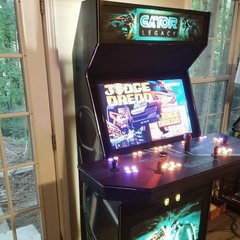
I can't seem to figure out how to stop the logo from loading. I can make it bounce, fade, etc. based on the choices on the bottom of the HyperTheme screen but I cannot figure out how to make it not appear at all. It always loads for a second or 2 before my background image covers it up. I must be missing something very simple. Any ideas? Thanks!
Last reply by javeryh, -
- 3 replies
- 257 views
Hi all, Win 10 - 32 bit, i5 processor, old-ish graphics card. I've been using Hyperspin with only MAME for several months. I've needed occasional tweaks here and there, but never had a crash issue until now. (I routinely run Tekken 3 and MK3 without issue, fwiw) Today I finally decided to download the wheel art for MAME. At first, it seemed to work fine. Then I changed the Wheel Image Sizes in HyperHQ to make the selected ROM appear relatively larger on the wheel. This is where things got weird: The wheel art for each ROM would disappear when it was at the pointer, and reappear once you moved on to another game. Annoying. I changed the size back to …
Last reply by JrobATL, -
- 7 replies
- 271 views
I'm trying to make my own theme but I cannot figure out how to remove the yellow circled text in the picture I attached. The toggles in Hyper HQ modify it somewhat but I'm not seeing an option to remove it completely. Thanks.
Last reply by javeryh, -
- 2 replies
- 212 views
So, is there a tag, to disable or hide a game in mame.xml, that way when you pull up the genre the game will still load? I tried by removing games from the mame.xml, then went to the the genre. The games are viewable, but do not load. Is there a way to do this or do I have to just make a new wheel? Thanks for your time
Last reply by BlackDragon2020, -
- 2 replies
- 210 views
Mame, is a new beast to me, system emulation under my belt. questions: 1. I have updated my mame set from 0.202 to 0.205. I used clrmamepro. I got the mame list from MAME64 0.202. I set options, scaned and fixed all. Then I rebuilt with all my update packs in one go. 0.202 to 0.203, 0.203 to 0.204, 0.204 to 0.205. Is this done right? I also updated mame64 at that point to 0.205. 2. CHD files, The ones I have, based off games that need them, should they been in the rom root folder, each game CHD inside of its own folder labeled for the rom name it belongs to. Example rom folder: file sfiii.zip in root, folder sfiii in root with CDH to sfiii inside. fil…
 Last reply by 32assassin,
 -
- 0 replies
- 232 views
Is there any way to get the wheel over the artwork and not below, on PC? On Nvidia shield everything is reloading (dissapear) when scrolling wheel. Setting animate_out_default=true makes it go over the artwork when scrolling, but makes all artwork animate out, looks weird.
Last reply by mrfomt, -

- 0 replies
- 197 views
My arcade sticks freeze while playing, But if you shake the mouse it will unfreeze and will let you play with the arcade sticks again. how do I fix this problem?
Last reply by Asphaltking, -

- 0 replies
- 203 views
Hi I try putting the videos into this folder and the video preview work \HyperSpin\Media\MAME\Video I also was able to replace the images for the wheel in hyperspin (mame wheel) by putting the images in this folder and it works \HyperSpin\Media\MAME\Images\Wheel But now I try to put poster images to fill that right rectangle I try all of these folder and none works HyperSpin\Media\MAME\Images\Artwork1 HyperSpin\Media\MAME\Images\Artwork2 HyperSpin\Media\MAME\Images\Artwork3 HyperSpin\Media\MAME\Images\Artwork4 Can you help me figure out where I need to put the poster images ? …
Last reply by fadafwet, -
- 5 replies
- 256 views
Hi I am really new to all of this so please me kind to me I have watch dozens of tutorials and reads dozen of guides but none of them asnwer my questions so this is why I am reaching here for help I building an arcade with a laptop in it, On this laptop I have done this : Installed Mame 0.222 Installed a rom set for 0.222 I installed the latest version of hyperspin 1.5.1 I installed the latest version of Rocket Launcher 1.2.0 (and did the updates) I set up hyperspin and rocket launcher and mame I can run roms directly from mame but when I try to run roms (I tested this rom from mame and it works) and emulator f…
Last reply by fadafwet, -

- 2 replies
- 275 views
I am building my first full cabinet and am having a heck of a time getting Fusion to exit back to Hyperspin without hitting ESC on a keyboard. I am using Autohotkey to bind my tankstick keys and it works in both hyperspin and other emulators to exit the program (i being ESC) in this instance but Fusion does nothing. I am also using autohotkey to bind my tankstick and track ball as a mouse in case i exit back to windows which functions fine when the script is active as well. Unfortunately if I cannot get fusion to exit back to hyperspin I will have to scrap master system, genesis, and 32x all together. Here is my current hotkey setup with ESC setup as the exit key in…
Last reply by rhawes7,



