
HS1 Graphic & Theme Creation
Please use this forum for the discussion of graphic and theme creation process.
Subforums
This area houses the status/audit threads for all of HyperSpin's supported systems/collections. Please use this to help us keep track of what media assets exist and what projects are in progress.

883 topics in this forum
-

- 20 replies
- 659 views
Hi, im trying to put together a collection of 16:9 themes in this thread: http://www.hyperspin-fe.com/topic/23443-unofficial-169-main-and-system-themes-list/ The user Black Hazord send me a lot of 16:9 themes that he found on the FTP and I'm ready to upload some of them to the downloads section... but first want to show them here to see if someone can tellme the autor of these themes. I don't want this themes to be lost in limbus... everyone have to be able to access them. If some theme is already Uploaded, please let a message here. These themes where found on the folder of the user "Bakerman" and are all conversions aparently: These themes wh…
 Last reply by Dabil,
 -

- 3 replies
- 97 views
Ok the author of this theme had put together a guide on how he created this master piece. The problem is I can't seem to find the thread anymore. I've look everywhere I could possibly look. If someone can find it please link me to it. I would appreciate it. I want to get back into creating themes again. This guide/tutorial and along with others would give me the inspiration I'm looking for.
Last reply by Iggy, -

- 6 replies
- 73 views
Hi all, i'm currently underway on my quest to create a emulationstation like main menu for hyperspin. so far my test setup works really well. the only thing that is bothering me immensely are the transitions when selecting a system in the main menu. the standard transitions don't work well in this particular theme. i also tried a setup without any transitions but thats not really what I'm looking for either. i'm completely clueless as to how you create a custom transition. again i'd like something similar to the look of emulationstation which basically fades the background out and in again when selecting a system. here is youtube trailer that show the transition …
 Last reply by Metalzoic,
 -

- 1 reply
- 62 views
Hi everyone, I am almost done with my hyperspin setup but there is one thing I want to find out. Is there a way to display your console game buttons in the console themes or in the "now loading" section? I have buttons configured but I want to make sure those who are playing know which buttons to press before the games start. I have my xbox 360 controllers setup...any ways to do this or any existing themes i can use?
 Last reply by ninja2bceen,
 -

- 2 replies
- 85 views
Can a graphic be moved into the screen using HyperTheme, to simulate a tank driving onto the theme screen or would I need to use a flash program, using a motion tool. Thanx.
Last reply by Metalzoic, -
- 0 replies
- 22 views
It looks pretty neat when you use Rotation Y on a video to skew it into a sort of perspective/vanishing point affair but when I play the video in HT it animates this process like a replay video, I just want the video and overlay ready at the set rotation coordinates when the video starts plus the overlay rotates out further than the video. Any ideas?
Last reply by matabhaine, -
- 3 replies
- 67 views
Does anyone know how to take the guess work out of the video - overlay size in HT. I have tried everything. I maybe missing something. So far Ive managed to find my way about HT and answered my own questions but I can't figure this out. I've looked at the video size and made the overlay accordingly but it is still too big or too small. I have a video 640x480, I place an overlay the same size into HT and its twice the size. My emumovies videos have black borders on the left and right side of the video which affects the enlarging of the video to fit the overlay. The top and bottom of the overlay fits but the black columns left and right jut out at the sides. Any idea…
Last reply by matabhaine, -
- 1 reply
- 147 views
I am trying to make some themes for MAME for those that are missing. I would like to use a flash movie for the background (for moving tanks and such across the screen) I have learned how to do this but when I try to load my exported SWF movie I get the error Could not load AVM2 SWF. I have downloaded a file SWF from the net and it loaded and played, so it has to be something that I am doing wrong. I am using Macromedia Flash Pro. windows 7 64bit have tried it on windows 10 also. HyperTheme. HyperSpin 1.4.
Last reply by matabhaine, -
- 1 reply
- 34 views
When I watched an introduction to Hypertheme video on youtube, the video played whilst being dragged about in Hypertheme (sound to). When I, insert a mame flv video, there is no picture, just the sound as it loops. This makes the process of overlay placement problematic and not really worth the extra effort. I can make a passable theme (for those roms that are missing one) but it is too time consuming trying to guess the video/overlay when I have so many to do. Any ideas appreciated. Do the flv videos have to have certain properties to run, resolution, etc. I have been converting videos in Ultimate Video Converter, from MP4 to FLV, for placement inside HyperTh…
Last reply by matabhaine, -

- 1 follower
- 9 replies
- 117 views
So I've setup my HyperSpin cabinet. Everything works swimmingly. The problem I have, which can't be unique, is that I have no way to inform somebody who is unused to my arcade how to navigate through the FE. My thought is to use the HS special art to display some graphic that shows what each button is mapped to. ie: enter, select, skip up/down, genre, favorites, etc. My problem is I'm terrible at creating artwork, and have no way to create this art. Does anybody have a suggestion on how I can implement something that will solve my problem? Thanks in advance for any help or suggestions!
Last reply by coldcoffeecup, -
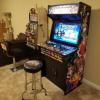
As per the image below, I am referring to a controller with an "elevated" trackball "bezel". I want to cover this entire control panel with graphic artwork (1 piece of course!). Just a few questions: 1. Elevated trackball bezel: How do I integrate this into a control panel artwork that I want to be viewed as "one giant piece" (ie the elevated bezel will destroy my goal of having the artwork be displayed as "one piece") As you can see the trackball "bezel" is elevated. Should I use one piece of artwork for the entire control panel but "exclude" the trackball "elevated bezel" and then find art work for the trackball "bezel" which is the same "theme" as …
Last reply by Anon512, -

- 21 replies
- 157 views
For some reason I'm having a problem when placing wheels into Photoshop! I just downloaded the "Sega Master System Official HQ wheel pack 1.2" and wanted to convert the wheels to 16:9 for my setup. If you double click a wheel to view it in "windows photo viewer"....it looks fine. But when I drag and drop a wheel into Photoshop it changes the wheel so it has jagged edges?! (Please see photo) Never had this problem before so a bit puzzled! Does anyone have any idea whats going on?
 Last reply by THK,
 -

- 12 replies
- 143 views
Trying to learn how to create my own Themes. It seems HyperTheme v1.1 shows things on the developing window on a random basis. I will add a wheel image, and the image does not show up. Just the "select" box or highlight box when I click where it should be. Or the video comes and goes, I have to load the video each and everytime I open the theme. I will delete the video frame image, and oppp, there it is again after I have saved several times without it. For whatever reason HyperTheme decides it needs to bring it back. I can't even get the wheel to show up on any themes I create. This is by far the biggest pain in the ace. I know it cannot be that hard. I l…
 Last reply by diskmach,
 -

- 2 replies
- 71 views
I'm having some issues with a theme and a bunch of backgrounds. I have a basic vertical theme running. I have included a few hundred arcade flyers in my backgrounds folder acting as a background for each individual game. For those that do not have flyers, i was expecting the default background to run for the theme but instead, the last known available background stays on. I have tried leaving the background.png in my default theme but then my custom backgrounds won't appear. I have also copied the default background to the backgrounds folder as both background.png and Default.png but I've had no success getting them to appear. is there anything I'm missing her…
Last reply by Anpanman, -
- 0 replies
- 16 views
The fade folder for this system is named Entex adventurevision Without the space after the e in adventure it won't display the fade graphics. Fyi, manual fix did it but figured for others
Last reply by ninja2bceen, -
- 3 replies
- 75 views
I'm creating an all-vertical hyperspin setup. Because of the lack of themes I am using the arcade flyers archive as backgrounds for my games and used autokustom to create the wheels. I currently have a generic video border but my problem is that it looks a bit off when its paired with certain backgrounds. My question is, is it possible to use an flash video border? Are there any examples of themes using a flash video border?
 Last reply by FrankyRizzo,
 -

- 3 replies
- 50 views
Im interested in making animated theme's. I wanted to know if anyone had any tips and tricks for grabbing animations from the internet. Who what where and how. What software do you guys recommend to work with swf/flv? Basically I want to scrounge the internet for retro related flash files and extract animations out of them and then import them into themes. Im not looking to create everything from scratch.
Last reply by Sorn, -
- 6 replies
- 260 views
Hi all, I have been scouring the forums and can't find a guide on how to use this software. I am hopeless at creating art. The reason I want to use it is to modify the way certain themes are animated or positions they display each artwork etc. For some of my wheels I can't find default system themes so I figured I could modify some main menu ones to use. Obviously doing this without editing has caused a few problems (artwork appearing in front of the game wheel etc.) I just can't seem to find a guide that could show me how to do this. Also, is it the themes xml that decides on the size of cart and box art and whether or not it is displayed on the default theme…
Last reply by Sorn, -

- 4 replies
- 83 views
Hey Hyper spinners I would like to contribute by helping out with making some wheel art but I cant seem to get the simple wheel creator to run,Is there another program people are using.
 Last reply by BakerMan,
 -

- 1 reply
- 28 views
hi everyone i been getting error no matter what them i use anyone else experienced this and know way around it let me know thanx
 Last reply by MydknyteStyrm,
 -

- 2 followers
- 9 replies
- 259 views
What is HyperText? It is a .swf as3 configurable widget that can be used as Artwork layer in HyperSpin theme. How HyperText works? 1- It reads the name and path of the .swf itself to open YourHyperSpinFolder\dark13\HyperText/SystemName\SystemName.xml. 2- It load settings (font, font size, font color, window size, animation speed) and info from the xml. 3- A sequence of tween is used to scroll the text IF it is bigger than the window. How can Be HyperText used in a theme? The widget will work from any subfolder of ..\Media\SystemName\ , so you can use in any Artwork folder. You need 1 .swf per game as it reads its own name to load info, duplicating…
 Last reply by Krakerman,
 -

- 1 follower
- 43 replies
- 1.2k views
Hey guys, Retro here! I decided to make a thread so that I can post what I'm working on and I will be able to update everyone on the completed themes. The second use of this thread is so I can get feedback of all of my current projects. Oh and I am also taking request. I am mostly working on the Capcom arcade games currently but feel free to make requests. Here are a few of my finished products. You can subscribe to me on youtube if you'd like. I will always be posting my videos on there! Cheers! Retro! Finished Products:
Last reply by Metalzoic, -

- 12 replies
- 203 views
How do you make a reflective surface when creating a theme, I want to make the floors reflective. I really want the box art to reflect on the floor, how would I go about that in gimp? Is there like a batch file or easy way to do this? here's an example of what I want to do.
Last reply by THK, -
- 1 follower
- 19 replies
- 611 views
Have you ever tought you can have a weather widget inside HyperSpin as main menu item? Obviously it's done in flash (around 1400 lines of code, most of them are switches for icons). BBB advised me against potential memory leaking while using code in .swf so it MUST be tested. This test wheel was essentially done to be memory intensive, the .swf is 80mb. You'll clearly see memory usage raising while loading this main menu item. I've done some tests bringing task manager on hyperspin: it seems to load and unload the .swf BUT more testing is needed. The final wheel will be lighter and will be loaded in less time (HyperSpin takes a bit to load an 80mb .swf), consider this…
Last reply by FrankyRizzo, -
- 0 replies
- 40 views
Hello All, I am very eager to start creating themes with hypertheme, however i am receiving the following error when trying to open existing themes: Cannot find 7za.exe I have 7-zip installed and it works fine otherwise. Am i missing something here? do i need to configure hypertheme to point to 7-zip? Any help would be appreciated. Thanks. Mike
Last reply by freestyle5150,



-
Popular Contributors



