HyperLaunch
Subforums

362 topics in this forum
-

- 11 replies
- 111 views
My first post hopefully I won't get flamed. I follow SimplyAustin Guide to the letter for setting up HyperSpin 1.4 and RocketLauncher. I also followed his video for setting up MAME. I have HyperSpin 1.4 and Rocket Launcher 1.0.1.4. When I launch a game and test the fade screen in RocketLauncher everything works the Fade, loading sounds, Descriptions, the fade out everything works. When I launch HyperSpin, the Fade Screen comes up, there is no loading, no sound, and no description. The game and the fade out works. What am I doing wrong? Something tells me this is a simple fix that one thing isn't checked somewhere. Lastly, thank you SimplyAustin for putting these v…
Last reply by sajazzman007, -

- 1 follower
- 2 replies
- 110 views
In the process of building my retropie setup, i stumbled across this great site and wanted to build a PC setup as well; however, when I get to the point of downloading Rocket Launcher, it seems rlauncher.com does not load for me. Am i doing something wrong? WHere do I get Rocket Launcher? Thanks yall !!! WOOOOOT FIRST POST!!!
 Last reply by gigapig,
 -

- 3 replies
- 203 views
Hello from Las Vegas all! Since we all are using some sort of computer to run our hyperspin front end, I was wondering if anyone's come up with a way to have your operating system boot up, then go directly into hyperspin? Bypass all desktops......needs to click on shortcuts...etc. I think it gives a more professional look to our home arcades if you never once see any transition from Windows-desktop-hyperspin. Perhaps this is something that is already done and I'm not aware of it. If so, anyone got any clues on how? Thanks all
 Last reply by Metalzoic,
 -

- 10 replies
- 147 views
Hello Out of all my systems, i find scummvm the hardest to set up! I have been messing around with this for some time, and i see no other option then to ask for help. The games are launching fine within scummvm. When i launch a game from HL i can only see a command window briefly then for some time i get the "There was an error waiting for the window "ahk_class SDL_app"" Please see the log file: 20:14:22:795 | HL | INFO | +N/A | Main - HyperLaunch v3.0.1.0 20:14:22:796 | HL | INFO | +0 | Main - System Specs: HyperLaunch Dir: Z:\Hyperspin\HyperLaunch OS: WIN_7 Architecture: 64-bit (might not be accurate) OS Language: English_United_States …
Last reply by aardal1, -

- 15 replies
- 602 views
I am totally new to this and I can't find the answer. But why do I need to set-up RocketLauncher with HyperSpin? Is it just for the UI? Someone please explain the benefits, thank you in advance.
 Last reply by thunder_nemesis,
 -

- 1 reply
- 201 views
I dont know which HyperHQ version I have. When i click the "about" tab nothing is shown. Anyway my HyperHQ file is from december 2012. Is there a newer version of HyperHQ and where can I download it?
 Last reply by Suhrvivor,
 -

- 5 replies
- 331 views
Pls help where do i download Sent from my SM-N910T using Tapatalk
 Last reply by huskers37,
 -

- 1 reply
- 30 views
When I use rocket launcher with Mame64 the mouse is not working but works fine when I launch mame outside it works fine
Last reply by NJDave71, -

"make sure your paths contain a backslash on the end"
by Guest etgrip- 1 reply
- 87 views
Hello all, I've had a hell of a time trying to figure this error out... Hyperspin launches, wheels and everything work, but when I click on a game to run it pops up an error screen stating "make sure your paths contain a backslash on the end" I've checked the settings.ini (the correct path to hyperlaunch is listed, i even tried direct path to the .exe) multiple times, edited the paths in notepad for the ini directly and with HyperHQ, but the error remains. I went back to an older saved .ahk file and compiled then ran HS and the error remains. There seems to be very little information online about this error, and what I have found all related to the HyperLaun…
-

- 7 replies
- 71 views
Hi all, So ive been having ongoing troubles with MAME 0.161 loading roms. I downloaded a massive collection of thousands of games to which i have hyperspin pointing to - Hyperspin> Roms> MAME> So most games do work, but unfortunately the ones i really want, don't work. When i run an audit in RocketLauncher, they show up as green, however, when i click to launch the game, the loading box opens for a split second and then the game closes down and goes back to the RocketLauncher games tab with the list of games. The duration varies as well. Sometimes it will load to about 50%, 30%, sometimes cit will crash straight away. I have since download separat…
Last reply by meancun, -

- 4 replies
- 104 views
I wanted to ask this burning question being new to emulators and Hyperspin and all. Why do people seek out databases of roms for various systems when rocketlaucher can create them from the rom files you already have? Am I missing something? Seems to me that the right way to do it, is when you identify your emulator and roms directory in roacketlauncer then all you need to do is click on that little create database icon and it creates a database for you based on the games you have. Am I right?
Last reply by Metalzoic, -

- 2 replies
- 115 views
Hello all, Complete newbie here so bear with me. Recently purchased a prebuilt cabinet that was preloaded with hyperspin and rocketlauncher. I am trying to configure rocket launcher to launch an alternate rom version of dragons lair for daphne. This is what i have done so far place the alternate rom version of DL in the roms folder. (dle21.zip) go Rocket launcher > daphne > emulators tab > edit global module settings > rom settings. Heres what i understand i need to do. i need to add a new rom setting that points rocketlauncher to the alternate rom version of dragons lair. so that said: 1) Am i on the right path using rom settings to …
Last reply by coldhammer, -
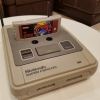
Hi Guys, The latest version of raine emu (uses the same ahk as neoraine v1.3.3) supports and works with neogeo cd 3.2 universe bios!! released by Razoola on his website which is fantastic. There is a small issue though when running samsho2 and this bios file as the game is approx 40% slower, I have not found this problem with other games so far. The way to fix this is to revert to the standard neocdz.bin bios file which does not exibit this problem when running the game or running the game at 110 fames per second instead of 60 which can be manually changed in neocd options via Tab but this is not saved anywhere. So technically the samsho2 game is not playable. …
 Last reply by skylinekiller,
 -

- 11 replies
- 321 views
Does anyone know if HyperSpin will be available for the Raspberry Pi 2 anytime? It's would change a lot!
 Last reply by progets,
 -

- 3 replies
- 44 views
I keep getting a bunch of Call to nonexistent function errors when trying to run certain modules...MAME, Neo Geo, Sega, etc. Most of the time it complains about a ServoStik function I've tried fiddling with the AutoHotKey.dll in HyperLaunch, the AutoHotKey Module Extensions, updating AutoHotKey on my machine, removing it. I even tried using fresh AHKs for MAME. Here are the versions... HyperLaunch: 3.0.1.0 DLL: 1.0.0.1 HQ: 1.0.11.0 Thanks for the help...
Last reply by kcstol, -

- 1 follower
- 3 replies
- 143 views
So I have been trying to get Naomi into Hyperspin and have ran into a bit of a roadblock. I originally tried to use NullDC Naomi and couldn't get it to work. Then I tried Makaron, but it is not compatible with my graphics card. I cannot upgrade the card because I am using an all in one micro pc. I don't think there is a way to fix this. I installed the proper directx package as well as C++ redistributable, but that didn't resolve it. I'm fine with this since I would rather have NullDC working. After giving up on Makaron I went on to try Demul and I was able to get it to play games, but not launch in Hyperspin. I decided to go back to NullDC Naomi and give it an…
 Last reply by makako,
 -

- 1 reply
- 41 views
im trying to get rocket launcer up and running on my cabinet. it currently doesnt have access to the web, so im forced to setup all the files on my laptop and transfer to the cab via thumb drive. everything workls on the laptop, but once i put it on the cab computer and try to run rockletlauncerui, i get an error massge saying "to run this application, you must first install one of the following versions of the .net framework: v4.0 contact your application publisher for instructions about obtainig the appropraite version of the .net framework" I'm not going to protend to be an expert so I'm hoping someone on here might be able to help
Last reply by mattyb425, -

- 1 reply
- 82 views
I have made this AHK remapping script for the game "The Bishi Bashi". It works perfectly when testing the script in RLUI and in the game everything works except for the m key. What am I doing wrong? t::q y::w u::e Enter::r a::t s::y q::u l::s v::s w::z d::z e::z $m:: { SendInput, i KeyWait,m,T2 If (ErrorLevel) SendInput,m } Return What I want this to do (and does when I test it in RLUI) is to send the i key when i press the m key. But if I hold down m for 2 seconds I want it to send m. Why isn't this working in the game? Please help me out here.
Last reply by Dime333, -
- 4 replies
- 66 views
I have found a few but they have guis and requires you to reboot since it writes to the registry. Is there a simple one out there that will let you temporarily remap keys with just a simple cmd command?
Last reply by Dime333, -
- 4 replies
- 146 views
EDIT: Bleasby has provided a perfect solution for my problem at the RL forums. http://www.rlauncher.com/forum/showthread.php?3129-Is-quot-NumpadEnter-quot-not-a-valid-exit-emulator-key&p=25371&viewfull=1#post25371 Maby everyone but me knew about this already, but I just learned something about AHK keymapping that is awesome. I just set up a game that won't let you redefine keys so the Player 2 Start button needs to be mapped to "i". The problem is that I use the Player 2 start button (m) as my exit emulator key (Hold for two seconds). This creates a problem. If i use: m::i The start button works in the game but I can't exit the game using it…
Last reply by Dime333, -
- 7 replies
- 65 views
I made this script to reset the network settings in Wacky Races (Taito Type X). I noticed that if you exit the game when the script is running, Hyperspin will start to act up since the script is sending keypresses. I have tried to make it only do the keypresses if the game is running, but once the keypresses have started, it won't stop. Will I have to use #IfWinActive before every keypress in the script? WinWait wrwin ahk_class wrwin #IfWinActive, wrwin ahk_class wrwin { Sleep, 3500 Send, {Esc down} Sleep, 300 Send {Esc up} Sleep, 50 Send, {Down down} Sleep, 50 Send, {Down up} …
Last reply by Metalzoic, -
- 5 replies
- 58 views
I posted this in the RocketLauncher forums the other day and I thought I might as well post it in here too since I know there are some AHK wizards lurking here Basically, what I want to do is make an AHK script sit tight and do nothing until the resolution has been changed and then continue. Is there any way to do this?
Last reply by Dime333, -

- 10 replies
- 1.3k views
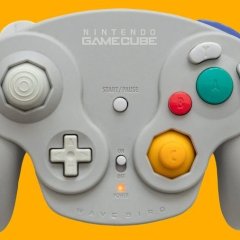
Anyone created one yet? I need to remap keys too, bit I'm most interested in skipping the initial set up window when the game is launched for a smooth experience when launched from Hyperspin.
 Last reply by dietjoke,
 -

- 0 replies
- 97 views
Hi hope this is on the right page to post this. i have installed net frame work, i open up rlauncher and it loads the red box does what it need to do then dissappears and doent come back. in the task manger its still running. any ideas?
Last reply by jrose1184, -

- 0 replies
- 62 views
Hello guys I just want to know how can I configure hq Mame it looks like the normal mame i want to set graphic settings and for some games special settings but I dont know .... need help
Last reply by xbboyx101,

-
Popular Contributors